Get answers where you need them with Knowledge Base | Adobe Australia

Turn document collections into trusted answers for every team with knowledge base in Acrobat.

According to Gartner, most data in an enterprise is unstructured, including information that lives inside documents, like policies, reports, contracts, product specifications and more. This isn't peripheral information; it's high-value, proprietary knowledge a business runs on. In the past, accessing the knowledge that lives within large document collections meant people had to search for specific files, retrieve them, read them and then compile information from across disparate sources manually. This could take several minutes for a straightforward question or hours or even days for complex questions with answers that span multiple documents.

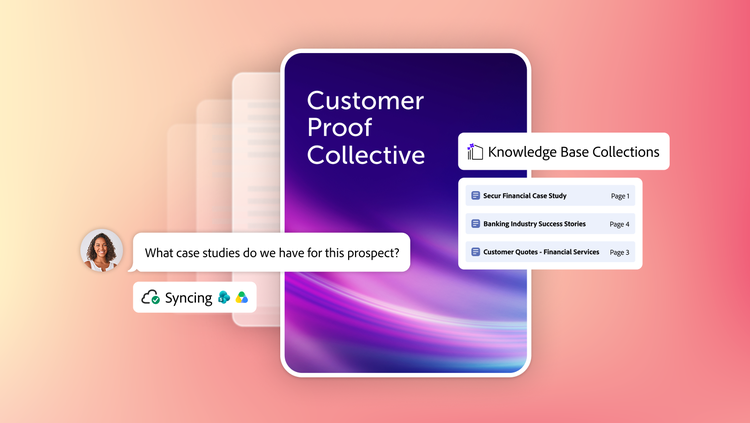
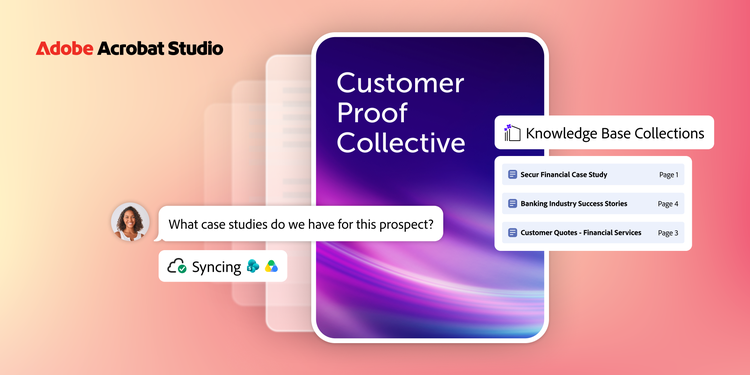
Acrobat is introducing a new way to access and understand what’s in your company’s most valuable document collections. Knowledge Base is built into Acrobat Studio and quickly turns large document collections into conversational, AI-powered sources of truth for your team, department or organisation. AI does the tedious and time-consuming work of finding and compiling verifiable answers to questions so teams can spend their time deeply understanding the information and putting it to work.

Get answers teams can trust, at scale.

Knowledge Base lets teams create curated collections and ask questions across those hundreds or thousands of documents. It supports PDF documents and other common document formats like Microsoft Office files, web pages, text and email. Documents that live in SharePoint or Google Drive folders can sync automatically, so nobody has to re-upload or re-curate every time a document changes. An advanced, document-optimised RAG engine works in the background, so the user experience is simple: ask a question and get a precise, sourced answer that can be verified in seconds.

Knowledge Base is woven into PDF Spaces, Acrobat Studio's workspace for active projects: Just add Knowledge Base collections as sources directly within a PDF Space, so work can draw on both the documents teams are actively working with and one or more large, curated collections.

What makes Knowledge Base stand out?

  • Precise attributions. Every answer links to the exact passage it came from, so you can verify it in seconds instead of taking it on faith.
  • Minutes, not months. Building a collection is self-serve. Simply point Knowledge Base at a folder or group of files and start asking questions in minutes. No IT project required.
  • Always current. SharePoint and Google Drive connectors keep collections in sync, so they stay current without anyone manually refreshing them.
  • Available where your team already works. Inside Studio, within PDF Spaces or embedded as a chatbot in Slack and Microsoft Teams - document knowledge shows up where teams collaborate.
  • Built to extend. A straightforward API lets users build fully customised Gen AI solutions on the Knowledge Base advanced RAG platform.
  • Scale and governance. Collections can span departments or entire organisations, with enterprise-grade security and a robust compliance roadmap.
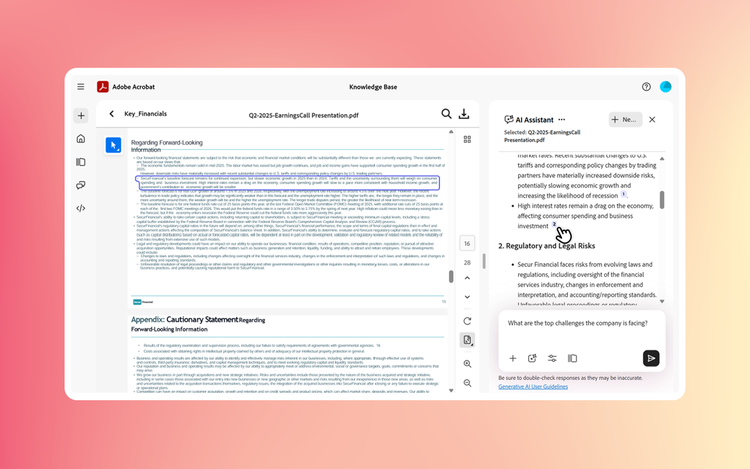
Click a citation to link directly to the information in the source document.

Built on decades of document expertise.

Other document-based AI solutions typically start with AI and then apply it to a limited understanding of documents. As the inventor and continual innovator of PDF technology, Adobe has a deep knowledge of documents accumulated over many decades on which we’ve also developed proprietary document AI. That’s given us a head start in solving these specific problems: parsing complex layouts, interpreting document structure, understanding detailed tables, all while reinforcing trust.

Knowledge Base reads content straight from documents in their original form, preserving reading order, tables and semantic context other approaches lose. Knowledge Base is more than infrastructure or a query layer bolted on top. It’s built into existing Acrobat document workflows, from reading to understanding to creation to sharing to archive, so teams can stay efficient inside an environment IT leaders trust.

Solving a common challenge.

Knowledge Base is not a niche tool for one department. Many teams and business units need to understand information across document collections and Knowledge Base helps teams address five common use cases and helps them to get to understanding, faster:

Use Case
Value Knowledge Base delivers
Review & analysis
Hours of reading → seconds of insight
Q&A on complex docs
Expert dependency → self-serve access
Document generation
Blank page → AI-assisted first draft
Cross-doc synthesis
Manual aggregation → instant intelligence
Compliance checking
Risk of oversight → systematic coverage

Purpose built for on-demand understanding.

Most companies have one or more general-purpose AI solutions to assist with daily workplace tasks. Knowledge Base doesn't replace those tools; it's built for the specific job of turning large, curated collections of high-value documents into on-demand knowledge you can verify and act on. It's built for those business-critical moments when you need trusted answers. Here are a few examples of how teams at Adobe are using Knowledge Base in Acrobat:

  • Adobe Customer Zero: Adobe teams, including product, design, marketing, sales and customer service use Knowledge Base collections to turn user research, deal desk policies, product specifications, technical documents and help content into trusted, self-serve answers that improve product and GTM decisions, accelerate opportunity closings, support customers before and after sales and strengthen the customer experience.
  • Prerelease customer: A large architecture firm uses PDF Spaces to create shared bid workspaces and Knowledge Base collections for past proposals and functional best practices, helping teams deliver higher-quality bid proposals faster and win more deals.

Get started today.

Knowledge Base is available as part of Acrobat Studio. Click here to learn more.

Let’s talk about what Adobe can do for your business.

Get started