
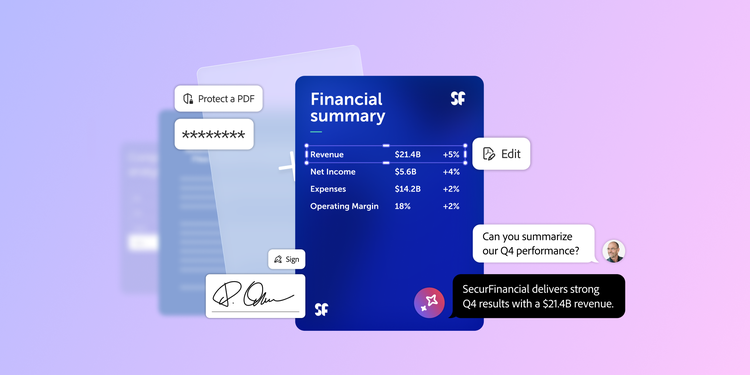
Comment and edit PDF documents with Adobe Acrobat Studio for Business.

Adobe Acrobat Team

05-12-2026

The PDF remains the global standard for business documents, but the way organizations work with them has evolved. Today, editing is not just about correcting text. It is about enabling secure collaboration, accelerating review cycles, and extracting insights quickly and confidently.

Whether reviewing a complex contract, providing feedback on a creative brief, or analyzing research, Adobe Acrobat Studio for Business online tools transform static PDFs into interactive, collaborative workspaces accessible directly in the browser.

In this article:
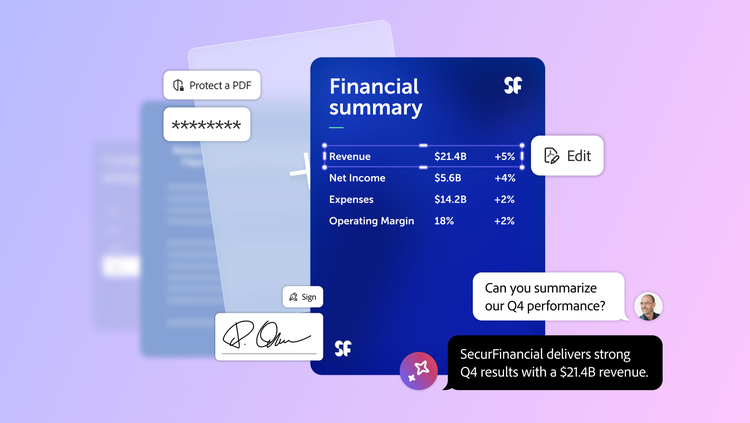
How to annotate and edit a PDF online.

Acrobat online PDF tools allow you to manage core document workflows from any modern browser, without needing desktop software for review and collaboration tasks. Follow these three steps to turn a static PDF into a collaborative workspace:

  1. Upload your document. Open the Acrobat Studio workspace in your browser and drag your PDF directly into the window. You can also import files from connected cloud storage services such as Microsoft SharePoint or OneDrive, or third-party‑ solutions like Google Drive. Once uploaded, your document is securely stored and ready for collaboration.
  2. Add comments and markups. Use the floating toolbar to select your preferred feedback method. Highlight key passages, strike through outdated text, or use the drawing tool to circle design elements. For more detailed feedback, add a sticky note anywhere on the page to start a threaded conversation with your collaborators.
  3. Share securely. Instead of sending multiple email attachments, select Share to generate a secure link. You can optionally apply password protection and other restrictions. Collaborators can open the PDF in their browser and view or respond to comments in near real time, either as guests or by signing in with an Adobe account. This centralized approach ensures every stakeholder sees the most current version of the file, with all feedback visible in one place.

These browser-based tools enable distributed teams to collaborate efficiently across locations and devices.

Understanding the difference between annotating and editing PDFs.

Knowing when to annotate versus edit ensures your team follows the right workflow while preserving document integrity.

Together, these capabilities support every stage of the document lifecycle, from initial review to final publication.

Essential tools for PDF collaboration.

Effective communication drives successful projects. Acrobat’s online tools provide teams with practical, easy-to-use features for delivering clear, contextual feedback directly within PDFs.

These capabilities help teams keep conversations anchored in the document itself, reducing confusion and version sprawl.

Summarize and review PDFs with AI.

As documents grow longer and more complex, keeping track of feedback can slow down progress. Adobe Acrobat AI Assistant is an intelligent, built-in productivity partner in Acrobat Studio that helps you work smarter with PDFs. When enabled by your organization, you can chat with your PDF to summarize long annotated documents, locate‑ specific feedback threads, or generate a list of action items based on the content and comments in the file. This allows you to spend less time searching and more time executing.

Here's how Acrobat AI Assistant transforms the workflow:

By grounding responses in your own documents and providing traceable citations, Acrobat AI Assistant builds trust in AI-assisted reviews for high ‑stakes work.

Security, governance, and control for enterprises.

Enterprise document workflows require more than convenience. They require strong security, clear governance, and administrative oversight.

Acrobat Studio helps protect sensitive information with encryption in transit and at rest — using industry-standard Transport Layer Security (TLS) for network connections and Advanced Encryption Standard (AES‑256) for stored data. Adobe also does not use customer content to train the generative AI models that power Acrobat AI Assistant, supporting enterprise data privacy and governance requirements.

IT teams can centrally manage users, permissions, and access policies through the Adobe Admin Console, including controls for Acrobat Studio, Acrobat AI Assistant, and cloud storage. These capabilities enable secure, compliant, and AI-assisted collaboration at scale while maintaining document fidelity across devices.

Document solutions for every industry.

Adobe Acrobat Studio for Business empowers enterprise teams to collaborate, manage, and secure documents across any industry. Legal teams can redact confidential information before sharing contracts, while marketing and creative teams can consolidate feedback from multiple reviewers in a centralized workspace.

Finance and HR departments benefit from secure document sharing and version control, and project managers can track edits, approvals, and action items in real time, reducing bottlenecks.

Explore how Acrobat Studio for Business centralizes collaboration, enhances productivity, and turns static PDFs into intelligent, actionable workspaces from draft to final publication, no matter your industry.

https://business.adobe.com/fragments/resources/cards/thank-you-collections/acrobat