

con-block-row-bgcolor
#000

Adobe Acrobat Studio for Sales

Build proposals that strengthen trust and grow pipelines.

Hit sales targets, foster lasting client relationships and win competitive deals. Adobe Acrobat Studio empowers sales teams to move quickly, gather insights and deliver persuasive, compelling customer content and sales proposals using AI-driven tools and branded templates.

Create contracts with speed and precision.

Accelerate discovery and insights.

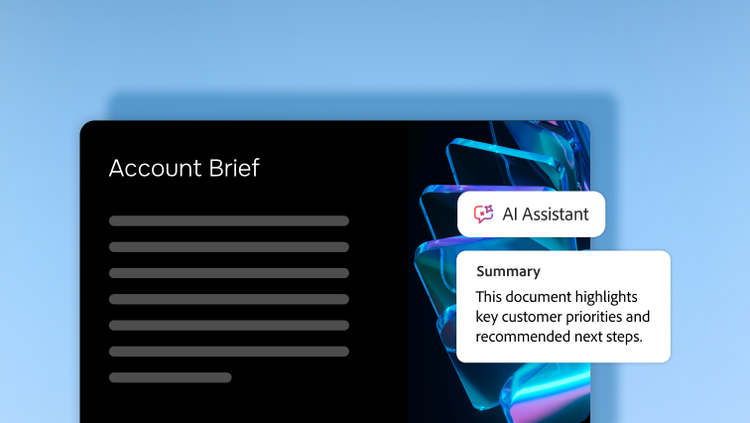
Centralise client materials in PDF Spaces. AI Assistant highlights priorities, surfaces differentiators and can even create audio summaries — saving time and sharpening pitch strategy.

PDF Spaces also provides precise citations for every insight, linking every answer directly to its source. This lets sales teams validate information instantly and build trust with clients.

Set targets and streamline collaboration.

Define pitch goals and use AI prompts to generate tailored proposal outlines, value comparisons or next-step recommendations. Collaborate in PDF Spaces to iterate quickly on messaging, content and supporting materials while maintaining stakeholder alignment.

Deliver polished, on-brand proposals.

Use Adobe Express templates and the generate presentation feature to instantly turn insights and existing documents into proposals and presentations.

Collaborate with commenting and editing tools, securely share final drafts with clients and track engagement — keeping collaboration tight and deals moving forward.

Learn more about how Adobe Acrobat Studio empowers sales teams.

https://main--da-bacom--adobecom.aem.page/fragments/products/acrobat-business/sales

Questions? We have answers.

How does Adobe Acrobat Studio help sales teams create client-ready materials faster?

With Adobe Express included in Acrobat Studio, sales teams can generate branded presentations, proposals, one-pagers and pitch decks quickly, ensuring every asset is polished and on-brand.

Which sales scenarios are best suited for Acrobat Studio?

High impact use cases include:

  • Proposals, quotes and statements of work
  • Order forms and renewal paperwork
  • Non-disclosure agreements and standard contracts
  • Customer facing decks converted to secure PDFs
  • Complex requests for proposals (RFP) or requests for information responses and vendor questionnaires

Anywhere PDFs are part of your sales cycle, Acrobat Studio helps you to prepare, send and sign faster.

How does Acrobat Studio improve overall sales productivity?

Key gains include:

  • Less time reformatting documents, more time prospecting and selling.
  • Faster understanding of customer requirements and RFPs via AI Assistant.
  • Reduced back-and-forth with legal thanks to shared workspaces and clear comments.
  • Fewer bottlenecks in signature and approval steps through Adobe Acrobat Sign Solutions.

Ultimately, this helps teams improve win rates, cycle times and quarter-end execution.

How should businesses roll out Acrobat Studio to maximise adoption in sales?

Recommended steps:

  • Pilot with a single region or segment — for example, mid-market AEs — and measure cycle time and win rate impact.
  • Provide simple playbooks such as “Top 10 things to ask AI about an RFP” or “How to send quotes for e-sign.”
  • Integrate Acrobat Studio into existing sales plays such as RFP response process, standard contract flow or renewal plays.
  • Collect success stories such as shortened closing times or complex deal wins and share during quarterly business reviews and sales kickoffs.

How does Acrobat Studio improve deal velocity?

Acrobat Studio helps improve deal velocity via faster document preparation, automated insights and streamlined collaboration across legal and finance to accelerate contract turnaround and reduce friction during deals.

Can sales managers track document usage or engagement?

Acrobat Studio supports version history, activity views and collaboration analytics to help leaders understand where deals may be stuck or progressing.