.

Adobe Learning Manager Features

Contextual learning

Adobe Learning Manager continuously builds an understanding of each learner's goals, interests, activity and progress and uses that context to deliver experiences that help customers, partners and employees discover relevant learning and build expertise faster.

Turn learner context into meaningful learning experiences

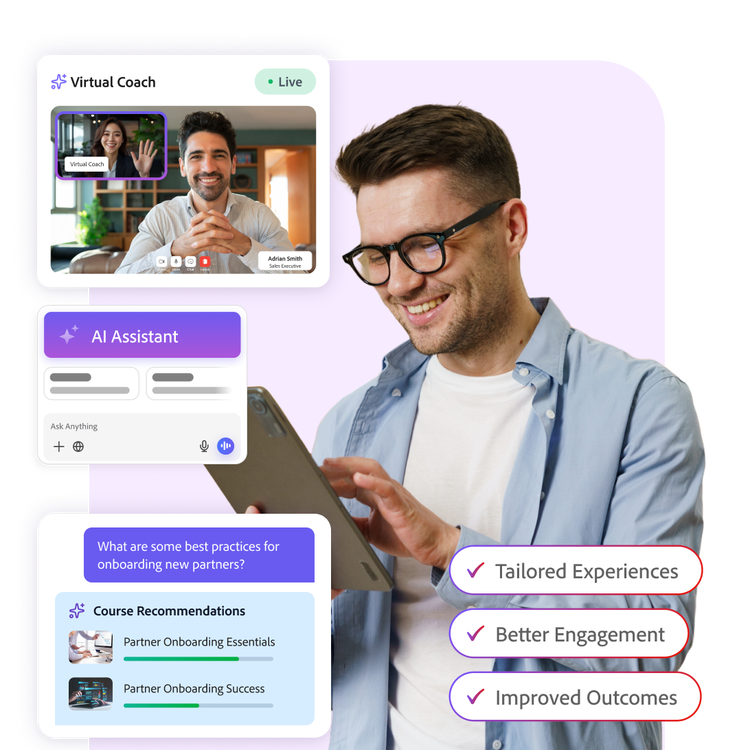
Deliver dynamic role plays with Virtual Coach that adjust and update in real-time based on ongoing conversations, offering more realistic and effective practice sessions.

  • Build richer learner profiles from every interaction across courses, certifications, live sessions, skills development and learning activity.
  • Provide relevant answers and course recommendations based on learners' intent and context.
  • Enable learners to build learning journeys over a conversational AI interface and attain goals unique to them.
Connect your learners to the right content, knowledge and experiences

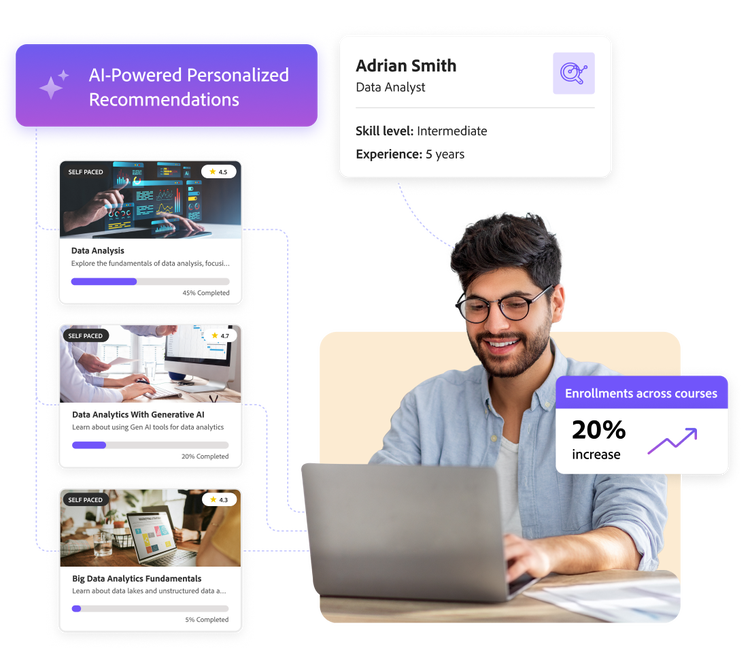
Serve course recommendations based on learner preferences - product, role and level - using an AI-powered recommendations engine pre-trained on more than 50 million course completions data.

  • Help learners find answers faster with semantic search that understands intent, not just keywords and searches within course metadata, third party content including YouTube videos and LinkedIn Learning content.
  • Build flexible, nested learning paths across product adoption, partner readiness and skill development - automating curriculum management at scale.
  • Personalise enrolments based on learner activity - group changes, completions or module failures - while supporting multilingual resources and blended learning formats.
  • Deliver learning wherever it is needed - mobile app and tailored pages and bite-sized microlearning - through a proprietary fully embedded course player.

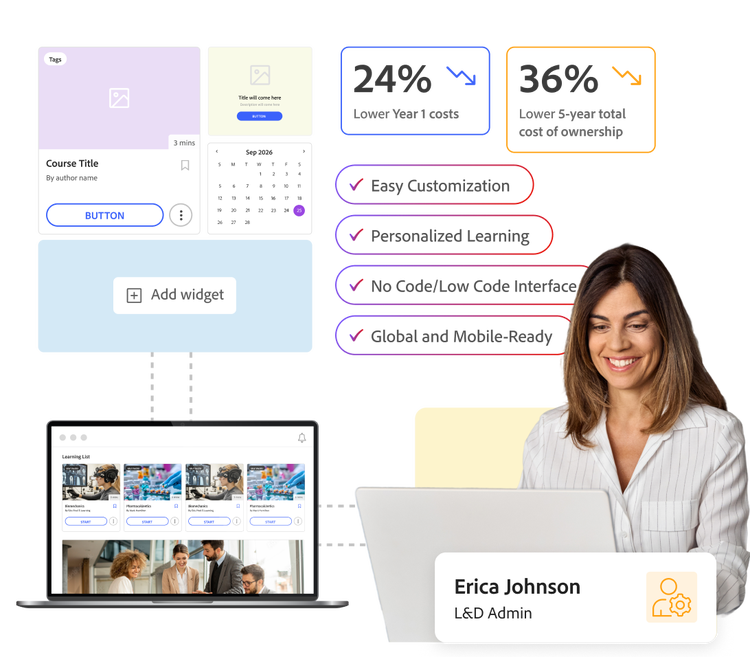
Build personalised learning experiences without relying on developers

  • Create fully branded, visually stunning, role-based landing pages with Experience Builder to offer individualised experience to each learner with no-coding. Create branded portals easily using drag and drop tools - customised headers, layouts, HTML/CSS/JS and flexible widgets.
  • Launch dedicated learning hubs for diverse learning needs such as onboarding programmes, product launches, events, certifications and partner enablement initiatives.
  • Tailor pages, navigation and learning content for specific learner groups to create more relevant experiences.
  • Reduce implementation effort and ongoing maintenance by giving learning teams greater control over the learner experience.

Turn your scattered organisational knowledge into accessible learning with Channels (Beta)

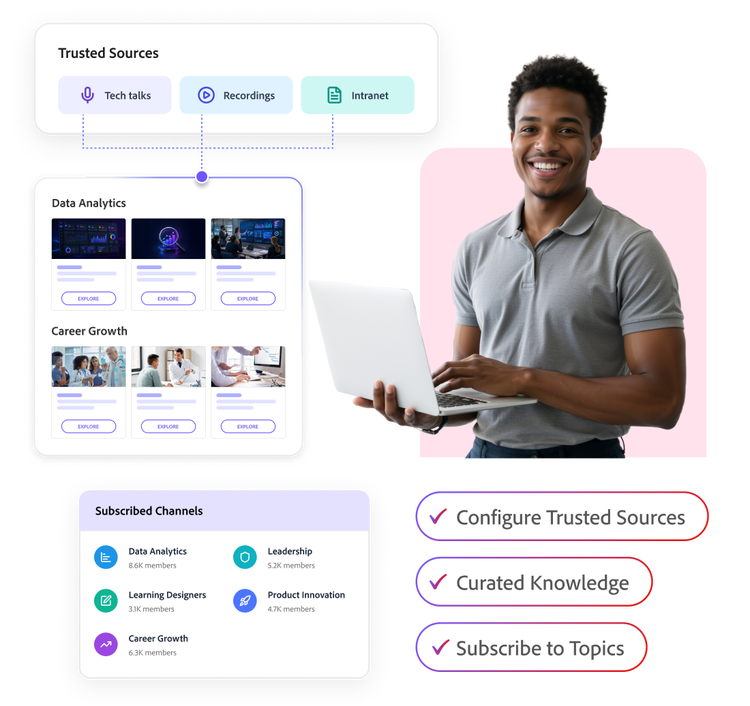
Enable your learners to access informal learning content - tech talks, knowledge-sharing sessions, Microsoft Teams recordings - scattered across Wikis, Confluence pages, SharePoint and intranet sites at one place within Adobe Learning Manager.

  • Configure trusted sources of informal learning to be surfaced within Adobe Learning Manager.
  • Organise information into curated topics that make informal learning easier to discover and consume.
  • Enable learners to subscribe to topics of interest and engage with peers through discussion-driven learning.
  • Automatically keep knowledge fresh and up to date without increasing administrative effort.

Prove learning impact with instant insights

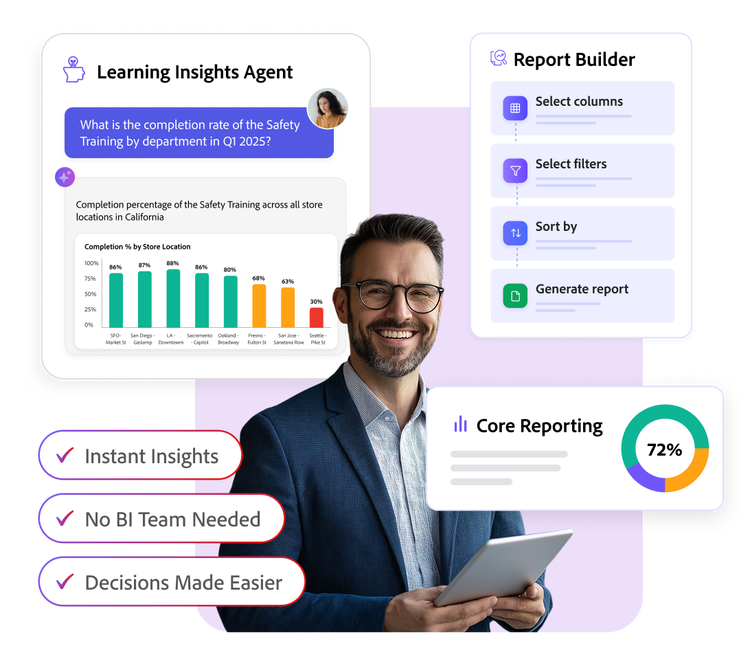
Give every stakeholder — customer success leaders, channel VPs and executives instant access to learning insights without dependency on BI teams or technical support.

  • Ask questions on learning data in natural language and receive actionable insights, trends and answers in seconds through Learning Insights Agent.
  • Create customised reports specific to your needs, using Report Builder, a drag-and-drop tool that helps create detailed reports without any technical support.
  • Track enrolment, engagement, completion, certification and adoption metrics across customer segments, partner tiers and employee groups with pre-built dashboards.

Learn how to use Adobe Learning Manager features.

Get answers in Experience League, our vast collection of how-to content - including documentation, tutorials and user guides.

Learn more

Let’s talk about what Adobe Learning Manager can do for your business.

Get started