While product photography offers a range of benefits to customers and businesses alike, it does require time and effort. To take good product photos, you need more than a smartphone camera and a white wall. You’ll want specialized photography equipment, such as a standalone camera and a tripod.
You’ll also need to invest in the right settings for taking product photos. Because lighting plays a major role in the quality of photos, having the right shooting environment is critical. You will also want to purchase software to help you edit photos and give them a professional look.
Choosing a camera.
A high-quality camera is the foundation of effective product photography. While modern smartphones have capable cameras, dedicated cameras provide better resolution, flexibility, and control for ecommerce needs.
When selecting a camera, consider:
- Resolution. Higher resolution ensures sharp, detailed images. For product photography, a camera with at least six megapixels is recommended, though most modern DSLR or mirrorless cameras far exceed this.
- Storage capacity. Large memory or support for high-capacity cards allows you to capture multiple shots efficiently without frequent interruptions.
- Lighting control. Built-in flash is less critical in controlled studio settings, but adjustable flash or exposure settings can help achieve precise lighting.
- Ease of file transfer. Reliable and user-friendly software for downloading photos ensures smooth workflow from camera to editing platform.
Pairing a good camera with tools like Adobe Lightroom or Adobe Experience Manager Assets lets you quickly import, organize, and edit images, making the overall photography process more efficient and consistent.
Using a tripod.
A tripod is essential for high-quality product photography. It ensures stability, reduces blur, and frees your hands for adjusting products or props.
Key considerations when choosing a tripod:
- Height and adjustability. Select a tripod that lets you position the camera at eye level and adjust for different product sizes.
- Weight and portability. Lighter tripods are easier to move if shooting in multiple locations.
- Quick-release system. Allows fast attachment and removal of the camera, saving time during shoots.
- Stability. A sturdy tripod prevents accidental movement or tipping, especially during rapid shooting.
Lighting for product photography.
Unless you’re fortunate enough to have a photo studio in your home or office, you’ll save yourself a great deal of hassle by purchasing lighting systems designed for photography. They save you from having to tweak the lighting systems in your home to get the right environment for your photos. They also eliminate the need to worry about fluctuations in natural light that may occur as the sun goes in and out.
A primary factor to consider when purchasing product photography lighting systems is how bright they are. Typically, you’ll want at least 1,000 lumens for every 100 square feet of space in the room you use to take product photos.
As with tripods, the weight of lighting systems is important to consider, especially if you will be moving around to different shooting sites. If you plan to take any product photos outdoors such as lifestyle shots, you’ll want to ensure your lighting rig can be exposed to the elements.
Reflectors.
Controlling the direction and intensity of light is just as important as making sure you have enough light when taking product photos. This is why you may want to use reflectors, which allow you to redirect light generated by spotlights or camera flashes.
In general, reflectors help enhance the lighting and contrast of the items in your photos. They can also be useful in lifestyle shots to help highlight the product and draw the viewer’s attention to it.
Just be sure that you don’t overdo it when you use reflectors. If you are taking photos of products that are made of reflective material, using a reflector to focus light on them may make the lighting too intense. Likewise, make sure that reflectors don’t end up focusing on some parts of your product at the expense of others (unless you want to highlight certain parts).
Natural and artificial light.
Having full control over lighting is ideal for taking product photos. However, in certain cases you may not have control. When taking photos outdoors, you’ll have to work with the light that nature gives you.
You can use artificial lighting outdoors to augment natural lighting. You may also be able to use settings on your camera to minimize the impact of poor natural lighting. The effects of poor lighting can also sometimes be addressed during the editing process for your photos.
Generally, the better your lighting is when you take photos, the less work you’ll have to perform later to achieve the high quality you need to place excellent product photos on your site.
Sweep backdrops.
In photography, a sweep is a background you set an item against when taking a photo. Usually, sweeps are uniform and light in color.
When taking individual shots and scale shots, using a sweep will help you achieve the best contrast between your product and the background. It will also ensure viewers of the photos focus on the product without being distracted by ambient details like horizon lines. Sweeps can also mitigate the effects of poor lighting.
You can purchase a variety of different types of sweeps online or make them yourself from materials like a white sheet or foam board.
Choosing the right lens.
Lenses have a big impact on the quality and versatility of your product photos. A macro lens is ideal for capturing small details, textures, or intricate designs, while a standard zoom lens works well for general product shots and lifestyle images.
For ecommerce photography, choose a lens that provides sharp focus, minimal distortion, and consistent color. Using the right lens helps you highlight product features, maintain a consistent look across your catalog, and reduce editing time later.
Photo editing for the best photos.
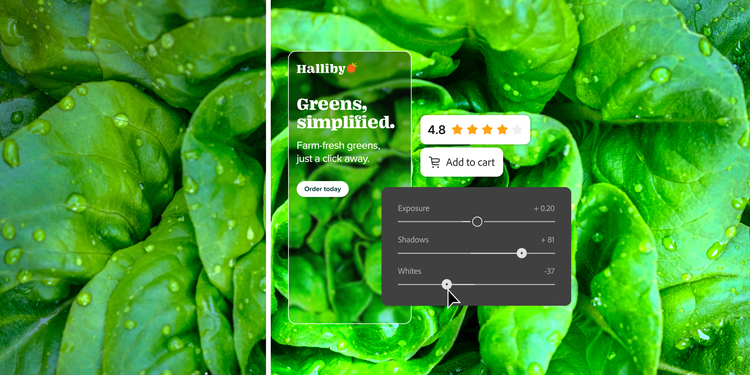
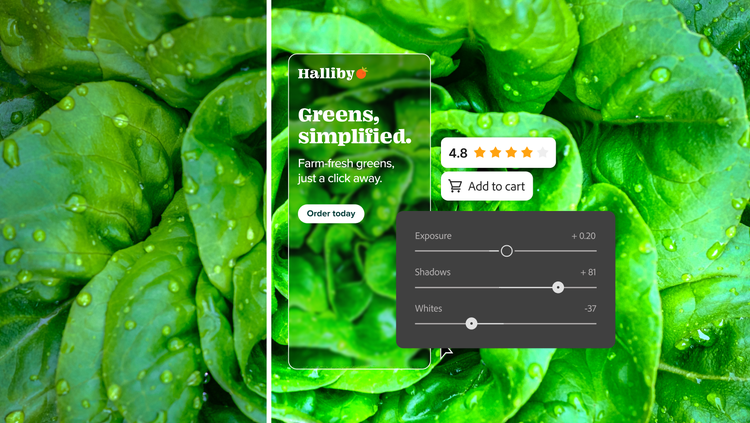
Even with careful photography, editing is essential to make your product images look their best. Start by reviewing your shots and selecting the ones that clearly showcase each product. Taking multiple photos per product and choosing the strongest ones later is usually more efficient than trying to get every shot perfect.
Next, enhance your images with editing software. Depending on the type of photo, edits might include:
- Cropping and framing. Focus attention on the product, especially in lifestyle or detail shots.
- Sharpening and color adjustment. Improve clarity and correct lighting or color inconsistencies.
- Background cleanup. Remove distractions and maintain a clean, consistent look.
- File optimization. Compress images or adjust resolution for faster site loading without sacrificing quality.
Adobe products can streamline this process. Adobe Photoshop and Lightroom provides professional tools for retouching, color correction, and batch processing. Adobe Express and Adobe Experience Manager Assets make it easy to automate repetitive edits, generate multiple file sizes, and integrate optimized images directly into your website or marketing channels.
Using these tools ensures consistent, high-quality visuals while saving time and maintaining fast-loading pages for a better customer experience.