con-block-row-bgcolor
#000

ADOBE FIREFLY GRAPH FOR ENTERPRISE

Build and share AI-powered creative workflows.

Turn the craft behind your best campaigns into something every team can use. Adobe Firefly Graph combines Adobe's creative applications with top AI models to build workflows that scale.

Watch overview | Watch an overview of Firefly Graph. Contact sales | Contact sales to learn more about Firefly Graph for enterprise

A visual canvas for AI-powered creative workflows.

Build and refine workflows that can be reused and shared across teams to produce polished outputs with greater control and consistency.
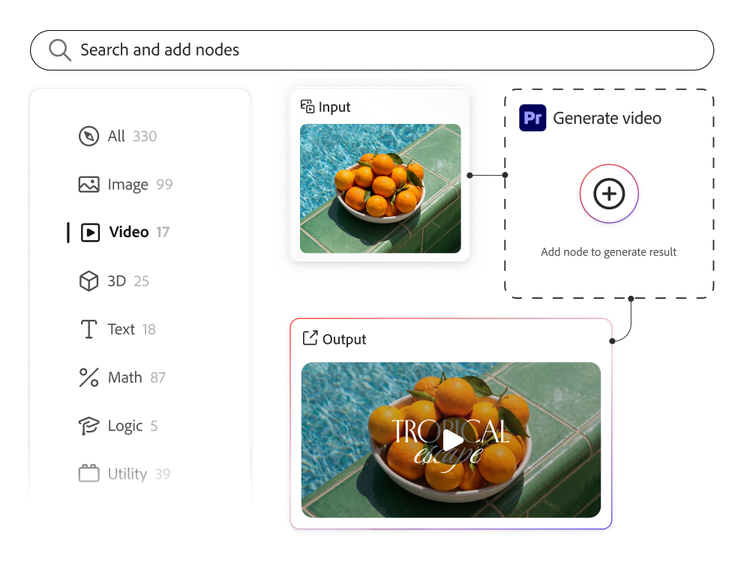
Design repeatable workflows with control and precision.

Firefly Graph puts AI-powered creative control in every creative professional’s hands.

  • Design workflows step by step, bringing together the top generative AI models with Adobe’s creative applications to produce polished outputs that can be consistently repeated, refined and reproduced.
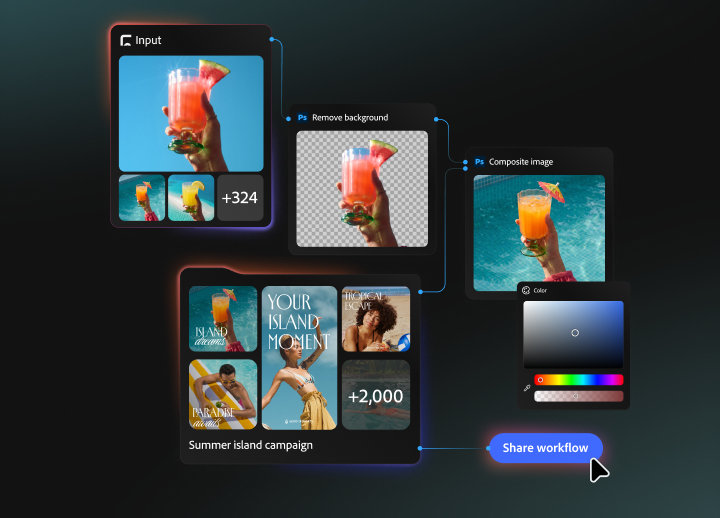
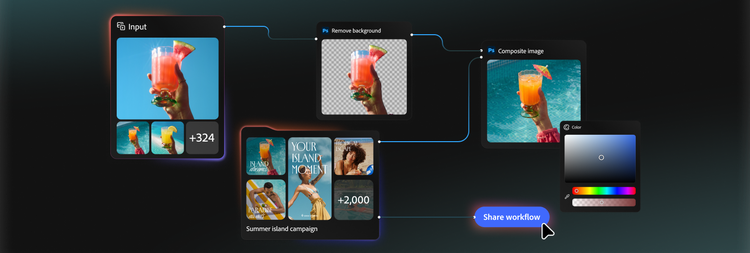
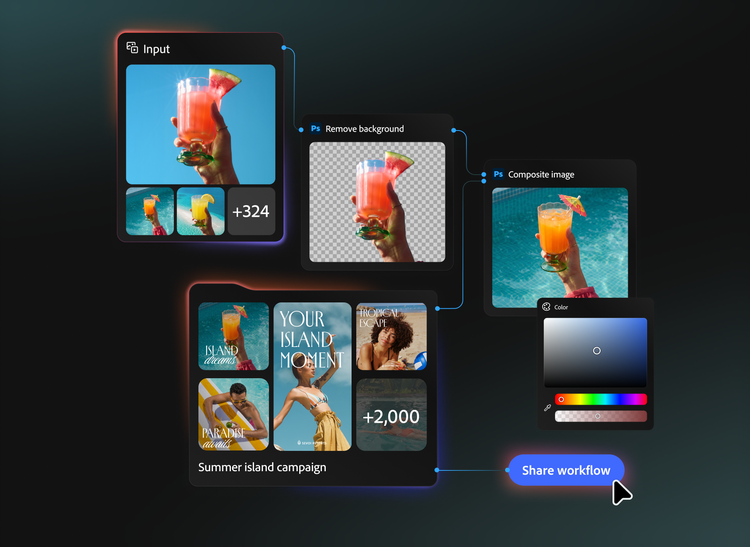
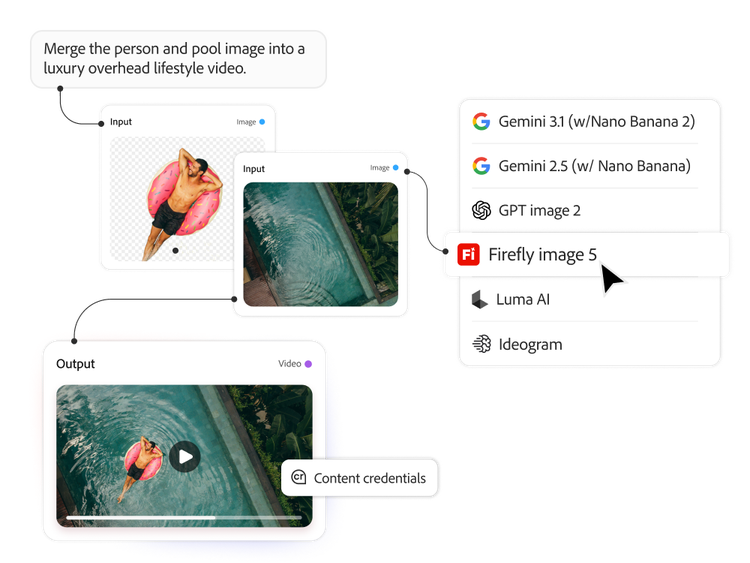
  • Connect 300+ multimodal nodes and generative actions from Adobe Firefly and partner AI models, linking outputs to inputs to build end-to-end creative workflows.
  • Build, branch and iterate on a visual workflow canvas with the flexibility to adjust steps along the way.
  • Revisit past runs, refine inputs and make successful workflows easier to repeat.
#F8F8F8

Share and scale hero workflows across teams.

Turn your best creative workflows into organisational assets.
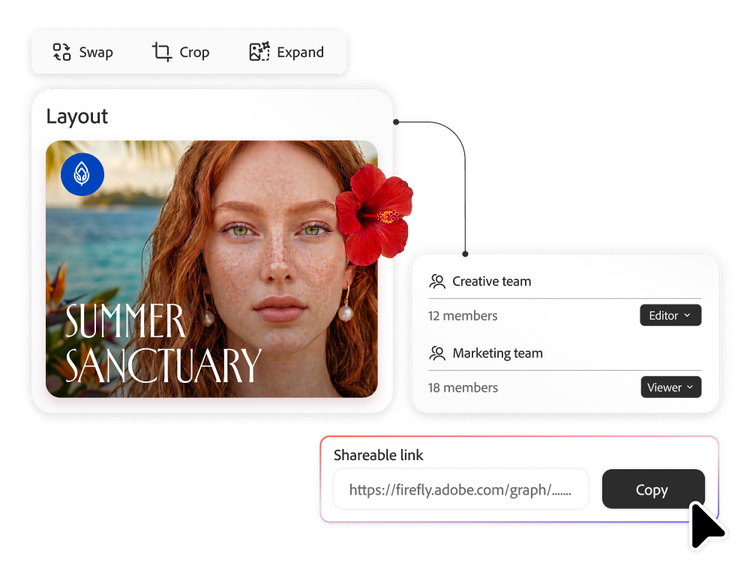
  • Save and share workflows across the organisation, so every creative team member can produce standout content with consistency, speed and precision.
  • Build modular, reusable workflow components, breaking complex workflows into smaller pieces that can be saved and used elsewhere.
  • Equip your organisation to execute creative excellence by replicating hero workflows at scale.

Govern and scale creative AI across your enterprise.

Use generative AI-powered creative workflows as a strategic enterprise asset.

  • Turn AI complexity into a managed creative system, harnessing new models and capabilities as they emerge without disrupting existing workflows.
  • Maintain full visibility and control across the organisation with admin controls and permissions to manage access, roles and deployment.
  • Create with confidence through Adobe intellectual property indemnification for outputs from Firefly, Google and OpenAI models. Terms apply.

https://main--da-bacom--adobecom.aem.page/fragments/products/creativecloud-business/firefly-graph/learn-more

Questions? We have answers.

What is the difference between Firefly Graph and Adobe Firefly Creative Production?

Firefly Graph for Enterprise helps teams design and refine creative workflows. Firefly Creative Production helps teams run approved workflows at scale to produce large volumes of content variations. In short, Firefly Graph is for building the creative workflow while Firefly Creative Production is for operationalising and scaling it. They are complementary products that support different stages of the content supply chain.

Learn more about the difference between Firefly Graph and Firefly Creative Production.

What is Firefly Graph and who is it for?

Adobe Firefly Graph for Enterprise is a visual canvas for designing and orchestrating AI-powered creative workflows for enterprise creative teams. It gives enterprise creative teams a tool where they can connect generative AI, editing actions and creative workflows into structured processes instead of relying on one-off prompts.

For organisations considering workflow automation, Firefly Graph for Enterprise helps move creative AI from experimentation into a controlled system. Creative teams can build reusable workflows, refine them over time and share them across the business, so creative processes become more consistent, governable and scalable. It is available exclusively in Adobe Creative Cloud for enterprise Edition 5.

How can I get Firefly Graph?

Firefly Graph for Enterprise is available exclusively within Creative Cloud for enterprise Edition 5. Please contact your Adobe account team for more information.

How does Firefly Graph fit into an existing Adobe Creative Cloud for enterprise deployment?

Firefly Graph for Enterprise fits into an existing Creative Cloud for enterprise deployment as a workflow layer for designing, reusing and governing AI-powered creative workflows. Firefly Graph extends the value of Creative Cloud by combining Adobe AI and professional creative actions from apps like Adobe Photoshop, Adobe Illustrator and Adobe Premiere into repeatable workflows.

For enterprise organisations, Firefly Graph can help turn individual creative expertise into shared organisational assets. It complements existing Creative Cloud workflows by giving teams a structured way to author, automate and distribute repeatable creative processes across users, teams and the wider enterprise.
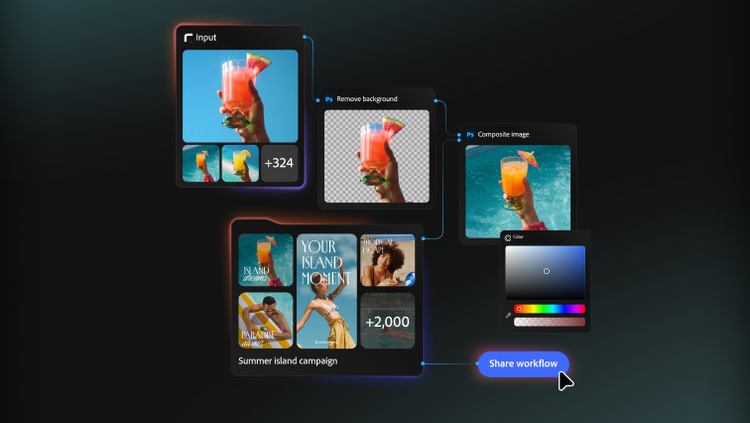

How do teams share and reuse workflows in Firefly Graph?

Teams can save and share reusable creative workflows across the organisation using a capsule and subgraph system in Firefly Graph. Complex workflows can be packaged as subgraphs — smaller self-contained components that can be plugged into other graphs. When a workflow is shared with exposed controls, it becomes a capsule: a ready-made creative tool that any team member can run without needing to understand how it was built.

How does Firefly Graph for Enterprise help automate creative workflows?

Firefly Graph for Enterprise helps automate creative workflows by turning multi-step creative tasks into reusable visual workflows. Instead of manually repeating the same sequence of prompts, edits, colour changes, compositing steps and refinements, teams can build those steps once and re-run them as needed. This is useful for enterprises that want to scale creative output without losing process control while standardising how work gets done.

Does deploying Firefly Graph require developer or IT resources?

No, Firefly Graph for Enterprise is designed as a visual creative workflow canvas rather than a coding tool. Users build workflows by connecting nodes on a canvas, adjusting controls and chaining creative steps visually. Prompting may still be part of some workflows, but prompting is only one step inside the broader workflow rather than the entire operating model.

Which AI models and tools are available in Firefly Graph?

Firefly Graph includes a library of 300+ generative actions and nodes from Adobe Firefly and partner models. All nodes are available in one place, so creatives can combine generation and editing without switching tools.

How does Firefly Graph work?

Firefly Graph turns complex, multi-step creative processes into repeatable, governable workflows that any team member can run without requiring code or prompt expertise. Users build workflows by connecting individual actions, called nodes, on a visual canvas. Each node represents a single step, such as generating an image with Adobe Firefly, applying a mask or shifting colours. These nodes are linked together by drawing connections between outputs and inputs, forming a complete, end-to-end creative workflow that can be run, refined and reused.

Let us show you the full power of Firefly Graph for Enterprise.

Marketo Configurator Friday, May 29, 2026 at 12:20
Success Type
Success Section
Success Content
Thank you for your interest in Firefly Graph for Enterprise. Your request has been submitted to an Adobe representative who will contact you shortly.