Adobe Acrobat Studio for Procurement
Turn vendor documents into more confident sourcing decisions.
Review proposals, contracts, and vendor documentation in one place. Adobe Acrobat Studio helps procurement teams compare vendors, uncover cited insights, collaborate with stakeholders, and build stronger sourcing recommendations.

https://main--da-bacom--adobecom.aem.page/fragments/emea-customisations/summit-2026-banner
Review proposals, support compliance, and align stakeholders with less manual effort.
Evaluate vendor qualifications at scale.
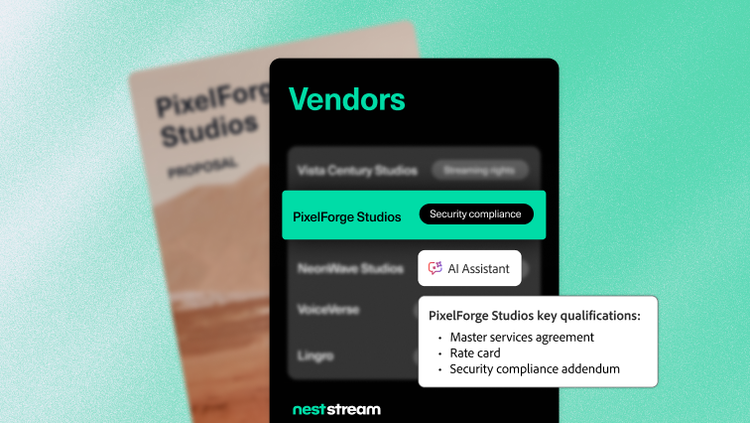
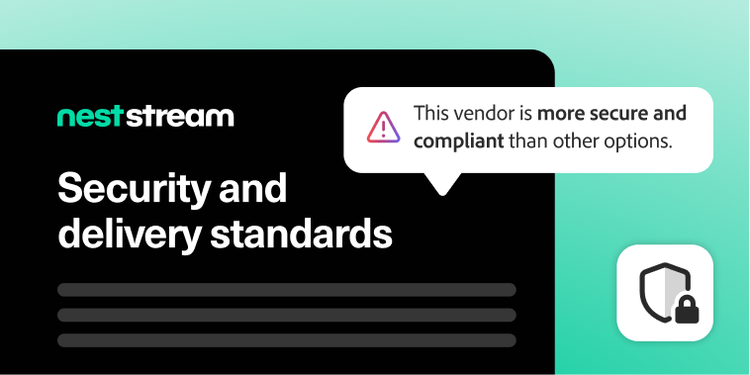
Vendor proposals, certifications, and contracts often contain hundreds of pages of information, making it difficult to compare vendors consistently and identify potential risks or compliance gaps. Centralize vendor documentation in PDF Spaces and use Adobe Acrobat AI Assistant to summarize key details, identify differentiators, and validate findings with direct citations traced back to the original source.
For organizations reviewing large volumes of procurement documentation, Analyzer in Adobe Acrobat Studio surfaces structured, cited insights across proposals, contracts, and certifications — helping procurement teams evaluate vendors more consistently and build a stronger foundation for sourcing decisions.
Streamline complex reviews and decisions.
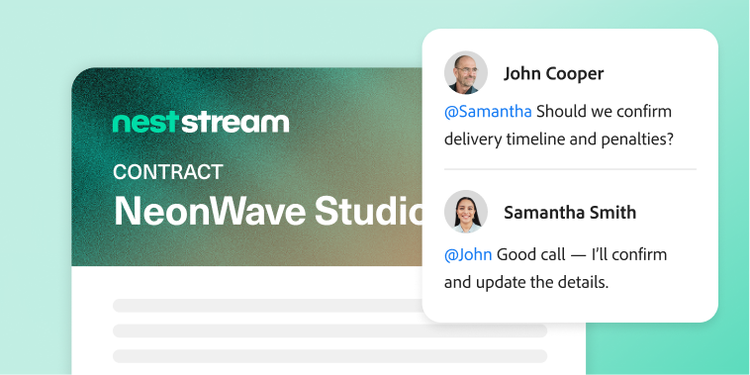
Procurement decisions often involve sourcing, legal, finance, and business stakeholders, making it difficult to keep reviews organized and maintain alignment as documents evolve. PDF Spaces brings documents, supporting context, in-line comments, and traceable AI insights together in one shared workspace, helping teams collaborate more efficiently throughout the review process.
AI Assistant helps surface key points, action items, and supporting information so teams can resolve questions faster, move negotiations forward efficiently, and bring proposals from review to decision more quickly.

Deliver executive-ready sourcing recommendations.
Translating proposal responses, contracts, and evaluation findings into stakeholder-ready recommendations is often time-consuming. Acrobat Studio helps procurement teams create polished summaries, vendor evaluations, and recommendation materials using the Generate Presentation feature and other built-in content creation tools.
Teams can use approved formats for requests for proposals (RFPs), requests for quotes, and evaluation reports to make sourcing decisions consistent, professional, and easy to review. These clear, reviewable outputs help stakeholders align more quickly and build trust in the procurement process.
Learn more about how Acrobat Studio supports procurement teams.
Questions? We have answers.
How does Acrobat Studio streamline procurement contract workflows?
Can Acrobat Studio help procurement teams centralize supplier documentation?
Does Acrobat Studio support vendor compliance documentation and recordkeeping?
Which procurement scenarios are best suited for Acrobat Studio?
The typical high-value scenarios for which Acrobat Studio is best suited include:
- RFP responses, supplier proposals, and evaluations.
- Master service agreements, SOWs, non-disclosure agreements, delegation of authority documents, and renewals.
- Price-list and discount schedules.
- Supplier policy acknowledgments for code of conduct, environmental, social, and governance strategies, or InfoSec.
- Contract change orders and amendments.
Anywhere you handle vendor PDFs, Acrobat Studio can help you review, negotiate, and approve faster.
How does Acrobat Studio reduce procurement cycle time?
Can procurement collaborate with finance and legal within Acrobat Studio?
What languages is Adobe Acrobat Studio available in?