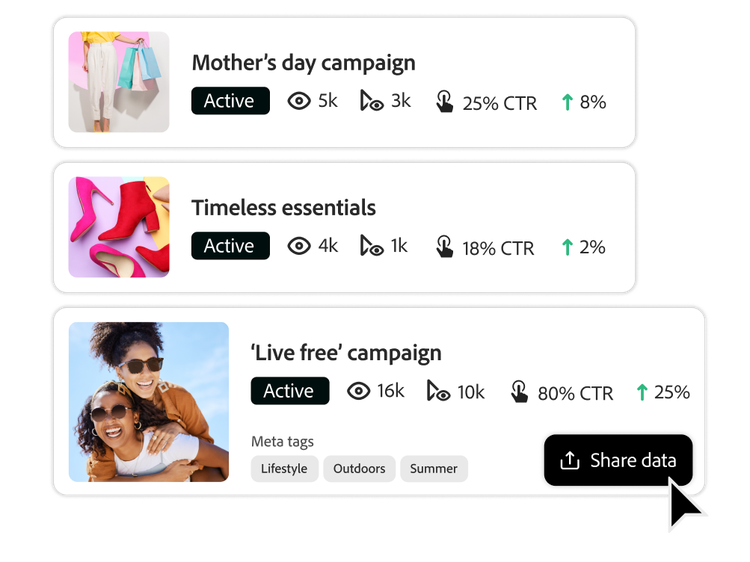
Simplify campaign execution with connected workflows.
Get clear visibility across the entire content lifecycle, with AI agents embedded at every touchpoint – so you can automate planning, approvals, and activation in one connected system.
Connect every task, team, and touchpoint with intelligent automation.
Manage all your marketing plans in one place.
Bring every campaign and content initiative into one AI-powered planning hub that boosts visibility, aligns plans to business objectives, and drives better, data-backed decisions.
Improve plan visibility. Centralize planning by using AI to convert briefs into records and give stakeholders access to deadlines, deliverables, and dependencies.
Orchestrate your AI agents. AI collaborators work directly inside Workfront, applying AI execution consistently across projects, workflows, and teams to keep projects moving.
Align plans to objectives. Link campaigns and content to goals, KPIs, and budget to track ROI and prioritize high-impact work.
Support data-driven decisions. Unify, share, and govern marketing data to establish consistency across content.

Deliver on time and within capacity by connecting plans to execution.
Accelerate time to market. Connect workflows, from strategy and project kick-off through execution and reporting, with actionable tasks, clear owners, and defined deadlines.
Streamline execution. Track progress and dependencies and easily update plans to address bottlenecks.
Improve risk mitigation. Monitor project status, update stakeholders, mitigate risks and delays, and optimize resources with real-time insights.
Automate end-to-end processes.
Simplify marketing execution and content activation with AI-driven automation that eliminates manual tasks and frees teams to focus on the work that matters most.
Expedite project setup and kickoff. Auto-generate briefs from existing documents, automate assignments, and create repeatable processes using pre-built templates and automated workflows.
Reduce campaign delays. Automate content activation, including auto-generated folders and metadata transfer, into your digital asset management (DAM) system.
Reduce content duplication. Make content easy to find and reuse with metadata-driven workflows that automatically associate assets with a campaign and apply the right tags.
Accelerate the review and approval process.
Streamline reviews and approvals with connected, auditable workflows powered by Workfront and Frame.io to drive faster activation of timely, impactful content.
Fewer and faster review cycles. Connect marketing and creative tools to automatically sync files, status, and comments across applications.
Keep projects on track. Integrate creative review on in-progress work in Workfornt, Frame.io, and Creative Cloud in one end-to-end workflow. Send automated alerts to reviewers for feedback through a shared storage layer.
Activate content faster. Scale the production of approved content through self-service editing and customization for specific channels.
Unify metadata across the campaign workflow.
Achieve more reliable data insights and establish the foundation for AI optimization with a campaign metadata management strategy.
Plan flexibly. Centralize and govern marketing operations based on the way your organization works.
Report comprehensively. Set the stage for reporting across the content supply chain by supporting the creation of flexible record types and governing the discrete metadata of work.
Scale efficiently. Share workspaces and records across applications to reduce rework and enable greater context sharing throughout the full content life cycle.
Workflow, planning, and metadata is powered by these Adobe products.
“With Workfront, we use integrations with Adobe Experience Manager Assets and Adobe Creative Cloud to create an end-to-end content creation workflow and marketing system of record.”
You can control how Adobe websites use cookies and similar technologies by making choices below. But note that if you disable cookies and similar technologies entirely, Adobe websites may not function properly.
Cookies are small text files stored by your web browser when you use websites. There are also other technologies that can be used for similar purposes like HTML5 Local Storage and local shared objects, web beacons, and embedded scripts. These technologies help us do things like remembering you and your preferences when you return to our sites, measure how you use the website, conduct market research, and gather information about the ads you see and interact with.
You can make choices in the menu below about what cookies and other technologies you want us to use on Adobe sites when you visit them from this browser. You can always change those choices later by clicking on the Cookie Preferences link at the bottom of the page.
If enabled:
We can improve your experience by tailoring the site and the content to things we think might be of interest
We can better keep track of your preferences — like what language you prefer to use
We will better understand your likely interests so we can provide you more relevant Adobe ads and content on non-Adobe websites and in non-Adobe apps
It will help us improve the performance of our website and those of our partners who use the Adobe Experience Cloud
If disabled:
We won’t be able to remember you from session to session so the experience may not be tailored to your interests
You’ll still have access to the content of the site but certain features that depend on cookies may not function
You’ll still see ads, they just may not be as relevant to you
General information
You can control how Adobe websites use cookies and similar technologies by making choices below. But note that if you disable cookies and similar technologies entirely, Adobe websites may not function properly.
Cookies are small text files stored by your web browser when you use websites. There are also other technologies that can be used for similar purposes like HTML5 Local Storage, web beacons, and embedded scripts. These technologies help us do things like remembering you and your preferences when you return to our sites, measure how you use the website, conduct market research, and gather information about the ads you see and interact with.
You can make choices in the menu below about what cookies and other technologies you want us to use on Adobe sites when you visit them from this browser. You can always change those choices later by clicking on the Cookie Preferences link at the bottom of the page.
If enabled:
We can improve your experience by tailoring the site and the content to things we think might be of interest
We can better keep track of your preferences — like what language you prefer to use
We will better understand your likely interests so we can provide you more relevant Adobe ads and content on non-Adobe websites and in non-Adobe apps
It will help us improve the performance of our website and those of our partners who use the Adobe Experience Cloud
If disabled:
We won’t be able to remember you from session to session so the experience may not be tailored to your interests
We’ll still count your use of our site and services
You’ll still have access to the content of the site but certain features that depend on cookies may not function
You’ll still see ads, they just may not be as relevant to you
Operate the site and core servicesOperate site and measure engagement
Always active
These cookies are required, and they are used to enable the site and related services core functionality. Without them the site could not operate, so they cannot be disabled.
These cookies enable the site and related services’ core functionality and collect statistics about user engagement, such as counting active use to help us understand trends. These cookies cannot be disabled.
Measure performance
These cookies are used to analyze site usage to measure and improve performance. Without them Adobe cannot know what content is most valued and how often unique visitors return to the site, making it hard to improve information we offer to you.
These cookies are used to analyze site usage to measure and improve performance. Without them Adobe cannot know what content is most valued, making it hard to improve information we offer to you.
Extend functionality
These cookies are used to enhance the functionality of Adobe sites such as remembering your settings and preferences to deliver a personalized experience; for example, your username, your repeated visits, preferred language, your country, or any other saved preference.
Personalize advertising
These cookies are used to enable Adobe and our partners to serve ads more relevant to your interests. Without them you will still see ads, but they might not be as relevant to you.
Performance Cookies
ConsentLeg.Interest
All Consent Allowed
Adobe Assistant
No chats available
Are you sure you want to end your chat session? Chats can't be re-opened once ended.
Message failed to send. Please try again.
Your use of this automated chatbot constitutes consent that the personal information you provide in the chat session will be collected, used, disclosed, and retained by Adobe and service providers acting on Adobe’s behalf in accordance with the Adobe Privacy Policy. Please do not provide sensitive personal information (such as financial or health information) in the chatbot.
I'm the Adobe Assistant. How can I help you today?