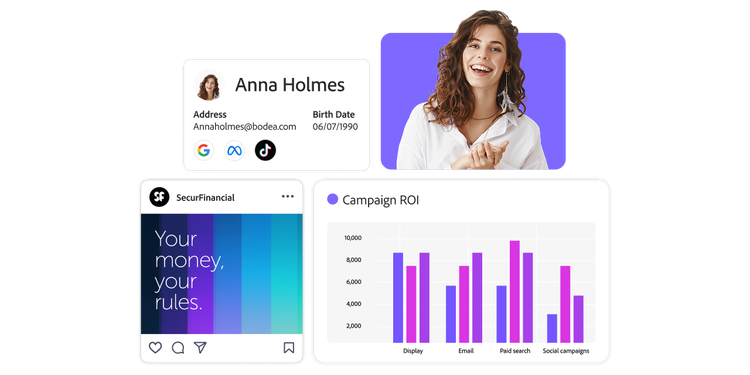
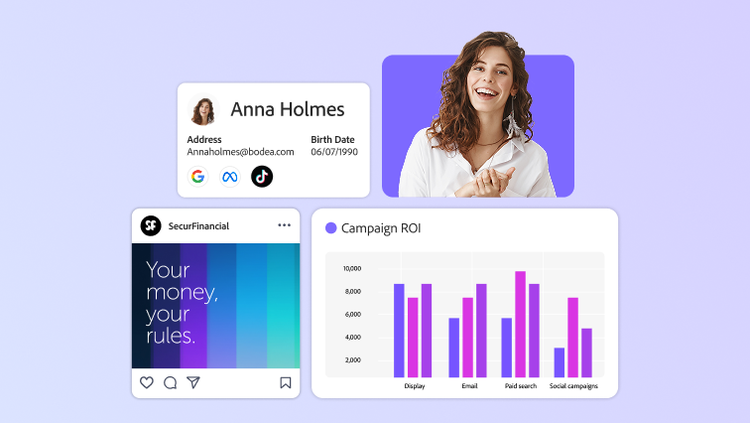
Visual showing Adobe DSP campaign elements: person, ad card, profile preview and ROI chart.

Adobe Demand-Side Platform (DSP): 10 tactics for programmatic campaigns.

Visual showing Adobe DSP campaign elements: person, ad card, profile preview and ROI chart.

Adobe DSP tips and tricks: Boost programmatic campaign performance.

Learn how these top Adobe DSP tips can help you master CDP-powered audience targeting and measurement. Maximise your programmatic campaign ROI and efficiency.

There are dozens of ways to execute a programmatic campaign, but we’ve identified some of the top universal truths to help ensure each of your campaigns is a success. Use this guide to set up your campaigns for maximum returns from start to finish.

We’ve organised the guide to give helpful hints at each step of your campaign execution:

Plan: Integrating Adobe solutions with Demand-Side Platform (DSP)

Buy: Maximising reach with audience segments

Optimise: Driving success with conversion tracking

Manage: Streamlining ad operations

Measure: Delivering deeper marketing analytics and funnel analysis

Plan: Integrating Adobe solutions with Demand-Side Platform (DSP).

1. Connect your advertising stack to your marketing stack.

Eliminate fragmentation between onsite and offsite strategies by integrating your martech applications with our adtech solutions. Adobe Advertising Demand-Side Platform (DSP) is directly integrated with multiple Adobe Experience Cloud products, ensuring consistent customer experiences.

  • Use the Adobe Analytics integration to monitor campaign performance using onsite activity like conversion events to power the DSP algorithm. Report on Analytics events through DSP email reports, view DSP dimensions and metrics, create customised segments and push them to DSP for targeting.
  • Use Adobe Real-Time Customer Data Platform (CDP) and Audience Manager for segment creation and targeting. Audience Manager pixels let you build complex segments with features like frequency and recency, lookalike modelling, overlap reports and more. And with Adobe Real-Time Customer Data Platform, send cookie-less, authenticated audiences from CDP to DSP for targeting and reporting in both DSP and Analytics.
  • Use Adobe Target to connect paid media activation with onsite personalisation. You can set up A/B tests on your landing page using advertising signals, personalise the post-impression landing page and measure success in Analytics workspaces.

What is a Demand-Side Platform?

A Demand-Side Platform (DSP) aggregates access to supply-side partners so that advertisers can easily message their consumers or clients across different channels in a single place. Key considerations when advertising with a DSP include

  • Demand-Side platforms work with Supply-Side Platforms (SSPs) to place ads online more efficiently through real-time bidding.
  • DSPs integrate with third-party providers instead of providing a one-stop solution for all digital advertising needs.

2. Forecast your campaigns ahead of activation.

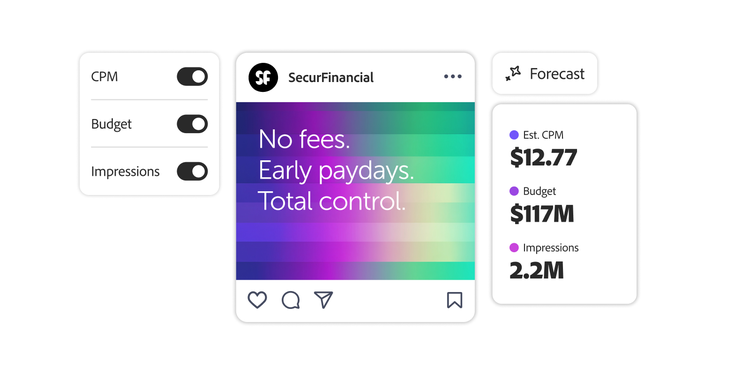
Our in-platform Placement Forecaster Report calculates the estimated CPM, budget and impressions before you spend a dime. It even shares a budget yield curve and a max bid curve to visualise the optimal estimated number of impressions and spend, respectively. You can also use the tool to create multiple forecasts to determine which strategy is best for your brand.

Image showing forecast tool with CPM, budget and impression toggles plus sample ad and ROI data.
If you’re looking for additional guidance, check out Experience League. Experience League is your complete guide for questions and best practices related to campaign set-up, activation, optimisation, reporting and community support.

Buy: Maximising reach with audience segments.

3. Use Audience Library to manage cross-placement targeting.

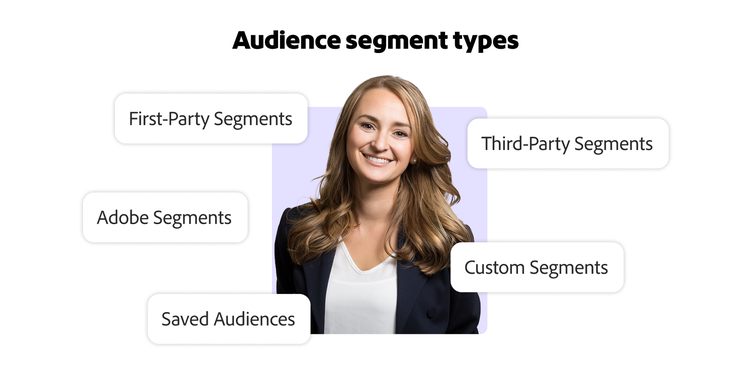
With Adobe Advertising Demand-Side Platform (DSP), you can reduce friction by automatically targeting any segment across all your placements. Save and manage reusable audiences, which you can use as targets or exclusions for multiple placements. For example, imagine you have 20 placements targeting the same exclusion audience segment. If you’d like to add another audience segment/group, you can use Audience Library to update all 20 placements simultaneously. Our Audience Segment Types include 1 p Segments, 3 p Segments, Adobe Segments, Customised Segments and Saved Audiences. More details and definitions can be found here.

4. Purchase across all screens with a single universal placement with On-Demand.

Our On-Demand gallery has pre-negotiated, Adobe-exclusive deals, so you can try out new premium publishers in a low-risk way. Test and learn across various channels, including Hulu, Max, Peacock, Spotify and more.

Once you decide to move forward with new publishers, streamline campaign workflow with a single multi-channel video set-up.

Universal set-up ads allow you to target video inventory from desktop, mobile and connected TV environments for VPAID and VAST inventory using a single placement.

Optimise: Driving success with conversion tracking.

5. Turn onsite activity into optimisation tactics to drive CTV success.

Limit wasted exposure on CTV by using AI to prioritise spend toward the lowest customised CPR and unique households. You can now use existing or newly built performance algorithms on your CTV campaigns. The algorithms optimise for onsite activity, fuelled by Adobe Analytics data, which you can then analyse using Analysis Workspace.

If you’re looking for customised goals beyond CTV, see the full list and details here.

6. Optimise for users who are most likely to convert with Adobe Advertising User Models.

Our User Models enable advertisers to focus on users who have already shown interest, resulting in better performance and less wasted spend. Adobe Advertising’s AI takes data inputs from the bidstream, brand site activity and campaign performance, then automatically adjusts bidding to prioritise users who are most likely to convert. You can scale these models across Display, Video and Connected TV for consistent, cross-channel performance.

7. Stretch your budgets further with creative optimisation.

Adobe Advertising Creative delivers better performance by solving next-generation creative optimisation problems across the open web. With Adobe Advertising Creative with our DSP, you can optimise your creative beyond clicks or single conversion events to customised goals that best align with your business. Plus, our intuitive decision-tree interface makes setting up the optimal customer experience simple and efficient.

Manage: Streamlining ad operations.

8. Programme Advertiser Defaults to make in-flight modifications easier.

Unify campaigns and reduce manual errors by establishing Advertiser Defaults. Within the DSP Settings, you can utilise targeting settings.

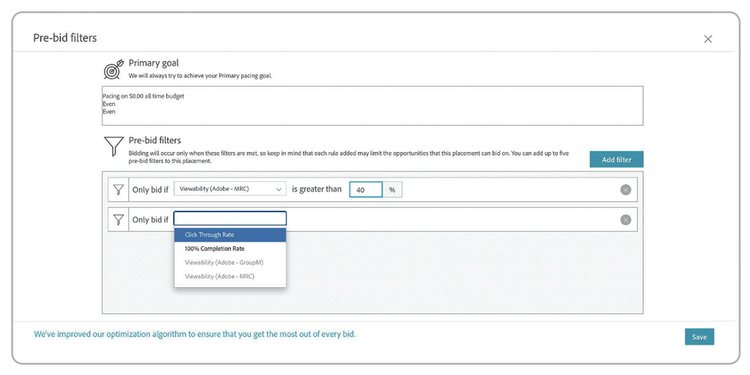
In this section, you can preset different targeting filters that will be applied to all campaigns, packages and placements built under your advertiser account. Some beneficial choices include geo-targeting, audience exclusions and media quality.

Note: Use this feature only if you are confident that all campaigns, packages and placements share the same targeting requirements.

9. Take advantage of Excel-based and bulk editing.

Decrease time to value by simplifying campaign set-up with bulk editing and downloadable Excel formats.

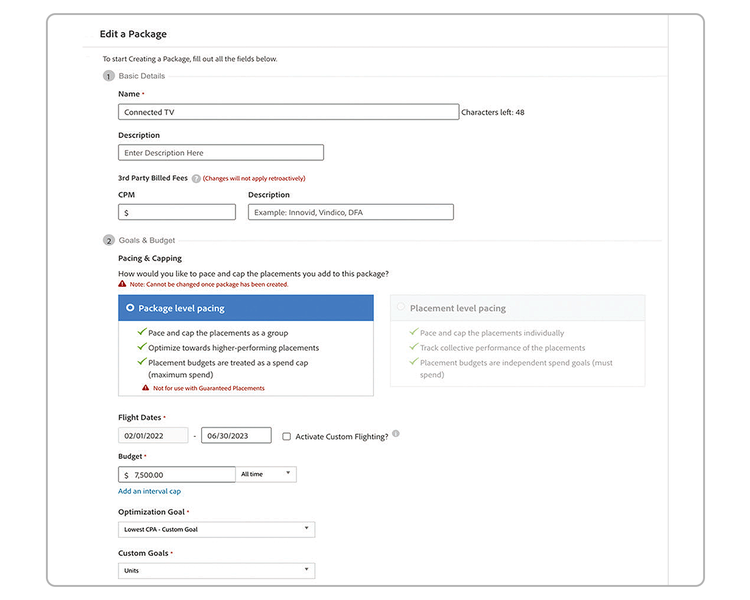
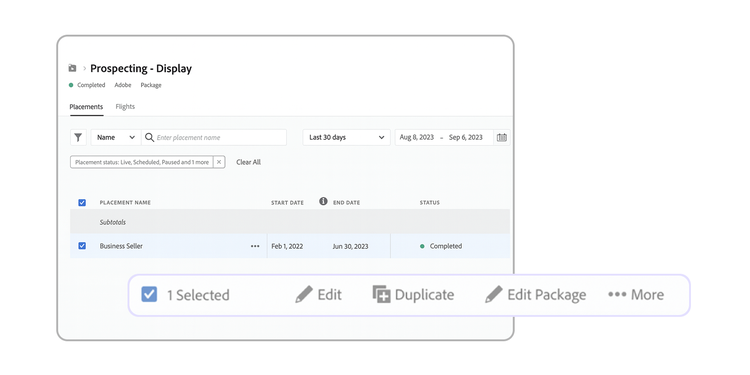
You can download the settings for one or more placements in Excel format for review. Editable fields include the placement names, statuses, bids, budgets, pacing strategies and frequency caps. You can then make changes to selected fields and post them back to DSP all at once.

Our DSP comes with bulk editing capabilities, making it a one-and-done solution for updating targeting, audiences and pacing strategies.

Use this documentation for additional notes and step-by-step details.

Measure: Delivering deeper marketing analytics and funnel analysis.

10. Set up your dashboard for executive-level insights.

Get holistic insights with Customised Data Views. Each campaign management level (campaigns, packages, placements and ads) includes built-in Pacing and Performance views. By default, the Pacing view is displayed, allowing you to identify underperforming campaigns and campaign components quickly. You can also change the column view to see performance data or any saved column set — a great feature. Plus, you can sort the columns in any order, change the date range, organise data by value and see up to 100 rows at once.

11. Define success early.

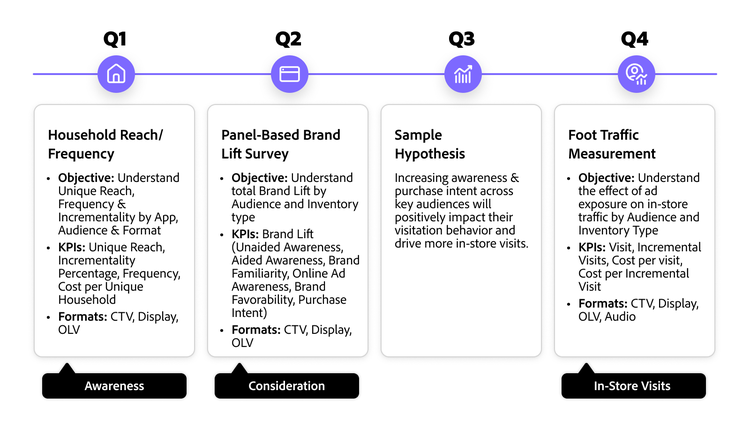
Measurement begins in the planning phase. Build a customised Learning Agenda for your entire campaign with our Advanced Measurement and Strategy team. Identify the best measurement solutions to garner actionable insights and perform comprehensive funnel analysis. Be ready for any mid-flight adjustments by keeping a consistent pulse on view-throughs and clicks through our Analytics integration, which powers your marketing analytics.

For the deepest cross-channel analysis and funnel visualisation, explore Adobe Customer Journey Analytics.

Image outlining Q1-Q4 campaign KPIs across awareness, brand lift, hypothesis testing and in-store traffic.

Ready to maximise your programmatic returns?

Programmatic advertising is constantly evolving, but the fundamentals of success remain rooted in intelligent planning and connected data. By leveraging the integrated power of Adobe Advertising, you can move beyond simple programmatic buying to drive highly targeted, measurable and efficient campaigns.
Get started

Let’s talk about what Adobe can do for your business.

Get started