How Adobe’s AI-powered solutions help sales teams reduce complexity.
04-02-2026

Sales cycles are complex, and deals can stall out when teams get bogged down by document work — whether that involves chasing down signatures, crafting proposals, or creating eye-catching collaterals. Often, sales reps must wade through dense documentation and toggle between tools that help them write, edit, design, and share assets. In a competitive sales environment, this friction can mean the difference between winning and losing a deal.
Adobe Acrobat Studio brings together Adobe’s trusted PDF tools, AI capabilities, and easy-to-use content creation enablers in one place. As a result, sales teams can spend less time on their document-based workflows and more time selling.
Acrobat AI Assistant: Scan documents for insights.
Acrobat Studio includes AI Assistant, a tool that lets users upload resources like RFPs, customer websites, and annual reports for automatic summaries and insights. Sales teams can use the tool to scan a variety of resource types, including PDFs, Word documents, PowerPoint presentations, and even links.
“You can drop in information you know about the customer, and then you can add information about your product, whether it’s your brochure or internal documents around the value proposition,” says Job Chanasit, Senior Manager of Product Marketing at Adobe. “Then, you can generate a sales proposal that is tailored to that particular customer.”
“Unlike public large language models, Acrobat Studio bases its answers only on resources provided by users, reducing the risk of hallucinations,” Chanasit notes. “The platform also protects enterprise data, as Adobe does not use customer information to train its AI tools.”
According to the 2025 Forrester Total Economic Impact™ (TEI) study, conducted in January, Adobe Acrobat Studio reduced the time needed to review and summarize business documents from 30 to 45 minutes down to just 5 minutes — potentially increasing revenue for sales teams.
According to the Forrester report, generative AI can help reduce the time spent on multiple tasks, such as searching for sales content, researching products and solutions, preparing presentations, and assisting with email generation, RFP response, and proposal configuration. This can enable sales teams to spend more time on direct engagement with buyers.
Adobe Acrobat Pro: Manage access and reviews.
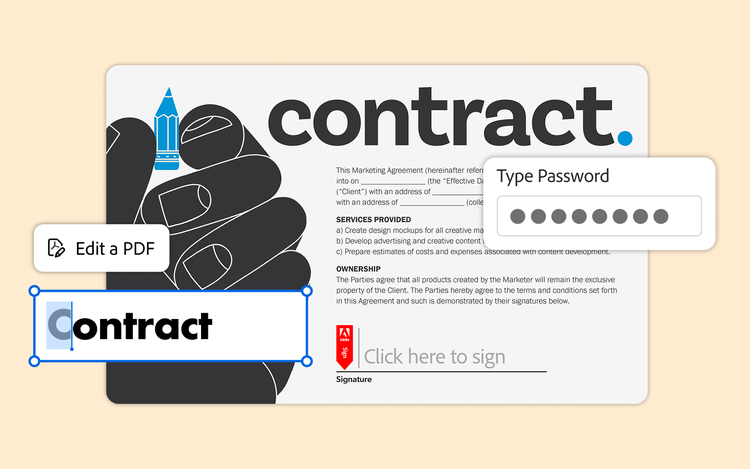
With Acrobat Pro, Acrobat Studio offers sales teams the familiar workflows they use to create and manage their most important documents. Acrobat Pro allows users to turn scans into fully searchable and editable PDFs, permanently redact sensitive information, and add passwords and permissions to limit access to documents. It also offers built-in e-signature, document review, and version control functionalities.
Together, these features can reduce document turnaround from a week or more to less than a day, according to Adobe estimates.
Adobe Express: Create unique sales content.
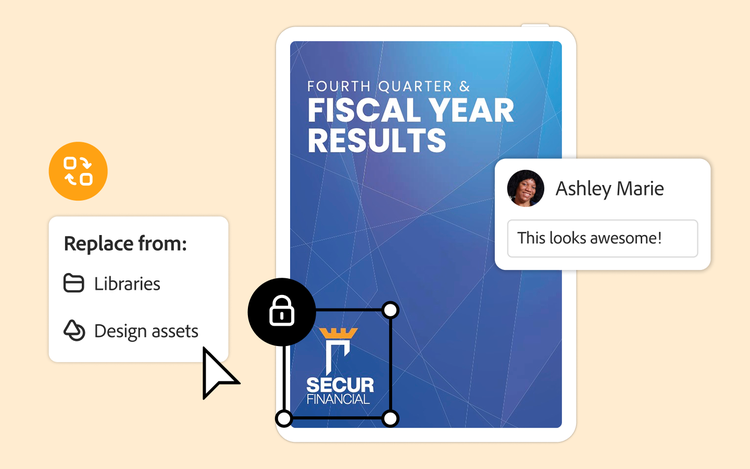
With Adobe Express, sales teams can create one-pagers, brochures, and other assets that align with existing branding. The platform allows organizations to lock certain elements within approved templates, ensuring that sales teams always have the right assets, fonts, and colors to keep sales content consistent and professional.
Adobe Express allows non-designers to jump-start content creation, without specialized design skills or training. “We’re not expecting users to come up with new creative deliverables,” Chanasit says. “The idea is that even non-designers can make standout content using branded templates in Adobe Express.”
While sales teams traditionally deal more with proposal language and pricing figures than visual assets, the ability to create strong branded content can provide a competitive edge. “Attention spans are getting shorter,” Chanasit notes. “People are bombarded with a ton of content, all the time. To stand out from the crowd, you need to create content that is visually engaging.”
PDF Spaces: Bring it all together.
PDF Spaces, the Acrobat Studio knowledge hub, allows teams to bring together up to 100 documents for collaboration and cross-document insights. Rather than querying one document at a time, sales teams can find common threads and identify opportunities by automatically synthesizing customer and internal documents. Acrobat Studio also offers verifiable citations, preventing sales teams from providing customers with inaccurate information.
“You can tailor your sales proposals by understanding your customers better,” says Chanasit. “For example, you can drop in the customer’s annual report, along with news articles about the customer, and then ask Acrobat Studio to create a SWOT analysis. Or you can ask it to identify the challenges that customers are experiencing and how your product can help solve those.”
“Insights from PDF Spaces can help sales teams be more successful and win customers over,” Chanasit adds. “Ultimately, that’s the most important thing — Acrobat Studio helps teams win the deal.”
To learn more about Adobe Acrobat Studio for sales teams, read here.
Recommended for you
https://business.adobe.com/fragments/resources/cards/thank-you-collections/acrobat