Develop a clear communication plan for upcoming changes.




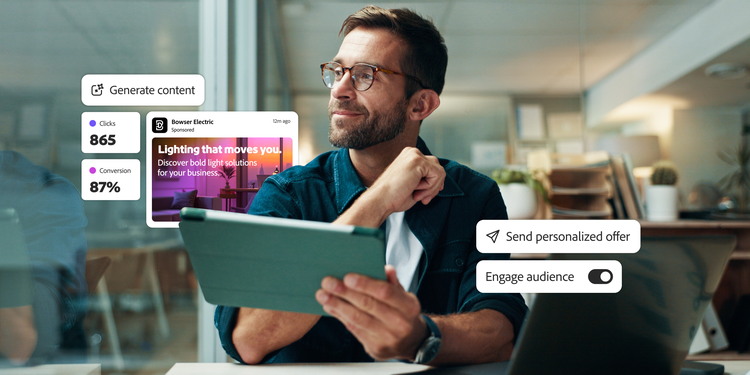
Email is a cornerstone of customer engagement, yet legacy email service providers (ESPs) often limit an organization’s ability to innovate and scale engagement. Businesses need a modern solution that empowers marketers to manage both scheduled campaigns and real-time customer journeys across channels, all from a single application.
To unlock the full value of a solution, organizations need more than a technology upgrade — they need strategic alignment and organizational readiness.
This organizational readiness guide prepares teams to transition from a legacy ESP to Adobe Journey Optimizer, with an emphasis on enabling scalable, modern email marketing programs. In Journey Optimizer, campaigns are typically brand-led, scheduled programs — like promotional offers, newsletters, or product launches — designed around a message strategy or campaign calendar. These include multi-step, cross-channel flows. Journeys, on the other hand, are dynamic event- or behavior-triggered programs that adapt to each customer’s actions in real time, guiding them through personalized experiences.
Follow the best practices in this guide to ensure a more successful adoption of Journey Optimizer and to increase the long-term value realized across the organization. Specifically, the guide will provide:
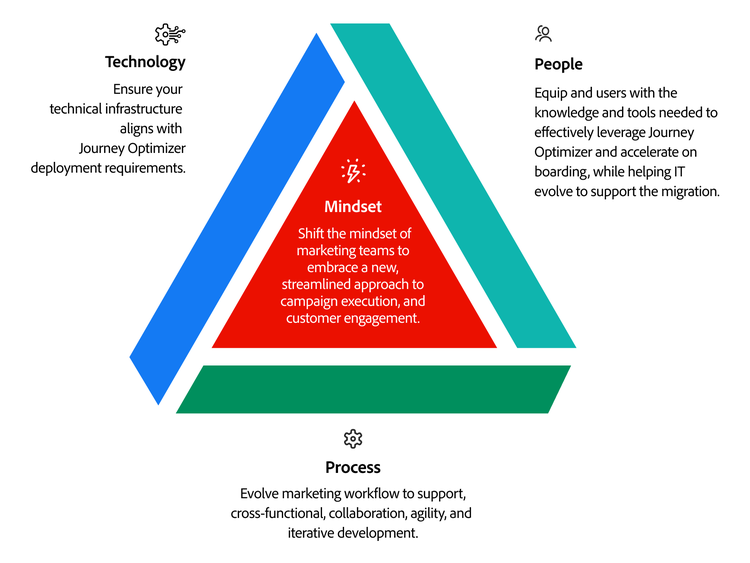

Successfully migrating to Journey Optimizer isn’t just a technical deployment — it’s a shift in how marketing teams operate. When approached with the right mindset, it can empower your organization’s creativity and productivity. The goal is to move from being senders to orchestrators, transitioning away from a channel-first approach to embracing agility and new ways of collaboration.
Journey Optimizer gives marketers more control — and more responsibility. It’s no longer only about launching a journey or campaign. Teams must align with broader goals — what business outcomes are we trying to achieve, and what experiences do we want to create for our customers? Whether it’s fostering loyalty, boosting app adoption, or encouraging repeat purchases, your goals should guide how you design and prioritize journeys and campaigns, measure performance, and prioritize content. The customer experience is your north star, especially when that experience straddles multiple teams and objectives. Strategy drives tactics, not the other way around.
Journey Optimizer is designed to support iteration. With built-in A/B/n testing, multivariate experimentation, and real-time performance data, your team can start small and optimize along the way. For example, start with a simple abandoned cart email series, and then develop more advanced behavioral triggers, such as in-app usage, to advance that use case.
In many organizations, different types of email — batch campaigns, lifecycle journeys, and operational or transactional messages — are managed in different tools. When you add separate systems for email, mobile, web, and app engagement, the result is fragmented execution, inconsistent experiences, and wasted time and resources. Journey Optimizer brings all this together. It supports scheduled campaigns and real-time journeys on a single platform — with a unified view of the customer, centralized audience management, and journeys triggered by behavior across channels. Instead of asking, “What emails do we send this week?” teams can ask, “How do we optimally engage our customers right now?” This simple shift reframes the marketer’s purpose from channel management to experience orchestration.
It’s easy to revert to familiar workflows, even when they no longer benefit you. Many legacy ESP-era conventions — like building static lists, relying on repetitive batch sends, or using click-through-rate as the primary KPI — persist out of habit, not value. Journey Optimizer provides teams with access to real-time signals, dynamic content, modular assets, and unified measurement. Use this transition as a fresh start to retire what’s outdated and make space for more modern, customer-responsive ways of working.
Journey Optimizer unites marketers, data owners, creatives, and technologists in the same workspace. This collaboration doesn’t happen automatically — it must be embraced. Instead of passing work between teams and running into inevitable bottlenecks, it’s better to encourage parallel contributions. Data stewards can create reusable segments, content teams can manage modular content blocks, and campaign marketers can assemble everything together into journeys and campaigns. Everyone contributes to the outcome and shares in the success.
Make mindset shifts a core part of your Journey Optimizer implementation.
Embed these changes in onboarding, measurement, and leadership communications to reinforce them as vital business imperatives, not just cultural aspirations. Explain not only how Journey Optimizer works, but also why it signifies a fundamentally new way of operating. Teams that can adopt these shifts early will move faster, generate more value, and sustain higher adoption rates over time.
Legacy ESPs must often rely on a few specialists with deep expertise. With Journey Optimizer, you can shift from reliance on niche expertise toward a model that empowers marketers to use Journey Optimizer directly, supported by technical teams that handle data readiness and quality assurance (QA). The goal is to reduce bottlenecks, increase agility, and build a more empowered, accountable marketing team.
A successful Journey Optimizer implementation establishes a foundation for strong organizational readiness and adoption. Start by selecting a small but strategic group to lead the rollout. Focus on three key roles — a strong, committed executive champion who can advocate for the initiative and secure resources, a cross-functional steering committee to align the project with customer experience goals, and a group of early adopters who are digitally savvy and eager to promote the program.
Importantly, the steering committee should not only be limited to CRM or email marketing. It should include leaders from all areas that influence the customer journey, including mobile product management, ecommerce, loyalty programs, lifecycle marketing, and even customer service. Consider forming subgroups or pods within the committee to focus on key moments like onboarding, cart recovery, and app engagement — ensuring that the implementation reflects how customers actually experience your brand.
A senior leader (for example, Head of Marketing, Chief Digital Officer) with strategic influence, decision-making authority, and the ability to unlock resources.
A cross-functional group designed around campaign and customer journey ownership, not just channels. Include representatives from campaign marketing, mobile product, ecommerce, loyalty, lifecycle marketing, and IT. This team ensures alignment with customer experience goals, supports the executive champion, and manages priorities, dependencies, escalations, and resources.
Digitally curious team members from marketing, tech, and compliance who collaborate well, embrace innovation, help co-create customer journeys, and promote the initiative.
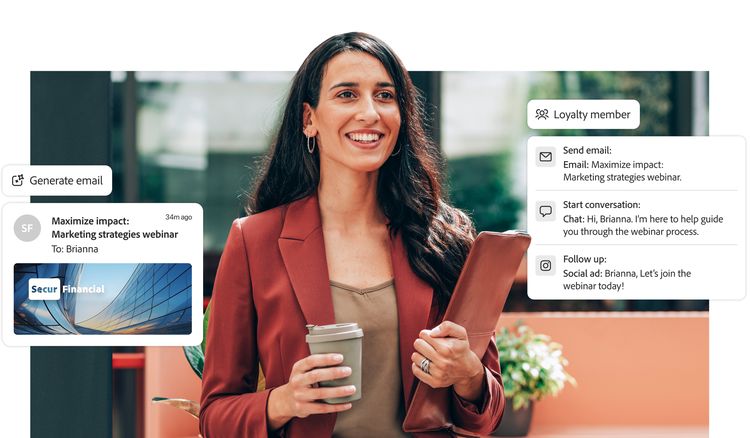
With Journey Optimizer, you can assemble a cross-functional team that combines marketing strategy, data expertise, technology integration, and executional skills. Your ongoing operations team will likely differ from your implementation team. The table below illustrates what a high-performing team might look like, their key responsibilities, the skills they need, and the typical activities they perform. In many cases, a single team member may assume multiple roles.
Note that the roles outlined below represent a reference model, not a rigid structure. Many organizations have blended or full-stack marketers who manage multiple responsibilities across campaigns and journeys with great success. As AI capabilities evolve, the nature of some roles may shift from tactics and execution to oversight, strategy, and refinement. It’s essential to align skills around the capabilities of Journey Optimizer, not the titles. Use the table below to spark discussion about how your team can scale and specialize over time.
In legacy tools, campaign marketers often submit intake forms or tickets and wait. With Journey Optimizer, they can build campaigns, orchestrate and launch journeys, define audience logic, and manage content directly. This shift increases agility and creative control, while also permitting technical teams to focus on data flows, QA, governance, and technical strategy. Making this change successfully requires training (including role-specific training in Adobe Experience League), trust, and clearly defined roles and boundaries to reinforce new collaboration models.
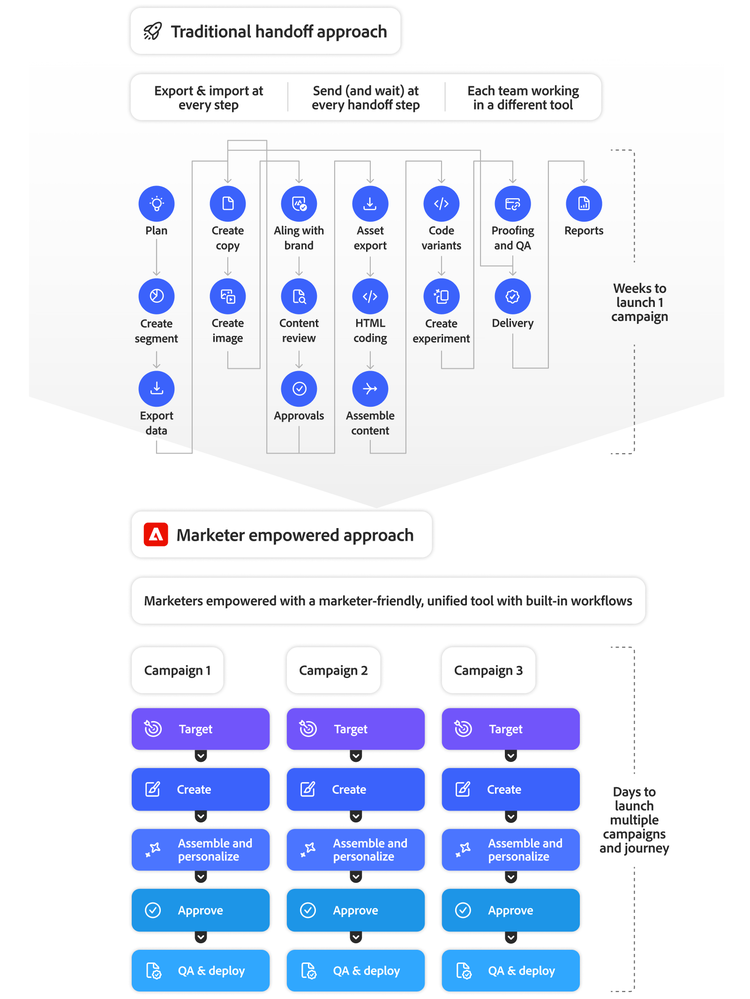
Traditional campaign workflows rely on handoff work sequences — first content, then data, and then QA. Journey Optimizer supports modular, parallel work. Content, segments, and logic can be developed simultaneously, side by side. Teams should structure their collaboration to reflect this shift.
No single person owns the success of Journey Optimizer. It takes coordination among campaign marketers, CRM teams, content leads, brand managers, content creators, data stewards, channel experts, and marketing ops. Clearly define who contributes what and when to avoid ambiguity or duplicated efforts.
Many teams start with blended roles. For example, a marketer might build journeys and conduct QA. Over time, high-performing Journey Optimizer team members can develop specialization in roles like journey builder, segmentation lead, and modular content owner. Plan for that evolution as usage scales.
The real risk in a technology rollout is often poor adoption of the technology, not the technology itself. Create people enablement strategies, communicate about them regularly, and execute them in each implementation stage to reduce this adoption risk. Projects with solid enablement strategies gain buy-in for change, greater impact, and less user resistance and anxiety.
Successfully navigating the technology shift requires a smart, proactive strategy that minimizes disruption, supports scalable growth, and strengthens alignment between IT, marketing, and data teams. Use these tips to ready IT for Journey Optimizer:
Develop a clear communication plan for upcoming changes.

Provide hands-on and role-based Journey Optimizer training.

Create an internal Journey Optimizer resource hub.

Recognize and reward individuals contributing to success to foster team support.

Set up channels for ongoing user feedback and respond quickly to concerns.

Provide on-demand help through internal SMEs, a help desk, or external consultants.

Assess user readiness and capability to adopt Journey Optimizer.

Celebrate success stories, milestones, and key wins.
Build the ideal team to implement Journey Optimizer and ensure its ongoing success.
Success with Journey Optimizer starts with assembling the right team and developing a strategy that encourages adoption. Gain support from an executive champion, form and train a cross-functional crew, and empower marketers to take the lead. As usage increases and your team matures, members will likely specialize. Be sure to prepare IT early so they are ready to support the journey.
Typical email workflows rely on processes that often create bottlenecks, slow down time-to-market, diminish agility, and ineffectively use technical resources. With Journey Optimizer, you can reimagine campaign and journey processes, not just replicate old ones in a new tool. Strive to create simpler, more flexible processes that eliminate friction, enhance collaboration, empower marketers, and free up technical resources for higher value work.
Start by reviewing and evaluating current campaigns and workflows in your ESP. Identify which should be reimagined, rebuilt, and migrated to Journey Optimizer — or retired. First, assess whether each campaign delivers meaningful business value, performs well, and is used regularly. To go further, evaluate each campaign’s impact on the intended customer outcomes and identify any friction points between campaigns, journeys, or other overlapping product or team initiatives.
For those campaigns worth keeping, note opportunities to improve them through deeper personalization, real-time relevance, cross-channel orchestration, and alignment with key customer moments. Don’t just aim to migrate, focus on transforming. Many batch campaigns may work better if served as always-on journeys that adapt to customer behavior to deliver higher ROI.
You should end up with a prioritized list of campaigns to rebuild or reimagine in Journey Optimizer. Consider a set of enhancements that leverage the solution’s core functionality, and that’s built on a stronger, more agile foundation — based on a more effective engagement strategy.
You’ve created your list of campaigns to migrate and documented process improvements to make to each existing campaign. As you design your campaigns and journeys, keep these best practices in mind to maximize your process improvements.
Set your foundation for improved marketing processes.
Successfully managing process changes during a Journey Optimizer implementation is key to unlocking the full value of the solution. Its flexible design allows you to transform how customer experiences are created, delivered, and improved across channels. The same best practices and thoughtful approach you used during implementation — whether converting or migrating — will also serve as the foundation for running efficient and effective daily operations.
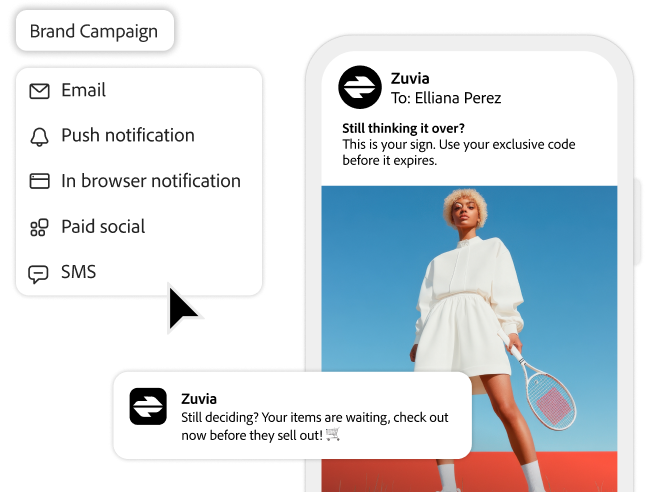
Journey Optimizer connects customer and business data across systems to enable real-time personalized experiences via email and other channels with dynamic content and precise targeting at enterprise scale. Understand the powerful capabilities and technical advantages that Journey Optimizer provides. Then plan how to unlock these capabilities during set up and transition to Journey Optimizer by establishing the right technology foundations — integrating it thoughtfully with your customer data ecosystem, orchestration triggers, and content infrastructure and workflows.
Getting the most out of technology requires you to understand its technical differentiators. For Journey Optimizer, these advantages can help your organization build, launch, measure, and optimize cross-channel campaigns and customer journeys at scale, while reducing complexity and saving time.
Build a data foundation on Adobe Experience Platform.
Data drives customer experiences, and the more real-time that data is, the more relevant the engagement. Journey Optimizer, built natively on Adobe Experience Platform, uses the platform’s foundational data layer to ingest both real-time and batch data. Experience Platform creates a unified, 360-degree customer profile that updates with each interaction to enable smarter targeting, deeper personalization, and better decisioning. Journey Optimizer can activate this data directly.
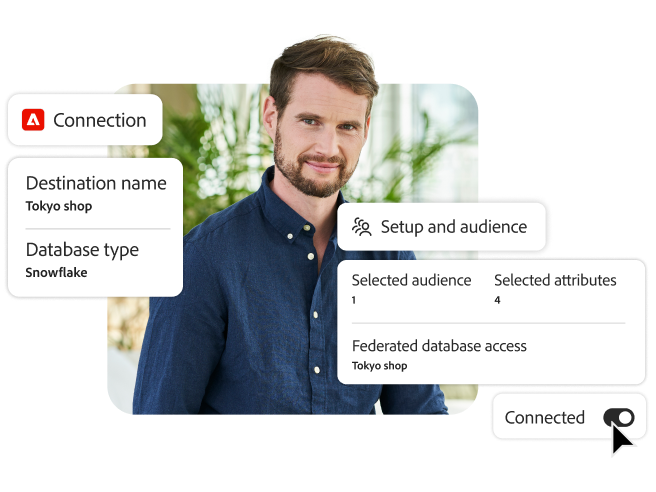
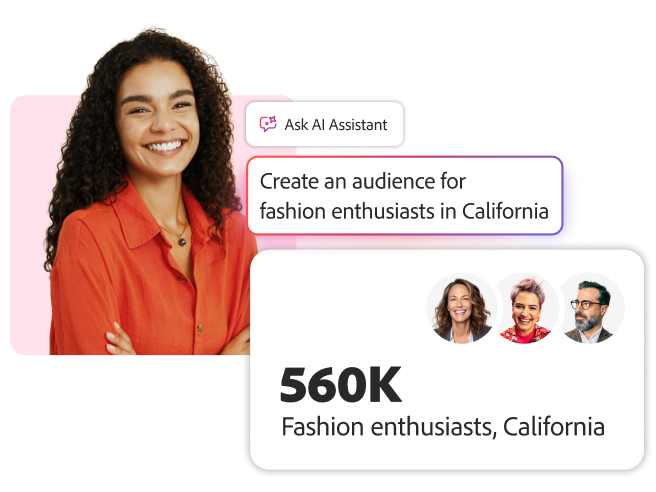
Further, its native integration with Adobe Real-Time Customer Data Platform facilitates high-performance data ingestion and supports complex segmentation. Journey Optimizer also enables federated data access to enterprise data warehouses like Snowflake without duplicating data. Marketers can leverage Adobe Customer Journey Analytics jointly with Journey Optimizer for richer insights into the customer journey and marketing performance. With Adobe Journey Optimizer, Real-Time Customer Data Platform, and Adobe Customer Journey Analytics all built on Adobe Experience Platform, marketers benefit from a set of shared services and innovations such as AI Assistant, unified customer profiles, and Federated Audience Composition. This drives faster time-to-value, reduces integration friction, and facilitates greater collaboration and use case exploration across marketing and customer engagement teams.
Integrate with key systems and data flows.
The quality of your integrations can make or break your ability to build and launch personalized journeys or campaigns at scale. Journey Optimizer seamlessly integrates with the systems you need to ingest and share data and deliver experiences. Additionally, Journey Optimizer works with Adobe Experience Cloud and Adobe Creative Cloud solutions via pre-built connectors with third-party applications to extend campaigns and journeys to more channels and increase personalization. Use APIs with almost any system you need to integrate with and work with your technical team to set up those integrations.
Know which systems you need to integrate with and work with your technical team to set up those integrations.
Resolve identities across channels and devices while honoring customer preferences.
Customers visit your organization on different devices and via different channels. To create personalized experiences across channels, you need to capture and add each customer’s interaction to their profile — and respect their communication preferences — no matter how they connect with your brand. Journey Optimizer stitches together identities across devices and channels in real time using the Identity Service of Adobe Experience Platform. This service consistently resolves identities for both anonymous and known customer profiles and implements robust consent and preference tracking across touchpoints via cookies, device IDs, and email addresses.
Adopt a modular approach to audience design.
The faster a journey or campaign reaches the market, the more relevant it is. Empower your marketers to easily create and target audiences independently without waiting for data to load or needing to build new audiences from scratch. With Journey Optimizer, marketers can accelerate journey and campaign deployment by building audiences easily and efficiently with a scalable, consistent framework that uses naming conventions, reusable logic blocks like recent purchasers and disengaged users, and an organizational hierarchy.
Use event-based triggers, segmentation logic, and message variants.
The best time to engage a customer and nudge them along a journey is at the exact moment it matters — like when a new product launches or immediately after they abandon their cart. Set up triggers and events to progress journeys using real-time customer behavior such as cart abandonment or business activities like an item coming back in stock. Even add new events and triggers to a live journey so that Journey Optimizer automatically applies them to new customers entering the journey. Additionally, save time by creating message variants for different segments without needing to build and run an entirely new journey or campaign.
Every successful technology project begins by gathering detailed business needs, translating those needs into technical requirements, and defining the roles of users who will carry out the work. Doing that work early on helps ensure your project addresses key business needs, clarifies how everything will come together technically, and allows for proper configuration of user access and role provisioning later.
The best-laid plans lead to successful outcomes. With Journey Optimizer, you have options to execute a smooth launch and transition to Journey Optimizer. Document your plan, including data dependencies, IP warming, and campaign continuity. Be sure to specify which teams will be responsible for platform QA, performance monitoring, new data ingestion, and troubleshooting after launch.

Combine real-time data from every source to create secure, unified profiles — ready for activation.
Connect both online and offline touchpoints into real-time visualizations to build better customer journeys.
Scale content with a generative AI-first application to create, deliver, and optimize campaign assets.
Deliver the right content to users, from digital experiences and asset management to digital forms and guides.

Make flyers, TikToks, resumes, and Reels from thousands of templates with the all-in-one app for fast, easy content creation.
Deliver experiences that engage with AI-powered testing, personalization, and automation.
Build your ecommerce with a flexible and scalable application built for B2B and B2C organizations.
An email must make it into the recipient’s inbox to have the impact you want. Taking the right measures to build your email reputation and boost deliverability is critical. You’ll need to configure SPF, DKIM, and DMARC authentication processes, along with your transfer suppression lists and bounce handling processes. Be sure to plan your IP warming strategy in coordination with your most engaged audiences and peak seasons to ensure strong inbox placements.
Follow these crucial steps to plan and execute your migration to protect — and possibly improve — your email reputation and deliverability while supporting a smooth transition to Adobe Journey Optimizer:
For detailed information and advice on email deliverability, read the Adobe Deliverability Guide and visit Deliverability on Experience League.
Unlock the power of the unique technical advantages of Journey Optimizer.
Harness the unique strengths of Journey Optimizer to streamline the creation, launch, and refinement of cross-channel journeys and campaigns — reducing complexity and saving time. As you prepare for launch and cutover, make a plan to ensure a seamless technical transition and maintain flawless email deliverability from the start.
Leaving your legacy ESP behind means more than just upgrading technology. It’s about unifying your customer connections across email, web, mobile, SMS, apps, and even in-store experiences, all from a single platform. But to truly unlock the power of Journey Optimizer, your organization needs more than a tool — it needs a plan.
Building readiness across four key areas — shifting team mindset, strengthening operations, migrating the right campaigns, and streamlining processes — sets the stage for long-term success. With these foundations in place, Journey Optimizer’s technical strengths can help deliver smarter, faster, and more personalized customer journeys and campaigns.
Adobe Journey Optimizer helps brands manage sophisticated campaigns and one-to-one real-time journeys for millions of customers within a single, cloud-native application. Built on Adobe Experience Platform, Journey Optimizer combines real-time data, intelligent decisioning, and cross-channel orchestration to help marketers deliver relevant messages in just the right moments.
When combined with Adobe Real-Time CDP and Adobe Customer Journey Analytics, Adobe Journey Optimizer becomes part of an end-to-end engagement solution, allowing teams to unify customer identities and interactions across channels, target audiences using AI and real-time insights, and deliver personalized journeys and campaigns throughout the lifecycle. Whether the goal is mobile adoption, customer retention, upselling, or reactivation, Adobe empowers teams to turn insight into impact and create meaningful customer experiences that grow long-term value.
Learn more about Adobe Journey Optimizer and how it can improve customer journeys across channels.