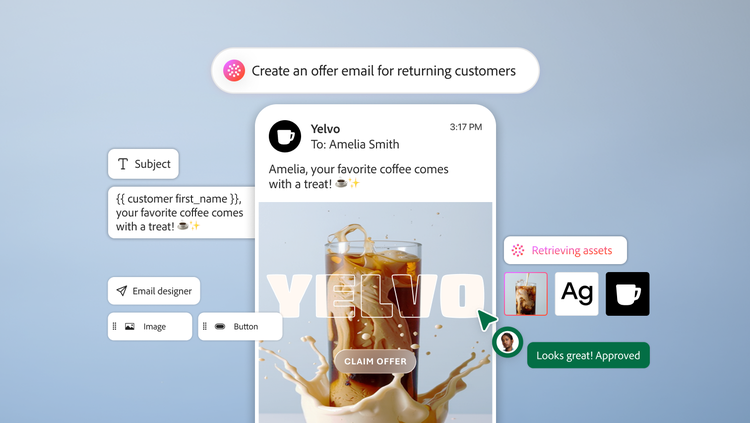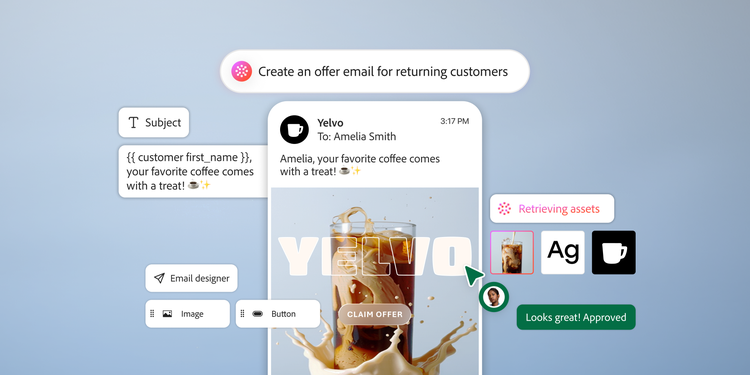
What if the hardest part of building an email was deciding what to say?
Today, a single send can mean finding approved assets, translating a design into a working email, adding personalization, testing different versions, and waiting on reviewers. Each handoff adds work between the creative idea and the customer who sees it.
At Adobe, we see the future of email content creation differently and have developed capabilities that are already removing these bottlenecks today. Eventually, marketers may bring a brief, a design, or an existing email and use AI to help intelligently assemble approved content, draft what’s missing, and confirm the final deliverables. Ultimately, the marketers who know their audiences best will still have the final say on what ships.
Email creation isn’t the only shift that’s happening. The inbox is changing too. Gmail, Apple, and Yahoo are adding AI to their inboxes to filter, summarize, and prioritize messages, so AI is likely reading your emails before your customers see them, which means emails must be written for both human and machine readers.
Adobe Journey Optimizer and its content authoring experience are built for this future, using trusted and approved content that can be personalized for better performance while requiring less manual work to create and review.
Start with content you trust.
As AI helps assemble your email, the content it draws from is paramount. AI-assisted creation only works well if your team can quickly and precisely find and reuse approved work, wherever it lives. Marketers shouldn’t waste their time looking for approved work.
Journey Optimizer seamlessly connects authoring to content managed in Adobe Experience Manager Assets. This connection provides approved imagery and creative, along with content fragments that incorporate reusable copy, while the Dynamic Media feature supports templates for personalized, data-driven visuals. For a fast-moving product launch, it means drawing on approved imagery and product information as you write, rather than copying between systems.
Using approved content from beyond the Adobe ecosystem works too. Composable content connects Journey Optimizer with third-party APIs using a marketer-friendly workflow, which allows marketers to quickly pull external content and data into messages at send time.
For example, marketers can add a customer’s loyalty points, product details, or live product pricing to a message through an API connection. By browsing integrations, they can search and select items from connected systems during authoring, saving the step of finding an item and typing its reference.
With Journey Optimizer, the goal is for approved content to fit naturally into the workflow your team already knows and follows.
Turn existing designs and ideas into email.
Many campaigns start with a designer's mockup, an approved template, the previous week’s newsletter, or high-performing creative. The goal for marketers is to get from that starting point to a finished email with less rebuilding. Journey Optimizer gives marketers several ways to build on that.
With the help of AI, the image-to-HTML converter feature can turn a screenshot or mockup into an editable, responsive email template that a team can refine in Email Designer within Journey Optimizer and save for reuse — eliminating the need to manually rebuild a visual design. This is where authoring is going: a design goes in, and an editable email comes out.
Email Designer can also start with prebuilt modules for headers, hero banners, cards, testimonials, and footers. These modules inherit theme styles and can be customized and saved as visual fragments for reuse across campaigns.
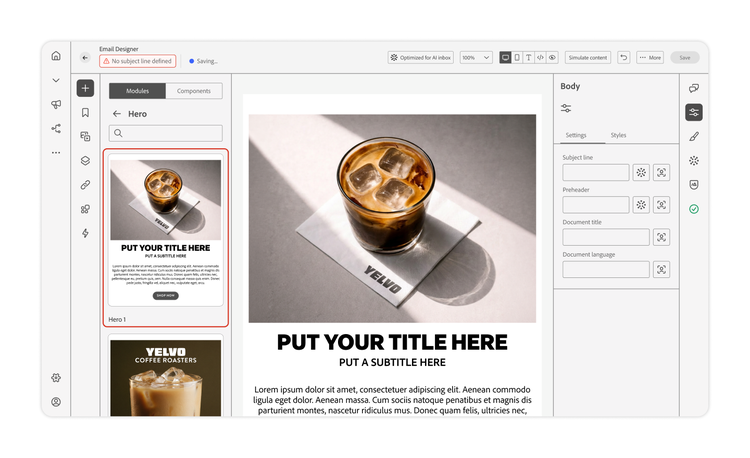
Let’s take an example of a retailer's weekly newsletter. The layout is already set: a hero offer, a product selection, an editorial story, and a footer. By reusing this structure, the team can focus on this week's offer, imagery, and products that customers care about.
AI content generation also handles copy and image creation. Input your audience, business goal, and set of requirements, then generate any amount of copy, from a subject line and section copy to an entire email, including images. Use AI for a first pass to explore headlines, develop supporting copy, and weigh alternatives against the campaign's purpose. Adobe automatically generates multiple variations, which can be used for testing. As first drafts improve, the marketer’s role shifts toward directing and setting strategy.
Customers are already seeing the effect. AAA Northeast reduced its time-to-market for email campaigns by 30% with Adobe.
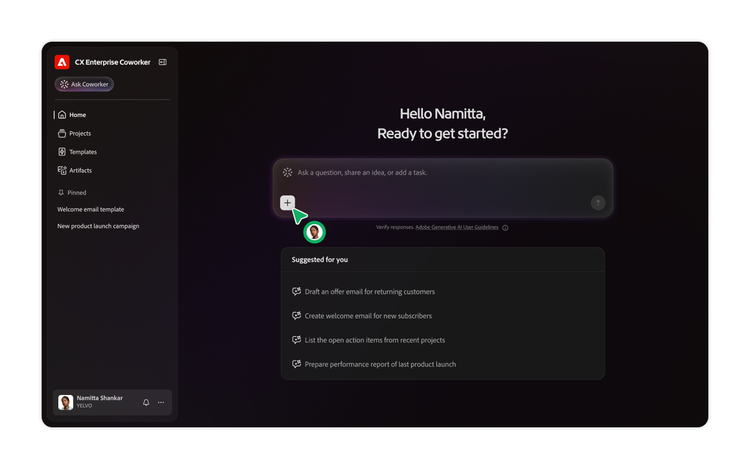
Looking ahead, Adobe's vision for email content authoring includes conversational authoring via Adobe CX Enterprise Coworker. You start with a brief or design, refine the content, and then flow it into Journey Optimizer for further editing, personalization, and control. Conversational AI sits alongside visual authoring, giving teams another way to work from the same creative intent as capabilities evolve.
Make personalization part of creation.
Personalization is moving from a step that comes after the email is created to being an integral part of how it gets built. An email works when the message fits the customer, so those differences need attention when you first build the content, not always after.
With generative AI assistance for personalization expressions, marketers describe the logic they want and receive an expression, or they can ask for an explanation of one that already exists. The “Fix with AI” feature resolves syntax errors that are found during validation.
Consider the same newsletter example. A new customer might need an introduction to the brand, while a returning customer might respond to content that reflects their preferences. The marketer decides which difference matters. Easier expression authoring reduces the technical effort required to act on that decision.
This leaves more time for the questions each variation raises. Does the content acknowledge what the customer already knows? Is the offer useful? Does the call to action fit their needs?
Move from faster creation to confident sending.
Faster production needs an equally good review process. As personalized content grows, teams need practical ways to easily inspect what they're creating.
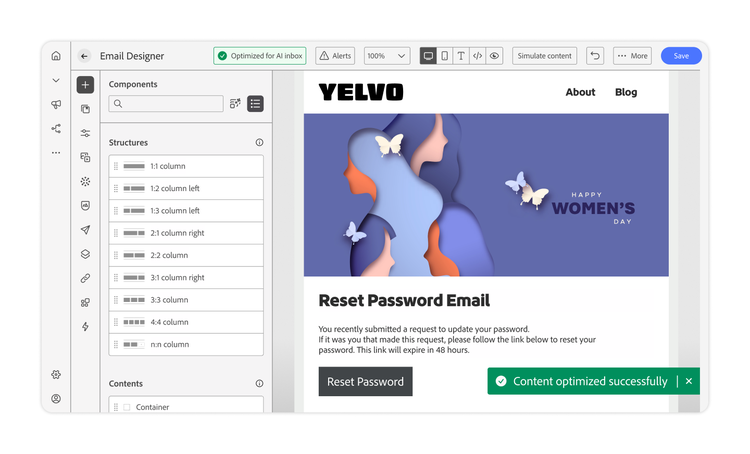
Content checks bring automated technical validation into Email Designer. It flags HTML and CSS issues that can affect rendering, such as empty elements and issues with content size. It offers one-click fixes where available so that marketers can address problems as they author, before the review process.
Simulated content helps teams examine personalized experiences. AI identifies personalization fields and conditional branches, then generates realistic test values. Furthermore, a scrollable grid lets marketers compare scenarios side by side. In the newsletter, a preview might show a headline that gets awkward with a longer personalized value, or a conditional section that needs different supporting copy.
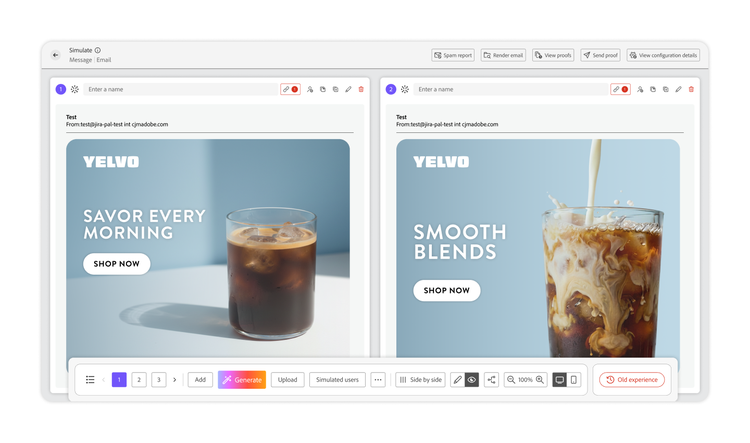
Automated checks help reviewers quickly find technical issues and inspect personalized variations. Teams still get the chance to judge accuracy, brand fit, and customer value before approving. And because approved assets, reusable content, and technical checks sit close to authoring, marketers can fix technical problems earlier, and reviewers can focus on the message and the audience. With this, the path from first draft to approval becomes shorter and clearer.
Marketers can optimize email for AI inboxes to help prepare content for inbox experiences that summarize messages, including those from Gemini or Copilot. A clear offer, useful supporting information, and a recognizable purpose help the message come through when a customer only peruses a summary. Consequently, writing for the summary has become a critical part of writing the email.
What comes next for email content authoring.
Today, email content creation is moving toward a workflow in which approved content is easy to access, a brief or a design can generate a full email draft, and personalization and review can occur in parallel with email creation. Journey Optimizer already has several of these features. The future direction is about making it all work together more closely, so marketing teams stay in the loop throughout — shifting the effort away from assembling and checking to deciding what’s truly worth sending.
Learn where email content creation is headed and explore what Adobe Journey Optimizer can do for your team today.
Recommended for you
https://business.adobe.com/fragments/resources/cards/thank-you-collections/ajo