Is your enterprise data ready for custom AI model training?

Adobe for Business Team

08-05-2026

According to IBM Institute for Business Value, only 29% of technology leaders strongly agree that their enterprise data meets the quality, accessibility, and security standards needed to scale generative AI. For creative and marketing teams exploring custom AI models, this gap has direct consequences. A model trained on inconsistent campaign imagery, outdated brand assets, or files with unclear usage rights can produce outputs that fail to meet brand standards, require heavy rework, or pose governance risks. Before training a custom model to generate on-brand visuals, teams need to evaluate whether their existing assets can support the results they expect.

This evaluation is based on four metrics: quality, quantity, preparation, and governance. Each one shapes how well a model can learn from your assets and generate outputs that are useful in creative workflows.

This article will cover:

What is AI-ready data?

AI-ready data is accurate, consistent, relevant, and usable for machine learning. For custom AI model training, it means the assets are strong enough to teach a model the patterns, styles, and standards it needs to reproduce on-brand content.

Enterprise creative teams often start training custom AI models with the assets they already have. This includes campaign libraries, product photography, design files, and approved brand imagery stored in a digital asset management system (DAMS). A DAMS can make those assets searchable, organized, and easier to reuse across teams. However, being able to easily access visual assets is one thing, whether those assets are good candidates to be used as data to train a custom AI model is another question.

This distinction matters because custom generative AI models are different from general-purpose foundation models. General-purpose foundation models are trained for breadth across many subjects, styles, and use cases. Custom models are trained for specificity. They need a focused dataset that reflects the brand’s visual language, creative standards, and intended outputs.

A DAMS is typically built to help teams find and distribute finished creative. A training dataset has a different job — it needs to teach a model which visual patterns to learn, repeat, and prioritize. This means the assets should reflect the specific output the model is expected to generate, not simply everything the brand has produced.

For visual generative AI, readiness is also specific to use cases. A dataset prepared to generate lifestyle photography will not have the same requirements as one prepared for product shots, campaign concepts, social media variations, or localized creative. A broad collection of available brand assets may seem like a practical starting point, but training data needs a tighter filter. The dataset should reinforce the visual patterns the model is expected to learn.

Evaluation of data quality for AI custom model training.

AI data quality goes beyond whether an image looks polished. Enterprise teams need to evaluate whether each asset helps the model learn the right creative patterns.

For creative and visual training data, quality is tied to its utility. An image can be professionally produced and still be a poor fit if it features discontinued product lines, includes outdated branding elements, captures environments that no longer reflect current positioning, or introduces visual styles that conflict with the brand’s direction.

A practical quality review helps teams separate available assets from those that are valuable for training custom AI models. Teams should focus on four areas:

Asset volume vs. creative range.

The training data custom AI models need depends on each model’s use case, the complexity of the desired output, the level of creative variation required, and how specific the brand standards are.

A narrow model may perform well with a smaller, more focused dataset. For example, a model designed to generate consistent product detail imagery may not need the same volume or variety as one expected to support campaign concepts across regions, seasons, audiences, and channels. The key is whether the dataset gives the model enough range to support the work it will be asked to produce.

Volume alone can be misleading. A dataset with hundreds of nearly identical product images may look substantial, however, this will provide limited training value. When the source material is too small or repetitive, outputs may feel too close to the original assets or lack enough variation for campaign use.

Teams with limited asset volume can extend a strong dataset through controlled variation, such as approved crops, alternative compositions, lighting adjustments, or angle variations. These additions work best when they help clarify the model’s intended output.

A phased approach can also reduce risk. Start with a curated set of high-confidence assets, train an initial model, and review where the outputs fall short. This first round of testing can reveal whether the dataset needs more product variety, cleaner backgrounds, additional angles, broader regional examples, or tighter brand filtering.

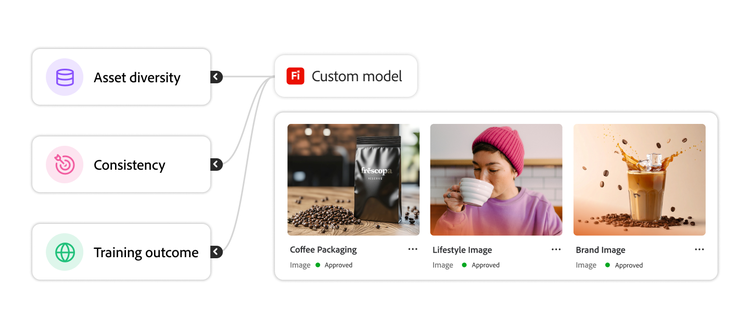
Infographic illustrating how asset diversity, consistency, and coverage affect training outcomes.

Asset preparation before training custom AI models.

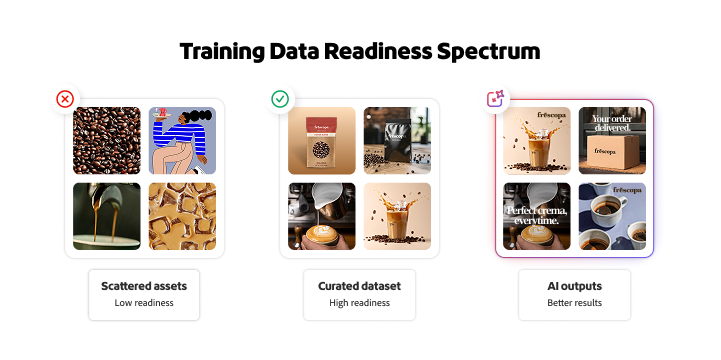
Training data should be curated before a custom AI model uses it. A general asset library may contain strong creative, but a training dataset needs a narrower, more deliberate structure. Teams need to know which assets belong in the dataset, why they belong there, and what criteria were used to exclude the rest.

Start with the model’s intended use case. A model designed for product detail pages, paid social variations, campaign concepts, or character illustrations will require different source materials. Selection criteria should account for current brand approval, output style, product coverage, format needs, usage rights, and regional relevance. This prevents the dataset from becoming a catchall folder of available creative.

Once assets are selected, they need to be organized in a way that supports training and future model management. Naming conventions, metadata, and taxonomies should make the dataset easy to review, update, and audit. Useful metadata may include campaign name, region, product category, asset type, creation date, approval status, usage rights, agency or photographer, audience, channel, and brand style.

Clear organization also supports retraining. As products, campaigns, and brand standards change, teams may need to update the model with new assets or remove older ones. A well-structured dataset makes those updates easier than rebuilding from scratch.

Rights validation should happen before assets enter the training dataset. Teams need to confirm that each asset is approved for AI training, not only for campaign distribution. This is especially important for stock photography, agency-produced creative, influencer content, talent photography, licensed artwork, and assets containing third-party marks.

Preparation should also involve the teams responsible for creative quality, brand governance, legal risk, and technical controls. Creative teams can identify assets that reflect the intended style. Brand teams can confirm alignment with current guidelines. Legal teams can validate permissions and rights. IT or governance teams can review security, access, and storage requirements. Early stakeholder review reduces the risk of discovering issues with assets, rights, or governance after custom AI model training has already begun.

Data security and governance.

AI data governance should be built into the model training process from the beginning. Once a custom model is trained, questions about asset rights, access, lineage, and output approval become harder to resolve.

Every training dataset should include a rights record that identifies asset ownership, licensing terms, usage restrictions, and approval status for AI training. Do not assume an asset approved for marketing use is also approved for model training. Stock agreements, agency contracts, talent releases, and licensed artwork may include restrictions that were not written with generative AI in mind.

Enterprise teams should also understand where training data is stored, who can access it, and whether it can be used to train shared or third-party models. Proprietary brand assets, unreleased product imagery, and confidential campaign materials require specific protections.

Access controls and data lineage work together to create accountability throughout the training process. Teams should define who can upload assets, edit datasets, initiate training, review outputs, approve models, and use models in production workflows. They should also be able to trace which assets were used to train each model version, when training occurred, who approved the dataset, and what changed over time. Together, role-based permissions and audit trails reduce the risk of unauthorized changes, unclear ownership, or models being trained on the wrong assets.

Regulatory requirements can affect both training data and outputs. Organizations operating across regions should consider privacy laws, AI regulations, industry standards, and internal compliance policies. This is especially true when assets include people, locations, health-related claims, financial information, or region-specific disclosures.

Brand governance for AI-generated content.

Governance is also about protecting brand integrity. A model may generate outputs quickly, but those outputs still need defined standards before they enter production workflows.

Start with approved visual standards that define the characteristics of acceptable creative assets, such as composition, color treatment, product representation, lighting, background style, use of people, logo handling, and regional considerations. Then define output review criteria. Human reviewers should know what standards to meet, what requires revision, and what should be rejected. Rejection criteria might include distorted products, inaccurate packaging, incorrect brand colors, unrealistic human features, visible text errors, or graphics/videos that conflict with regional guidelines.

Creative review workflows should include clear escalation paths. If an output raises questions about rights, product accuracy, brand representation, or compliance, reviewers need to know how to flag the discrepancy and which team to alert before the asset moves forward. This helps enterprises increase production speed without sacrificing creative quality or hurting a brand’s reputation.

Infographic showing the relationship between data ownership, access controls, compliance requirements, and model output auditability.

How to build a stronger foundation for custom AI model training.

Data readiness should evolve alongside the models it supports. As teams train, evaluate, update, and govern custom AI models, the training data must stay current with brand standards, creative priorities, and production workflows. A dataset that is strong today may need updates in six months if it no longer reflects current creative direction or business priorities.

For enterprises preparing to train custom AI models, the strongest starting point is a focused review of quality, quantity, preparation, and governance. These four metrics can help teams identify whether their existing assets are ready to support model training or whether foundational gaps need to be addressed first.

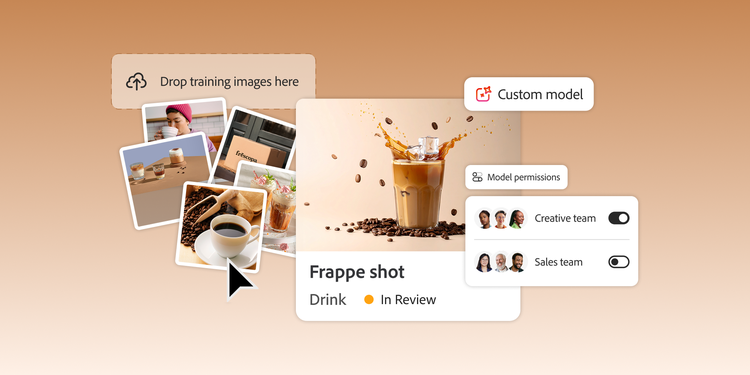
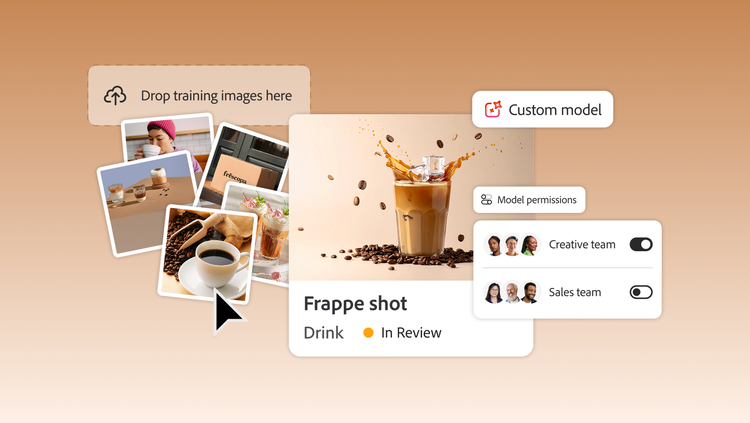
Adobe Firefly Custom Models is designed for enterprise teams that want to generate on-brand image variations using models trained on their own assets. Adobe Firefly Custom Models supports workflows for training, previewing, testing, publishing, sharing, managing, and retraining custom models, helping teams scale brand-aligned content creation with controlled access and organization-level isolation.

Find out what Adobe Firefly Custom Models can do for enterprise teams.

https://business.adobe.com/fragments/resources/cards/thank-you-collections/firefly