Now available: Firefly Custom Models in Adobe Photoshop.
Bring your brand into Photoshop. Create on-brand images, explore variations, accelerate production, and keep your teams aligned from first concept to ready-to‑ship assets.
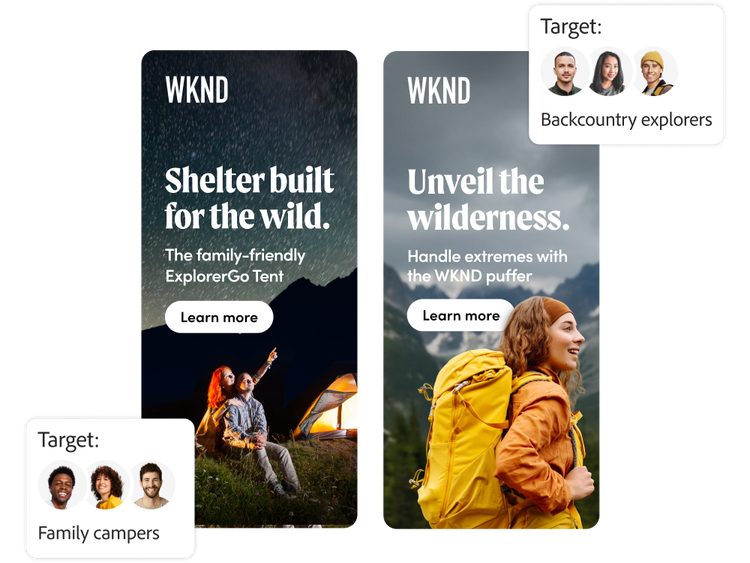
Empower every team to create content that’s true to your brand.
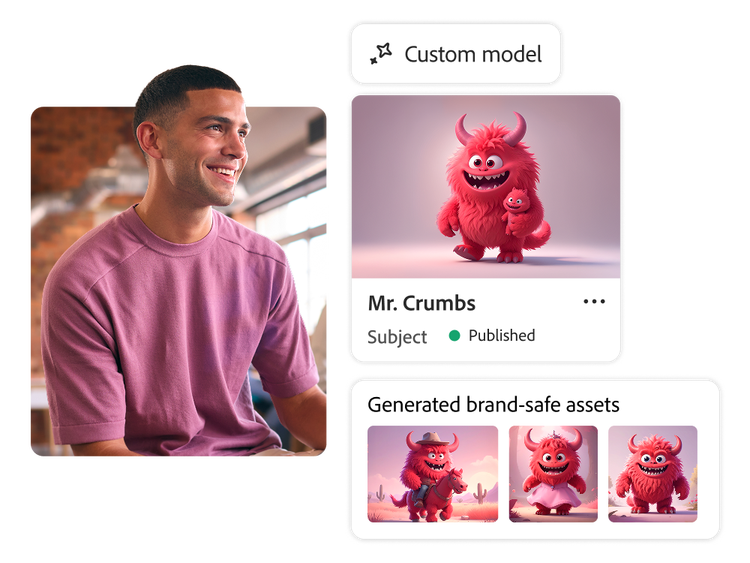
Build models with a simple, self-serve experience.
Train commercially safe Adobe Firefly generative AI models using a small set of your brand-approved assets to create content for specific audiences and channels.
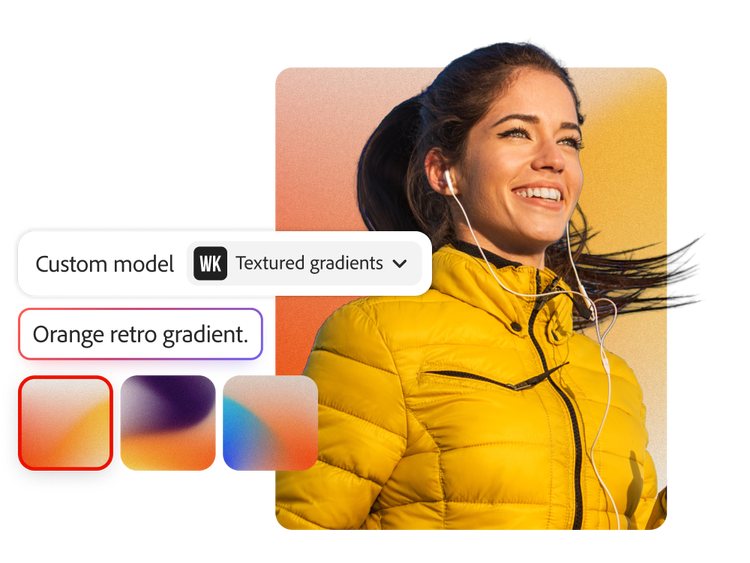
Preview, test, and refine models to ensure content matches your brand and vision.
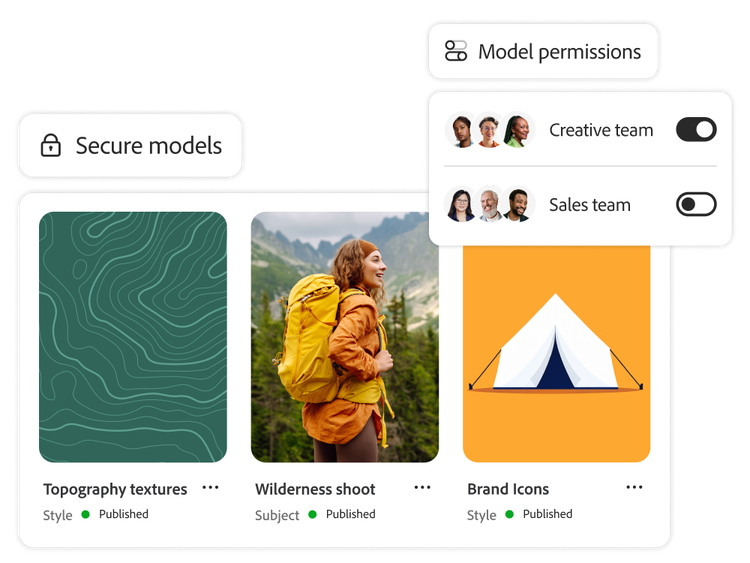
Share and manage custom models across your organization to streamline teamwork and maintain brand consistency.
Tailor content using advanced style capabilities, including composition reference, style reference, and effects presets.
Help creative and marketing teams quickly produce high-quality campaign assets, localized variations, and channel-specific content while maintaining brand consistency.
Scale high-quality, production-ready images with unparalleled brand consistency.
Quickly adapt assets for specific regions, audiences, events, seasons, and platforms.
Shorten time to market with efficient creative and production workflows.
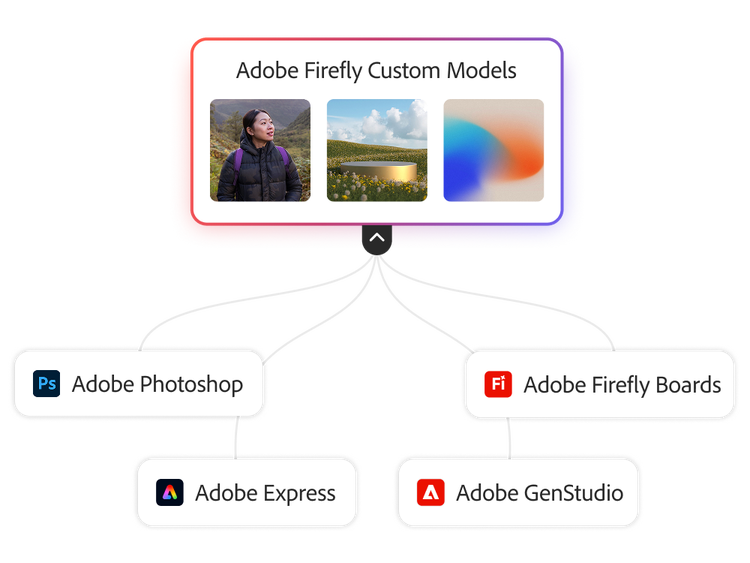
Create on-brand content in the tools your teams already use.
Firefly Custom Models bring your brand identity into every creative workflow, so teams can produce consistent content at any scale.
Quickly create and iterate in your brand style, from the first idea to the final concept, with custom models in the Adobe Firefly web app and Adobe Firefly Boards.
Create production-ready assets with AI that knows your brand, directly in Photoshop.
Automate brand-consistent asset production at the scale campaigns demand with Firefly Creative Production for Enterprise (coming soon) and the Firefly Custom Models API.
Empower marketers to confidently create and adapt assets with custom models in Adobe Express.
tab
custom-models, 3
style
m spacing
Protect brand integrity with enterprise-grade guardrails.
Easily deploy specific models to designated team members to safeguard your brand.
Keep content secure with custom models that are only available to your organization.
Trust that your enterprise content will never be used to train Adobe’s foundational Firefly generative AI models.
Manage access, training, review, and usage controls across teams and workflows to ensure the right users create aligned brand and campaign content.
Publish with confidence knowing content credentials are attached to every generated asset to help promote transparency and recognize image sources.
tab
custom-models, 4
style
m spacing
Use Firefly Custom Models to create the visual foundation for your marketing activities.
Leading enterprises use Firefly Custom Models to generate images aligned with campaign styles, global brand guidelines, and character themes. Teams deliver banner ads, social media posts, paid media ads, webpage hero images, packaging, avatars, and more with ease.

Extend photoshoots with uniform visuals.
Maintain brand consistency across touchpoints, including web, paid media, emails, and social.

Firefly Custom Models are fine-tuned Firefly generative AI models that you train with your own assets that can be used to generate customized content.
Firefly Custom Models require an enterprise license and Adobe storage for business. For more details on eligibility, reach out to your enterprise sales specialist or request more information.
Firefly Custom Models are natively integrated with Adobe apps — including Firefly Services, GenStudio for Performance Marketing, and Adobe Express — so your teams can confidently generate content tailored to the brand across their content supply chain.
Yes. Firefly Custom Models allow organizations to train generative AI using their own branded assets. This enables teams to create brand-aligned visuals on demand while preserving consistency across marketing and product content.
Organizations in marketing-heavy sectors — such as retail, consumer goods, financial services, healthcare, and education — see strong ROI from Firefly Custom Models. These industries rely on consistent visual identity, localized content, and high-volume asset production that can be automated with brand-safe generative AI.
By enabling prompt-based generation of on-brand images and campaign assets, Firefly Custom Models let teams generate content variations in minutes, improving speed-to-market and freeing up design time for strategic initiatives.
Yes. Enterprise teams can see gains in content velocity, reduced turnaround times, and lower production costs.
Custom Models are trained using high-quality JPG or PNG images. Recommended specs include 2048x2048, minimum 1024×1024 resolution, max 16:9 or 9:16 aspect ratio, and file sizes below 50 MB.
Let us show you the full power of Adobe Firefly Custom Models.
style
l spacing
cardTitle
Train Firefly generative AI using your own assets.
Description
Supercharge your team’s creativity and constantly maintain your brand’s look and feel with Firefly Custom Models.
You can control how Adobe websites use cookies and similar technologies by making choices below. But note that if you disable cookies and similar technologies entirely, Adobe websites may not function properly.
Cookies are small text files stored by your web browser when you use websites. There are also other technologies that can be used for similar purposes like HTML5 Local Storage and local shared objects, web beacons, and embedded scripts. These technologies help us do things like remembering you and your preferences when you return to our sites, measure how you use the website, conduct market research, and gather information about the ads you see and interact with.
You can make choices in the menu below about what cookies and other technologies you want us to use on Adobe sites when you visit them from this browser. You can always change those choices later by clicking on the Cookie Preferences link at the bottom of the page.
If enabled:
We can improve your experience by tailoring the site and the content to things we think might be of interest
We can better keep track of your preferences — like what language you prefer to use
We will better understand your likely interests so we can provide you more relevant Adobe ads and content on non-Adobe websites and in non-Adobe apps
It will help us improve the performance of our website and those of our partners who use the Adobe Experience Cloud
If disabled:
We won’t be able to remember you from session to session so the experience may not be tailored to your interests
You’ll still have access to the content of the site but certain features that depend on cookies may not function
You’ll still see ads, they just may not be as relevant to you
General information
You can control how Adobe websites use cookies and similar technologies by making choices below. But note that if you disable cookies and similar technologies entirely, Adobe websites may not function properly.
Cookies are small text files stored by your web browser when you use websites. There are also other technologies that can be used for similar purposes like HTML5 Local Storage, web beacons, and embedded scripts. These technologies help us do things like remembering you and your preferences when you return to our sites, measure how you use the website, conduct market research, and gather information about the ads you see and interact with.
You can make choices in the menu below about what cookies and other technologies you want us to use on Adobe sites when you visit them from this browser. You can always change those choices later by clicking on the Cookie Preferences link at the bottom of the page.
If enabled:
We can improve your experience by tailoring the site and the content to things we think might be of interest
We can better keep track of your preferences — like what language you prefer to use
We will better understand your likely interests so we can provide you more relevant Adobe ads and content on non-Adobe websites and in non-Adobe apps
It will help us improve the performance of our website and those of our partners who use the Adobe Experience Cloud
If disabled:
We won’t be able to remember you from session to session so the experience may not be tailored to your interests
We’ll still count your use of our site and services
You’ll still have access to the content of the site but certain features that depend on cookies may not function
You’ll still see ads, they just may not be as relevant to you
Operate the site and core servicesOperate site and measure engagement
Always active
These cookies are required, and they are used to enable the site and related services core functionality. Without them the site could not operate, so they cannot be disabled.
These cookies enable the site and related services’ core functionality and collect statistics about user engagement, such as counting active use to help us understand trends. These cookies cannot be disabled.
Measure performance
These cookies are used to analyze site usage to measure and improve performance. Without them Adobe cannot know what content is most valued and how often unique visitors return to the site, making it hard to improve information we offer to you.
These cookies are used to analyze site usage to measure and improve performance. Without them Adobe cannot know what content is most valued, making it hard to improve information we offer to you.
Extend functionality
These cookies are used to enhance the functionality of Adobe sites such as remembering your settings and preferences to deliver a personalized experience; for example, your username, your repeated visits, preferred language, your country, or any other saved preference.
Personalize advertising
These cookies are used to enable Adobe and our partners to serve ads more relevant to your interests. Without them you will still see ads, but they might not be as relevant to you.