If you're evaluating digital asset management (DAM) platforms right now, you've probably read half a dozen comparison blogs. They all follow the same structure — two columns, five categories, and a verdict at the bottom. They're useful for understanding features, but they all share the same blind spot — they evaluate what happens before the content is approved, not what happens after.
Almost every DAM comparison evaluates products on what they do today — upload, organize, tag, search, collaborate, and approve. These are real capabilities, and they matter, but they are all upstream capabilities. They describe what happens before the content reaches the outside world. The comparison ends right where the hard part begins.
The hard part is what happens after an asset is approved. How does it get to your website, your campaign platform, your partner portals, your regional teams, and your paid media? The answer, for most standalone DAMs, is the same: someone downloads it and manually uploads it somewhere else. That process, repeated hundreds of times a month, is where version-drift, governance failures, and shadow libraries are born.
This isn't hypothetical. It's a pattern we see repeatedly in enterprise content operations, and every content team runs into it along the same three-stage trajectory.
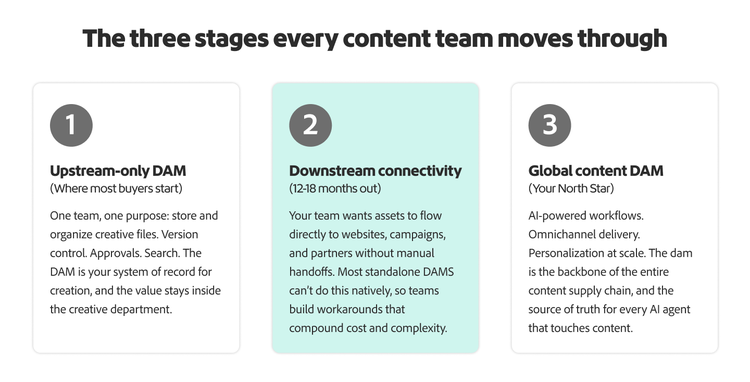
The three stages every content team moves through.
Every organization's DAM journey follows the same maturity curve. Understanding where you are on it and where you're headed changes how you should evaluate platforms entirely.
Here's what makes this framework useful: most DAM comparison blogs evaluate platforms exclusively on Stage 1 criteria. That's fine if all you need is a file repository. But if you're making a three-year platform decision (and you are, whether you realize it or not), evaluating on Stage 1 alone is like choosing a house based on the foyer.
The question isn’t which DAM has the best features today — it’s which DAM can still be your DAM when your needs outgrow what it was built for.
What happens when you outgrow a standalone DAM?
Within 18 months, most content teams start bumping into the same wall. They need assets in more places than the DAM can reach. Marketing needs the new campaign imagery on the website, in paid media, on partner portals, and in regional adaptations simultaneously. The DAM has the files but can't distribute them.
What follows is predictable — teams start downloading and re-uploading, shadow libraries reappear in Google Drive and Slack, the wrong version of a logo runs in a paid campaign, someone discovers a rights-expired image is live in three channels, and nobody knows how it got there.
Research from McKinsey suggests that 83% of employees have recreated a document that already existed, not because they're careless, but because the system made finding the original harder than starting over.
The DAM didn't fail at Stage 1. It was never built for Stage 2.
The integration count problem.
Standalone DAM vendors often promote the number of integrations they offer (50, 100, 150+) as evidence of flexibility. This framing deserves scrutiny.
Every integration is a connection point between two separate systems. And every connection point is a place where metadata can be lost, governance can break, and version control can diverge. A creative team tags an asset with usage rights, expiry dates, and channel permissions in the DAM. That asset gets pushed through an integration to the CMS. How much of that metadata survives the handoff? In most cases, very little.
There's also a cost that rarely appears in comparison blogs. Industry benchmarks show that integration maintenance typically runs 15–25% of annual license cost per integration per year. On a $60K DAM with 10 active integrations, that's $12–15K annually that never appears in any headline price. Over three years, the integration layer can cost more than the platform itself.
The structural difference.
Adobe Experience Manager Assets functions as standalone DAM, but its real advantage comes from being natively part of the same platform as Adobe Creative Cloud (where assets are made), Adobe Workfront (where work is managed), and Adobe Experience Cloud (where assets are delivered). This reduces handoffs, preserves metadata continuity, and minimizes the need for ongoing integration maintenance. When your team reaches Stage 2 or Stage 3, you don’t need to buy new vendors—you activate the next part of the platform you already have.
Correcting the record: Adobe Experience Manager Assets in 2026.
Comparison blogs frequently label Experience Manager Assets as overly complex and inflexible— but that couldn’t be further from the truth and doesn’t reflect the reality of today’s offering. Here we’ll explore how recent innovations, cloud-native deployment, and agentic AI capabilities are helping organizations unlock value faster than ever.
Experience Manager Assets is cloud-native and offers flexible deployment options.
Experience Manager Assets as a Cloud Service is the primary offering and has been for several years. It is the deployment model most customers adopt, and it's the foundation recognized by leading analysts. Adobe was named a leader in both the 2025 Gartner® Magic Quadrant™ for Digital Asset Management Platforms and The Forrester Wave™: Digital Asset Management Systems, Q1 2026. That said, Adobe also supports on-premise and hybrid deployments for organizations that require them, whether for data sovereignty, regulatory compliance, or infrastructure policy reasons. The cloud-native platform is where the fastest innovation happens, but the flexibility to deploy on your terms is part of the value.
Stage 1 is complete out of the box.
At Stage 1, Experience Manager Assets requires no add-ons and no developers. Built-in capabilities include AI-powered smart tagging on upload, conversational search, version control and deduplication, built-in review and approval workflows, digital rights management with automatic expiry enforcement, a Brand Governance
Agent that continuously scans for non-compliant assets, Content Hub for self-service team access, secure external sharing, and automatic rendition generation, and Adobe Asset Link for direct access in Creative Suit.
These are not premium features. They’re included from day one.
AI that goes beyond search.
The AI conversation in DAM has mostly focused on tagging and findability. Those are solved problems; Experience Manager Assets does them automatically on upload. The more important AI question is structural: when your AI agents generate content, recommend assets, or personalize experiences, where do they pull governed, rights-cleared, on-brand content from? A standalone DAM with disconnected integrations is not that foundation, but Experience Manager Assets is. It's the content backbone for both human and agentic workflows across the Adobe ecosystem and third-party tools.
What the comparison blogs leave out entirely.
There are dimensions of a DAM decision that almost never appear in feature-comparison blogs but they should.
Content provenance and authenticity.
Adobe co-founded the content provenance and authenticity (C2PA) open standard for content provenance alongside Microsoft, Google, Meta, Sony, Amazon, and the BBC. Major platforms now prioritize content signed with provenance credentials.
Adobe Content Authenticity integrates this directly into Experience Manager Assets workflows. If your DAM doesn't support content credentials, every asset you publish is unverifiable.
Regulatory readiness.
The EU AI Act Article 50 becomes enforceable on 2 August 2026. AI-generated content distributed to EU audiences will require disclosure labeling, with fines up to €15M or 3% of global turnover. The primary compliance exemption relies on documented human editorial review, which requires a governed workflow with an audit trail. The built-in approval workflows in Experience Manager Assets create that documentation natively. This is directional guidance (your legal team should validate how it applies to your organization), but the deadline is public, and the exposure is real.
Rights expiry enforcement.
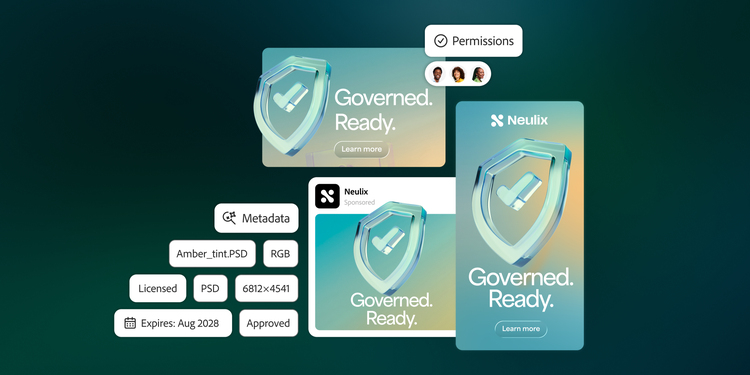
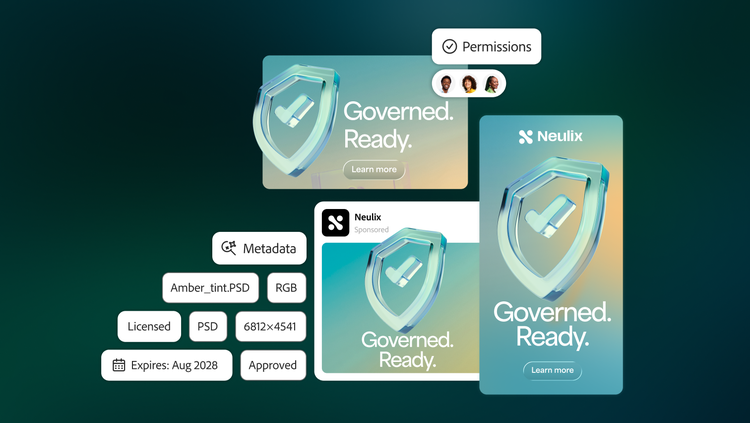
Licensed assets carry terms: geography, channel, duration, use type. Without automated enforcement, expired assets run silently in live campaigns. Experience Manager Assets enforces expiry at distribution. When the term expires, the asset is automatically pulled from active channels. Ask any standalone DAM vendor how they handle this at the distribution layer. If the DAM doesn't distribute, it can't enforce.