#F8F8F8

Adobe Customer Journey Analytics Features

Data flexibility and control

Drive efficiency in customer data analysis with tools that let users handle advanced data tasks without a lengthy IT cycle. Adobe Customer Journey Analytics lets teams quickly blend datasets, adjust views, add fields and fix data errors on the fly without altering the original data.

Data Engineering Agent

Easily scale and streamline data onboarding, SQL preparation, data collection and troubleshooting with AI-driven automation that delivers faster, smarter and more trusted data activation.

  • Data onboarding. Reduce weeks spent on highly manual onboarding, schema mapping, data preparation and more down to just hours — with automated, guided conversational workflows and intelligent recommendations.
  • Natural language SQL preparation. Create, test and launch SQL jobs using conversational prompts with built-in guided error recovery, real-time tracking and transparent resource usage.
  • Data collection and troubleshooting. Provide conversational guidance to the agent as it configures and manages data collection objects for faster implementation timelines, cleaner set-up and higher quality data powering downstream applications.
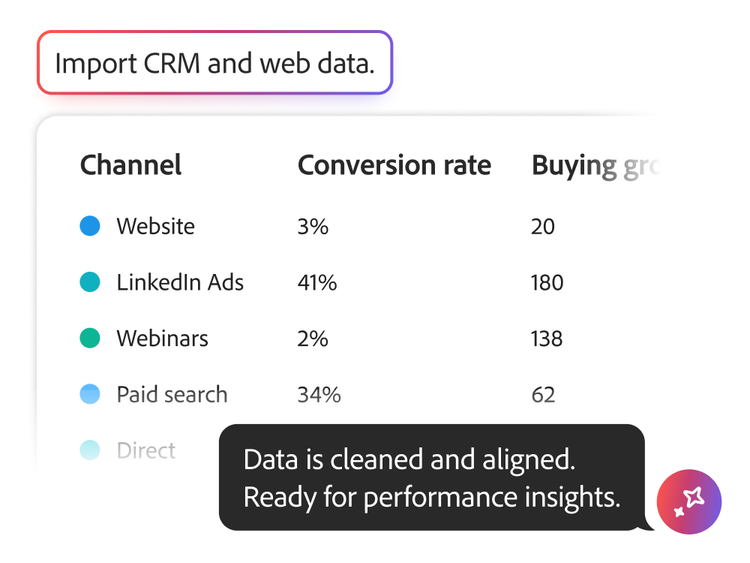
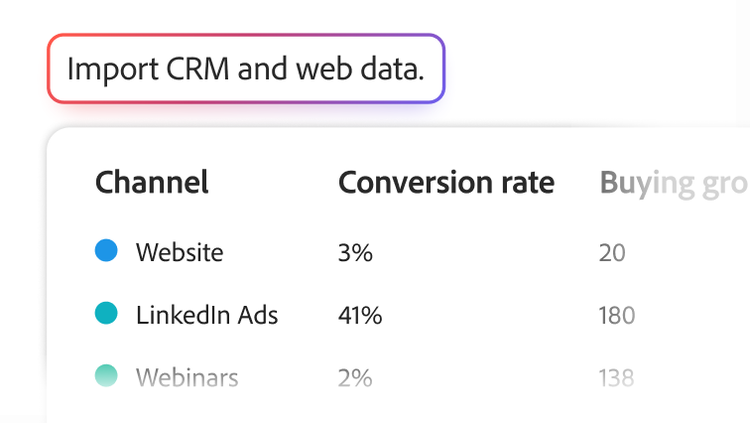
User interface of query parameters and marketing channel event results

Derived fields

Save time and resources with powerful built-in capabilities that let you transform data and adapt your analyses on the fly. Make changes, redefine metrics or dimensions, fix errors found in uploaded data and instantly improve data accuracy — both retroactively and going forward — without harming the original data.

  • On-demand element modification. Create new dimensions or metrics from multiple fields and easily rename field values or fix errant data.
  • Rules builder. Use a customisable rule builder to apply complex data changes without rewriting and re-ingesting data.
  • Ad Hoc reporting adjustments. Build marketing channel reports and classify relevant metadata as needed.

Data views

Empower analysts to quickly and easily adapt their data view for specific and precise interpretations based on their needs and business questions — all while preserving the underlying dataset.

  • Unified customer data. Unify data from data sources in Adobe Experience Platform for seamless use in Customer Journey Analytics. Leverage data preparation capabilities to reconcile schema variations between report suites.
  • Adaptable analysis. Change schema element settings without changing the schema itself.
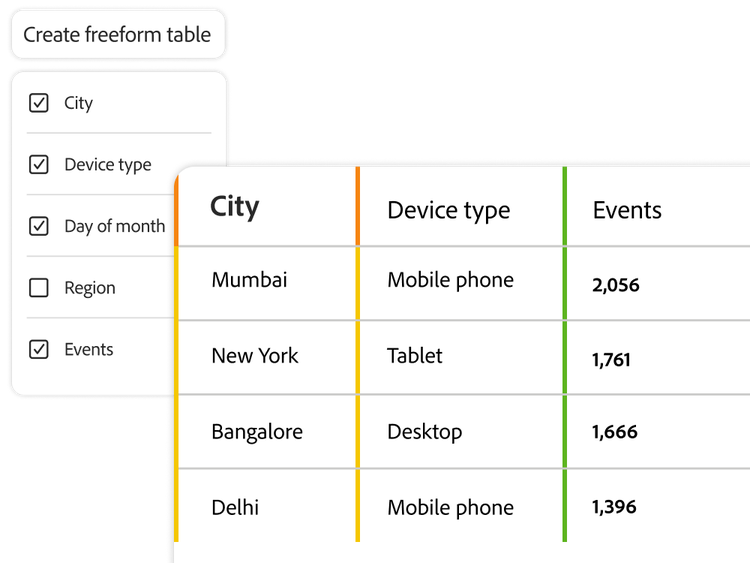
User interface of freeform tables and call centre metrics
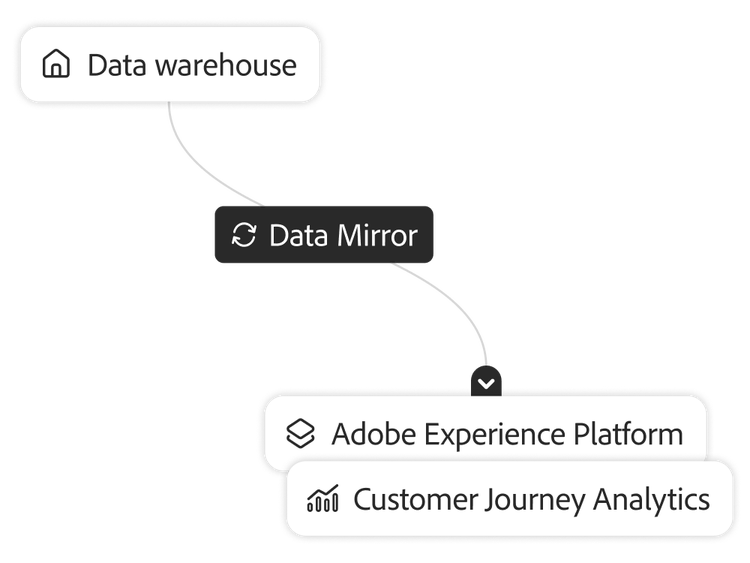
Data warehouse syncing with Customer Journey Analytics to provide attributed conversion information

Adobe Experience Platform Data Mirror

Leverage new data mirroring capabilities to enable seamless data synchronisation between your organisation’s data warehouse and Customer Journey Analytics for access to the most up to date and comprehensive customer data.

  • Warehouse support. Sync with data warehouses such as Snowflake, Google BigQuery and Databricks.
  • Data accuracy. Keep Customer Journey Analytics in sync with your data warehouse, including any updates, data insertions or deletions.
  • Automation configurations. Sync data automatically to eliminate manual updates or data transformations, reducing the risk of human error and saving time.
  • Full journey visibility. Unify off-line data with digital behavioural data for a holistic view of customer behaviours, preferences and trends.

Multiple dimension columns

Combine qualitative and quantitative data in a customisable, spreadsheet‑like table to quickly compare multiple attributes while avoiding the long, nested breakdowns that often make freeform tables difficult to read and manage.

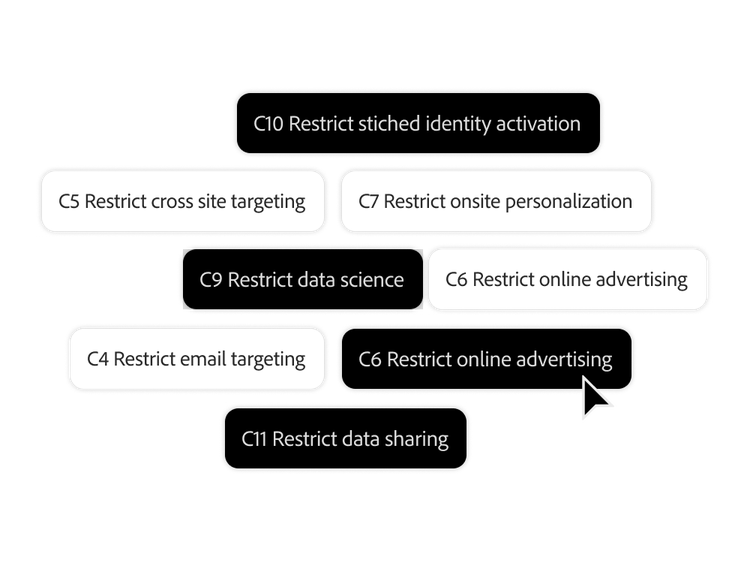
Multiple data use restriction tags being selected

Data governance tools

Keep your data and analytics operations compliant as your privacy policies evolve using tools for holistic consent management, patented data labelling, policy creation and data usage enforcement.

  • Labelling and cataloguing. Create, manage and enforce data usage policies with data labelling and catalog capabilities and out-of-the-box templates that are customisable to meet your needs.
  • Alerts and policies. Prevent users from activating sensitive data with clear policies and labels that help ensure violations don’t occur. In-product usage alerts also notify you of attempted policy violations.
  • Transparency. View the algorithms used to process and model your data so you understand the results and have confidence in them.
  • Reporting activity manager. Monitor and manage system reporting capacity to get ahead of overages and identify anomalies for further investigation.

Permissions

Set and enforce detailed role-based permissions for appropriate team members so they can collaborate without sacrificing customer privacy.

  • Specific permissions. Grant user and group permissions, including editing, duplication and view-only.
  • Granular access control. Manage user and group access, down to individual data element levels.
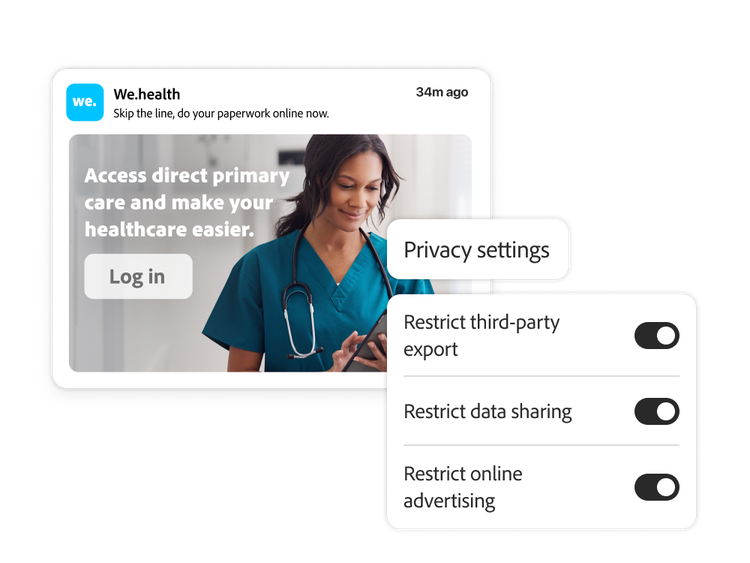
Healthcare ad with user interface of privacy settings and a CCPA report screen

Learn more about data flexibility and control.

Content as a Service v3 - Learn more about data flexibility and controls. - Friday, 22 May 2026 at 16.40

#D0F1E1

Learn how to use data flexibility and control features.

Find what you need in Experience League, our vast collection of how-to content — including documentation, tutorials and user guides.

Learn more | Learn more data flexibility features

Questions? We have answers.

How is Customer Journey Analytics' data model different from Adobe Analytics' fixed report suites?
Customer Journey Analytics stores raw, unaggregated event data from Adobe Experience Platform and lets you reshape how it is reported at report time, instead of locking a fixed set of variables at collection time the way Adobe Analytics' props, eVars and report suites do. That difference is also a scale difference: Adobe Analytics constrains you to a defined variable list of roughly 1,100 data-feed columns, while Customer Journey Analytics data views support thousands of dimensions and metrics per view, curated rather than fixed.
What can I change about my data after it has already been collected, without waiting on engineering?
You can change session definitions, attribution models, calendar settings, dimension and metric naming and derived fields, all after data has already landed in Adobe Experience Platform, without reprocessing pipelines or rewriting collection code. Derived fields specifically let you apply logic such as merging fields, splitting or reclassifying values or joining channel data at report time, so a new question about existing data usually means building a new view or field, not a new instrumentation project.
How does Customer Journey Analytics handle data governance and privacy?
Customer Journey Analytics inherits its governance and privacy controls from Adobe Experience Platform rather than maintaining a separate policy layer. Sensitive fields carry AEP data-governance labels that warn or block users from building metrics or dimensions on them, those labels and warnings travel through to exports and API access and deletion requests are enforced at the AEP Data Lake level and propagated automatically to Customer Journey Analytics. You configure governance once, in Experience Platform and Customer Journey Analytics respects it rather than requiring a duplicate set-up.
Can I control which data and features different teams or users can see?
Yes, through a three-role permission model, Product Administrator, Product Profile Administrator and User, configured in Adobe Admin Console. An administrator grants a profile access to specific data views (or every current and future view, which Adobe itself flags to use with caution) and specific reporting tools and a Data View Filter can restrict a profile to a subset of rows, for example limiting a region's team to only that region's data, without giving them a separate, cut-down data view to maintain.
How current is my data and does adding a new source mean a manual pipeline project?
New data connections typically process into Customer Journey Analytics in under an hour and Adobe Experience Platform batch ingestion runs roughly every 15 minutes, so a new source is not a multi-week integration in the common case. Adobe's newer Data Mirror capability extends this further by synchronising changes from external systems automatically as they happen, rather than relying on a manually built and maintained pipeline for each new connection.