Adobe Workfront Features
Accelerated work
Reduce manual work, standardise repeatable processes and connect workflows across the systems your teams already use. Adobe Workfront helps automate routine steps so teams can move faster, stay aligned and spend more time on strategic work.
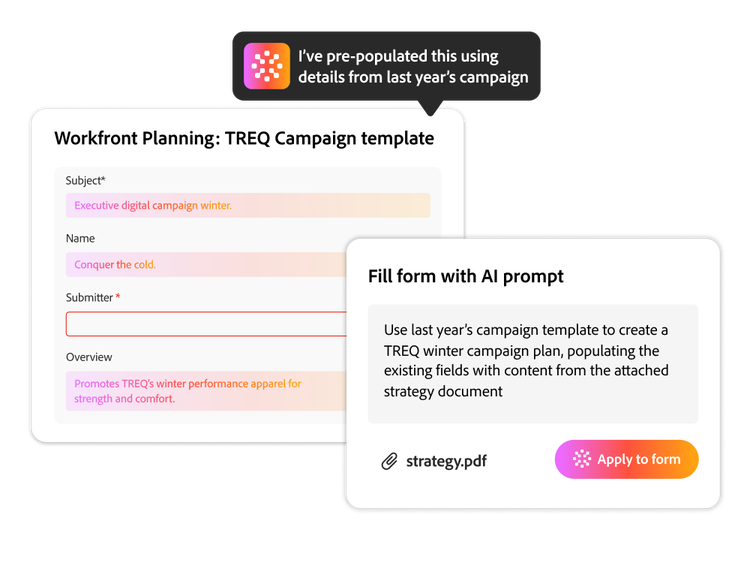
Capture better requests with AI.
Describe what you need in plain language or upload a supporting document. Workfront uses AI to extract key details, applies them to form fields and reuses context from similar work so teams can start with cleaner, more complete information.
- Complete forms faster. Generate form values from a simple prompt instead of entering every detail manually.
- Extract details from documents. Upload a brief or supporting file and let AI populate the form automatically.
- Reuse past context. Reference past requests or Workfront objects to help keep new requests consistent with similar work.
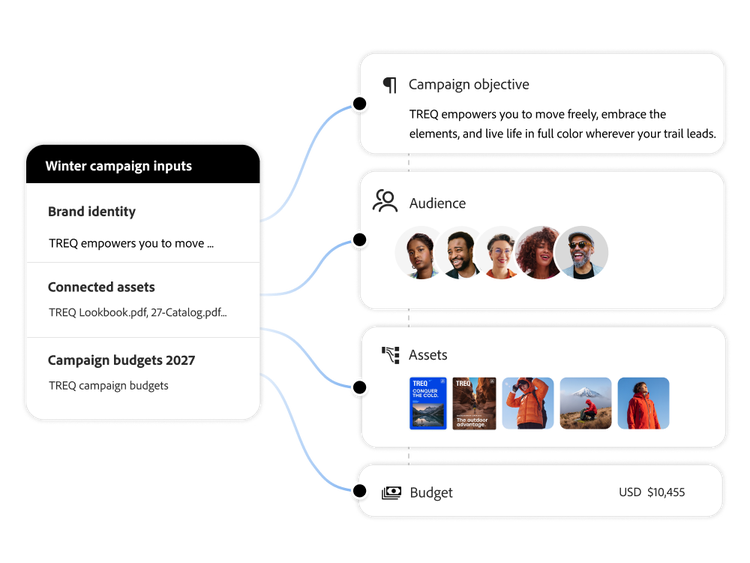
Turn documents into structured briefs.
Move from unstructured ideas to actionable work faster. Workfront can turn decks, documents and briefs into structured planning records, helping teams align quickly with less manual data entry.
- Ingest documents. Upload supported file types, such as PDFs, Word documents, PowerPoint presentations and more.
- Populate projects and planning records. Let AI extract objectives, audiences, channels, assets and other relevant information to auto-generate structured records. Review extracted information for accuracy before use.
- Help save time on high-value work. Reduce manual data entry so marketers can focus on strategy, creative direction and decisions.
Standardise execution with templates.
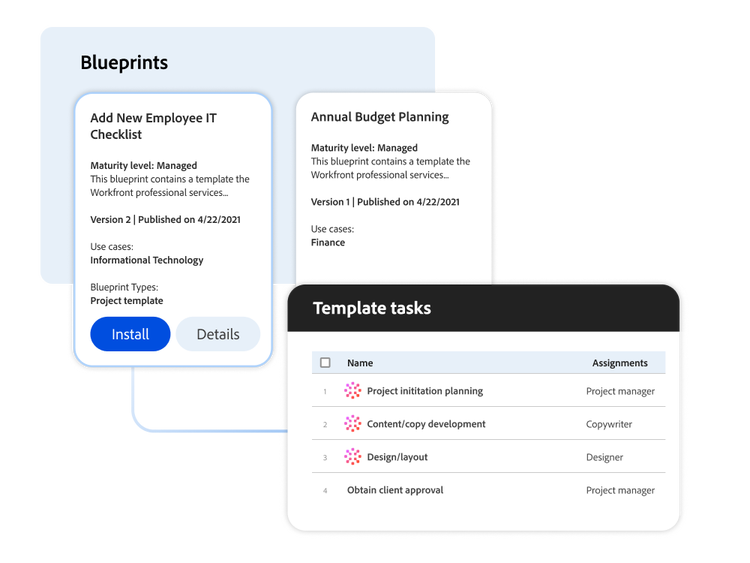
Automate repeatable work by turning project structures, processes and settings into reusable templates. Build a library of starter projects for your team or use Workfront blueprints to launch common workflows faster.
- Customised project templates. Build a library of starter projects that reflect the way your teams work.
- Curated blueprints. Deploy prebuilt templates for common enterprise use cases to help you to get started quickly.
- Standardised execution. Help teams run a consistent process without reinventing it every time.
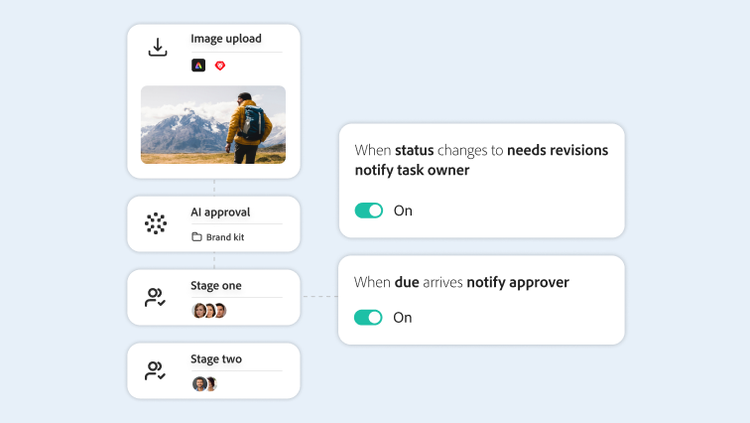
Automate review and approval workflows.
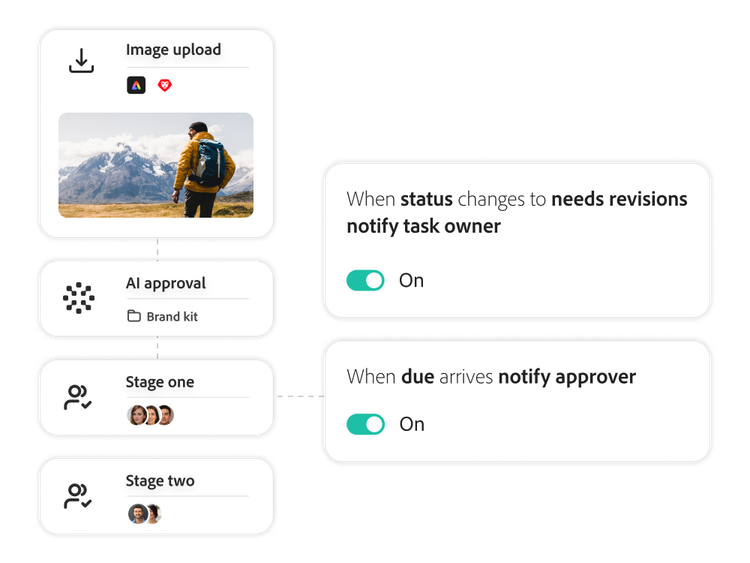
Keep work and content moving with automated review paths, approval stages, permissions and repeatable workflows across the marketing lifecycle.
- Easy review set-up. Create simple review assignments or a series of sequential and parallel review stages with dependencies between stages.
- Managed permissions. Limit visibility to required stakeholders where needed.
- Streamlined workflows. Templatise frequently used workflows to speed content activation and help support brand and process consistency.
- AI accelerated reviews. Leverage AI to create multistage approval workflows.
Connect with your business systems.
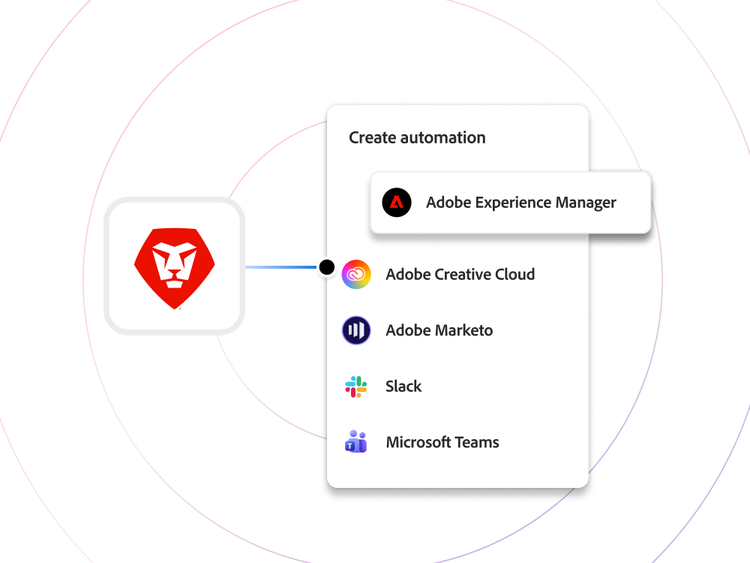
Connect Adobe Workfront to your business applications through low-code or no-code automation so your operational core stays in Workfront with less disruption to the tools your teams already use.
- No-code automation. Build integrations and process automations with less need for developers.
- Business system connections. Connect Workfront to CRM, ERP, marketing platforms, creative tools and many other applications through Workfront Fusion.
- Workfront as the operational core. Keep the record of work in Workfront while data, actions and updates can flow between systems automatically.
Learn more about automated workflows.
Learn how to use workflow automation features to digitise your work processes.
Find what you need in Experience League, our library of how-to content — including documentation, tutorials and user guides.
Learn more | Learn more Experience League Adobe Workfront Fusion overview.
Questions? We have answers.
What is workflow automation?
How do organisations benefit from workflow automation?
How does Adobe Workfront integrate with CRM and ERP systems?
What’s the difference between low-code and no-code automation in Workfront?
Can Adobe Workfront automate business processes without customised development?