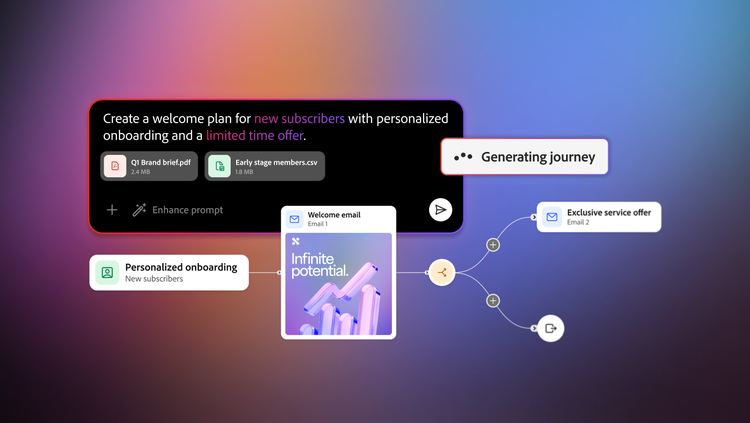
From prompt to polished journey in Adobe CX Enterprise Coworker for teams.
09-23-2026
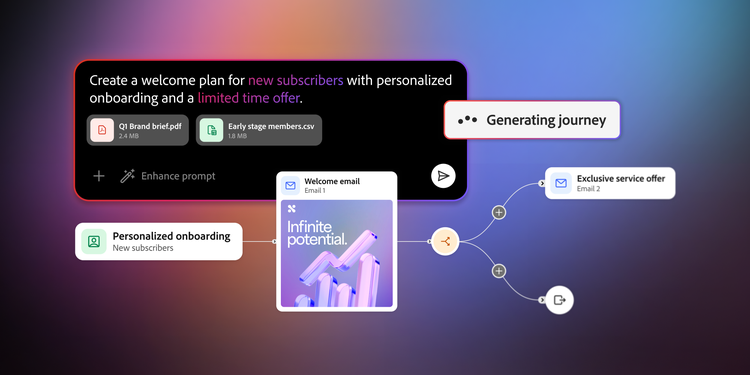
From a single prompt, Adobe CX Enterprise Coworker for teams removes the heavy, manual work of campaign drafting. By detailing your vision in a strong prompt, it can build your campaign plan, shape the audience strategy, create a journey structure, and generate the content that brings it to life.
This article covers what to put into that first prompt, how to fine-tune the email copy once it’s drafted, and how to reshape the journey itself when the fix is bigger than one message.
The better the prompt, the better the draft.
You don’t have to start every journey from a blank prompt. Coworker for teams offers ready-made campaign templates to get you started quickly. You can always start by 'remixing' campaign templates to build new campaigns with a single click. It’s a faster way to get a well-shaped starting point instead of specifying every detail from scratch each time.
The great news is that you don’t have to fit every campaign requirement into the prompt itself. If you already have a campaign brief, audience definition, messaging framework, launch plan, or other supporting material, upload it alongside your request. Coworker for teams can use that information as additional context when generating the campaign, helping it produce a journey that is closer to your goals from the start and reducing the number of revisions needed later.
When you are writing the prompt yourself, though, there are certain pieces of information that will help you get a better output and reduce future adjustments. Below is the anatomy of what should go into a great first prompt.
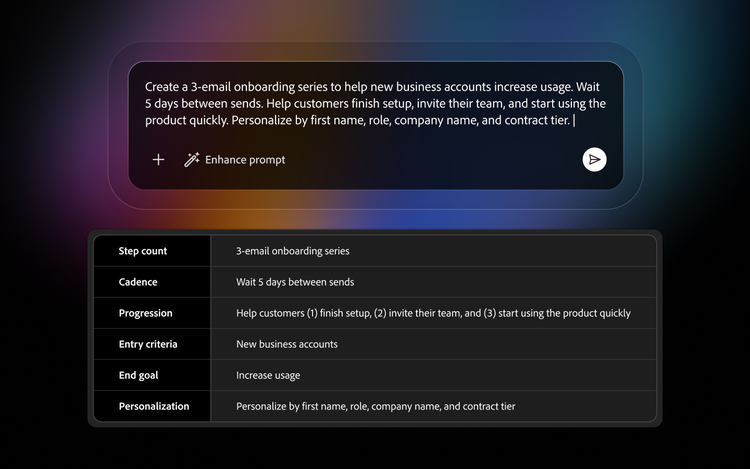
- Step count: Describe how many touchpoints you want in your journey.
- Cadence: Tell Coworker for teams how far apart, over what timeframe, or even the specific dates you want emails to be sent.
- Progression: Clarify what changes from one step to the next, not just what stays the same. This is especially critical because it can influence the email copy. Think about what each touchpoint contributes. The first might introduce an idea, the next might address common objections, another could reinforce value with proof points or examples, and the final message might encourage action. A clear progression helps the journey feel intentional rather than repetitive.
- Entry criteria: Explain who starts the journey and why. This can help Coworker for teams identify emotional triggers or audience needs.
- End goal: Identify what you want to happen by the last step.
- Personalization: Coworker for teams will automatically generate personalization in the HTML when you request it, provided you include these fields in your audience data.
But don’t worry, if you’re not able to follow some of these steps, Coworker for teams will still try to fill in the gaps.
The great news is that you don’t have to fit every campaign requirement into the prompt itself. If you already have a campaign brief, audience definition, messaging framework, launch plan, or other supporting material, upload it alongside your request. Coworker Campaigns can use that information as additional context when generating the campaign, helping it produce a journey that is closer to your goals from the start and reducing the number of revisions needed later.
A prompt that’s this complete gets you close to the finish line on the first try. It may not get you exactly there — and that’s fine, because refining a draft that already exists is faster than starting over.
Edit email copy without leaving the conversation.
Coworker for teams is designed around review and refinement — all you have to do is ask for the change. Generated journeys and emails give you a structured starting point, and from there you can adjust messaging, tone, pacing, and calls to action until the campaign feels ready for review.
Here are some quick tips to help you prompt Coworker for teams in the right direction as you refine email copy:
- Tone: Ask for a specific emotional shift such as making it more urgent, warmer, or more formal, rather than a general instruction to make it “better.”
- Length and format: Call out exactly what needs to shrink or grow like the subject line, a paragraph, or a whole block of body copy.
- Call to action: Name the exact action and general wording you want the email to drive toward.
- Personalization: Point to a specific data field you want surfaced based on your provided audience data, and where in the email it should show up.
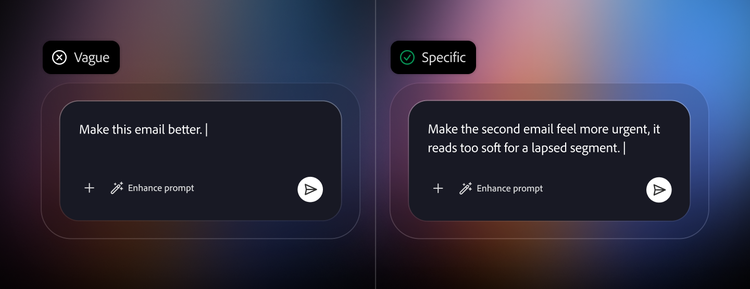
You can make these edits either one email at a time or apply certain edits to every email in the journey. Also, if you don’t follow any of the tips above, Coworker for teams will take a first crack at copy based on your brand guidelines.
Edit the journey’s flow.
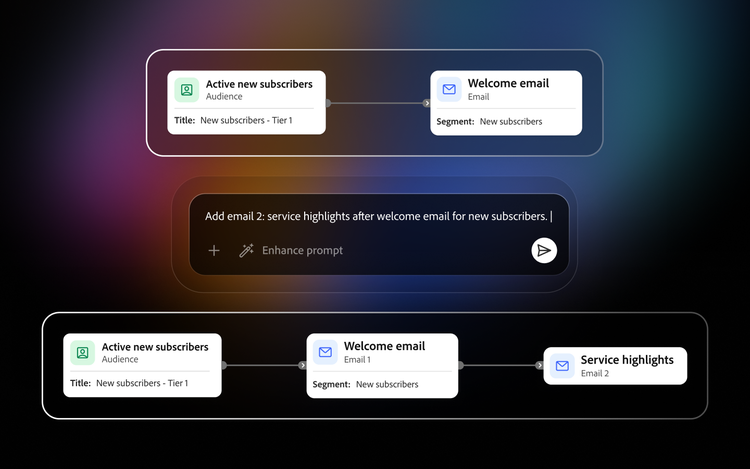
Some edits aren’t about what a single email says — they’re about the shape of the journey itself, including the number of steps, what order they run in, how far apart they’re spaced, or the audience. The good news is that these edits can be made conversationally, too. In the chat, you can ask Coworker for teams to:
- Add or remove a step: Specify where in the sequence a new step belongs, or which existing step isn’t earning its place.
- Reorder existing steps: Ask Coworker to quickly reorder steps as per your campaign strategy.
- Change spacing: Call out which gap between two steps needs to shrink or grow, and roughly by how much.
- Swap the audience for the whole journey: Change who enters at step one while the built sequence stays exactly as is.
Minutes to a campaign ready for review.
A journey like this used to mean days before anyone even saw a draft as teams worked through mapping sequences, writing email copy, and getting plans in front of a reviewer. Coworker for teams compresses that into the time it takes to write one good prompt and have a short conversation afterward. What used to take days to get in front of someone now takes minutes, and what they’re reviewing isn’t a rough idea — it’s a fully built sequence, ready to be sharpened into something you’re confident sending.
Ready to try it for yourself? Learn more about Adobe CX Enterprise Coworker for teams and sign up for a free trial to start building your own campaigns today.
Recommended for you
https://business.adobe.com/fragments/resources/cards/thank-you-collections/generative-ai