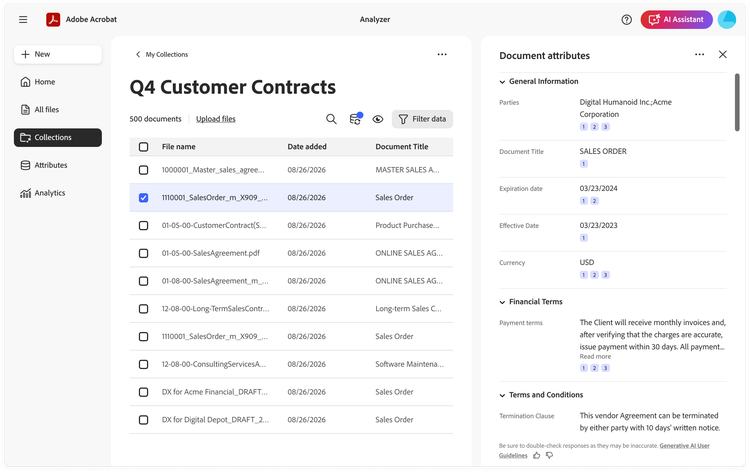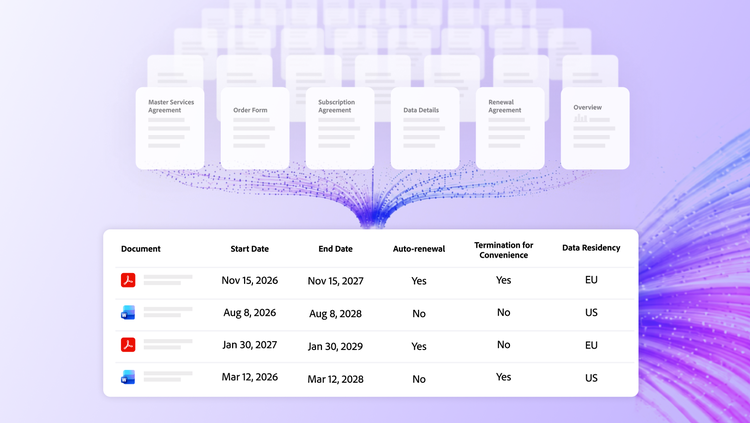
Today we’re introducing Analyzer in Acrobat, a new document intelligence capability for enterprise teams. It takes on work that is still manual across most business functions: reading large volumes of documents to find complex information in each one. Accounting and FP&A teams comb customer contracts for revenue-recognition and booking triggers, procurement operations pull commercial terms from vendor agreements and statements of work to benchmark rates, and information security clears software vendors against compliance reports. The common thread: extracting structured information from unstructured documents to make business decisions.
These are business-critical tasks, and doing them manually forces a compromise. The work stays slow and expensive, or teams review only a sample and accept risk in everything they didn’t read. Often, it’s both.
How Analyzer solves this.
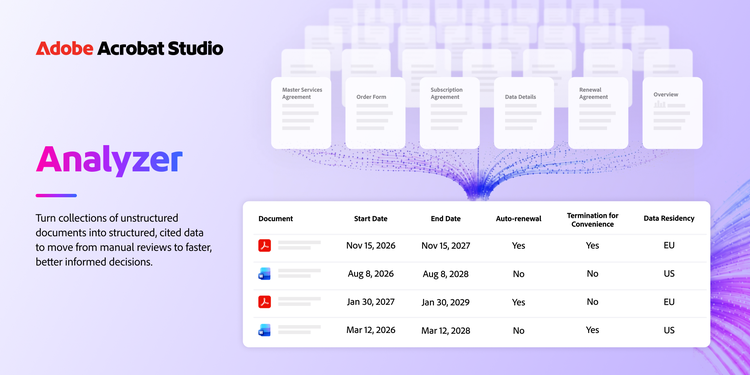
Analyzer is a new enterprise capability in Acrobat Studio. It uses generative AI to turn collections of complex unstructured documents into structured data. It helps teams analyze contracts, statements of work, compliance documents, and more at scale, so leaders can move from manual review to faster, better-informed decisions.
Here’s how it works:
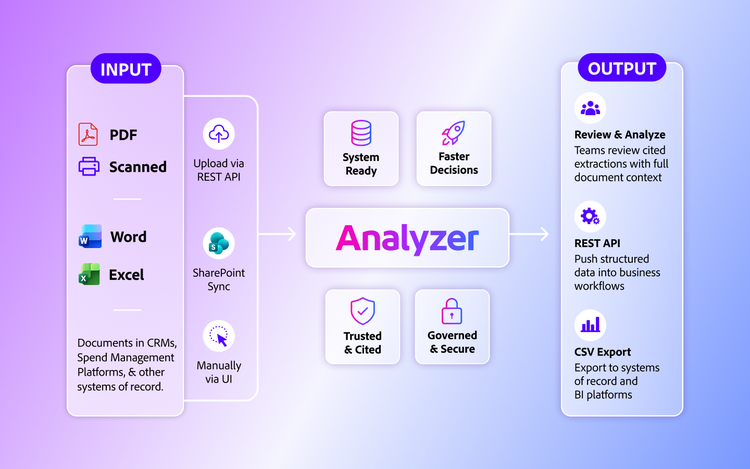
- Bring thousands of documents: Add collections of contracts, vendor agreements, statements of work, compliance reports, invoices, call transcripts, and other business documents as PDFs, scans, or Microsoft Word and Excel files through the user interface, REST API, or SharePoint sync.
- Define extractions once, then apply them across the collection: Describe in plain language what information or insights to pull from each document, and Analyzer extracts it from every document in the collection. Examples include financial terms, legal or commercial clauses, policy language, or judgment calls such as whether a vendor’s controls meet a requirement.
- Get structured output with citations: Analyzer returns results as structured data you can review in the UI. Every extracted value from every document carries a numbered citation that links back to the source passage, so a reviewer can read the surrounding context and confirm the result. Before applying a definition across a full collection, you can test it on a sample set and refine it to more reliably find what you need. Your team stays in control of the result.
- Automate downstream workflows: Push extracted data into your ERP, CRM, CLM, and other systems of record via the REST API, or export it to CSV to feed your BI tools and data warehouse.
- Enable business ownership while maintaining governance: Business teams can set up and manage their own extractions and review workflows. IT maintains administrative control, audit logs, and role-based access.