The question for most organizations is no longer whether to make their documents accessible — it's how to do it at scale, in time for compliance deadlines.
The regulatory landscape has shifted decisively. The European Accessibility Act (EAA) began enforcement on June 28, 2025, requiring businesses operating in the EU to ensure their digital content — including PDFs — is accessible to people with disabilities. Enforcement and penalties are determined by individual member states, with fines that can reach significant levels depending on the jurisdiction.
In the United States, a 2024 DOJ rule under Title II of the Americans with Disabilities Act (ADA) mandates WCAG 2.1 AA compliance for state and local government digital resources. Title III of the ADA has increasingly been interpreted to apply to digital experiences offered by private businesses, with WCAG 2.1 AA widely serving as the practical compliance benchmark. According to industry reporting, nearly 4,000 digital accessibility lawsuits were filed in 2025. Across Canada, Europe, and Asia, governments continue to strengthen digital accessibility requirements and enforcement mechanisms. Across Asia, countries including Japan, South Korea, and India have introduced their own national frameworks for digital accessibility. The trend is unmistakable: accessibility is becoming a baseline legal requirement on every continent.
For any organization that produces, distributes, or archives PDFs — and that's nearly every organization — this isn't background noise. PDFs present a specific compliance risk: they're the most common format for contracts, reports, and government filings, yet legacy documents are often untagged, unstructured, and invisible to assistive technology. This creates a compliance issue with serious financial consequences.
The PDF accessibility problem is bigger than most organizations realize.
PDFs are everywhere: contracts, invoices, bank statements, benefits documentation, policy briefs, government forms. They are how organizations communicate critical information. Yet according to Adobe's own research, more than 90% of PDFs in circulation today are at least partially inaccessible to people relying on assistive technologies like screen readers or braille displays.
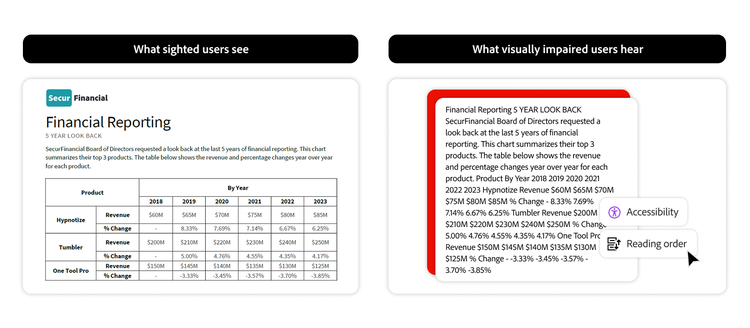
For a person who is blind or has low vision, an untagged or improperly structured PDF can appear as nothing more than a blank page or unintelligible code. That's not a minor inconvenience — it's a barrier to information that others take for granted, and increasingly, it's a liability.
Manual remediation—the traditional fix—simply doesn't scale. Organizations often manage thousands, sometimes tens of thousands, of PDFs across departments, repositories, and archives. Remediating each document individually can cost between $7 and $20 per PDF page, according to a recent GovTech article (The Great PDF Reckoning: A Wake-Up Call for ADA Compliance). At enterprise scale, those costs add up quickly, turning accessibility from a technical challenge into a significant operational burden.
Why Adobe Acrobat solves the challenge.
Adobe didn't arrive at PDF document accessibility just recently. We invented the PDF format over 30 years ago, and we've been at the center of the standards that define accessible PDFs ever since. Adobe's engineers and accessibility experts have contributed to the development and advancement of PDF/UA (ISO 14289), the international standard for technically accessible PDF structure, as well as WCAG and the broader ecosystem of accessibility standards now embedded in law around the world.
That legacy matters because it means our tools aren't retrofitted for accessibility — they're built from a foundation that understands exactly how accessible documents need to work, at the file-structure level.
That commitment runs deeper than product features. Adobe's company-wide accessibility principles — built around accountability for responding to concerns, responsibility for collaborating with the disability community on improvements, and tr transparency about our approach and progress — reflect a belief that removing barriers to digital content isn't a compliance checkbox. It's core to what Adobe stands for.
Adobe's approach addresses accessibility at two levels: Adobe Acrobat for practitioners who need to create, check, and remediate documents directly, and Adobe Acrobat Services for developers and enterprises that need to embed accessibility into automated pipelines at scale. Together, they cover the full spectrum — from a single compliance-critical document to millions of files generated daily.
Here's what that looks like in practice:
In Acrobat: AI-powered auto-tagging and compliance checking.
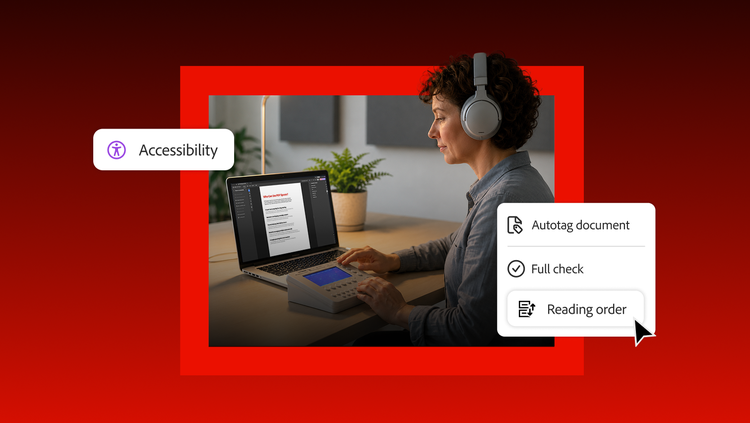
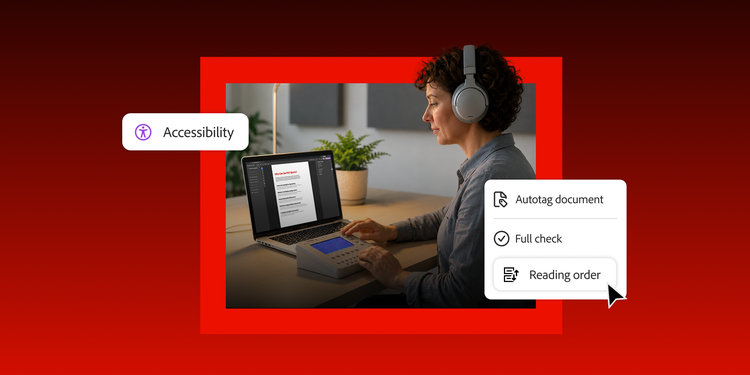
Adobe Acrobat Pro includes cloud-based AI auto-tagging, powered by Adobe’s proprietary document understanding AI, that transforms the remediation process for practitioners. Open a PDF, run auto-tagging, and Acrobat's AI analyzes the document's layout, structure, and content — intelligently identifying and tagging headings across levels, tables (including those without visible borders), lists and nested lists, reading order in multi-column layouts, and scanned text. This is a material improvement over older, rule-based approaches: the AI understands context, not just visual formatting.
Alongside auto-tagging, Acrobat Pro's built-in Accessibility Checker runs compliance checks aligned with WCAG and PDF/UA standards, surfacing issues across tagging, reading order, alt text, color contrast, metadata, and more. When a check fails, Acrobat doesn't just flag the issue — it offers direct remediation options and clear explanations, so teams can act without needing deep technical expertise in accessibility standards.
For documents requiring hands-on attention — complex forms, intricate tables, legacy files with unusual layouts — Acrobat Pro provides the most complete manual tag editing environment available. The Tags panel gives full visibility into document structure, allowing accessibility professionals to verify reading order, correct tag hierarchy, add meaningful alt text, set document language, and ensure every element is properly exposed to assistive technologies. Standards like PDF/UA and Section 508 require not just the presence of tags, but their accuracy — and Acrobat Pro is the tool that accessibility specialists across government, healthcare, financial services, and education rely on for exactly that.
For end users, Acrobat Reader ensures that accessible PDFs actually deliver on their promise — with screen reader compatibility, Read Out Loud, and Liquid Mode on mobile that automatically reflows PDFs into a readable format for smaller screens. The desktop version of Acrobat Reader also includes the Adobe PDF Accessibility Auto-Tag API to make inaccessible PDFs more accessible for screen reader users.