Adobe Workfront Features
Governed human-agent work
Adobe Workfront extends the governance you rely on for traditional work to work done by AI agents. Manage access and permissions for people and agents, monitor work with dashboards and reports and keep a clear record of actions along the way.
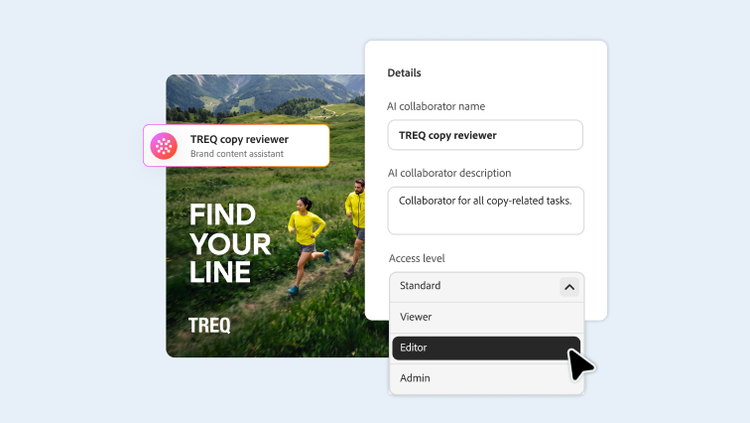
Govern AI actions and help audit activity.
Use intuitive, visual tools to quickly create dashboards that give leadership and stakeholders increased visibility into your work.
- AI Collaborator registry. Manage AI Collaborators in a governed inventory — with role-based permissions for who can create, configure and assign them.
- Approved MCP connections. Platform-approved connectors (Claude, Copilot, ChatGPT, Gemini) go through a review process before they can connect to Workfront, so IT can view which AI platforms have operational access.
- Audit trail. Every agent action is logged and traceable through the same audit controls IT uses for human users — so leaders always know who (or what) did which action.
- Defined actions and oversight. Set clear boundaries for what AI Collaborators are allowed to do, helping them to operate within your organisation's established policies.
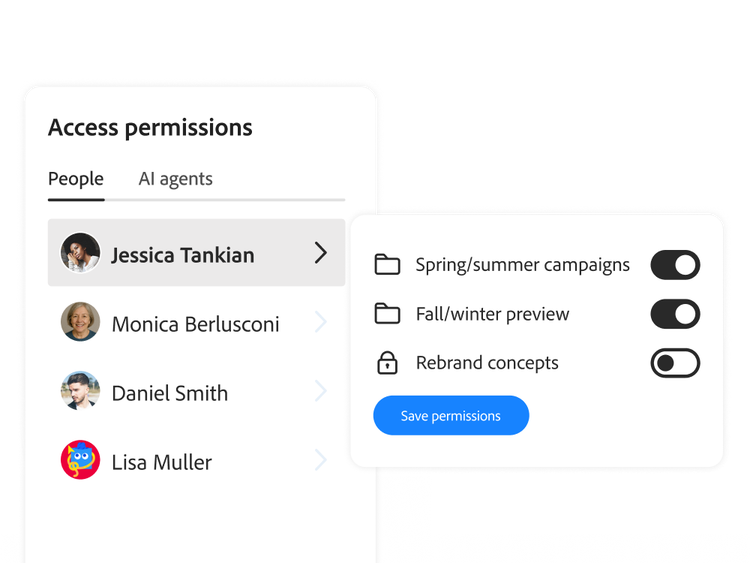
Control access and permissions.
Extend the same enterprise-grade controls organisations already rely on Adobe Workfront for — permissions, access and governance — across the human-and-agent workforce. AI Collaborators work as permissioned users, following the same model that governs your people.
- Role-based access. Control who can configure and assign AI Collaborators and what data they can access. AI Collaborators and MCP connections follow the same Workfront permissions as your people.
- Governed data structures. Help teams scale governance without losing flexibility through shared data structures and permissions.
- Support for regulated environments. Help support the enterprise controls that regulated industries require with audit trails, access controls and defensible records of approval.
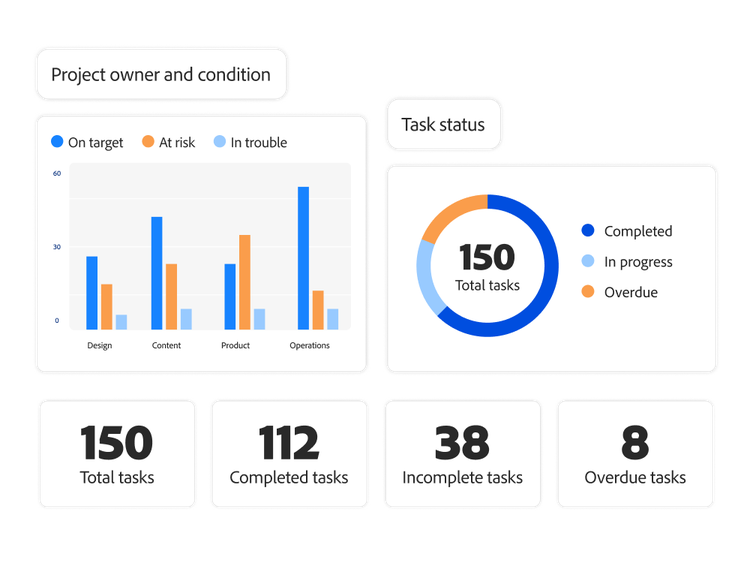
Monitor work with dashboards and reports.
Give leadership and stakeholders the visibility they need to make informed decisions with intuitive, visual tools to quickly build dashboards, share reports and monitor project health.
- Easy visualisation. Get an overview of your Workfront data by adding reports — like customised Workfront Planning records, open issues, time sheets and more — to a customisable canvas.
- Customised reports. Leverage built-in reports or build customised reports from scratch, with widgets and filters that make data easier to consume.
- Quick sharing. Use templates to build dashboards and easily share on an individual basis.
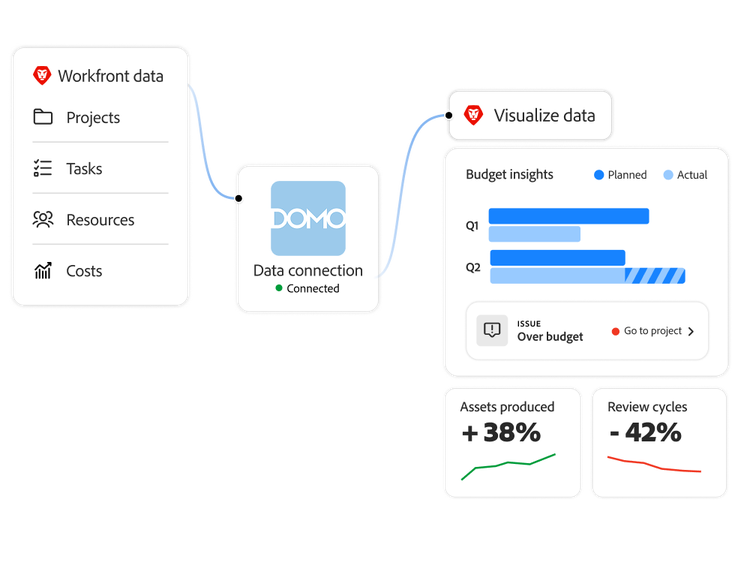
Connect Adobe Workfront data to your BI stack.
Pull Workfront data into your BI (business intelligence) stack of choice with Data Connect so operational insights live wherever your organisation already analyses them, without customised API work. Keep oversight of your work data wherever you analyse it, with your own security and governance controls.
- BI tool integration. Connect your BI tool — such as Tableau, Microsoft Power BI, Domo, Looker and more — to the Workfront data lake to create visualisations with your Workfront data.
- Store data in external warehouses. Export operational data to your own warehouses with less need for API solutions. Exported data is subject to your own security and governance controls.
- Multiple data views. Access low-latency current-state data, change event records for point-in-time comparisons and daily historic snapshots for trend analysis.
Learn more about work governance.
Learn how to use governance features in Adobe Workfront.
Find what you need in Experience League, our vast collection of how-to content — including documentation, tutorials and user guides.
Learn more | Learn more Experience League reporting and dashboards overview
Questions? We have answers.
How does Adobe Workfront govern AI Collaborator actions and access?
What data can an AI Collaborator access and what information is sent to its connected agent?
What audit trail capabilities does Adobe Workfront provide?