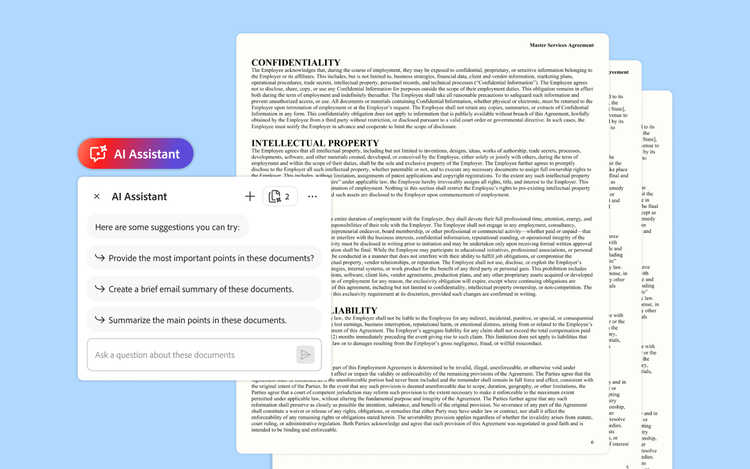
Legal teams are often overburdened with lengthy, complicated contracts and other documents that they must read, analyze, annotate, and summarize.
These are exactly the sorts of tasks that generative AI tools excel at. And yet, many legal teams have largely avoided publicly available large language models (LLMs) due to concerns about reliability and data privacy. Business-class platforms like Adobe Acrobat Studio which adds AI features to Adobe’s familiar PDF workflows, bridges this gap, allowing legal teams to essentially 'talk' to their contracts in a secure setting — saving time while keeping data safe.
The value of AI chat for legal teams.
AI Assistant in Acrobat Studio provides AI chat capabilities for PDF documents opened in Acrobat. “AI Assistant actually has the ability to recognize when a document is a contract and surface all the key terms of contracts in a very easy-to-understand way,” says Job Chanasit, Senior Manager of Product Marketing at Adobe. “Contracts are one of the top document use cases.”
Most attorneys will still read all contracts from end to end, he notes. But legal teams can still benefit from the ability to instantly compare different contract versions and surface key terms and concepts. This information, Chanasit notes, can help to guide and add focus to their review processes, in turn making them both more efficient and more effective.
Even non-lawyers can use AI Assistant to analyze contracts, potentially improving collaboration between legal departments and the lines of business they support, Chanasit adds.
In a January 2025 analysis, Forrester projected the three-year ROI of AI Assistant at between 176% and 415%, tying much of this value to the ability to speed up document-related processes like contract reviews.
Forrester quoted a government chief AI strategy and transformation officer in its report. “Being able to take a 50-page document and generate a summary of it in 15 seconds is a huge time saver from an efficiency perspective,” the executive said. “In the context of contract agreements and legal documents, it really helps simplify and put the information in a format that is easy to understand, which is a huge reduction in staff time.”
Business-level security for contract review.
For legal teams, consumer-grade AI tools carry two significant risks. “If you upload a document to a consumer AI tool, especially if it's not the enterprise version, there could be risks of data leakage, and they could use your content to train their LLMs,” Chanasit says. “Another danger is that public LLMs could hallucinate. They could bring in information from external sources that you don't want or information that is inaccurate.”
Acrobat Studio never trains its AI models on user data. Also, the platform only looks at the documents that users upload rather than returning possibly irrelevant (or even flatly incorrect) results based on training data. “Acrobat Studio only looks at the documents that you put in, and it doesn't bring in additional documents,” Chanasit says. “Also, you can always verify, because there are citations. So, you can click and confirm that information is accurate, whereas that capability is not always available with public LLMs.”
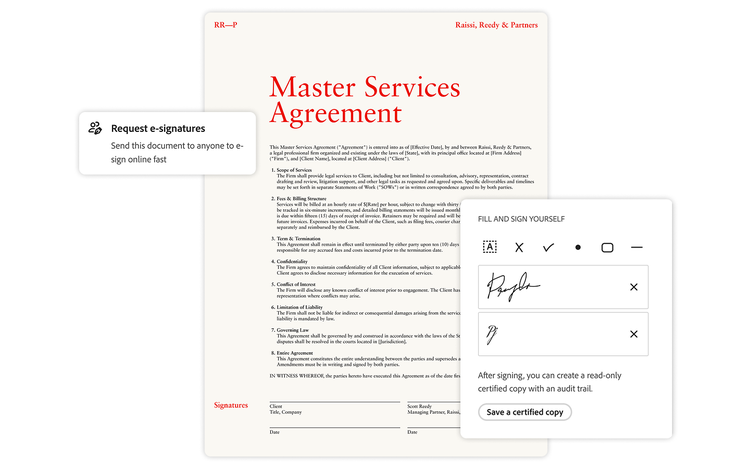
Acrobat Studio also incorporates Acrobat Pro, which gives legal teams the ability to permanently redact sensitive information, securely share legal documents, embed passwords and permissions, and obtain verified e-signatures.
Time back for legal teams.
In Forrester’s analysis, interviewees estimated that Acrobat Studio AI Assistant cut the time required for document review and summarization by 50%, with potentially even greater time savings for certain tasks. This efficiency goes beyond contract review, the report notes, by helping attorneys stay abreast of legislation changes and summarize documents for distribution across legal teams.
“Lawyers get a lot of information to read,” one chief digital officer in the legal industry told Forrester. “They need to keep up with a lot of legislation changes, and often it is distributed in PDF documents. They don’t have a lot of time to read all the content. AI Assistant helps them to quickly summarize the content, digest it, and then feed it back through to other lawyers to streamline that information intake process.”
Put simply, Acrobat Studio helps legal teams be more productive and do more with less. And in today’s fast-changing digital work environment, every minute counts.
Visit our dedicated page on how Adobe Acrobat Studio can simplify and streamline workflows for legal teams.