If you’ve spent any amount of time working with Adobe Experience Manager as a Cloud Service, you know the pattern. Powerful platform, endless capabilities, and just enough complexity to make simple tasks feel heavier than they should.
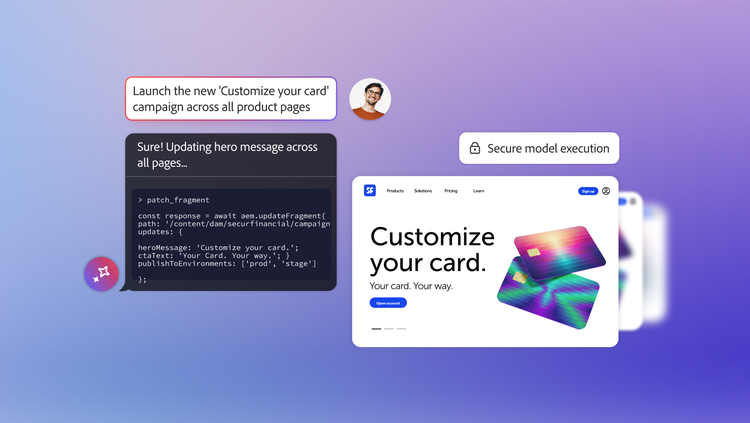
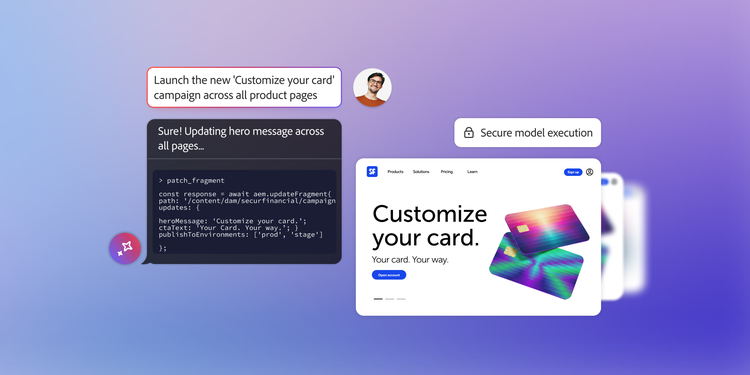
Now imagine this instead: you open your AI assistant, type what you want to do in plain English, and Experience Manager responds by actually doing it.
That’s exactly what Adobe is enabling with AI integrations in Experience Manager powered by the Model Context Protocol (MCP). And no, this isn’t a futuristic experiment — it’s real, supported, and already documented by Adobe.
You can find the official documentation here. What follows is what that documentation means in practice.
Moving from “how do I do this” to “here’s how”.
Traditionally, interacting with Experience Manager programmatically has meant APIs, service users, scripts, and careful permission management. Even for experienced teams, there’s friction. You have to think in terms of how to do something before you can even start doing it. MCP flips that model.
Instead of manually wiring integrations, Experience Manager exposes its capabilities as structured, discoverable tools. AI clients can see what’s available, understand what each tool does, and invoke the right action based on user intent.
So rather than asking, “Which API do I need for this?” you can ask, “Can you show me all pages related to this campaign?” or “Update this content fragment across these sites.”
The AI handles the translation. Experience Manager handles the execution.
What MCP is really doing behind the scenes.
It helps to think of MCP as a controlled conversation layer between AI tools and Experience Manager. It doesn’t give AI free rein, and it doesn’t bypass governance. Instead, it works entirely within the existing security model of Experience Manager.
That means permission still matters. Environment still matters. If you don’t have access to something in Experience Manager, the AI doesn’t magically get access either.
This is important, especially in enterprise setups where compliance, auditability, and separation of concerns are non-negotiable. MCP respects those boundaries while still making interactions feel dramatically simpler.
Where this becomes genuinely useful.
Once MCP is configured, AI tools can assist with everyday Experience Manager tasks that normally require a lot of clicking, searching, or scripting. Exploring site structures, managing content fragments, working with assets, or gathering information across environments becomes much more fluid.
Instead of context-switching between your IDE, the Experience Manager UI, and documentation, you can stay in one place and ask for what you need. The AI can chain together multiple Experience Manager operations to get there.
It’s not about replacing expertise. It’s about removing unnecessary friction from work you already understand.
AI tools that work with Experience Manager MCP.
Adobe currently supports MCP connections with several well-known AI clients, including ChatGPT, Claude, Cursor, and Microsoft Copilot Studio. Each of these tools interacts with the same MCP endpoint but offers its own style of experience.
The important part is that MCP itself is vendor-agnostic. As more AI tools adopt the protocol, Experience Manager doesn’t need to change. You can add new clients without rebuilding your integrations. That flexibility matters more than it might seem today.
A quick reality check.
AI-assisted workflows are powerful, but they’re not autopilot. You still need to review results, especially when making changes that affect production content. Sometimes a task may take more than one prompt. Sometimes you’ll need to clarify intent. That’s normal.
The goal isn’t to achieve perfection. It’s to achieve speed, clarity, and reduced mental overhead.
Why MCP marks a major shift.
What MCP introduces isn’t just another integration. It’s a shift in how people interact with Experience Manager. Instead of navigating layers of UI or writing one-off scripts, teams can increasingly work through intent and conversation.
For developers, that means less boilerplate and faster exploration. For content teams, it means fewer technical barriers. For organizations, it means adopting AI without sacrificing control.
Experience Manager doesn’t become simpler under the hood. But from the outside, it becomes far more approachable.
And that’s usually how real platform evolution looks.