AI learning management systems (LMS) have become a standard part of how organizations deliver training. Almost every platform now positions itself as an AI-powered LMS or an AI-powered learning platform. The problem is that the label has started to lose meaning. From genuinely adaptive systems to basic automation rebranded as intelligence, the range of what “AI-powered” includes is wide. And from the outside of a typical demo, those differences are hard to spot.
What is an AI learning management system?
An AI learning management system, or an AI LMS, is a platform that uses data, automation, and machine learning to personalize how learning is delivered and to continuously adapt the experience based on learner behavior, rather than simply hosting and distributing content.
Instead of showing the same courses to every learner, an AI-powered learning platform analyzes signals such as role, behavior, past activity, and context to determine what should come next. Over time, those signals build into a system that can recommend content, adjust learning paths, and surface insights for both learners and administrators. In practice, this is what people mean when they refer to an AI LMS, although the depth of that intelligence varies significantly across platforms.
The goal of an AI-powered learning platform is to make learning relevant, timely, and aligned with how people actually learn.
What is the difference between a traditional LMS and an AI LMS?
The difference between a traditional LMS and an AI-powered learning platform is best understood not through feature lists, but through the people who use it.
For the learner:
In a traditional LMS, a learner logs in and sees what has been assigned to them. Everyone in the same role gets roughly the same content, and if it isn't relevant, the platform doesn't adjust. It just records completion.
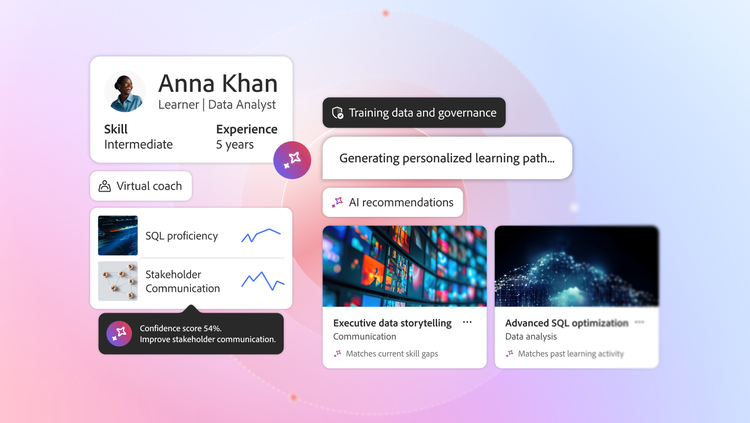
An AI-powered learning platform pays attention to how a learner naturally engages — what they complete, where they drop off, and what they search for. It uses those signals to recommend what should come next. Learners can ask questions conversationally and get answers with citations and course recommendations based on their query history.
An AI-powered search understands the intention behind a query and surfaces relevant results, not just courses that match the exact keywords typed.
Beyond content consumption, learners can also practice real-world skills through AI-driven role-plays tailored to their industry and role, making learning immersive rather than passive.
For the administrator:
A traditional LMS puts most of the work on the administrator. Assigning content, updating paths, and pulling reports are largely manual tasks that scale poorly as the learner base grows.
An AI-powered learning platform shifts that balance. Administrators can now get conversational AI support that delivers fast, accurate answers, task guidance, and feature walkthroughs without needing to dig through documentation. This reduces errors and frees up time for higher-value work.
For the learning author:
In a traditional LMS, building a course requires instructional design expertise and significant production time. That bottleneck limits how quickly organizations can respond to new training needs.
An AI-powered learning platform removes that constraint. Learning authors can build instructionally sound courses from simple text prompts, without needing a dedicated instructional designer, enabling anyone on the team to create and scale learning content quickly.
How does AI for personalized learning work?
Personalized learning with AI works by combining signals that a traditional LMS never looks at: product usage, stage in a journey, skill level, and the full history of how a learner has engaged with content over time. When those inputs work together, the platform can recommend what to learn next, adjust the sequence, and surface learning at the moment. It's most relevant rather than waiting for someone to go looking for it.
The result is a system that adapts continuously based on behavior. That is a meaningfully different thing from grouping learners by role and delivering the same predefined path to everyone in that group.
What makes the best AI-powered learning platform?
The best personalized learning platform is one where the intelligence shows up in how learning naturally works day to day. It adapts based on behavior, provides visibility into decisions, and gives administrators control over how the system evolves. Here's what practitioners who've been through enough of these evaluations actually look for.
Ask what "personalization" actually means, specifically.
Personalization is the most common AI claim in this space, and it's also the most frequently misrepresented. This is also where conversations around AI for personalized learning tend to get simplified too quickly. When a vendor tells you their platform delivers personalized learning experiences, the follow-up question matters more than the claim itself: personalized based on what?
On many platforms, the honest answer is job title. Many personalized learning platforms rely on this approach, even when they position themselves as adaptive. Everyone with the same role gets the same learning path. That's cleaner than manual assignment, but it's not personalization in any meaningful sense, because it ignores everything that actually differentiates one learner from another.
In customer education specifically, that gap becomes a real problem. Your customers aren't a homogeneous group. A customer using your enterprise product has fundamentally different learning needs than one on the entry-level tier. Someone six months into their implementation needs different content than someone in their first week. A power user who has already completed your core curriculum needs a different next step than someone who abandoned onboarding halfway through.
Genuine AI-driven personalization in this context means the platform is actively working with all of those signals at once: the product the customer owns, the tier or level they're operating at, their role within their organization, and the full history of what they've already engaged with. When those inputs are working together, learning surfaces in the right sequence at the right moment. When they're not, you're sorting your catalog by role and calling it personalization.
The question to ask directly in a demo: "Show me two customers using the same product who received different recommendations and walk me through why the system treated them differently." If the explanation comes back to job codes and location fields rather than product context, usage behavior, and learner history, you're looking at role-based assignments with a better name.
Ask how the platform approaches responsible AI.
Most evaluations stay focused on what AI can do. The more important question, and one that tends to surface later in procurement cycles when it's harder to course-correct, is how the AI was built and how it's governed once it's running in your organization.
This matters more in learning than in almost any other enterprise context. The AI learning management system you choose influences which content employees see, which certifications get recommended, which skill gaps get flagged, and, in some cases, which learners get flagged for additional support. Those aren't small decisions. They carry organizational consequences, and the intelligence making them needs to be held to a real standard.
There are two things worth probing specifically.
The first is accountability — does the vendor have formal processes for identifying and mitigating potential harms before a feature ships? This includes testing for bias across demographic groups, not just checking that the system produces accurate outputs on average. A platform that can walk you through its AI ethics review process is one that has actually thought about this. One that responds with marketing language probably hasn't.
The second is transparency — does the platform give your administrators a clear picture of how AI-driven decisions are being made, and does it give learners meaningful visibility into why they're seeing what they're seeing? Opacity isn't just a governance problem. It erodes trust over time, and trust is hard to rebuild once learners or administrators start questioning the system's logic.
Push on what happens when the AI gets it wrong.
Every sales deck talks about how AI reduces administrative burden. That's often true. What the sales deck doesn't cover is the administrative burden that poorly calibrated AI creates on the other end: cleaning up incorrect auto-tags, manually correcting enrollment decisions the algorithm made without enough context, and fielding questions from learners who were assigned something that had no relevance to their role or experience level.
This isn't hypothetical. It's what happens in the first six to twelve months on most AI-powered learning platforms while the system is still developing signals, and it's also what happens when the content library grows faster than the model can keep up with.
The practical question isn't whether AI automates administrative tasks. It's how easy it is to correct the automation when it's wrong, and how visible those errors are before they affect learners. Ask specifically about override mechanisms. Ask what controls administrators have when the system makes a decision they disagree with. Ask whether there's logging or auditability around automated decisions so that when something goes sideways, you can actually trace what happened.
The best AI-powered LMS practices responsible AI and will provide clear answers to all of this. A platform that hasn't thought about failure modes is a platform that will teach you about them after you've signed.
Separate the content generation demo from production reality.
Generative AI for content creation has genuine value and is one of the more legitimate recent advances in this space. The ability to turn a subject matter expert's notes into a structured course draft, or to localize training content across languages without a full translation cycle, solves real problems that L&D teams deal with constantly.
The part that's harder to see in a demo is the quality floor. Generative AI is very good at producing content that looks complete, and less reliable at producing content that's pedagogically sound, which is a different thing entirely. A module can be factually accurate, professionally formatted, and still wrong from an instructional design perspective: no clear learning objective, assessments that test recall instead of application, sequencing that makes sense logically but doesn't reflect how people actually build skills.
While evaluating AI-assisted content creation, consider the guardrails alongside the output speed. Does the AI-powered learning platform have built-in review steps required before AI-generated content goes live? Is there version control that shows who reviewed and approved what? In regulated industries, can you produce an audit trail that shows a qualified human signed off on the final content?
Speed is the easy part to demonstrate. The harder question is whether the platform helps you maintain instructional quality while moving quickly, or whether it just helps you produce more content faster without a mechanism for catching what's wrong with it.
Ask to speak with a customer who is eighteen months in, not three.
This one is simple, and almost nobody does it. Vendors will offer reference customers. Those reference customers are selected because things went well, and they're also often in the early stages of their implementation, when the novelty of a new system is still driving engagement and the real operational challenges haven't fully materialized yet.
What you want to understand is what the AI learning management system looks like at month eighteen, when the content library has grown, team members have turned over, initial configurations have been changed multiple times, and the AI is working with a messier, more realistic picture of your organization than it had at launch. That's when you find out whether the system actually gets better as it accumulates signal, or whether it requires constant manual recalibration to stay useful.
Ask specifically for customers who are deep into their implementation. If the vendor can't produce them, that's worth noting. If they can, the questions to ask those customers are less about features and more about operations: what does your team spend time on now that you didn't expect? What does the AI do well that surprised you? What do you have to intervene on manually more than you thought you would?
Those conversations are more useful than anything in the product tour.
What AI features does Adobe Learning Manager offer?
If you've been asking the right questions throughout your evaluation, you've probably already started forming a picture of what good looks like. You know what signals matter, you know what to probe in a demo, and you know what a vendor's vague answer usually means.
Adobe Learning Manager has been through that scrutiny. The AI is woven into how learners find content, how admins get things done, and how organizations understand skill development over time. And it holds up when you push on it. Let me walk you through what that looks like, feature by feature.
AI-powered personalization
Most learning platforms show you what's available. Adobe Learning Manager shows you what's relevant. When you log in, the platform already knows your role, what product you're working with, and where you are in your skill development. It uses that to decide what you should see next, drawing on over 50 million Course enrollments and completion data.
Search works the same way. You don't have to remember the exact course name or get the keywords right. The search functionality in Adobe Learning Manager is powered by semantic search, natural language processing, and AI to understand what you're looking for. It expands on your query, ranks results based on your learner profile, and pulls in content from YouTube and LinkedIn Learning when it's relevant to what you need.
AI Assistant for Admins
If you've ever had to dig through documentation to figure out how to do something in your LMS, you know how much time that eats up. The AI Assistant for Admins works like having someone on hand who knows the platform inside out. The answer to each question you ask comes backed with relevant citations, inline videos where available, and contextual course recommendations, so you have everything you need to get things done.
What makes it reliable is what it's trained on. The assistant pulls exclusively from Adobe-owned, verified documentation. So, when it gives you an answer, you can trust it. No guessing, no generic responses that send you in the wrong direction.
That adds up over time. Your admins spend less time troubleshooting and more time on the tasks that need their judgment.
AI Assistant for Learners (beta)
As a learner, you're not always going to remember everything from a course you completed three weeks ago. The AI Assistant for Learners lets you ask questions about any content hosted in Adobe Learning Manager, whether that's a SCORM module, a video, a document, or a PDF, and get a direct answer with citations, so you know exactly where it came from.
It also remembers what you've been working on. The recommendations it surfaces are based on your query history, so the more you use it, the more relevant it gets to where you are in your learning journey.
You can ask it to generate a script, pull together talking points, or summarize a course you just completed. Everything it produces is grounded in the content inside Adobe Learning Manager, which keeps the answers accurate and hallucinations out.
AI Virtual Coach (coming soon)
Most training programs can tell you whether a learner completed a course. Very few can tell you whether that learner is ready to handle a real conversation with a customer, navigate a difficult situation with a direct report, or represent your product the way you'd want them to.
That's the gap Virtual Coach is designed to close.
You can define real-life scenarios tailored to your business context. Whoever is responsible for building them, whether that's a learning leader, an author, or a subject matter expert, sets the parameters and decides what proficiency looks like for that specific situation. Was the sales rep confident? Did they handle objections well? Did they position the right features at the right moment? You can upload internal documents to make the scenario as close to your actual business context as possible.
Your learner then enters a live conversation with an AI avatar. The avatar responds the way a real person would, keeping the interaction dynamic and unpredictable enough to be a genuine test.
When the conversation ends, the learner gets a detailed report. The AI breaks down the exchange across tactical knowledge and soft skills, tells them what landed and what didn't, and gives them something concrete to work on.
Personalized Learning Paths (coming soon)
Most learning platforms give you a catalog and expect you to figure out where to start. If you're a sales rep preparing for a new territory, or an engineer moving into a team lead role for the first time, you're largely on your own when it comes to building a path that makes sense for where you are right now.
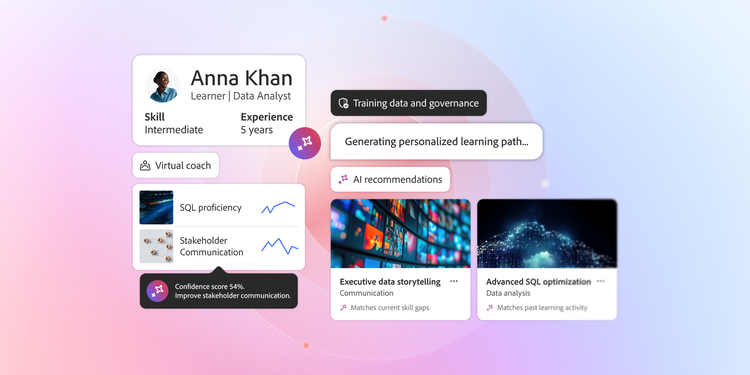
A personalized learning path changes that. You get a conversational interface where you can ask about any topic you're trying to develop. Say you're a sales rep preparing for a new market. You ask the system how to approach enterprise deals in the financial services sector. It pulls from your internal content library and the external platforms Adobe Learning Manager is integrated with, then stitches it all together into a learning path built around that specific goal.
Generative Learning Experience Design (coming soon)
If you've ever had a subject matter expert with great knowledge but no time to sit with an instructional designer for weeks, you know how much content never gets made because of that gap.
Generative Learning Experience Design helps bridge that. Your team members can take what they know, put it into a text prompt, and get a draft of instructionally sound content back.
You can use natural language to keep shaping it, and add in AI voices, avatars, and assessments to make the final experience more engaging.
Insights Agent (coming soon)
Adobe Learning Manager already gives you a solid reporting layer. You can create, merge, and export reports across your learner data.
Insights Agent puts a conversational interface on top of that. Say you're a manager who wants to know how a specific team is progressing through a certification program before a leadership meeting. You type your question, and the Insights Agent pulls the data and answers it in seconds.
The question underneath all of this.
Choosing an AI-powered learning platform is less about finding the most feature-rich option and more about finding one where the intelligence holds up over time. The questions in this piece are designed to help you tell the difference.
Adobe Learning Manager is built with exactly these considerations in mind. The AI-driven personalization draws on over 50 million course data points. The admin and learner assistants reduce friction at every level of the platform. The responsible AI principles are grounded in accountability and transparency. It is designed to get better as your organization grows, not harder to manage.
If you are evaluating AI learning management systems, take a closer look at how Adobe Learning Manager handles personalization, responsible AI, and content quality at enterprise scale.
Justin Seeley is an eLearning Evangelist at Adobe who helps learning and development leaders scale smarter, more personalized training experiences using tools like Adobe Learning Manager and Captivate. He has over two decades of experience in building customer education and internal learning and development programs for some of the world’s biggest brands.