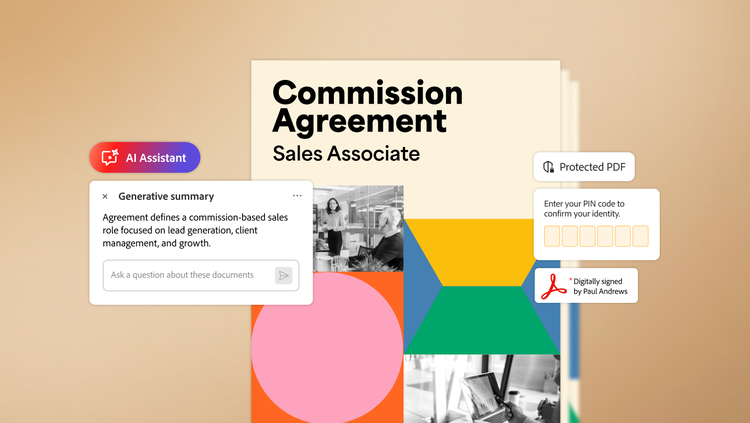
As businesses embrace generative AI to drive transformative productivity, safeguarding data with robust, enterprise-grade security and privacy controls is essential. Adobe Acrobat AI Assistant brings together Adobe's deep expertise in document processing with a commitment to responsible AI innovation. AI Assistant allows teams to interact with documents in Adobe Acrobat to get quick answers, generate one-click summaries, and create impactful content, delivering rapid insights and boosting productivity in a secure, governed environment.
The Adobe difference — responsible AI innovation.
Organizations around the world trust Adobe with their most important digital documents. As they harness the power of AI to boost productivity and create impactful content, Adobe continues to prioritize advanced, enterprise-grade security and privacy controls. Just as Adobe Acrobat is designed for enterprise privacy and security, we built Acrobat AI Assistant to meet the same standards and processes. All Adobe generative AI features go through Adobe AI ethics governance process and are developed and deployed in line with ethics principles of accountability, responsibility, and transparency.
Building trust in generative AI for PDFs.
- Adobe’s agnostic approach to large language models (LLMs) enables us to choose the best-in-class technology for the task at hand. For generative AI features in Acrobat, we currently use Microsoft Azure OpenAI Service, which is contractually prohibited from manually reviewing or training its LLM on Adobe customer data.
- We use the content filtering feature in Microsoft Azure OpenAI to moderate hate, sexual, violent, and self-harm content. To ensure ethically responsible answers, AI Assistant also uses a defined block list to filter out hate and profanity. It responds to a user only if the answers pass both checks.
- Adobe strictly limits who can access reported content, bugs, or vulnerabilities, and feedback from users to a small number of trained employees. These employees use both algorithmic and manual processes to review session data and help address reported issues related to generative AI features in Acrobat.
“Adobe has long focused on establishing a strong foundation of cybersecurity, built on a culture of collaboration, enabled by talented professionals, strong partnerships, leading-edge capabilities, and deep engineering prowess,” said Mike Mellor, Vice President, Cyber Operations at Adobe. “We are continuously testing our generative AI technologies and learning from our global teams, the broader security researcher community, and partners to strengthen resiliency and improve our capabilities.”
Respect for customer data.
- Adobe does not use customer data to train or fine-tune LLMs. To generate summaries and insights within a document, the user must click on the AI Assistant or generative summary buttons. We also have guidance available on how users and enterprises can turn off the generative AI features in Acrobat, as needed.
- By default, AI Assistant grounds its responses in the content of the document you open or explicitly select. Neither does it crawl your company's file systems, email, or other repositories, nor does it search the public web for answers. In some cases, the underlying LLM may rely on its pretrained knowledge to answer general questions (for example, “What is the capital of France?”). When that happens, and the response is not drawn from your document, AI Assistant displays a disclaimer and does not include that response in document citations.
- Adobe’s custom attribution engine and proprietary AI generate clear citations, so users can easily verify the sources of answers within the documents they provide.
- Chat history — both inputs and generated responses — remains in the user’s control for deletion or query continuation. AI Assistant retains chat history to accommodate users’ desire to return to their prior session. On the desktop and mobile versions of Acrobat, chat history is stored on the user’s device, whereas in the web version, it is stored in Adobe’s cloud. Enterprise admins can also use the Adobe Admin Console to turn off cloud-based chat history storage for their organization.
The generative AI capabilities in Acrobat enable it to extract content from PDFs to process user prompts. Except for retained chat history and any content a user reports, the uploaded document, prompts, and generated responses from a session are all automatically deleted from the Adobe cloud after 12 hours.
The responses provided by AI Assistant are intended for individual use only. Even when interacting with shared documents on the web, responses remain private to each user and are not shared with others.
Built for business.
- AI Assistant provides enterprise-grade data security and information governance capabilities, including granular admin-level controls, such as selecting users and user groups for access and enabling just-in-time provisioning of the product.
- To support data security, we’ve built robust testing and monitoring methodologies in pre- and post-processing and engineering workflows, with internal and third-party penetration testing and continuous security scanning.
- All user content, prompts, and responses are encrypted in transit over HTTPS using TLS 1.2 or higher. At rest, any data stored by AI Assistant is encrypted using AES‑25.
We welcome feedback.
The future of technology is exciting, but there can be implications if innovations are not built responsibly. Keeping that in mind, Adobe offers customers multiple channels to provide feedback. From in-app and advisory boards to community groups and social listening programs, we encourage active conversations that can help us identify and address issues quickly. And as always, we value our customers and encourage feedback through their preferred channel to better serve their requirements.
Learn how AI Assistant can help your business.
Adobe's roadmap for AI Assistant focuses on delivering deeper document intelligence and seamless cross-application workflows. By extending capabilities beyond standard PDFs to include Microsoft Word, PowerPoint, Excel, and meeting transcripts, AI Assistant provides unified insights from the documents and transcripts teams open in Acrobat, enabling them to extract greater value from the content they work with every day.
- AI-powered summaries and content assistance. Move from reading to understanding and acting faster. AI Assistant can summarize long documents, highlight key points, and help users generate drafts or text snippets for reports, emails, and presentations, reducing the time from insights to action.
- Smarter collaboration. Enhance team reviews with AI-powered insights. AI Assistant can analyze a user-selected set of up to 10 documents (within current size and page limits) to identify recurring themes and surface essential information, helping teams focus on high‑impact objectives and make more informed decisions.
- Creative support with Adobe Express. AI Assistant can turn document insights and summaries into polished presentations using design tools in Adobe Express. Teams can create and edit images, graphics, and layouts that align with brand standards, streamlining creative workflows directly from Acrobat.
- Cross-document insights extraction. Leverage AI Assistant to identify patterns and key takeaways across multiple documents in a session. While not a full analytics platform, these insights give teams a more holistic view of selected content to support better-informed decision-making.
For a more efficient, intelligent document experience, learn more about Adobe Acrobat AI Assistant.