How to fine-tune custom AI models for brand visual identity.

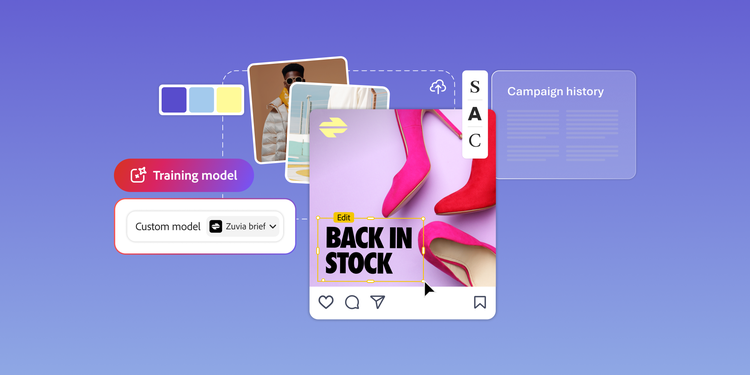
Enterprise brands already have one of the most valuable resources to help train custom AI models: approved imagery. Images show how the brand looks across real campaigns. They capture the repeated choices that shape visual identity.

When custom AI models are trained and configured with the right images, generated outputs more accurately reflect the patterns behind the brand’s visual identity. The result is AI-generated content that aligns more closely with the brand’s established visual standards, instead of requiring teams to correct generic outputs after the fact.

Table of contents:

Custom AI models need more than just brand guidelines.

Brand guidelines are important inputs for custom AI models, but not all custom AI models are trained on brand guidelines. Including training images that adhere to brand guidelines for custom AI models that can’t be trained on brand guidelines is a workaround. These training images show how the brand should look and communicate through logo rules, color palettes, typography, product naming, and messaging priorities.

Past campaigns are demonstrative, providing real-world examples of how the brand communicates through images in customer-facing moments.

A style guide that informs training images lists approved colors, typography, and image principles. However, campaign imagery shows how the brand uses framing, negative space, lighting, subject placement, and layout hierarchy. All of this context together helps shape a custom AI model for on-brand execution.

Training custom AI models with imagery libraries.

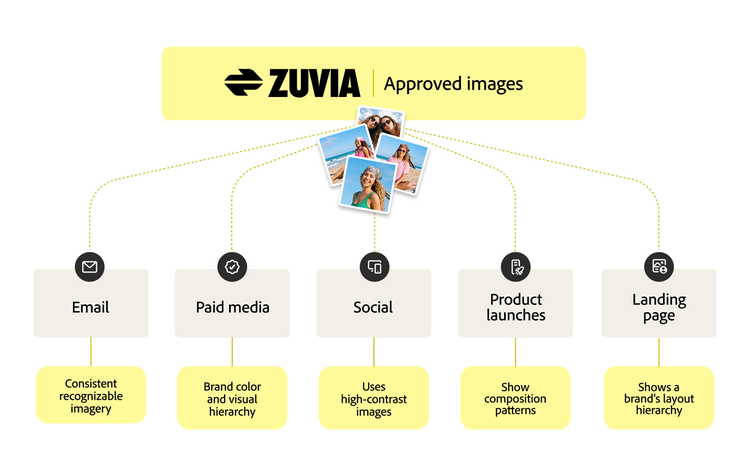
A graphic showing how approved marketing assets teach AI to apply a brand’s visual identity across channels and formats.

Enterprise marketing libraries store approved imagery, manage that imagery, preserve institutional knowledge, and support reuse across teams. But those archives also function as training and configuration resources for custom AI models.

Past marketing images show how a brand communicates visually in campaigns, with audiences, in channels, and in different formats. Instead of treating archived work as a historical record, teams should use it as a structured set of examples to train and configure custom AI models.

Different asset types teach different parts of a brand’s visual identity:

  • Images from campaign product launches, seasonal campaigns, and recurring programs show how the brand communicates consistently over time. These images reveal repeated patterns in composition, color, subject treatment, and layout.
  • Email imagery shows how the brand carries its visual system into a small, constrained space, keeping color, type, and imagery recognizable immediately.
  • Paid ad imagery shows how the brand illustrates its narrative through a single image quickly, with a strong focal point, brand color, and a clear visual hierarchy.
  • Landing page imagery shows how the brand builds a hero visual and layout hierarchy that structures the page.
  • Social media imagery may use eye-catching, high-contrast images to stand out from competitors across platforms, audiences, and cultural moments without losing its core identity.
  • Sales enablement images in sales decks, one-sheets, and pitch materials, shows how the brand explains value in buyer conversations.
  • Charts that show customer success exhibit how the brand connects its value to real outcomes.

Visual assets provide the same kind of evidence for creative identity. Approved campaign imagery, photoshoot libraries, icon systems, illustration styles, and other branded assets show how the brand uses color, composition, lighting, subject treatment, and visual hierarchy.

The most useful training examples for custom AI models are current, relevant, and aligned with the brand. Rather than pulling from the full archive, teams should prioritize the assets that best reflect how the brand should communicate now.

Configuring AI models to provide on-brand visual content.

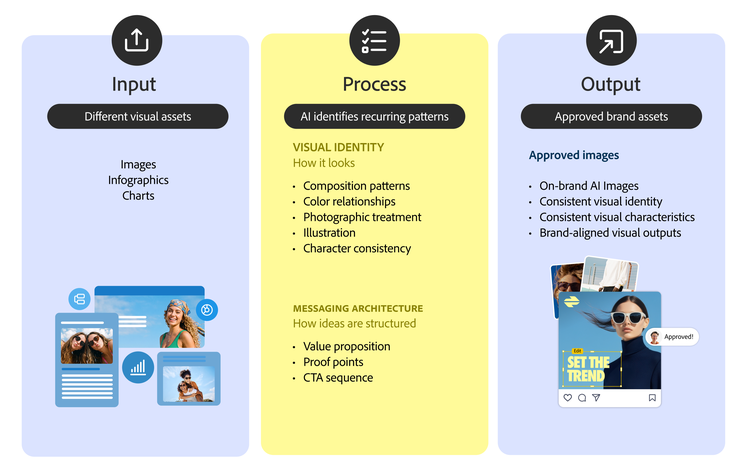
A graphic showing how approved brand assets help AI identify patterns in tone, terminology, and messaging to generate on-brand content.

The same principle applies across a brand’s visual system. Approved campaign imagery teaches a model how the brand communicates visually.

Visual guidelines outline the intended creative direction, while approved assets show how that direction is executed in real campaign work. They reveal the choices that make visual imagery recognizable, from composition and lighting to image density, subject treatment, and layout.

  • Color relationships: A style guide lists approved colors, while campaign imagery illustrates how those colors are proportioned, layered, contrasted, and paired in different layouts. One brand may use a bold color as the dominant visual field, while another may reserve it for small accents or calls to action.
  • Composition patterns: Approved assets show how the brand frames products, places people in scenes, balances text and imagery, and uses whitespace. A model can decipher whether the brand favors centered product shots, environmental storytelling, close-up details, or spacious editorial layouts.
  • Photographic treatment: Lighting, saturation, depth of field, grain, texture, and mood all contribute to visual identity. These assets determine whether the brand uses soft natural light, high-contrast studio imagery, warm lifestyle photography, or polished product-focused visuals.
  • Illustration and character consistency: For brands with illustration systems, mascots, icons, or characters, approved assets teach recurring shapes, proportions, expressions, and visual conventions. These details help maintain continuity across new creative outputs.

This repeated visual training helps custom AI models produce creative outputs that are closer to the brand’s established aesthetic. Rather than simply applying a color palette, custom model outputs reflect how the brand’s visual system operates across approved work.

Adapting brand visual identity across channels.

Enterprise brands do not communicate with one fixed visual identity across every marketing channel. A strong brand visual identity stays consistent at the core, but it adapts across formats, audiences, and channel expectations.

AI custom models configured and trained on a narrow set of images can miss how the brand’s visual identity changes across channels and formats. A custom model configured solely on images used in social media campaigns can produce imagery that feels too casual. A model configured on imagery used in white papers can generate images that are too complicated for the reader.

A broader, more eclectic image archive gives the model more instances of useful context. It shows how a brand’s visual identity changes based on format, structure, audience, and intent.

Connect brand visual identity to custom AI models.

For enterprise teams, the value of custom AI models is the ability to bring more of the brand’s existing knowledge into the creative process.

Approved imagery and creative systems contain years of decisions about how the brand should look. When images inform custom AI model training, they help teams configure outputs that begin closer to the brand standard instead of relying on generic starting points. That creates a stronger foundation for scale. Creative teams spend more time refining ideas, adapting campaigns, and applying judgment. Brand teams support more channels and regional needs without starting from scratch each time. Marketing teams move faster while staying connected to the patterns customers already recognize.

Human review remains essential. Custom AI models identify recurring patterns, but people still understand context, strategy, audience needs, and business risk. As custom models become part of broader content operations, teams should also consider how they connect to the larger content supply chain, including asset management, campaign planning, production, localization, activation, and measurement.

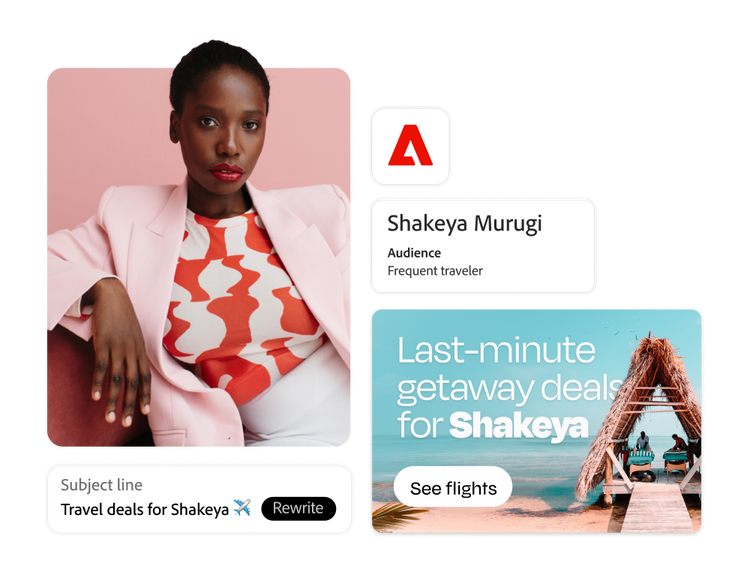
Operationalizing this strategy requires moving assets seamlessly from your system of record into your generation workflows. Adobe Firefly Custom Models help enterprise teams create custom generative AI models using their own brand assets, enabling them to create on-brand images, scalable variations for different markets, audiences, and channels.

See how Adobe Firefly Custom Models brings your brand to life.

Let’s talk about what Adobe can do for your business.

Get started


I'm the Adobe Assistant. How can I help you today?

1