5 repetitive design tasks you can automate with AI.

Adobe for Business Team

08-11-2026

Customer demand for content continues to increase. Adobe found that 62% of 1,600 marketers say their audiences expect new content several times a week. However, creative teams haven’t been able to scale their resources at the same pace. The gap between content demand and human capacity continues to widen as customers now expect personalized content for dozens of touchpoints, formats, and regional markets. Designers spend significant time on production tasks that add little creative value, such as resizing images, removing backgrounds, and adapting layouts for new markets. Meanwhile, strategic creative work gets squeezed into smaller windows of available time.

The solution to growing content demand for creatives lies in AI-powered content creation and automated creative production. By automating repetitive tasks such as image editing, asset resizing, content localization, and creative variations, teams can increase efficiency while freeing up time for more strategic creative work. However, many creative teams remain uncertain about which tasks to automate first and how to implement AI workflows effectively.

This article will cover:

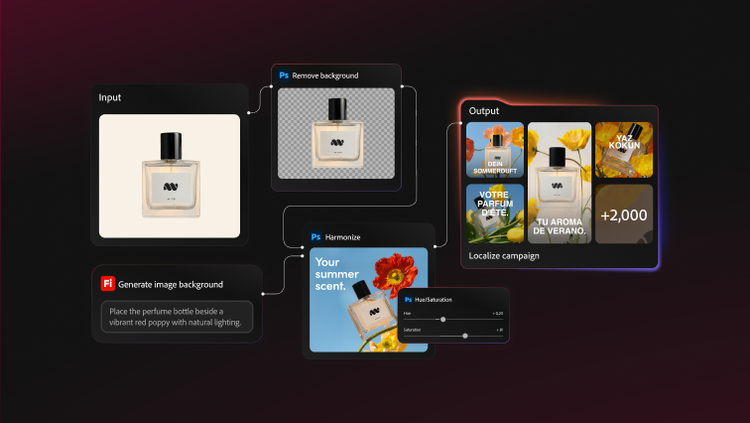
Background removal and image cleanup at scale.

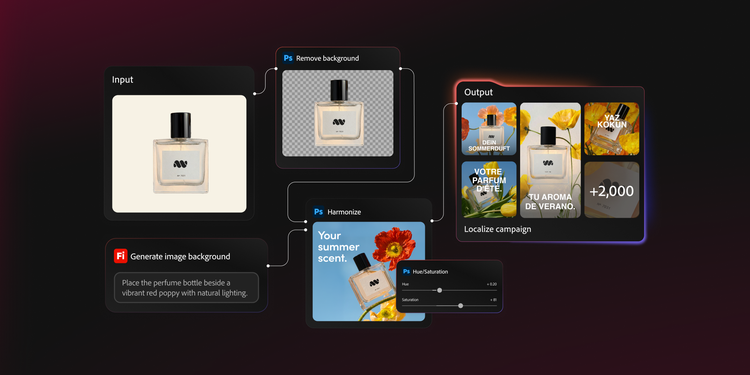
Background removal is one of the most common and time-intensive production tasks in creative workflows. Designers spend significant time isolating subjects, refining edges, and creating clean separation from backgrounds. What takes five to fifteen minutes per image can become a bottleneck when teams need to process hundreds or thousands of assets.

Before AI-powered tools, even partially automated background removal workflows required significant manual effort. Batch-processing solutions improved efficiency, but they also demanded careful setup, ongoing quality checks, and frequent manual corrections. As a result, designers often spent valuable time on repetitive production tasks instead of creative execution.

AI-powered background removal changes that dynamic. AI models can now analyze images, identify subjects with a high degree of accuracy, and remove backgrounds at scale while maintaining quality. The key is establishing a workflow that combines the speed of AI with human oversight to ensure quality.

A streamlined workflow often includes these steps:

  1. Organize source images by category or project, using consistent naming conventions for easier tracking.
  2. Upload the batch to an AI-powered creative production platform.
  3. Configure background removal settings, including edge refinement preferences and output format specifications.
  4. Run the automated process across the entire batch.
  5. Review a sample of outputs to confirm quality and identify any images that need manual refinement.
  6. Export approved assets directly to your digital asset management system or project folders.

This workflow reduces manual production work, accelerates asset delivery, and gives designers more time to focus on creative development and campaign execution.

Resizing and reformatting assets for every channel.

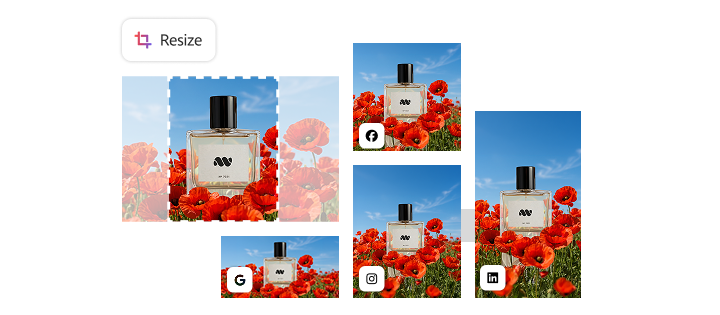
A single campaign creative might require dozens of size variants — Instagram squares, LinkedIn banners, display ads in multiple dimensions, email headers, and mobile-optimized formats to engage users. When you add product lines, audience segments, and regional markets, the number of required asset variations increases significantly.

Manually adapting each asset variant introduces challenges beyond the time required to produce each one. Designers must make compositional decisions for each format, ensuring key elements remain visible and balanced. Text placement, focal points, and brand elements all require adjustment. Errors can multiply across variants, and maintaining consistency becomes increasingly difficult as asset libraries grow.

AI workflow automation addresses these challenges through intelligent, subject-aware reframing. Rather than simply cropping images to fit new dimensions, AI analyzes composition, identifies key subjects, and repositions elements to maintain visual integrity across formats. This approach preserves the creative intent of the original asset while adapting it appropriately for each channel.

The ability to scale creative productivity through automated resizing provides a measurable impact on campaign velocity. Teams that previously needed days to prepare multi-channel asset packages can now complete the same work in hours.

Follow these steps to automate creative production for assets in multiple formats:

  1. Create or select your hero creative asset with adequate resolution for the largest required output size.
  2. Define your format library — a complete list of dimensions and aspect ratios your channels require.
  3. Upload the source asset and select target formats from your library.
  4. Review AI-generated variants, paying particular attention to edge cases like extreme aspect ratio changes.
  5. Make manual adjustments to any variants where automated reframing needs refinement.
  6. Export the complete format package with consistent naming conventions for easy deployment.

Automating asset resizing and reformatting helps creative teams produce channel-ready assets faster, maintain consistency across formats, and accelerate campaign delivery.

Generating on-brand asset variations for campaigns.

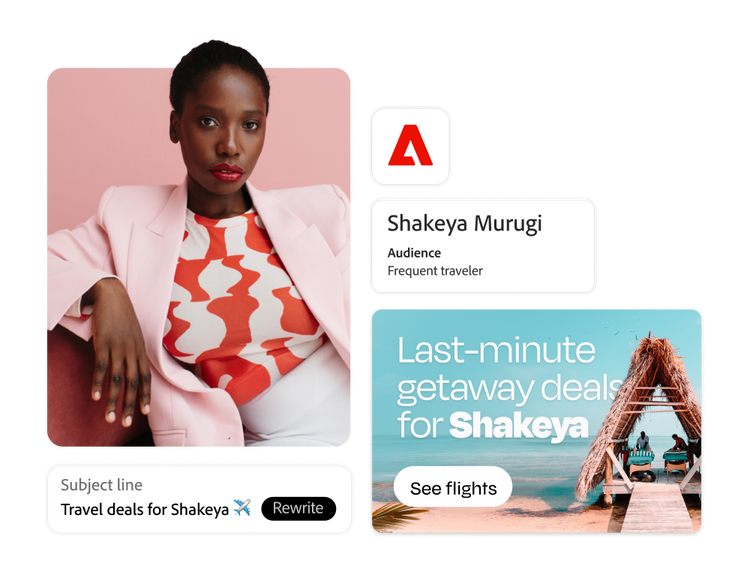
Personalization has become an essential marketing requirement, increasing demand for a larger volume of creative variations. As a result, creative teams must produce more assets tailored to different audience segments, seasonal initiatives, and regional markets. Creating and adapting campaign assets has become increasingly complex and time-intensive.

Generating these variations manually creates a production bottleneck that limits task agility. By the time creative teams produce enough variations to support personalization, testing, and localization efforts, market conditions may have shifted. Slow variation production can limit testing opportunities and reduce a team's ability to respond quickly to changing campaign needs.

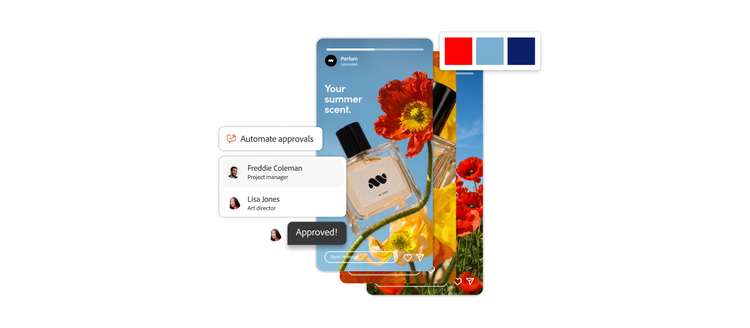
Many organizations are turning to AI-powered creative workflows to keep pace with personalized content demands. AI-powered content creation enables rapid generation of on-brand variations while maintaining human oversight over creative direction. Configuring AI systems with clear brand guidelines, including color palettes, typography rules, imagery styles, and compositional preferences, is important. These guardrails help ensure that automated outputs remain visually consistent and recognizable.

Enterprise organizations are already applying this approach at scale. For example, IBM used Adobe Firefly to automate creative production while maintaining brand integrity through structured review and approval processes.

Configuring your AI systems for brand-consistent outputs requires an upfront investment in time and resources. However, that investment pays off with every subsequent campaign produced. Here's how to build this workflow:

  1. Document your brand guidelines in a format the AI system can reference, including color codes, font specifications, and imagery parameters.
  2. Upload reference assets that exemplify your brand aesthetic and configure custom brand guidelines or models as needed.
  3. Create variation templates that define the types of changes permitted (color adjustments, background swaps, element repositioning).
  4. Generate initial variation batches from your source creative.
  5. Review outputs with your creative team, providing feedback to refine AI parameters.
  6. Iterate on model configuration until outputs consistently meet brand standards.
  7. Deploy the configured workflow for ongoing campaign variation production.

By automating asset variations, creative teams can scale personalization, accelerate testing, and support more campaigns without proportionally increasing production effort.

Localizing content for global and regional markets.

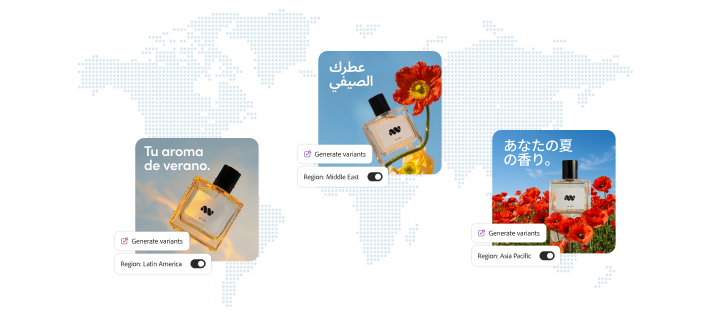
Global brands face a growing challenge as they expand into new markets. Each region requires adapted creative assets, including localized copy, culturally appropriate imagery, region-specific offers, and format adjustments for local platforms. Traditional localization processes involve manual translation, complete redesign of text-heavy assets, and lengthy reapproval cycles that delay time to market.

The workload multiplies quickly. A campaign launching in ten markets with five asset types and three format variants per type requires 150 individual pieces of creative. Managing this volume manually can strain teams, even those with a lot of resources, and introduce risks of inconsistency as different designers interpret brand guidelines differently.

AI localization at scale transforms this challenge into a manageable workflow. AI systems can maintain visual consistency while adapting text, adjusting layouts for different text lengths, and even suggesting culturally appropriate graphic alternatives. The key is building a brand knowledge base that AI can reference for consistent decision-making across markets.

A typical AI-powered localization workflow looks like this:

  1. Establish your source market creative as the master template with clearly defined editable regions.
  2. Configure localization guidelines for each market, including approved translations, market-specific color guidelines, and imagery restrictions.
  3. Upload source assets and select target markets for adaptation.
  4. Review AI-generated localizations; focusing on text reflow and cultural relevance.
  5. Route flagged assets to regional stakeholders for approval or refinement.
  6. Export approved assets organized by market for deployment to local teams.

Automating repetitive localization tasks helps creative teams launch campaigns in more markets, shorten time-to-market, and maintain greater consistency across global and regional experiences.

Automating image enhancement and editing.

Creative teams manage vast libraries of images requiring consistent enhancement, including color correction, lighting adjustment, object removal, and content-aware fill operations. Product photography often needs standardized treatment, user-generated content may require cleanup before it can be used by the brand, and legacy assets often need updates to meet current quality standards.

The volume challenge makes manual enhancement impractical for large asset libraries. A single photographer might capture hundreds of images per shoot, each requiring individual attention. Marketing teams accumulate thousands of assets annually, many of which require periodic refreshes.

Bulk editing operations powered by AI apply consistent enhancements across entire asset collections. Instead of enhancing each image individually, creative teams can build workflows that apply standardized treatments across hundreds of images at once. This approach ensures visual consistency while dramatically reducing production time.

The key is creating reusable enhancement workflows tailored to your specific needs. Different asset types may require different treatment — product photography, lifestyle imagery, and user-generated content each have unique enhancement requirements. A scalable image enhancement workflow includes these steps:

  1. Analyze your asset library to identify common enhancement needs by category.
  2. Create enhancement presets for color profiles, lighting adjustments, and standard corrections.
  3. Configure AI workflows that apply appropriate presets based on asset metadata or folder organization.
  4. Run batch enhancement processes on target asset collections.
  5. Review output samples to verify consistent quality and appropriate treatment.
  6. Refine workflow parameters based on review findings.
  7. Schedule recurring enhancement for newly ingested assets.

Automated image enhancement and editing capabilities enable creative teams to improve asset quality, maintain consistency across large asset libraries, and scale content production efficiently.

Building scalable creative automation workflows.

Background removal, asset resizing, variation generation, localization, and image enhancement all share one thing in common: they follow repeatable processes that are well-suited for AI-powered automation. While automating individual tasks delivers efficiency gains, organizations see the greatest impact when these capabilities are integrated into scalable workflows that streamline production from creation to publication.

Adobe Firefly Creative Production provides the enterprise-grade foundation for building these scalable workflows. The platform connects AI-powered automation capabilities with asset management, collaboration tools, and deployment systems that help creative teams create end-to-end workflows rather than isolated automation points.

https://business.adobe.com/fragments/resources/cards/thank-you-collections/firefly