#F8F8F8
Adobe Marketing Campaign Analytics Features
Planning and forecasting
Plan your budget around each channel’s ROI, weigh the trade-offs before you spend, and keep the plan current while campaigns run.
Goal-based planning
Build a plan from your own trained model. Choose the dates, the goal, and the rules and the model allocates spend across your channels.
- Goal-driven automation. Set a conversion, revenue, CPA, or ROI target, and the model works backward to the channel budget that’s forecast to reach it.
- Budget maximization. Enter the budget you have and choose what to maximize (conversions, revenue, or ROI) to get a recommended split across every channel.
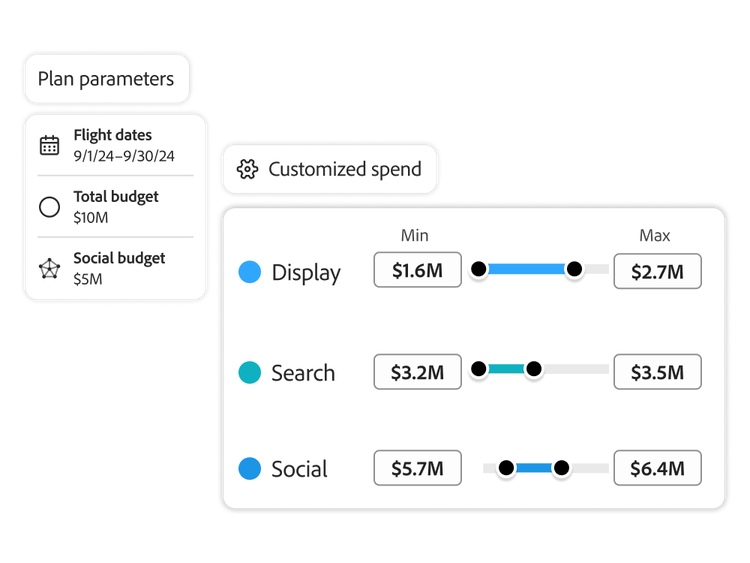
- Budget guardrails. Set minimum and maximum spend by channel, plus your business rules, and every recommended plan stays within them.
- Channel optimization. Cut spend that's stopped returning and move it to channels with room to grow, guided by your model's response curves.
AI-powered scenario planning and forecasting
Test different versions of your plan and copy or adjust any of them to try the next idea.
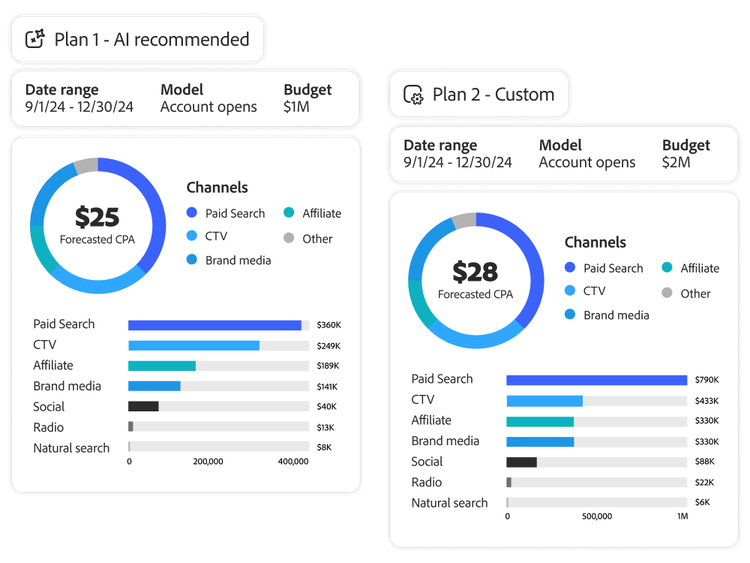
- Scenario forecasting. Set channel spend yourself and see its forecast next to the recommended plan, whether you're testing a hunch or a stakeholder's request.
- Week-by-week forecasting. Get projected revenue, ROI, and conversions for each plan, broken down by channel and by week.
- Budget comparisons. Compare plans side by side to see whether shifting your current budget, adding to it, or cutting back gets you closer to your goal.
- Maximize channel combination. See which channels lift each other's results in each plan and fund them together.
In-flight tracking and optimization
Spend and results update in real time after launch, showing where the plan is on track and where to adjust.
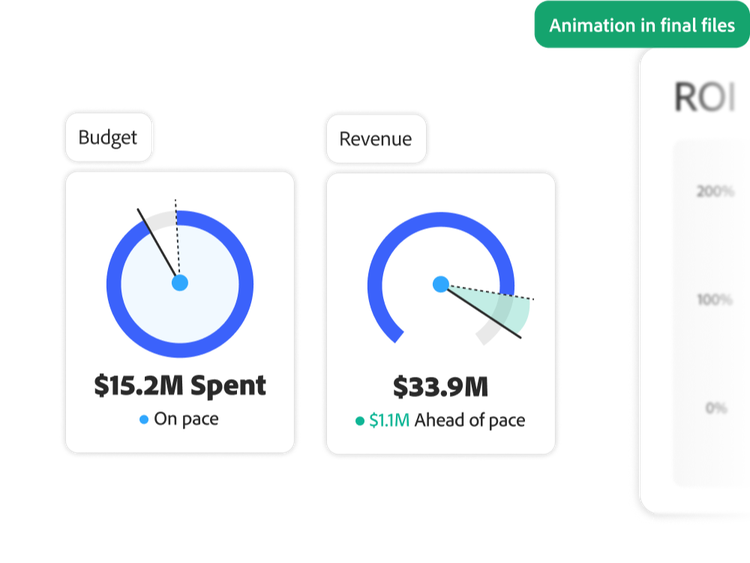
- Real-time results tracking. Compare each channel's revenue and ROI with the plan's forecast to see which are outperforming and which are falling short.
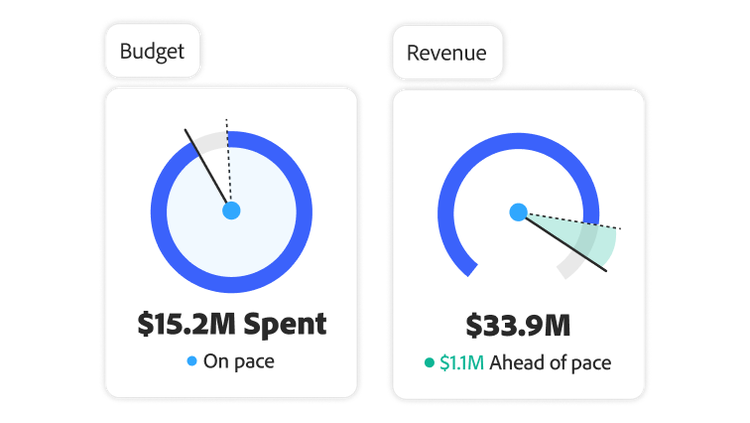
- In-flight channel optimization. See how each channel's spend is pacing against its budget and catch overspending or underspending while campaigns are still in flight.
- Goal optimization. As results come in, the model recalculates your plan automatically and recommends how to shift channel budgets to meet your target.
- Hand off the plan. Export the final channel budgets, before launch or mid-campaign, and send them to the team or agency that runs your media.
#D8E0FE
Learn how to use planning and forecasting features.
Find what you need in Experience League, our vast collection of how-to content — including documentation, tutorials, and user guides.
Learn more | Learn more about how to use marketing scenario planning features
title
Quickly generate and compare marketing mix spending plans with ease.
CardDescription
Leverage the flexible scenario planning and forecasting tools within Adobe Marketing Campaign Analytics to accelerate confident, data-driven investment decisions.
cardDate
2026-10-29
cardImage
primaryTag
caas:content-type/product-page
Tags
caas:content-type/product-page, caas:products/marketing-campaign-analytics