{{adobe-brand-intelligence-system}} Skill
Brand validation
Apply your brand standards consistently across your assets. {{adobe-brand-intelligence-system}} views what’s in your content, determines which brand standards apply to each asset, and gets sharper with every review, flagging issues early to help reduce rework and support consistency at scale.
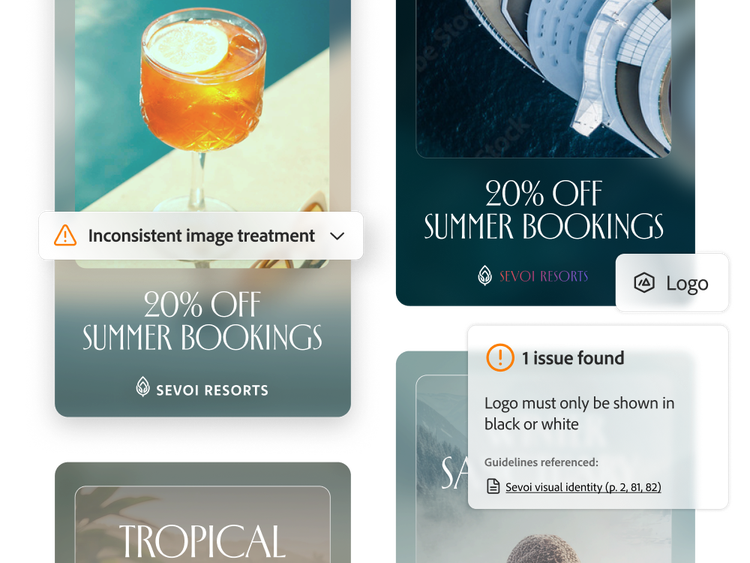
Detect brand issues with greater precision.
Inspect asset elements with vision models built for creative content.
- Purpose-built vision models. Examine typography, logo integrity, spacing, and color in detail, using models Adobe developed specifically for creative content.
- Asset-level validation. Evaluate how layout, imagery, copy, and other elements work together, determining what takes priority when two standards compete instead of assessing each element in isolation.
- Precise issue location. Pinpoint exactly where an issue appears, from off-brand headlines to incorrect logo treatments and inconsistent color use.
Validate against your brand’s full context.
Evaluate each asset in context, using reasoning that brings together documented standards, approved assets, and human feedback to determine which brand principles apply.
- Documented guideline checks. Validate assets against the formal brand standards your organization defines and map each issue to the specific rule that triggered the validation.
- Implicit rule detection. Identify brand issues rooted in undocumented rules learned from historical approvals, rejections, and feedback.
- Contextual reasoning. Use explicit and implicit context to account for channel, market, product, and campaign nuances, applying the most relevant principles to each asset.

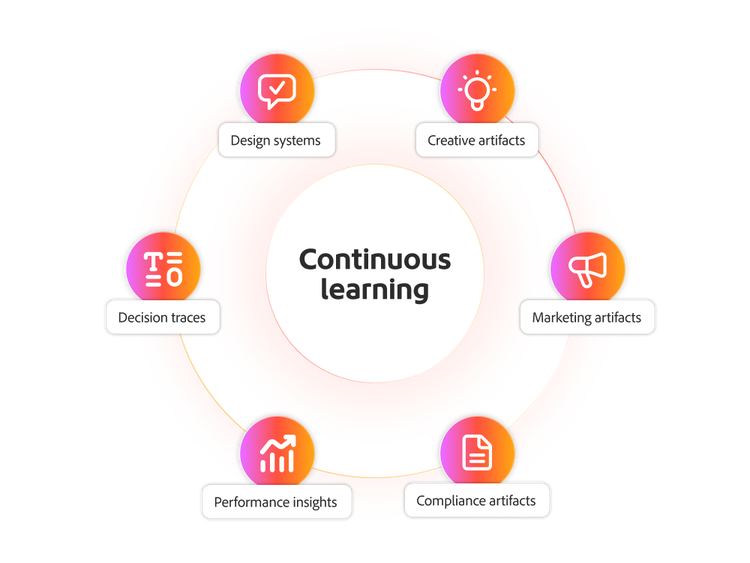
Help improve validation over time.
Keep brand intelligence current as your brand evolves, with feedback that helps refine how your brand standards are applied.
- Feedback-driven learning. Turn comments, approvals, and rejections into brand knowledge that the system can use, instead of losing that judgment when a campaign ends.
- Governed updates. Let designated administrators decide which learned patterns become standard, so one-off exceptions don't reshape your brand.
Apply validation within workflows.
Run brand validation as part of everyday review workflows, so issues are caught early and review cycles are easier to manage.
- Native integrations. Surface validation results directly within connected tools such as Adobe Photoshop, Adobe Workfront, and Frame.io for Business, so teams can review content where they already work.
- Workflow‑based validation. Apply brand checks as assets move through review workflows, instead of running validation as a separate manual step.
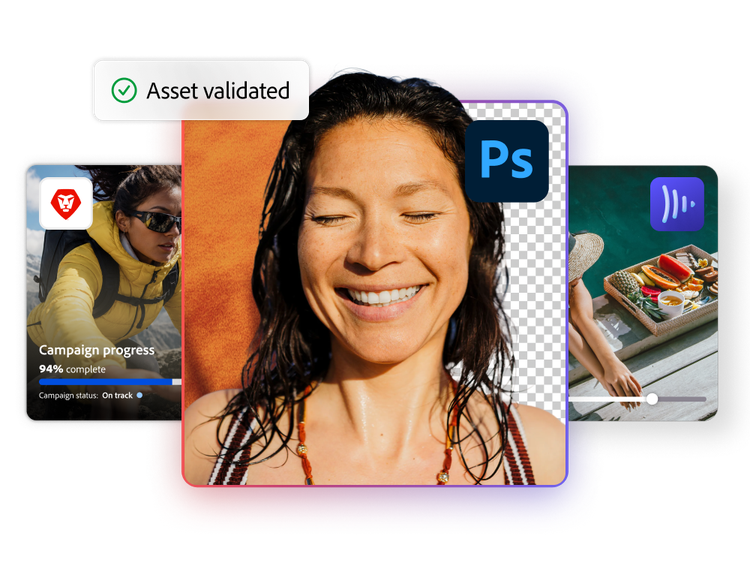
Scale brand review across every content workflow.

Streamline brand review and approvals.
Identify brand issues earlier in review and approval processes to reduce bottlenecks and rework for central brand governance teams as they ensure consistency with brand standards.

Govern local campaigns.
Ensure regional teams stay within global guidelines while meeting creative, cultural, or channel specific needs, preventing brand drift across local markets.

Support marketing review standards.
Check content against claims, terms, disclosures, approved language, and other requirements explicitly defined in approved internal sources, helping reviewers focus on more complex compliance issues.

Keep partner campaigns on brand.
Validate co-branded campaign assets, helping teams navigate multiple brand standards and how they are applied within a shared campaign.
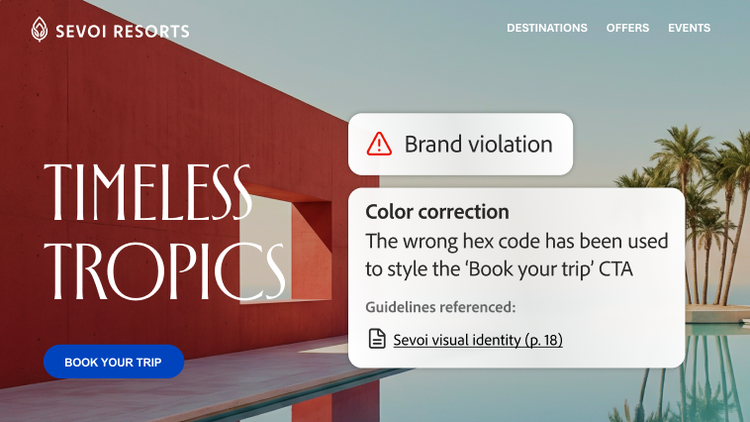
Detect brand issues that are hard to spot manually.
Use specialized computer vision models to identify brand issues with granular precision before launch, helping reviewers catch issues that can be difficult to detect through manual review.
Learn more about Validate in Adobe Brand Intelligence.
Discover how the Validate skill in Brand Intelligence brings real-time, context-aware brand validation into content workflows to catch inconsistencies earlier, reduce rework, and scale on-brand content without slowing production.
Questions? We have answers.
What is brand validation in Brand Intelligence?
How does Brand Intelligence catch brand issues that aren’t written down in official guidelines?
What is brand compliance monitoring?
How can enterprises manage brand compliance at scale?
Does validation automatically fix brand violations?
Where can Adobe Brand Intelligence Validate be used?