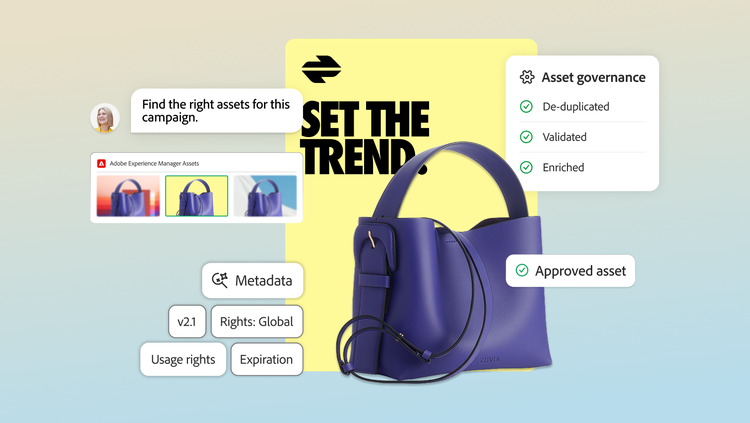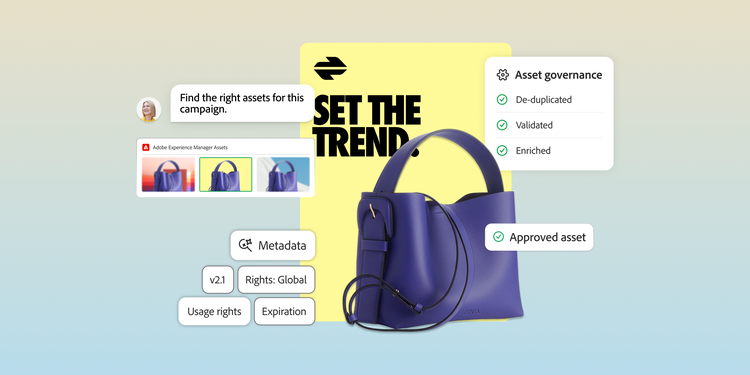
Generative AI tools and applications have increased the number of assets and variations enterprise organizations must manage. Yet many teams still struggle to find, trust, and reuse content already available to them, even after investing in digital asset management (DAM) systems.
DAM problems can affect much more than day-to-day usability. Over time, they can increase costs, slow production, and create additional brand and compliance risks across the organization.
- Lost productivity. Employees spend more time searching for assets, checking which versions are current, or asking colleagues where content lives. In some cases, teams recreate work simply because they cannot find or trust what already exists.
- Duplicated production costs. Poor visibility into existing assets can lead teams or agencies to commission new creative assets that overlap with content already available elsewhere in the organization.
- More shadow systems. Teams may turn to personal drives, email, shared folders, or chat applications when the DAM does not meet their needs. That spreads content across more locations and makes asset management harder to govern.
- Greater brand inconsistency. Outdated, unapproved, or incorrect assets are easier to circulate when teams work across disconnected repositories, increasing the chance that inconsistent creative or messaging reaches customers.
- Compliance and legal risk. Assets can carry licensing restrictions, expiration dates, geographic limitations, or other usage requirements. Poor visibility into that information makes it harder for teams to determine whether content is approved for a particular use.
- Slower time to market. Manual handoffs, repeated searches, version checks, and disconnected workflows add time to campaign launches, content updates, and other production work.
The problem often extends beyond digital asset management systems. Weak governance, inconsistent metadata, low adoption, and disconnected workflows can all limit the value of a DAM system. Identifying which of those issues causes friction gives organizations a clearer path to improving the system they already have.
This article examines:
Common digital asset management challenges.
At enterprise scale, a DAM needs to support more than file storage. As content libraries grow and more teams contribute to them, operational practices become increasingly important to keep assets organized, current, and usable.
The challenges below can limit the value of a DAM system. Some happen because of how the system is governed, while others happen because of how content is described, accessed, or connected to surrounding workflows. Diagnosing challenges can help teams identify where the greatest friction exists and focus on improvements that will have the most impact.
No clear governance or ownership.
A DAM can quickly lose value when ownership is unclear. Metadata standards drift, naming conventions are applied inconsistently, and teams start making their own decisions about how assets should be uploaded, organized, and accessed. Over time, that inconsistency makes the system harder to trust and easier to work around.
How to fix: Governance should define who is responsible for the DAM and how key decisions are made. A designated owner or champion can oversee taxonomy, access, upload standards, and adoption, while executive sponsorship helps keep those practices supported across teams. The goal is to treat DAM as an ongoing operational responsibility, not simply a software platform.
Inconsistent or incomplete metadata.
Metadata impacts whether people can find and confidently use assets. Search becomes less reliable when asset information is incomplete or inconsistent. This can lead teams to upload duplicates or recreate assets unnecessarily.
How to fix it: A stronger approach starts with a clear taxonomy, consistent naming standards, and required metadata fields for important information such as usage rights, expiration dates, campaign associations, and channel or audience relevance. AI-assisted tagging can help apply those standards more consistently across large asset libraries.
Data quality plays an important role in all of these outcomes. Accurate, consistent, and usable asset information makes it easier for teams to find the right content, understand how to use it, and keep tasks moving across systems. Poor data quality adds friction to each of those tasks and can reduce the value organizations get from their DAM.
Low user adoption.
A DAM can only deliver value when teams use it. Adoption can suffer when employees do not feel equipped or motivated to rely on the system for their day-to-day work. Limited training, poor integration with existing tools, or a frustrating search and sharing experience can all push teams toward familiar workarounds such as email or shared drives.
Those workarounds also affect the quality of the DAM itself. Assets may never make it into the system, updates can happen elsewhere, and employees become less likely to check the DAM first when they need content.
How to fix: Improving adoption across teams and departments requires the owner to make the DAM easy to use and continuously ask whether teams use it and how it can be improved. Integrate DAM access with the creative, project management, and content platforms employees already use, and tailor training by role rather than giving everyone the same onboarding. Usage metrics such as search success, upload volume, asset reuse, and retrieval time help teams identify where adoption is improving and where friction remains.
Siloed systems and disconnected workflows.
A DAM can become a bottleneck when it sits apart from the systems teams use to plan, create, publish, and measure content. Employees may need to export assets, move them between platforms, or manually confirm which version is current before work can continue. That adds friction to the content lifecycle and makes version control harder to maintain.
How to fix: Integration helps reduce those gaps. Creative teams should be able to access approved assets within the tools they already use, completed work should return to the DAM without unnecessary manual steps, and downstream systems such as content management systems (CMS) or commerce platforms need to reference the correct source assets.
Connecting the DAM to the broader content supply chain also creates a stronger link between production and performance. Asset information can stay connected as content moves through planning, creation, activation, and measurement, giving teams more context for reuse and future creative decisions.
No plan for scaling content and AI-driven production.
Generative AI can significantly increase the number of assets and variations moving through an organization. That puts more pressure on the DAM to keep content organized and usable as libraries grow. Teams need a way to distinguish approved assets from drafts, understand where content came from, and keep usage restrictions attached as new variations are created.
How to fix: Scaling AI-assisted production requires more than adding generation tools to existing workflows. Organizations should consider how new content enters the DAM, what information travels with it, and how teams identify assets that are current, approved, and cleared for a particular use. Automated tagging and other AI-assisted capabilities can help manage that volume, but they work best within established governance and content-management practices.
A larger content volume can expose weaknesses that were easier to manage at a smaller scale. Preparing a DAM for AI-assisted production requires stronger processes around how content is created, managed, and approved. Those processes help limit content sprawl, reduce duplication, and give teams more confidence in which assets are current and usable.
How to fix a failing digital asset management system.
Improving an underperforming DAM starts with understanding where the friction originates. In many cases, the platform is only part of the problem. Governance, metadata quality, adoption, and disconnected workflows can all limit performance, so the remediation plan should address the operating model around the technology as well as the technology itself.
- Diagnose the biggest sources of friction.
Look at common search failures, duplicate uploads, outdated assets, manual handoffs, and the workarounds teams rely on outside the system. Usage data can add another layer of insight, including search success rates, reuse, upload activity, and retrieval time. This helps separate platform limitations from process or governance problems and gives teams a clearer sense of where to focus first. Additionally, this is where stakeholder interviews are crucial. Discussing with teams what their biggest blockers are when they use it is crucial feedback needed to scale user adoption across teams. Mapping workflows and where in a workflow the DAM is used can help diagnose where friction occurs. Conducting a governance or asset inventory audit helps diagnose where friction occurs in a digital asset management system.
Look closely at the points where people leave the DAM to complete routine work. Teams may be downloading files to send through email, moving assets manually between creative and content systems, or maintaining parallel folders because the official process takes too long. Prioritize the areas that create the most friction. Integrations, simpler upload processes, role-specific training, and easier access from the tools employees already use can make the DAM more usable for day-to-day work.
2. Establish clear ownership and standards.
DAM improvements are difficult to implement without someone responsible for the system over time. Define ownership for taxonomy, metadata standards, permissions, asset lifecycle decisions, and adoption. This is also the time to clarify which metadata fields matter most and how teams should apply them. Consistent standards make the DAM easier to maintain as new assets, users, and use cases are added. Additionally, user permissions are a crucial aspect of digital asset management systems. User permissions must be clear for all stakeholders who use the DAM to ensure data integrity and version control.
Digital asset management training can help teams adopt best practices for asset naming conventions, asset version control, and maintenance. It is important to set clear adoption standards across teams and departments.
3. Improve high-value content first, measure adoption, and refine the approach.
Large asset libraries rarely need to be cleaned up all at once. Start with the collections teams use most frequently or the content tied to high-priority campaigns, products, or channels. Review metadata, remove obvious duplicates, confirm usage rights, and identify outdated or unapproved assets. A focused cleanup creates faster improvements while establishing standards that apply to the rest of the library over time.
DAM remediation should continue after the initial cleanup or integration work is complete. Track whether search is improving, user adoption is increasing, assets are being reused more often, and teams are relying less on shadow systems. Measuring these signals can help content operations teams identify remaining friction and prioritize the next round of improvements. Over time, the DAM becomes easier to maintain because governance, workflows, and measurement are built into the way the organization manages content.
Building a DAM strategy that scales with your business.
Many asset management problems can be improved by addressing the operating practices around the system and focusing on the areas that create the most friction. That can help organizations get more value from existing platforms while preparing for greater content volume and AI-assisted production.
A more durable approach also connects asset management to the broader content supply chain. Adobe Content Supply Chain brings together the systems and processes involved in planning, creating, managing, delivering, and measuring content, while Adobe Experience Manager Assets provides enterprise DAM capabilities within a connected environment.
See how Adobe Content Supply Chain connects asset management to the broader content lifecycle and discover the enterprise DAM capabilities of Adobe Experience Manager Assets.
Recommended for you
https://business.adobe.com/fragments/resources/cards/thank-you-collections/content-supply-chain