What is a content management system? How it works and why it matters.

Understanding content management systems.

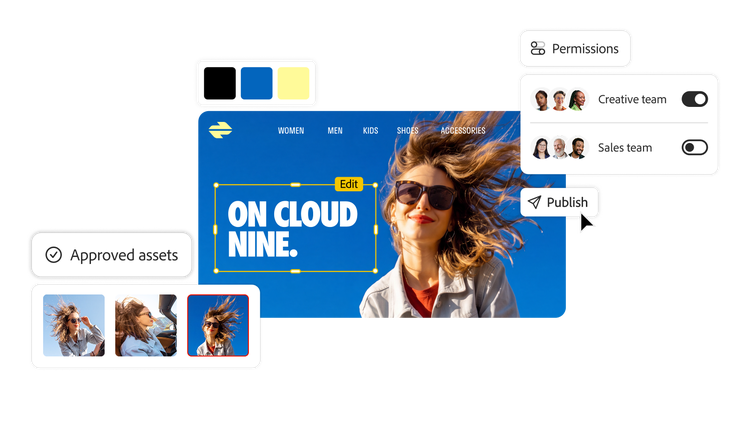
A content management system (CMS) is software that lets teams create, manage, organize, and publish digital content across websites and channels without relying on custom development. Modern CMS platforms support collaboration, editorial workflows, personalization, and consistent delivery at scale. This guide covers how a CMS works, its core features and benefits, the main types of CMS platforms, and how Adobe Experience Manager Sites fits into a modern content management strategy.

The right CMS shapes how fast your team ships content, how much it depends on developers, and how consistent the experience stays across every channel. The wrong one creates bottlenecks that slow every update. This guide walks through how a CMS works, the benefits that matter most for enterprise teams, the platform types to weigh, and how to choose the option that fits your content strategy.

What is a content management system?

A CMS serves as a central hub for creating and managing web content. It lets teams to author, review, and publish updates across digital channels — such as websites, mobile apps, and portals — without relying on custom development for each update. Real-time editing and preview capabilities let authors see exactly how content will appear before it goes live, streamlining creation and approvals. Advanced CMS platforms also integrate with digital asset management (DAM) systems and marketing workflows to maintain content integrity, eliminate duplication, and ensure assets are always up-to-date across regions and teams.

A CMS bridges the gap between businesses and audiences by delivering consistent and efficient digital experiences across multiple channels.

Content management system (CMS) vs. web content management system (WCMS).

A content management system is a broad category of software for managing digital content — such as documents, data, and media — while a WCMS focuses specifically on websites and web applications. While most modern CMS platforms offer WCMS capabilities, it’s helpful to distinguish between the two when selecting a solution that aligns with your content strategy.

How does a content management system work?

Without a CMS, managing digital content often requires manual updates and significant developer support. A CMS streamlines content operations by providing authoring tools, editorial workflows, and publishing controls — so marketers and content teams can manage updates more independently while developers focus on extensibility, performance, and integrations.

With modern content management systems, the path from content creation to publishing is simplified into three easy steps:

  1. Content authors make updates and route them for review: Updates can be previewed, reviewed, and approved for live publishing.
  2. Approved content is published immediately or scheduled: This can be instant or scheduled for a future date.
  3. Published content automatically appears across designated channels: Governed by templates and delivery logic.

What are the different types of CMS?

Different content management system models meet different content management and delivery needs:

  • Traditional CMS. Content and presentation are managed together on a single platform, making it easier to create and manage page-based web experiences with in-context, drag-and-drop authoring.
  • Headless CMS. Content is managed separately from the presentation layer and delivered through APIs to websites, mobile apps, and other digital channels. This gives developers front-end flexibility while allowing content teams to manage reusable structured content centrally.
  • Hybrid CMS. A flexible approach that combines traditional page authoring with API-driven content delivery, so teams can manage both fully designed pages and structured content for reuse across channels.

What are the benefits of a CMS?

Modern CMS platforms offer the following core operational benefits.

Empower non-technical teams to publish faster.

Intuitive authoring tools, like drag-and-drop components and visual editors, allow marketers to design and update pages easily without requiring technical expertise. This reduces dependency on developers and lets marketing teams focus on delivering engaging content quickly.

Streamline collaboration and approvals.

A robust content management system includes workflow tools that ensure content passes through necessary reviews before being published. Role-based permissions and automated notifications keep the process organized and on schedule. The result is a centralized platform that eliminates silos and fosters better collaboration.

Connect your entire tech stack.

Direct integration with tools like commerce platforms, customer relationship management (CRM) systems, and digital asset management (DAM) systems is essential for a modern content supply chain. These integrations help create a cohesive digital experience platform by connecting features like product inventories, checkout processes, and customer data from web experiences.

Drive personalization with built-in analytics.

A modern CMS offers analytics and personalization capabilities, either natively or via integrations, that help track performance and tailor content using tools like A/B testing and behavior-based targeting.

Centralize and organize your assets.

A CMS with built-in digital asset management simplifies the organization of images, videos, and other assets. Centralized storage keeps content accessible and prevents duplication, making it easier for teams to find and repurpose assets.

Deliver content across every channel.

Modern audiences engage with brands across diverse channels, including websites, mobile apps, IoT devices, and social platforms. A CMS must deliver content reliably to all these touchpoints, ensuring a consistent user experience regardless of the channel.

Improve search visibility.

SEO functionality, like customizable meta tags, performance tuning, structured data, and XML sitemaps, is built into many CMS platforms. These features optimize content for search engines, boosting visibility and driving organic traffic.

Maintain consistent branding.

Templates and customizable design elements maintain brand consistency across all content. Whether publishing on a website or pushing updates to a mobile app, a CMS ensures a cohesive visual identity.

Scale as your business grows.

As your business grows, a CMS can scale with you. Plugins, extensions, and integrations expand the platform's capabilities, so you can adapt to new challenges and opportunities without overhauling your system.

Adobe Experience Manager Sites

Coca-Cola, BMW, Casio, and Sony use Experience Manager Sites for its support of omnichannel delivery, template-based authoring, and headless content management system capabilities. Experience Manager Sites integrates directly with Adobe Customer Journey Analytics, Adobe Real-Time CDP, and Adobe Target — enabling data-driven personalization and real-time optimization, which make it an attractive CMS platform for enterprises.

WordPress VIP

WordPress VIP is the enterprise version of WordPress, with managed hosting, headless CMS capabilities, and access to the WordPress plugin ecosystem. It supports integrations with tools like WooCommerce and common analytics platforms. It suits teams already working in WordPress that need enterprise hosting and scale for high-traffic sites.

Drupal

Drupal is an open-source CMS built on a modular architecture, with strong multilingual and access-control features. It’s commonly used by government agencies and other organizations with strict security and compliance requirements, and by developer-led teams building custom, content-heavy sites.

Joomla

Joomla is an open-source CMS that supports flexible content structures and multilingual sites through an extension library. It suits medium-to-large organizations that want an open-source option with more built-in structure than a basic website builder.

Salesforce CMS

Salesforce CMS is a cloud-based CMS for creating and managing content across channels, with native connections to the wider Salesforce ecosystem. It suits organizations already invested in Salesforce that want to manage content alongside their CRM and customer data.

Sitecore

Sitecore is an enterprise CMS that pairs content management with data-driven personalization on a composable architecture. It suits enterprises that want personalization and marketing capabilities tied to customer data across channels.

How AI is transforming content management systems.

Artificial intelligence is changing CMS platforms from passive content repositories to active participants in the content lifecycle. Here's where AI is making the biggest impact:

AI-assisted content creation.

Many CMS platforms now include generative AI tools that help authors draft, rewrite, and improve content directly within the authoring interface. This accelerates production and helps teams maintain consistent tone and quality at scale, without replacing editorial judgment.

Intelligent personalization.

AI allows CMS platforms to move beyond rule-based personalization toward real-time, predictive experiences. By analyzing behavioral signals, purchase history, and contextual data, AI can automatically serve the most relevant content to each visitor, without requiring manual segmentation.

Automated tagging and content organization.

AI can automatically generate metadata, suggest tags, and classify content as it's created, reducing manual overhead and improving content findability across teams.

SEO and performance recommendations.

AI-powered tools within CMS platforms can analyze content, flag readability issues, and recommend structural improvements before content is published.

Getting started with the right CMS.

Delivering personalized content at scale can be daunting, but Experience Manager Sites simplifies the process with tools that unite marketing and IT teams on a single platform. With Experience Manager Sites, your team can:

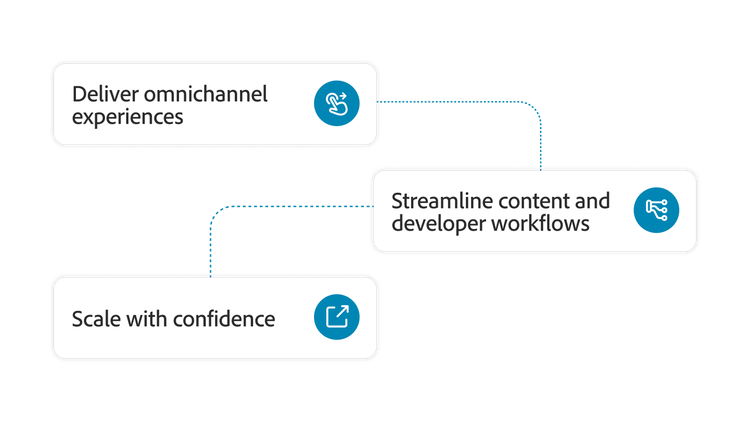
Graphic highlighting how enterprise teams can deliver personalized content at scale with Experience Manager Sites.
  • Deliver omnichannel experiences: Tools like drag-and-drop editing and headless CMS capabilities streamline content delivery across channels, saving time and ensuring consistency.
  • Streamline content and developer workflows: Centralized operations eliminate silos, fostering collaboration and reducing manual processes.
  • Scale with confidence: Enterprise-grade tools ensure that your CMS can grow with your business — accommodating increased content demands and evolving digital strategies.

With a content management system like Experience Manager Sites, marketers can update content independently, reducing reliance on developers and accelerating time to market.

Schedule a demo today to see Adobe Experience Manager Sites in action.

Frequently asked questions about content management systems.

Let's talk about what Adobe can do for your business.

Get started


I'm the Adobe Assistant. How can I help you today?

1