Easily create ultra-fast, engaging, and personalized digital storefront experiences that drive traffic, increase conversion, and accelerate sales.
Optimized storefront with reduced development time
Launch sites quickly with Commerce Storefront, powered by Edge Delivery, and leverage prebuilt commerce functionality designed to increase traffic, conversion, and sales.
Performance-first architecture. Boost SEO rankings with Google Lighthouse scores of 90–100 through intelligent phased content rendering and real-time performance monitoring with issue diagnosis.
Drop-in components. Use ready-made commerce drop-ins to speed up page development, including product detail and listing pages, cart, checkout, user authentication, user accounts, and more.
Custom drop-ins. Build your own commerce capabilities, with our drop-in software development kit (SDK), which provides developers with a ready-to-go set of tools and a standard, repeatable, stable approach to development.
Learn more about optimized storefronts.
Blog
AI innovations delivered via the new Commerce Storefront powered by Edge Delivery
Event Session
HanesBrands creates the world's fastest storefront.
Event Session
Boost storefront performance with Edge Delivery as a progressive migration.
style
Divider, container
Headless storefronts for maximum flexibility and agility
Create custom commerce experiences with the tools you love. Our headless platform empowers developers to use any frontend framework while maintaining complete flexibility in how your store looks and behaves.
Extensible storefront experiences. Easily deliver bespoke storefront experiences using GraphQL APIs, Adobe Developer App Builder, and an API mesh orchestration layer — as well as SaaS services, such as our catalog service. These extensions are all fully customizable, ensuring a consistent, omnichannel experience through any headless front-end technology.
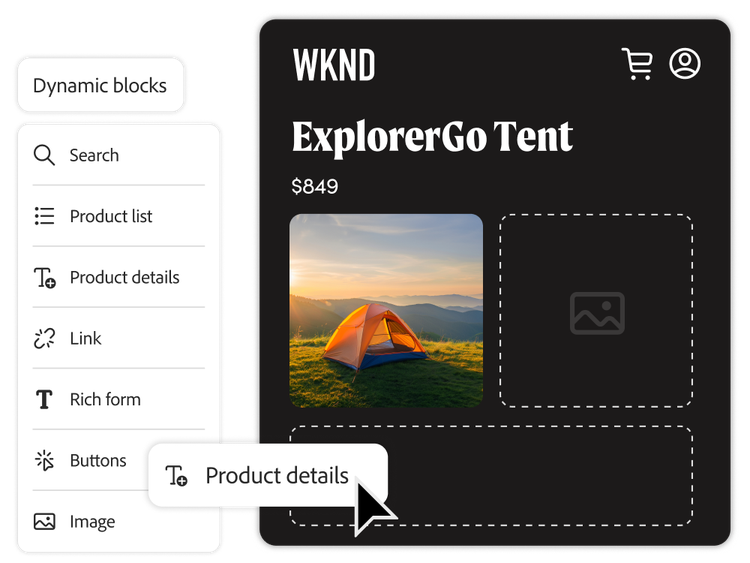
Content and commerce. Use modular capabilities to quickly enrich content — including supporting articles and blog posts — with embedded product information and links to product pages.
Easier upgrades and maintenance. Make changes to your front end quickly and easily. With a decoupled front end and back end, you can streamline updates, enhance agility, and enable continuous improvements.
Learn more about headless commerce.
Customer Story
Topps Tiles increases customer revenue by 30%
Customer Story
Maisons du Monde uses a headless architecture.
style
Divider, container
Flexible content authoring
Empower anyone on your team to create and publish compelling storefront content in minutes using familiar tools.
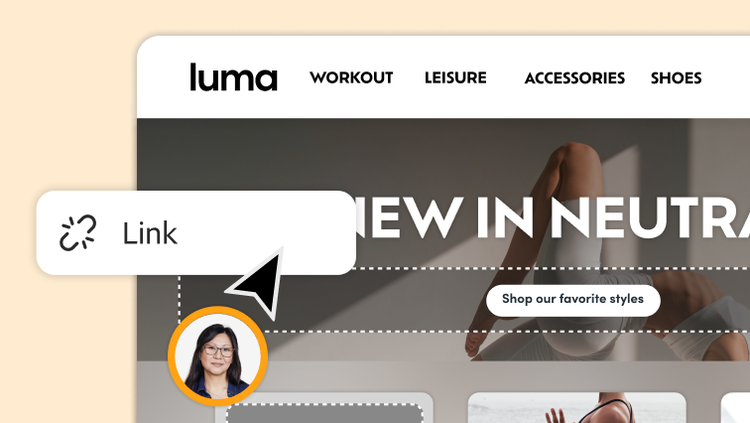
Visual editor. Create rich, personalized commerce journeys with a visual WYSIWYG editor. Drag and drop elements onto your pages to experience them as your shoppers would or use the responsive preview option to see how your content renders across devices.
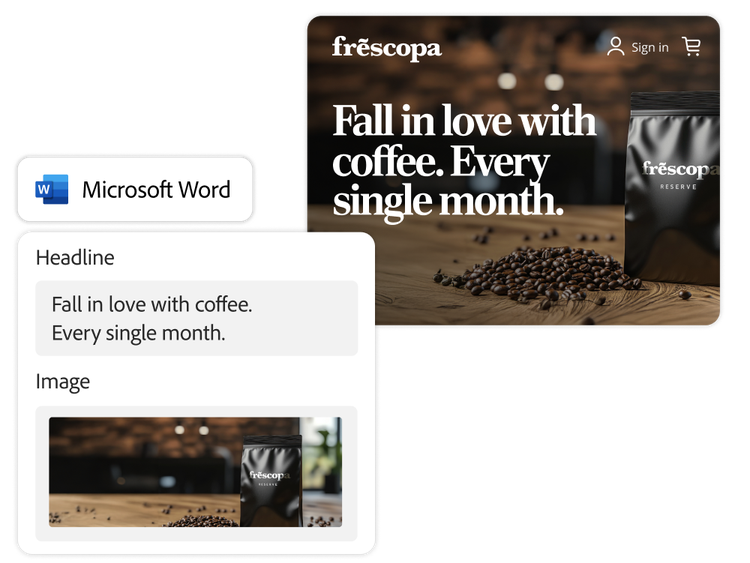
Document authoring. Publish digital experiences using everyday tools like Google Docs and Microsoft Word. Use these cloud-based documents to add images, links, rich forms, and enrichment blocks to your digital experiences and manage SEO.
Content management. Organize your storefront files through a cloud-native repository seamlessly connected to your editor. Powerful built-in tools make it easy to import, search, schedule, and manage content—complete with access controls and versioning.
style
Divider, container
Personalized content creation and delivery
Scale product asset production and deliver commerce experiences that connect with your customers and drive loyalty.
Product Visuals powered by AEM Assets. Use a natively integrated Digital Asset Management (DAM) solution to efficiently manage, edit, and approve assets for your storefront. Optimize the experience with high-speed delivery and automatic asset rendering to deliver assets in the best format, size, and quality for a client’s browser or device.
Generative AI asset creation and editing. Use generative AI tools to generate product asset variations and engage with your audiences in a more personalized way. AI-generated content can be quickly repurposed to execute personalized campaigns — all within guardrails that keep your content on brand and aligned to your products.
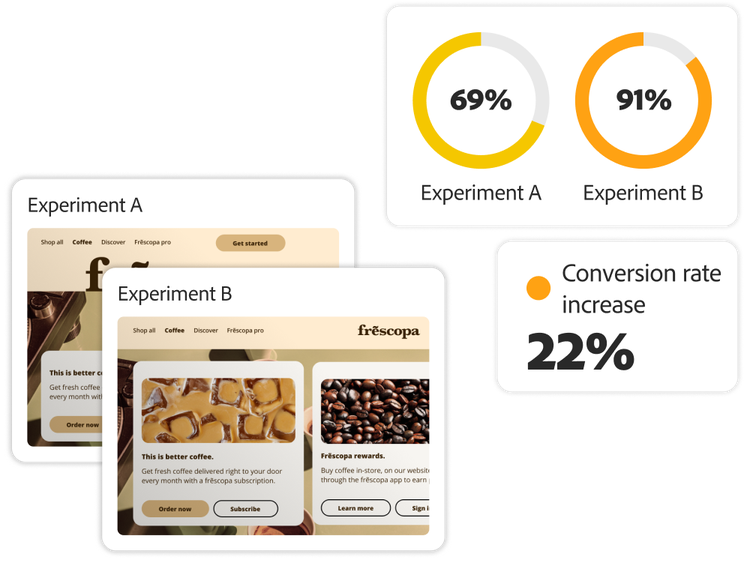
Optimized delivery for A/B tests and experimentation. Test storefront content, layout, and component variations across pages and segments with easy-to-use A/B tests and experimentation that doesn’t need developer involvement.
Learn more about personalized content creation and delivery.
You can control how Adobe websites use cookies and similar technologies by making choices below. But note that if you disable cookies and similar technologies entirely, Adobe websites may not function properly.
Cookies are small text files stored by your web browser when you use websites. There are also other technologies that can be used for similar purposes like HTML5 Local Storage and local shared objects, web beacons, and embedded scripts. These technologies help us do things like remembering you and your preferences when you return to our sites, measure how you use the website, conduct market research, and gather information about the ads you see and interact with.
You can make choices in the menu below about what cookies and other technologies you want us to use on Adobe sites when you visit them from this browser. You can always change those choices later by clicking on the Cookie Preferences link at the bottom of the page.
If enabled:
We can improve your experience by tailoring the site and the content to things we think might be of interest
We can better keep track of your preferences — like what language you prefer to use
We will better understand your likely interests so we can provide you more relevant Adobe ads and content on non-Adobe websites and in non-Adobe apps
It will help us improve the performance of our website and those of our partners who use the Adobe Experience Cloud
If disabled:
We won’t be able to remember you from session to session so the experience may not be tailored to your interests
You’ll still have access to the content of the site but certain features that depend on cookies may not function
You’ll still see ads, they just may not be as relevant to you
General information
You can control how Adobe websites use cookies and similar technologies by making choices below. But note that if you disable cookies and similar technologies entirely, Adobe websites may not function properly.
Cookies are small text files stored by your web browser when you use websites. There are also other technologies that can be used for similar purposes like HTML5 Local Storage, web beacons, and embedded scripts. These technologies help us do things like remembering you and your preferences when you return to our sites, measure how you use the website, conduct market research, and gather information about the ads you see and interact with.
You can make choices in the menu below about what cookies and other technologies you want us to use on Adobe sites when you visit them from this browser. You can always change those choices later by clicking on the Cookie Preferences link at the bottom of the page.
If enabled:
We can improve your experience by tailoring the site and the content to things we think might be of interest
We can better keep track of your preferences — like what language you prefer to use
We will better understand your likely interests so we can provide you more relevant Adobe ads and content on non-Adobe websites and in non-Adobe apps
It will help us improve the performance of our website and those of our partners who use the Adobe Experience Cloud
If disabled:
We won’t be able to remember you from session to session so the experience may not be tailored to your interests
We’ll still count your use of our site and services
You’ll still have access to the content of the site but certain features that depend on cookies may not function
You’ll still see ads, they just may not be as relevant to you
Operate the site and core servicesOperate site and measure engagement
Always active
These cookies are required, and they are used to enable the site and related services core functionality. Without them the site could not operate, so they cannot be disabled.
These cookies enable the site and related services’ core functionality and collect statistics about user engagement, such as counting active use to help us understand trends. These cookies cannot be disabled.
Measure performance
These cookies are used to analyze site usage to measure and improve performance. Without them Adobe cannot know what content is most valued and how often unique visitors return to the site, making it hard to improve information we offer to you.
These cookies are used to analyze site usage to measure and improve performance. Without them Adobe cannot know what content is most valued, making it hard to improve information we offer to you.
Extend functionality
These cookies are used to enhance the functionality of Adobe sites such as remembering your settings and preferences to deliver a personalized experience; for example, your username, your repeated visits, preferred language, your country, or any other saved preference.
Personalize advertising
These cookies are used to enable Adobe and our partners to serve ads more relevant to your interests. Without them you will still see ads, but they might not be as relevant to you.
Performance Cookies
ConsentLeg.Interest
All Consent Allowed
Adobe Assistant
No chats available
Are you sure you want to end your chat session? Chats can't be re-opened once ended.
Message failed to send. Please try again.
Your use of this automated chatbot constitutes consent that the personal information you provide in the chat session will be collected, used, disclosed, and retained by Adobe and service providers acting on Adobe’s behalf in accordance with the Adobe Privacy Policy. Please do not provide sensitive personal information (such as financial or health information) in the chatbot.
I'm the Adobe Assistant. How can I help you today?