#F5F5F5

Adobe Workfront Features

Review and approve

Provide fast, collaborative reviews and approvals of digital content with the power of Adobe Workfront and Frame.io for Business.

Watch video

https://main--bacom--adobecom.aem.live/fragments/products/modal/videos/workfront/digital-reviews#digitalreviews | Digital reviews and approvals demo video | :play-medium:

Digital review and approval

Deliver high-quality content on time, on brand, and at scale with digital review and approval features powered by Workfront and Frame.io.

  • Online proofing. Centralize content feedback for more collaborative reviews and quicker turnaround with advanced proofing capabilities that support diverse file types and an extensive set of markup tools.
  • Automated approval workflows. Keep content decision-making moving with single-stage and multistage reviews, establish dependencies between stages, and accelerate time to market.
  • Streamlined creative work in progress. Use Workfront, Frame.io, and Adobe Creative Cloud on a shared storage layer — eliminating the tedious task of uploading and downloading assets. Enjoy seamless project management, real-time review, and effortless collaboration in one end-to-end workflow.

Learn more about digital review and approval.

Content as a Service v3 - work-automation1 - Sunday, March 1, 2026 at 21:56

AI-powered content reviews

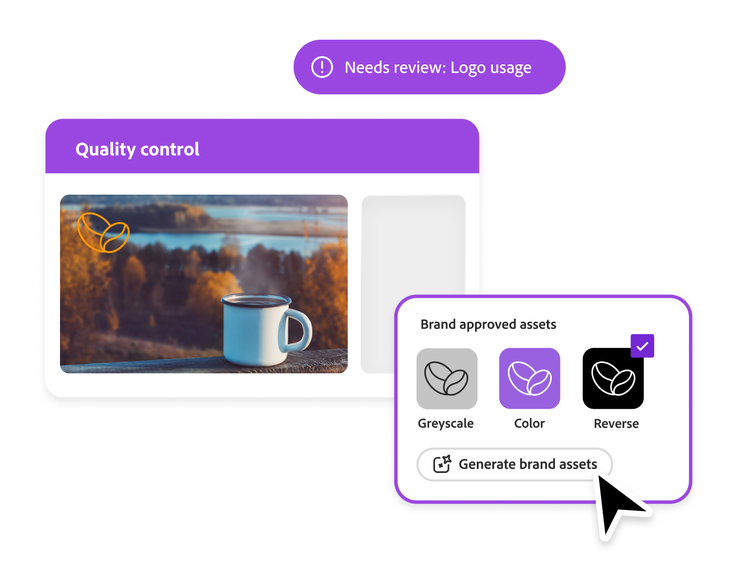
Streamline brand compliance and shorten feedback loops with quality controls that alert creatives when assets are out of sync with brand standards. Creatives and marketers can spend more time strategically reviewing assets, knowing that brand compliance is built into the review process.

https://main--bacom--adobecom.aem.live/fragments/products/modal/videos/workfront/ai-powered-asset-approver#aipoweredassetapprover | AI-powered asset reviewer demo video | :play-medium:

Enhance reviews with Frame.io for Business

Building on the enterprise-grade review and approval capabilities within Workfront, Frame.io for Business delivers features tailor-made for creatives, including enhanced video review, camera raw support, and project file uploads up to 5TB, semantic search, advanced watermarking, and more.

Learn more about Frame.io for Business

Integrated proofing across Adobe GenStudio

Let marketers and creatives collaborate more effectively and ensure brand compliance and process integrity in all the places where content is created.

  • Frame.io. Automatically sync projects, users, folders, assets, and status between Frame.io and Workfront to allowing teams work in their preferred tools.
  • Adobe GenStudio for Performance Marketing. Unlock enhanced Workfront review and approval capabilities — such as approval templates, multi-stage workflows, annotations, and commenting — inside of GenStudio for Performance Marketing.
  • Adobe Express. Scale content creation without compromising brand standards by leveraging advanced Workfront proofing workflows directly from remixed Adobe Express templates.
Request for asset approval using Workfront proofing

Learn more about Workfront integrations.

Content as a Service v3 - proofing-approvals - Thursday, August 14, 2025 at 16:21

radial-gradient(100% 100% at 7% -2%, #D3C1EA 0%, #D3C1EA00 99%),linear-gradient(180deg, #E9E3F4 0%, #EAEBF7 100%)

Learn how to use online proofing software to review and approve.

Find what you need in Experience League, our vast collection of how-to content – including documentation, tutorials, and user guides.

Learn more | Learn more Experience League review and approve work.

Questions? We have answers.

How does Adobe Workfront compare to other review management or proofing software?

Adobe Workfront combines robust review and proofing with full work management, so feedback, tasks, resources, and reporting all live in one connected system instead of separate tools. This helps teams manage end-to-end workflows (from request to approval to delivery) while maintaining clear ownership, audit trails, and visibility across projects.

What types of files can be reviewed and approved in Workfront?

Workfront supports review and approval of a wide range of content types, including common document, image, video, web, and rich media formats. This lets teams centralize feedback on everything from campaign assets and PDFs to dynamic web content in a single, consistent experience.

Can Workfront support regulated or compliance-heavy approval workflows?

Yes, Workfront can be configured to support multi-step, role-based approvals with clear audit trails, time-stamped comments, and version history to help meet regulatory and compliance requirements. Admins can tailor workflows and permissions so the right stakeholders review, approve, and document decisions at every required stage.

How does Workfront help reduce review cycle time?

Workfront streamlines review cycles by bringing all feedback, versions, and approvals into one place, eliminating scattered emails and manual tracking. Automated routing, reminders, and consolidated comments help stakeholders respond faster and resolve changes more quickly, so work moves from draft to final with fewer delays.