Improve sales productivity and keep marketing and sales in sync through bi-directional integrations with popular CRMs. Marketo Engage lets you share data, insights, strategic guidance, and prescriptive actions to ensure continuous alignment on targeting, messaging, and prioritization.
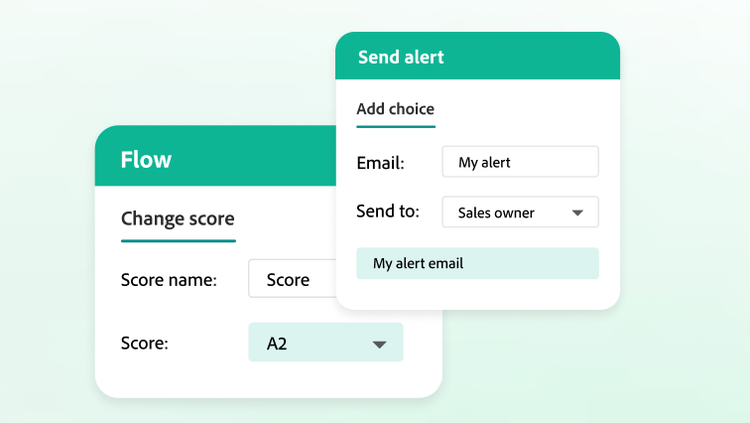
Lead scoring and alerts
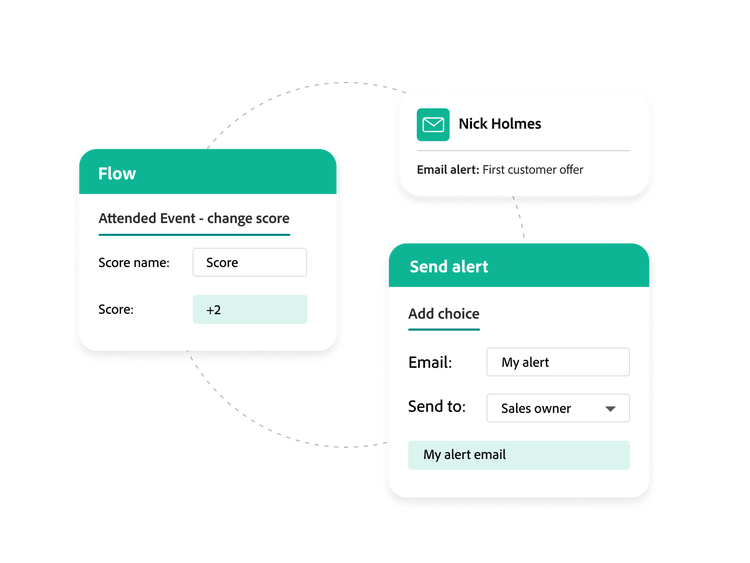
Use demographic, firmographic, and behavioral data to score leads and ensure sales teams work on the right opportunities with the most engaged prospects. Leads are scored based on contact behaviors that can change their scores either up or down.
Cold lead indicators. Keep sales from working on cold leads by letting buyers receive negative points for actions or qualities, indicating the lead isn’t a great fit or no longer engaging. Leads can be docked for unsubscribing, not responding to any emails in a nurture campaign, or indicating interest in a different product line.
Alerts. Use the “alert info” token to send detailed email alerts triggered by defined activities to relevant ream members — such as sales owners and partners — that include lead details, links to the CRM lead record, campaign information, and more.
style
M spacing
Sales Insight
Improve sales productivity with buyer engagement data available directly inside the CRM interface. This lets sales reps prioritize leads and have timely and relevant conversations with customers based on their recent engagements.
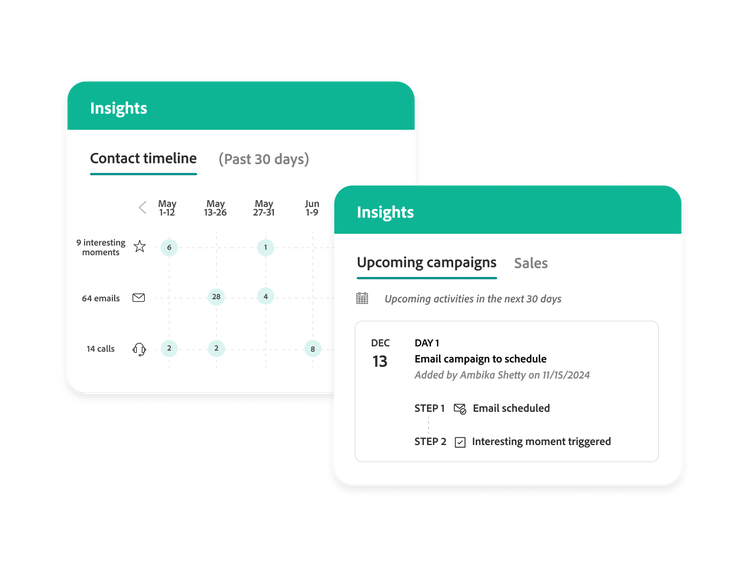
Smart grid. Give sales a bird’s-eye-view timeline of their lead, contact, account, and opportunities.
Account and opportunity best bets and watch lists. Provide a specific view into the most engaged accounts at any moment in time.
Lead feed and instant notifications. Get instant notifications from your leads and contacts over email or a mobile device anytime and anywhere.
Insights dashboard. Let sales teams view marketing activities in a dashboard, including interesting moments and Dynamic Chat insights.
Lead detail and activity tracking. Drill into lead, contact, account, or opportunity details, and track account web activities to monitor behaviors such as email opens, website visits, and more.
Sales Insight Actions. Leverage an extension of the Sales Insight capabilities to empower sales teams to engage directly with customers and prospects.
style
M spacing
Adobe Dynamic Chat
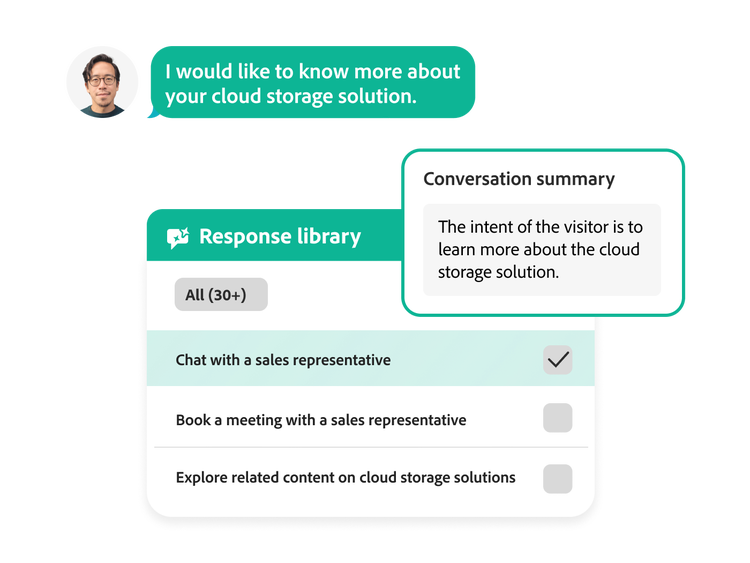
The live chat functionality within Adobe Dynamic Chat delivers free-form, two-way conversations between your website visitors and your live sales agents, including conversation summaries and assisted responses for sales agents powered by Adobe generative AI.
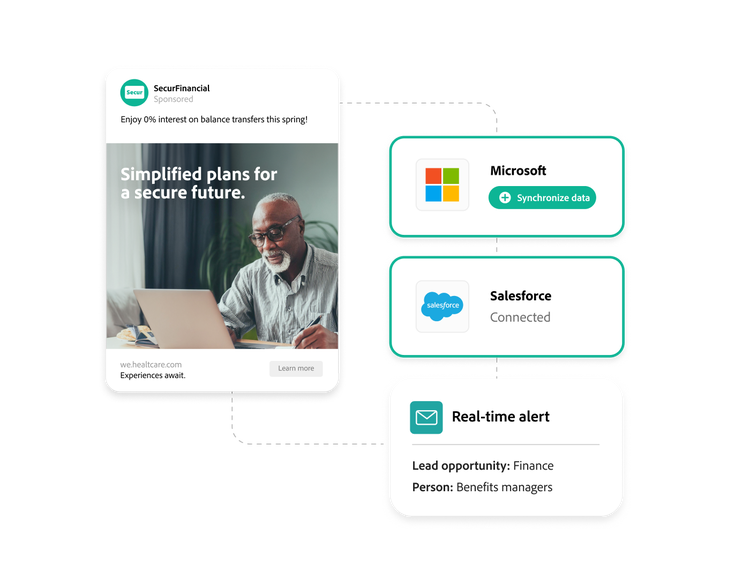
The native, bi-directional, and real-time data integration with Salesforce, Microsoft, and Veeva CRMs ensures that sales and marketing look at shared data and stay in lockstep.
Timely access to leads. Alert sales reps to each revenue opportunity using rich details from Marketo Engage. This lets them respond faster and better address the prospect’s motivations for purchasing.
Streamlined campaigns. Leverage the bi-directional data flow between Marketo Engage and Salesforce campaigns to eliminate the need for manual creation and updates by the sales team.
You can control how Adobe websites use cookies and similar technologies by making choices below. But note that if you disable cookies and similar technologies entirely, Adobe websites may not function properly.
Cookies are small text files stored by your web browser when you use websites. There are also other technologies that can be used for similar purposes like HTML5 Local Storage and local shared objects, web beacons, and embedded scripts. These technologies help us do things like remembering you and your preferences when you return to our sites, measure how you use the website, conduct market research, and gather information about the ads you see and interact with.
You can make choices in the menu below about what cookies and other technologies you want us to use on Adobe sites when you visit them from this browser. You can always change those choices later by clicking on the Cookie Preferences link at the bottom of the page.
If enabled:
We can improve your experience by tailoring the site and the content to things we think might be of interest
We can better keep track of your preferences — like what language you prefer to use
We will better understand your likely interests so we can provide you more relevant Adobe ads and content on non-Adobe websites and in non-Adobe apps
It will help us improve the performance of our website and those of our partners who use the Adobe Experience Cloud
If disabled:
We won’t be able to remember you from session to session so the experience may not be tailored to your interests
You’ll still have access to the content of the site but certain features that depend on cookies may not function
You’ll still see ads, they just may not be as relevant to you
General information
You can control how Adobe websites use cookies and similar technologies by making choices below. But note that if you disable cookies and similar technologies entirely, Adobe websites may not function properly.
Cookies are small text files stored by your web browser when you use websites. There are also other technologies that can be used for similar purposes like HTML5 Local Storage, web beacons, and embedded scripts. These technologies help us do things like remembering you and your preferences when you return to our sites, measure how you use the website, conduct market research, and gather information about the ads you see and interact with.
You can make choices in the menu below about what cookies and other technologies you want us to use on Adobe sites when you visit them from this browser. You can always change those choices later by clicking on the Cookie Preferences link at the bottom of the page.
If enabled:
We can improve your experience by tailoring the site and the content to things we think might be of interest
We can better keep track of your preferences — like what language you prefer to use
We will better understand your likely interests so we can provide you more relevant Adobe ads and content on non-Adobe websites and in non-Adobe apps
It will help us improve the performance of our website and those of our partners who use the Adobe Experience Cloud
If disabled:
We won’t be able to remember you from session to session so the experience may not be tailored to your interests
We’ll still count your use of our site and services
You’ll still have access to the content of the site but certain features that depend on cookies may not function
You’ll still see ads, they just may not be as relevant to you
Operate the site and core servicesOperate site and measure engagement
Always active
These cookies are required, and they are used to enable the site and related services core functionality. Without them the site could not operate, so they cannot be disabled.
These cookies enable the site and related services’ core functionality and collect statistics about user engagement, such as counting active use to help us understand trends. These cookies cannot be disabled.
Measure performance
These cookies are used to analyze site usage to measure and improve performance. Without them Adobe cannot know what content is most valued and how often unique visitors return to the site, making it hard to improve information we offer to you.
These cookies are used to analyze site usage to measure and improve performance. Without them Adobe cannot know what content is most valued, making it hard to improve information we offer to you.
Extend functionality
These cookies are used to enhance the functionality of Adobe sites such as remembering your settings and preferences to deliver a personalized experience; for example, your username, your repeated visits, preferred language, your country, or any other saved preference.
Personalize advertising
These cookies are used to enable Adobe and our partners to serve ads more relevant to your interests. Without them you will still see ads, but they might not be as relevant to you.
Performance Cookies
ConsentLeg.Interest
All Consent Allowed
Adobe Assistant
No chats available
Are you sure you want to end your chat session? Chats can't be re-opened once ended.
Message failed to send. Please try again.
Your use of this automated chatbot constitutes consent that the personal information you provide in the chat session will be collected, used, disclosed, and retained by Adobe and service providers acting on Adobe’s behalf in accordance with the Adobe Privacy Policy. Please do not provide sensitive personal information (such as financial or health information) in the chatbot.
I'm the Adobe Assistant. How can I help you today?