.

Adobe Experience Manager Assets Features

Asset discovery

Gather, organize, and access content with help from agentic discovery and AI-powered tagging and classification. Teams can instantly find and reuse approved assets, freeing creatives and marketers to focus on storytelling, design, and brand impact.

Easily locate and access assets using natural language search, advanced filters, and a variety of access points for admins and everyday users, as well as integrations with first- and third-party applications.

  • Agentic search. Use Content Advisor Agent to interpret a user’s intent and help surface the most relevant content across Experience Manager Assets (and other Experience Manager products), Content Hub, and connected apps.
  • Contextual search. Search assets using text prompts that automatically transform into search filters.
  • Cross-language search and discovery. Translate keywords in real time in any language.
  • Search access via DAM author. Give admins out-of-the-box capabilities for search and auto-tagging within the DAM.
  • Search access via Content Hub. Enable all teams and external partners to search, discover, and create variations of approved assets. Additionally, you can share temporary links with external or internal teams to easily access and download assets.

Integrate Experience Manager Assets with first- and third-party applications to make any asset searchable across various applications.

  • Creative Cloud libraries search access. Connect Experience Manager Assets to Adobe Creative Cloud Libraries for integrated workflows and search functionality within the creative libraries.
  • Search-informed asset generation. Turn unsuccessful search queries into new opportunities using Adobe Firefly to generate on-brand assets that contextually match your search, as well as similar assets in your DAM. Users can train Adobe Firefly Custom Models or third-party large language models (LLM) using brand imagery stored in Experience Manager Assets.
  • Federated search (in development). Discover and activate assets regardless of where they are stored — even in separate instances of your DAM or in third-party repositories — ensuring the right teams have timely access to assets wherever they’re working.

Learn more about Smart Tagging and AI tools.

Flexible asset ingestion

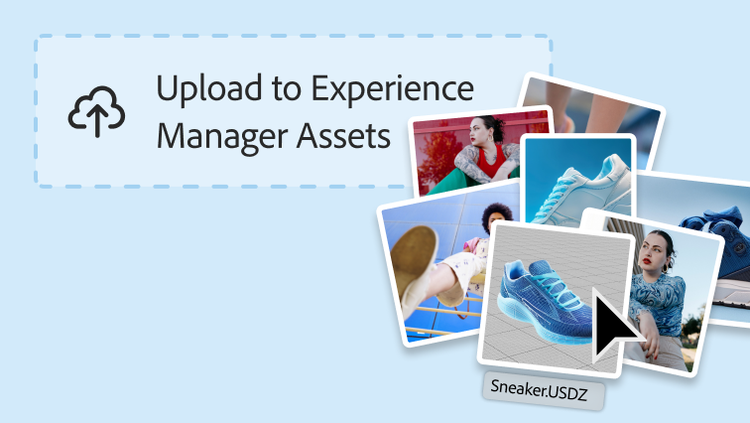
Upload any type of asset — including 3D and other rich media — using a variety of ingestion options, so you can manage all assets from one central location.

  • Multiple ingestion approaches. Admins can bring thousands of assets into the DAM using bulk ingestion or direct connection with external asset repositories. Other users can upload assets through a user-friendly and intuitive interface called Content Hub, allowing more teams to contribute assets to the DAM.
  • Rich media. Ingest and manage a wide range of file types, including VR, AR, and 3D. Use the interactive viewer to preview 3D assets or deliver 360-degree VR experiences.
  • Agentic ingestion (in development). Use agentic AI to automatically include brand-specific tags during ingestion. This aligns new assets to your internal taxonomy with minimal manual effort and makes assets instantly discoverable and actionable.

Asset metadata organization

Efficiently group and classify assets within a customizable metadata and tagging structure.

  • Customizable metadata schemas. Customize metadata and tagging to fit the specific needs of your business. Admins can specify the required metadata properties for each asset to improve searchability, discovery, and asset organization across the repository.
  • Metadata translation. Automatically translate asset metadata and tags into other languages for multilingual projects.
  • Third-party metadata management. Let content teams import fields from third-party metadata schemas, streamlining processes across different industries and cloud services.
  • Agentic discovery. Utilize Content Advisor Agent to surface more relevant content faster through strategic taxonomy and brand-specific tagging with agentic intelligence.

Learn more about asset organization.

Learn how to use asset discovery features.

Find what you need in Experience League, our vast collection of how-to content — including documentation, tutorials, and user guides.

Learn more

Let’s talk about what Adobe Experience Manager Assets can do for your business.

Get started