con-block-row-bgcolor
#000

Adobe Acrobat Studio for Procurement

Make vendor selection smarter and faster.

Turn complex supplier evaluations into informed sourcing decisions. Adobe Acrobat Studio centralizes proposals, certifications, and contracts, helping teams surface key qualifications, compare options, and keep stakeholders aligned throughout the evaluation process.

Watch video

Review proposals, improve compliance, and align stakeholders — while minimizing risk and effort.

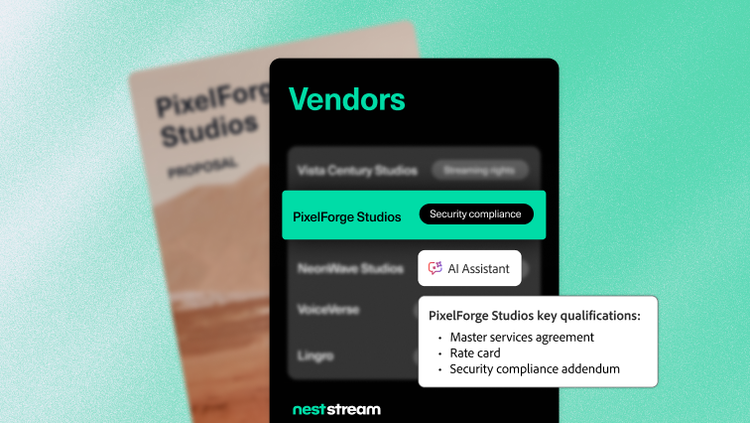
Compare vendor qualifications instantly.

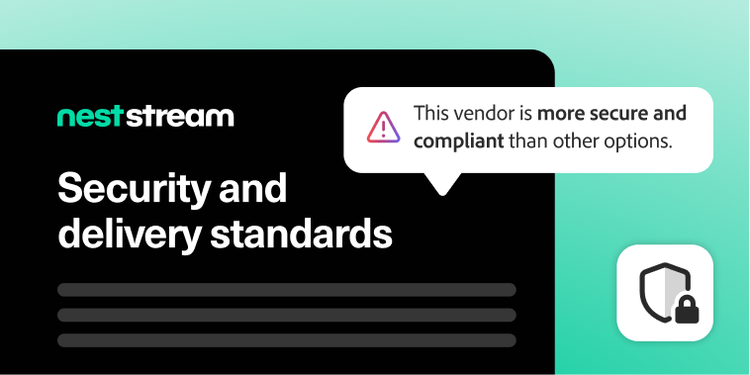
Supplier proposals, certifications, and contracts often contain hundreds of pages of information, making it difficult to compare vendors consistently and identify potential risks or compliance gaps. Centralize vendor documentation in PDF Spaces and use Adobe Acrobat AI Assistant to quickly summarize key details from multiple proposals. Reviewers can identify differentiators, spot compliance gaps, and validate findings with direct citations that trace recommendations back to the original proposal or contract.

For organizations reviewing large volumes of supplier documentation, Analyzer in Adobe Acrobat can surface structured, cited insights across proposals, contracts, certifications, and other procurement records — making supplier information easier to compare and evaluate at scale.

This transparency helps procurement teams compare suppliers more consistently, reduce manual review, and build a stronger foundation for sourcing decisions.
Streamline complex reviews and decisions.

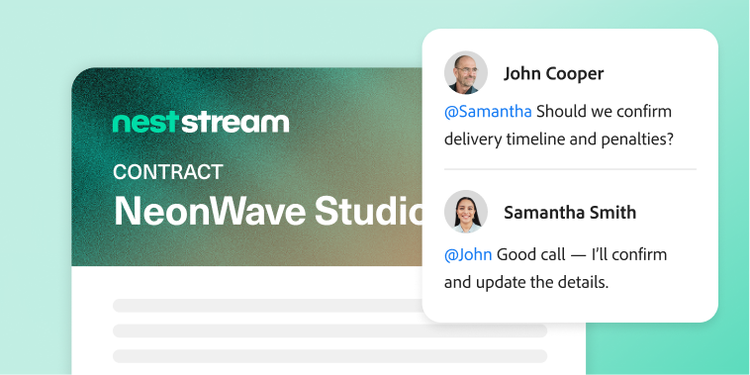
Procurement decisions often involve sourcing, legal, finance, and business stakeholders, making it difficult to keep reviews organized and maintain alignment as documents evolve. PDF Spaces provides a shared workspace where comments are tracked, versions are managed, and collaborators stay in sync, even when reviewing lengthy contracts and supplier documentation.

AI Assistant helps surface key points, action items, and supporting information so teams can resolve questions faster, accelerate negotiations, and keep workflows moving efficiently from review to final decision.

Deliver clear sourcing recommendations.

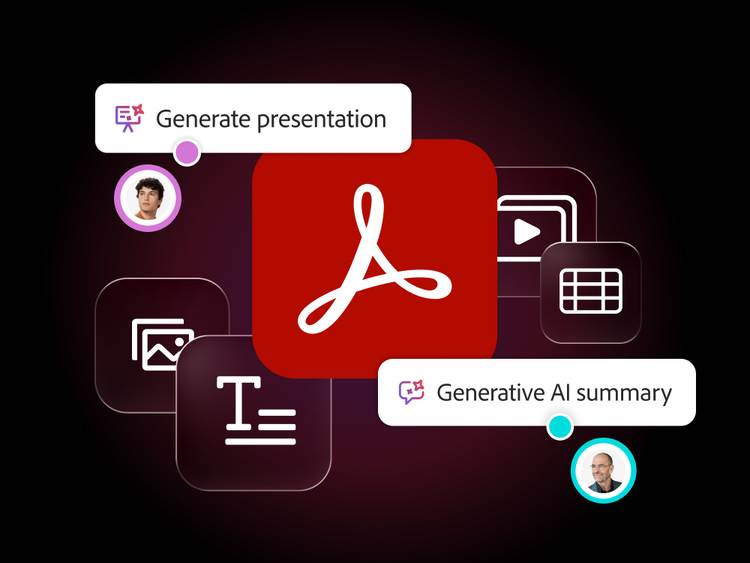
Translating proposal responses, contracts, and evaluation findings into stakeholder-ready recommendations is often time-consuming. Acrobat Studio helps procurement teams create polished summaries, vendor evaluations, and recommendation materials using the Generate Presentation feature and Adobe Express integrations.

Teams can use approved formats for requests for proposals, requests for quotes, and vendor evaluations to make sourcing decisions consistent, professional, and easy to review. These clear, reviewable outputs help stakeholders align more quickly and build trust in the procurement process.

Learn more about how Acrobat Studio supports procurement teams.

https://main--da-bacom--adobecom.aem.page/fragments/products/acrobat-business/procurement

Questions? We have answers.

How does Acrobat Studio streamline procurement contract workflows?

Acrobat Studio allows procurement teams to collect, compare, and review vendor contracts in one place. AI insights accelerate evaluation, highlight cost or term differences, and help spot inconsistencies across supplier agreements.

Can Acrobat Studio automate document collection from suppliers?

Yes. With collaborative PDF Spaces, procurement can centralize request for proposal responses, statements of work (SOWs), service-level agreements, and vendor documentation to simplify evaluation and recordkeeping.

Does Acrobat Studio support vendor compliance and documentation audits?

Acrobat Studio maintains secure document trails, ensures proper versioning, and enables teams to easily surface required terms or compliance statements.

Which procurement scenarios are best suited for Acrobat Studio?

The typical high-value scenarios for which Acrobat Studio is best suited include:

  • Request for proposal responses, supplier proposals, and evaluations.
  • Master service agreements, SOWs, non-disclosure agreements, delegation of procurement authorities, and renewals.
  • Price-list and discount schedules.
  • Supplier policy acknowledgments for code of conduct, environmental, social, and governance strategies, or InfoSec.
  • Contract change orders and amendments.

Anywhere you handle vendor PDFs, Acrobat Studio can help you review, negotiate, and approve faster.

How does Acrobat Studio reduce procurement cycle time?

AI-driven summaries and comparisons help teams assess vendor materials faster, while integrated editing and signing workflows reduce delays across sourcing and approvals.
Yes. Cross-functional teams can work together in shared spaces with clear visibility into documentation, change history, and final review requirements.

What languages is Adobe Acrobat Studio available in?

See details of language availability for Adobe Acrobat Studio and its features.