.

ADOBE CAMPAIGN FEATURES

Audiences and insights

Discover and engage your most valuable audiences. Adobe Campaign lets you understand your unique customer segments and craft campaigns that build meaningful connections and deliver results — every time.

Digital dashboard with unified profile, channel toggles, and cursor pointing to segment activation for Elliana Perez.

Integrated customer data

Build unified customer profiles from data gathered across all your marketing channels.

  • Flexible data integration. Connect Adobe Campaign with other data sources, like your CRM, point-of-sale, and ecommerce solutions, for a more complete understanding of customer behavior.
  • Unified customer profiles. Use the flexible data model to enrich your customer profiles with new attributes or tables. Leverage these profiles for more accurate audience segmentation, personalization, and reporting.
  • Federated data access. Connect Adobe Campaign directly to enterprise data warehouses, like Snowflake, Google BigQuery, Azure Synapse, and Amazon Redshift — without duplicating data. Gain real-time access, strengthen data governance, and reduce compliance risk by keeping data in its original location.

Learn more about integrated customer data.

Sorry there was a system error.
Please try reloading the page or try coming back to the page another time.

Enhanced audiences and segmentation

Create highly targeted audience segments using virtually any variable in a customer profile. Activate these audiences in Adobe Campaign for personalized, multi-channel campaigns — or share them across Adobe Experience Cloud solutions to create more relevant customer experiences.

  • Audience enrichment. Create and enrich audiences from your data warehouse to enhance segmentation, targeting, and personalization.
  • Segmentation. Automatically add or remove contacts from identified segments based on behavior and eligibility— no manual list updates required.
  • Preference and consent management. Let customers easily manage their interest and communication preferences to help you tailor experiences, enrich profiles, and reduce contact fatigue — ultimately boosting engagement rates.
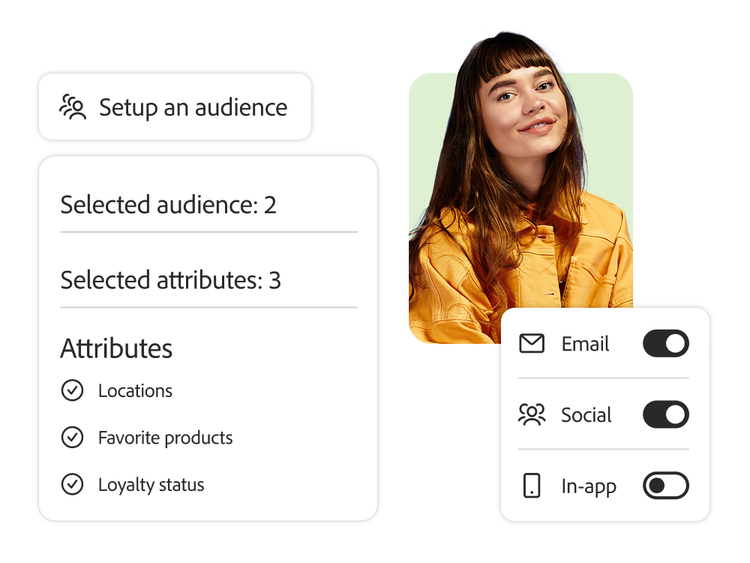
Marketing UI with selected audience traits—location, product, loyalty—and channel toggles below user portrait.

Learn more about enhanced audiences and segmentation.

Sorry there was a system error.
Please try reloading the page or try coming back to the page another time.

Email delivery dashboard summarizing audience size, performance metrics, and engagement rates with visual breakdowns.

Dynamic campaign reporting

Use built-in reports to quickly analyze campaign delivery and engagement data, then share the reports on an automated or recurring basis. Customize any of the reporting templates or define your own success metrics based on KPIs that matter the most to your business.

  • Dynamic reports. Customize reports with filters and visualizations to better analyze and interpret your data. Start with out-of-the-box templates or build reports from scratch, customizing them to fit your needs.
  • Comprehensive insights. Get actionable, real-time visibility into how and when customers engage with your campaigns. Filter results by device, location, or customer segment to uncover key trends and optimize performance instantly.
  • Report sharing. Create a standard reporting view for your campaigns and share it with colleagues on an automated basis, or export it for further visualization and custom analysis.
  • Full customer journey insights. Share data with Adobe Customer Journey Analytics to connect with omnichannel data analysis and visualization.

Learn more about dynamic campaign reporting.

Learn how to use Adobe Campaign audience and insights features.

Find what you need in Experience League, our vast collection of how-to content — including documentation, tutorials, and user guides.

Learn more