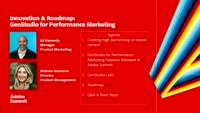
[Music] [Ed Kennedy] Good afternoon, everyone. Welcome to the GenStudio for Performance Marketing Innovation and Roadmap session. Before we get into content, you guys need to give yourself a round of applause for even being in this room right now.
Diehards.
Raise of hands, how many of you, this is the only session because you were really, brunching after Bash and you're like, "This is it. I can only get maybe one or two sessions in today and then I'm out." We really appreciate that you chose to give some of your precious final moments of Adobe Summit to this conversation about GenStudio for Performance Marketing. My name is Ed Kennedy. I'm on the Product Marketing team. I'm joined by Nichole Giamona who is our Director of Product Management. We're going to create a tag team here of going through all of the latest innovations that GenStudio for Performance Marketing has launched at Summit, do live demos of our product and all of the capabilities that are now available, and then talk about what our forward-looking vision is for the rest of the year. So let's dive right into it. Grab your phones, scan this QR code, and as we're talking and demoing, put in your questions. And we'll come back at the end. You can upvote other people's questions. You can downvote other questions too.
Let's see which ones bubble up to the top.
And then we'll come back at the end. We'll answer your questions. So I'll give you a moment just to grab the QR code, so you can start to see what the rest of the audience here is curious about, and then that helps us get a understanding of the feedback that we're getting live on the product as we show it to you.
All right. Does everybody see the little Slido now on your phone? Okay, great. Good job.
Audience participation. Check. All right, let's talk about why we created GenStudio for Performance Marketing, and you've probably seen this now a couple of times at Adobe Summit. The need for content is continue to increase if you take the number of products, the number of channels, the languages, the variations, and the refreshes. There's just too much content that you need in all of the channels that you're trying to reach consumers or businesses through to really keep up with the demand. And so this is common for every business that we're talking to here at Adobe Summit and as we continue on from here. The problem that marketers tell us though is that the experience of briefing an agency or an in-house studio team and waiting for content to come back is a bottleneck on the creative process. That when I have to ask a team to create content and then I wait a week, a day, a month, or longer to get my content back, I can't deliver marketing performance at the level I need to. I have to be able to personalize, get variance out there, and we're just seeing from this research data that marketers are stuck with that feeling that the creative teams are overwhelmed by all of the intake of all the creative requests.
And that's why Adobe goes to market with, in our content supply chain, Adobe GenStudio. It's the coming together of all of these major pillars of the content lifecycle. And today we're going to be talking about creation and production and the purpose-built app that we've launched, GenStudio for Performance Marketing, which many of you may be already familiar with. I actually recognize many faces who have been at our booth or working with us as our partners. So it's just really great to see everyone's interest in this product as we start to roll it out. So GenStudio for Performance Marketing is a purpose-built workflow application for creative teams and marketing teams to come together to create high performing on-brand content. Now every product company in the world is trying to figure out how to add generative AI to their technology. We actually see that generative AI isn't necessarily the differentiator anymore in a product like GenStudio, ironically. Really, what we've heard from marketing teams and creative teams is that generative AI is critical to scaling content production, but the content we generate has to pass brand guidelines. You have to be able to personalize the content to the audiences or personas that you're trying to reach. You have to get a positive feedback loop in the system where you find what elements of your creative are performing best, and you initiate a new creative workflow from those insights, and you have to be able to pass all of the regulatory and compliance checks that the enterprise workflow requires. So it's not enough just to give your marketing teams ChatGPT and send them on their way. You will rarely get back on-brand content that you can use in your emails or your ads. So that's why we've built GenStudio as a purpose-built workflow application.
These are some of the results that we've seen from the work we've done with our initial clients. Adobe's own marketing organization uses GenStudio for Performance Marketing. Lumen is one of our customers that's been testing creating ad variants, and Lenovo, consumer electronic brand manufacturer's been creating web banners out of GenStudio to personalize their gaming experience for their e-commerce channels. And the drivers of value of using this product is creating more high-performing content faster. That's where most of the clients we're working with are starting their hypothesis. I need more variance in less time. And in general, the math that we're seeing pencil out and then show in our initial trials and first customers is that we're creating four times the content, 75% faster. And that's where you're seeing here three weeks to three days for Adobe. Being able to respond quickly to real-time marketing moments and get fresh ads out into the ecosystem is absolutely critical. But then there's performance improvements that are coming off the back of that. It's not good enough just to create variance for their own sake. You actually need to show that those variance drive performance. And that's where we're seeing lifts in email click-through rates or optimizing ad spend or on-site engagement rates. So all of this is about creating more content to drive better performance, and that's the standard that we hold ourselves to when working with our clients. And if you do end up working with us, that's the standard we want you to hold us to is that we should be driving performance with this application, not just giving you a bunch of more content because that actually can clog up the system itself. So that's what I wanted to say just to set the stage for why we built the app. Someone much more talented and smarter than me is going to walk us through this amazing product. Please give a round of applause to Nichole walking us through the latest features that we've launched.
[Nichole Giamona] Hi, everybody. Thanks for hanging in with us so late on a Thursday. Hope you've all had a good conference. So let's start to dig in and show you a little bit about GenStudio for Performance Marketing. We're going to go through a couple of different flows here. I'm going to tell you about the application, a lot of the enterprise guardrails that are available. So keep those questions coming in the app. I'm watching them come through and it's great. All right, so let's talk a little bit about the landing page for creation. There's a number of different channels available. So you can see for email and banners for owned media. You have paid media available today for Meta, Google, and Microsoft for display, and LinkedIn is one of the ones that we announced this week at Summit. And then you're getting a super secret glimpse into some things we're cooking up. You'll see some labs labels on some of my channels. So we're going to preview some things that are a little bit skunk works for us and coming soon, so you all can see how those work as well.
All right, so let's jump into creation. We're going to do a Meta ad and really, you're going to get to see the full end-to-end workflow because at the end of the day, GenStudio for Performance Marketing is a purpose-built tool for a workflow to deliver your content.
So when I go to create my Meta ads, here I have all of my templates that have been provided by my creative teams. They have locked in certain things like the header, the footer, the logo, then other parts can be generated. So this allows for those enterprise guardrails to make sure that your folks are staying on-brand. So I'm going to grab one of these templates, and it's going to bring me to my canvas where I can start to play around with the selections and use the inputs to my GenAI. So here in the Parameters, you'll see a number of what I'll call shortcuts. Here the brand, you've heard a lot about the brand service this week, where you can store your creative guidelines, your image guidelines, your channel guidelines inside of the brand service, and then it can be used across the content supply chain solutions. And so here, I'm going to select my brand so that my creation engine is going to know how to stay on-brand. In addition, you'll see a drop-down for models in the case that you're using fine-tune or custom models, and we'll talk about that a little bit later today. But here I have a persona that I've selected, so this is who I'm messaging to. And again, this is a shortcut because inside this persona record has their messaging preferences and a rich description of that audience. And then lastly, my product. So images of my product, the description of my product, so the system is informed about what I'm going to be doing.
Here, I'm going to select from my content repository. Now you do get an out-of-the-box repository with GenStudio, but it's so much more powerful with AEM Assets. So you can connect directly to your DAM for all of your final approved assets are available right here with the click of a button.
So I'm going to grab a couple of different images here to use, and then it's time to prompt. And so we're all learning to prompt as GenAI has come online. What we see a lot of clients do in this case is copy and paste their creative brief in here or their campaign brief.
For me, I have a pre-built prompt that I'm going to do. So this is an outdoor apparel company. I'm going to create an ad encouraging people to get outside using the perfect apparel. And so what the system's going to start to do is generate four different variations of copy and imagery together, for me to review. And you're going to see something else happen. So this wheel that's turning in the top right-hand corner is the brand validation, and this is going to validate a couple of things. How close we are to our brand, how close we are to the channel guidelines for Meta, and how close we are in accessibility. And so I'll show you that as soon as everything paints. The other thing you're going to be able to do is you can edit this in line. And so you don't have to go through a regeneration every time you want to change something. You can actually change words in the copy, you can swap out an image, and we can actually resize as well. There's a lot that you can do across the canvas. So here we can see we've got our images we selected. We've got some headers that it's generated. So here you can see the ability to edit. You can actually regenerate pieces of the ad. So again, you don't have to go through that whole flow. So it gives you a lot of flexibility to play with the canvas, and what you've created. On resizing, so here I can select to resize. I can select all of the different variations that I want, and it will just start to expand across the canvas, and give me more and more options.
I'm actually going to get out of here because I don't want to slow us down. All right, so our brand check's complete. We're pretty close to brand across the board. But if we wanted to make sure we're at a certain level, we can click here. Oops, sorry. Wrong click. And it's going to show us that brand, channel, and accessibility check. And here, I can actually see exactly what I've hit and missed on my brand. So if I view my and fix my issues, here I can see all of the guidelines that I've passed. And then here I can see the ones that need review. I can quickly fix it and recheck anytime. So this is going to allow for you to provide guardrails, and for people to get to a point where it really is on-brand and ready to go for review and approval.
So once we're comfortable, now it is time to go for review and approval. So this is another integration point. So we do offer review and approval out-of-the-box in GenStudio for Performance Marketing. But if you have Workfront, again, it's that much more powerful. So you can actually select your approval templates from Workfront Proof that are already preset, and it could get sent for approval. For the sake of this demo, I'm going to be the master approver because that makes things really easy.
And so when I send this off, the panel's going to open up just the same way that you see in Workfront. It's going to show me all of the steps of my process.
It's going to show me what's going on. I can view my comments in Workfront. So when I do that, just to show you the reviewer experience, they don't have to go into GenStudio. They can stay in the Workfront Proof experience. They get the same viewer that they're used to. And so they can go ahead and do their annotations. They can do their markup. They can make their decision. And the really cool thing about this is they get the live canvas. It's not a snapshot. So they can actually interact with the brand check as well. So they can click here, they can see all of the guidelines. Same thing that I just showed you from a practitioner perspective. Your reviewers and approvers can also dig into that level of detail when they're doing their review. So here I'm going to approve it. So again, same Workfront Proof experience. And then once that happens, GenStudio is going to be alerted that these things are approved, and then they're ready to be published and activated. So I can publish this back to my content...
With all of the relevant Metadata, and then we're ready to activate.
So we're going to jump into the Activation tab. This is something that we also announced this week, so activation to Meta is available already. And then we've got other channels that are coming soon. The good news about activation to Meta, and I'll show you, it allows you to select your experiences. It allows you to connect, obviously, directly to your Meta accounts. It also allows a tracking ID, and this is critical to make sure that you're tracking this ad throughout the process to be able to measure the performance at the end of the line. And so here, we're going to give you automatically a tracking code, or if you use your own taxonomy, we can support that as well. So from here, I can go directly to launch this into Meta, and we're good to go.
So the last part of the process is the performance insights we've created, we've activated, we want to see how it's performing. And if you haven't seen insights before, this is one of the most special and super awesome parts of the application. Here, I can see all of my Meta campaigns regardless of where they were created. So you don't have to create in GenStudio. We'll pull everything in. And we are featurizing these ads. So if I come into this campaign, it's going to show me all of the assets associated with that campaign, and it's assigning it attributes. So pulling it in and saying, "Okay, this is laid-back. This is the WKND brand. This is a conversational ad. This is a dark gray background." And so you can start to see that as we featurize and assign attributes, we can then show you how those attributes are actually performing. So if I jump to my media performance, as I mentioned, I can see across all of my assets how they're performing. Here, we're looking at CTR, but you could change that to another metric or bring your own custom metrics.
And then if we go into that attribute view, this is the thing that's really cool. I can go look at any one of those attributes that I showed you earlier, and it's going to show me how that performs.
And it's not going to behave today for me.
There we go. So here you can see all of the attributes in the system. So I can see like, "Is it better to show a mountain or to show someone hiking?" How does that perform? And one little anecdote I'll share is the Adobe marketing team, one of the things that we found is cake and pastry does exceptionally well for us. People love to look at baked goods. So you get those little tidbits and figure out how you can optimize and get better along the way.
So that is our end-to-end create flow, that I wanted to show you and make sure you see how that goes from start to finish. You can also do that for email and all of the other channels that we took a look at. And so I will pause for now. We're going to talk a little bit more in-depth about some features, and then I'll show you some labs. Round of applause for Nichole doing that pass through.
Okay. Well, so now what we're going to do is we're just going to walk back through a couple of those features in a little more detail so you understand exactly what we've launched and then what's coming from here. So, Nichole, if you can join me to talk about these innovations that are available today for content generation. Yep. So what do you want people to know about on-brand image generation and what we've launched? Besides that it's super awesome. So we've had on-brand copy generation for a while now since we launched. And combining with Firefly, we get the best of both worlds. So we're getting image generation via Firefly combined with that brand check that I showed you. So not only now is your text going to be brand compliant, but it can assess the image against your imagery guidelines. Make sure that that's also on-brand, so you're actually figuring out is the whole experience on-brand. You get that same score, same checks all along the way. So yeah, we're really excited about that one. We love partnering with Firefly.
Custom models. Okay. This one is super fun also. So you're going to hear about a couple of different types of models. Custom models is an offering from the Firefly Services team, and this is really training your own image models. So uploading tons and tons of images that are optimized, that are on-brand for you, and training it to your own brand. And so this you can actually use in that create flow I showed you when I select the model. You can select different custom models that you want for your image generation, and it will stay on-brand and adhere to that specific model. We have the same thing on the copy side, and we'll talk a little bit about that later. But this is one, through Firefly Services that allows you to get even more on-brand and compliant.
So fine-tuned LLMs. This is going to allow you to do a lot more nuance around the copy. So again, in the model selection that you saw on the screen, it will allow you to be very, very channel-specific. And so it just is really a function of precision. So you have the option to use the base model inside of GenStudio or train your old models inside of the UI.
Subtle. Yeah. LinkedIn was a big deal. So our B2B customers number one request was LinkedIn. And so you'll see us, you saw today we have LinkedIn and create. You're going to have the same end-to-end flow. So you'll be able to activate to LinkedIn. We'll be getting insights from LinkedIn, and so you'll get that end-to-end creation experience, and allow you to do that for not only LinkedIn, but also organic LinkedIn as coming as well.
We talked a little bit about the channel and accessibility checks. Accessibility and channel are brand new. We've had the brand check for a while. But this allows you to stay true to the requirements of the platform, so Meta, etcetera. And accessibility is also a really big one. One of the first things that we heard from customers when we started the beta was things like ADA compliance and accessibility, making sure that your ads are not going to cause a problem. So building that in has been a big win for a lot of our customers.
And I think you're continuing on with us on activation. I am. Your favorite area.
All right, so activation. We have introduced this for the first time since we launched in October. It was largely an import-export situation, and so being able to allow you to seamlessly connect to the ad platforms and activate there is a real big unlock. Not having to go offline. We're not having to keep track of files. And you're going to see us expand these channels really, really quickly. And so Google's CM360, we announced as well. LinkedIn is coming. Second half of the year, we're looking at Snap, TikTok, etcetera. So this is what's moving really, really fast, and we're super excited about it.
Yay, my favorite things. Okay, first-party Adobe integrations. This is a really fun one as well because when we talk about the content supply chain and these connected workflows, it requires us to be natively integrated and making sure these workflows are connected. And so the integration with AJO, Adobe Journey Optimizer, Campaign, Marketo, so when you create emails in GenStudio, those are going to automatically show up downstream for activation inside of a campaign or a journey, and you can also bring your templates in. So instead of recreating the wheel, you can pull your AJO templates, you can pull your campaign templates in, and so it allows for end-to-end on email as well.
I think I put these slides out of order. This is like the main announcement. It's like not just Adobe Journey Optimizer, but any of our customer journey apps that are on our new email designer, the templates that are in those that experience are available in GenStudio, and then you can generate and publish them into all of these channels. So regardless of what Adobe email tool you're on, we have a way to support you. I guess, if it's one of these four, we have a couple more that exist out there. But I think this is a major innovation. I think we were thinking, maybe we could get one of them. And then you turned around one day and said, "Actually, we've got all four." So I think it's a huge unlock for creating the emails and then activating them. Yeah. Anything else you wanted to add on AJO or email? Nope. Not at all. Your turn. Okay, my turn. All right. So I'm going to talk about extending the application because as you've seen, the application is very much a workflow application. It makes you follow a certain process. You select a template. You use the generation tool. You send it for review and approval. It guides you through a process, and that's by design because we're hoping that marketers themselves can start to have some ownership over this creation process. Now as we talk to customers that have a large Adobe ecosystem or even other technology from other vendors, the need to extend this platform to meet industry-specific use cases or support custom integrations is absolutely a requirement and something that we're committed to on our roadmap. So we want to bring the best of both worlds, a SaaS-based UI workflow tool, but also have the extensibility to integrate to custom systems. So the first one that we've launched is the integration to Workfront Proof. So you can do your review and approvals in Workfront Proof and get results back. The next stage of this is to integrate also to Workfront Planning. We'll come back and talk about that integration. So in this year, we'll have two integrations to Workfront for Proof, review and approval, and Planning as you start to set up your campaigns.
What I'm really excited to announce is the support for App Builder extensibility framework. If you've come across App Builder in the Adobe ecosystem, you may understand what I'm pointing to. If you're not, that's okay. This just means this is a way for you to, within a no-code and low-code environment, integrate all of these capabilities into other systems. The use cases that we're supporting right now is if the customer that you're working with or you yourself have a different, excuse me, digital asset management system, we can use that as the source of images when we're assembling ads or emails.
I swear, I wasn't drinking last night. It's just been a lot of talking.
So being able to support custom DAMs is an example of using the App Builder extensibility framework. The other is the app, the add-on framework itself. So if you have a custom parameter that you want to include in your prompt, you can use our add-on framework to include it. So like Nichole showed, selecting a brand, a product, a persona, but there might be some other parameter that you need to ship with the prompt to make sure that the LLM is writing copy around some restriction. In the pharma space, this is a medical claim. In retail, this might be a certain price guideline on how we write copy for the price of the product. So you can select the add-on at the level of prompting, and then when you get results, you can start to extend from there. And so really, the innovations that we've seen from our partner ecosystem here has been remarkable. They've taken this App Builder framework and GenStudio add-ons and launched several specific industry integrations for some of the regulated industries that on-brand check is not good enough. You have to pass very strict legal compliance requirements. So you can take draft versions of emails or ads and send them off to these third-party technologies or solution partner-built extensions and get back additional checks on your content. So you can pass medical, legal, and regulatory review, FINRA, SEC, all of those types of additional compliance check. The user can now verify that their content is getting closer and closer to being compliant, but we never publish without final review and approval from a human. So all of this gets the content to a better place, and then you can ultimately launch. So I'm really proud and excited to see this app ecosystem start to grow. So we expect to do more partnerships with more third-party technology vendors and our partner ecosystem to extend that canvas and do more and more add-on integrations.
And then the second part of our partner ecosystem that's allowing for extensibility are solution partners. We ran a program starting at Adobe MAX in Miami until now, and I'm pleased to announce that the partners you see listed here have accomplished deploying a rapid deployment solution. We've put them to the test by giving them an instance of GenStudio. They've worked with customers live, and they're really available to you to actually support you in understanding how to run through change management, process design, testing. So actually, if I could get the partners here that are in the room just to raise their hands, give them a round of applause for all the work that they've done.
If you have questions about GenStudio for Performance Marketing, please go see these people. I'm sure you're going to rush the stage to talk to Nichole, but there's also partners in the room that are now available, and that's part of the magic of the Adobe ecosystem. We think this app has the opportunity to be very transformational, but we also need the support of technology ecosystem partners and solution partners. So shout out to those partners that have worked with us. Okay, I feel like I've saved the best for this moment. I'm so excited for GenStudio Labs. We call this the innovation and roadmap session, I think this is where innovation really starts to show up. So, Nichole, do you want to walk us through-- You were teasing it earlier, these lab labels in your instance. - Yes. - What is that all about? Yes. So we have, you'll see a couple of labels in here. So you'll see beta labels, so things that we've actually released that are just early days. And then labs are things that we're truly experimenting with. So we create these various use cases inside of the system. We play with them when they are production-ready, then we will release them. But you are going to get a sneak peek at quite a few of them today. So it's pretty exciting. I'm actually going to start with on-brand image generation, which is not a lab. It's in beta. So this was the Firefly integration we were talking about. And what I really love about this is the reference image. So here, instead of just starting with a blank prompt to do on-brand image generation, you can start with a reference image. So here, I'm going to grab my water bottle in the woods with the beautiful green background, and it's going to reference this as I start to prompt and create on-brand images. So here, you can see I can select my brand. So here I've got my WKND brand, my image category, the model that I'm using, so you can see Firefly's here, and my style references. And the other really cool thing is whatever reference image you choose, it will start to fill the prompts with basically how you would create an image like that. And so for me, I've got a variety of products that I use in my WKND brand. So I can actually change this. So number one, it's going to create a few different variations for me already. So I've got four different water bottles in the forest. But let's say I wanted to change out my product, and I wanted to make this my backpack.
Going to spell backpack correctly first. And then we Generate, and it will regenerate still using that style reference and my WKND brand, but it's going to swap out for my other product. And so it's a really cool way to iterate and ideate and make variations using your style and your brand. So it's a super neat thing that we're doing with Firefly. So that is on-brand image generation.
Now we're going to move over to the labs. So the first lab that we're going to take a look at is content production agent. And this essentially creates on-brand experiences based on a brief. So here, I'm going to browse through my files. I've got a creative brief ready to go. And the agent on the right, we're going to keep an eye on because it's going to tell us what's happening throughout the process. So it's super informative about how it's processing your brief and what it's doing.
So now I'm going to grab my brief. It's starting to process and analyze. It's going to give me four different campaign ideas to choose from that I can then start using in my create flow. So you'll see each step of the way to understand what's going on. It is giving you what it's understanding about your brief, and then it will give us the concepts that it's imagined based on what we've uploaded.
So here, we have four different options. So we've got an innovator's insight series with a proposal, the tactics we would use to deploy this campaign. And if I like any one of these, I can actually use this to start creating my assets. So this jumps me directly into a create flow from a brief.
So now it's going to start creating assets for me across various channels based on the concept I accepted and the brief that I uploaded.
And, Nichole, when you created this or this started getting built, when you said earlier, people bring in their brief into that prompt.
Can you say a little bit more about, how this is going to work where or potentially work where we take the brief and that starts acting as the prompt for like all of these generations? Yeah. Because at the end of the day-- Got a little louder. The campaign brief is really the context that you want to be creating your ads. It has your objectives. It has your key messages. It has your personas. And all of that context is really what you need in order to generate everything. And so instead of having you have to select your brand, select your persona, and make those selections, taking your campaign brief and frankly your campaign record from Workfront and just bringing that into your create session saying create me emails, create me Facebook ad, like choosing your channels and letting it omnicreate based on your campaign. That's where we're headed.
Okay, so here we've got a couple of Facebook ads. It's created email variations for us and so we can start to play around with these and decide what we want to be able to use. So this is our lab brief to assets flow that we have right now. And as we get closer to production-ready, you all will start seeing it inside product.
Okay, next lab.
Video ads. So we know video is the big thing everybody's after and we're going after it very quickly. We know that even motion itself, not even a video changes conversion rates. And so showing something that moves is a very big deal. And so we'll talk about image to video in just a second, but I'm actually going to start with an existing video ad.
So here I'm going to grab my video file.
I like the skate park one.
And it's going to bring my video into the canvas and then it's going to allow me to again prompt for my overall ad. But it's going to include my video assets. So if you've got existing videos, you can add them here. I'm going to grab my prompt that I created earlier as a shortcut.
Which you all weren't supposed to see but that's okay.
All right, and we're going to generate an ad here based on our video. So this is going to give us a couple of Meta sizes using the video I chose. It's going to give us some copy variations. Then we're going to have the same functionality that we have on the canvas. So being able to swap out words, you get a couple of different options here on the left-hand side. But here, now we're able to take existing video, reuse, and remix for different things.
And this part of the workflow is normally very time-intensive to take a full video and then bring it into Premiere and do cut downs and then layer text on top of. This is, I think, where we see this product going. So we might be assembling copy for Meta ads that are image. I think this is where this product is ultimately going to land on the creative production piece as video is just such a key piece of how we're envisioning it being used.
And that brings me to the last lab I will show you today. And this one is actually my favorite because as we mentioned motion and the reuse of assets and trying to be more efficient and save time and save money. Taking an existing image and just creating motion for it is a really quick way to refresh something and reuse it. And so here I'm going to select from my file.
I'm going to use the same backpack image I've been using all day in the demo. So it's that mountain background with the backpack in the front. And then I'm going to prompt for essentially some motion.
So here we've got the backpack sitting in the woods. I'm going to generate and it's going to give me a bunch of options on the left. So you can actually change camera angle. You can pan in, pan out.
But this one kind, I was playing around with this yesterday. It was making me laugh what it was generating. And the other great thing about this is you can do a first frame last frame. So if you wanted to start on the water bottle and end on your logo, like your last frame could actually be a scene of your logo in the woods. There's a lot of things that you can do with this. So we're having a lot of fun with it. It does take a minute to generate. But you can see it's filling in my prompt already. So this is telling, it's describing what it's seeing and what it's going to show me. So you really get that rich description and it helps you learn how to prompt as well. So is the idea here that the user would get this prompt and then maybe make some tweaks. Exactly. So the first try, it may not be exactly what you're looking for but you've got the full rich prompt built out that you can then start to edit and regenerate until you get what you want.
And this is using the Firefly video model. So again, another touchpoint across products. So everything here is powered by Firefly.
So while this sets up, we do have a couple of questions that are related here. So the most upvoted question is, if you have the DAM in Workfront, is this the only place that you have GenAI or where is GenAI? And what you'll see across the product suite right now is GenAI is being put everywhere. So if you're a Sites user, we're going to give you GenAI there. If you are a Workfront user, we're going to give you GenAI there. And they're not necessarily the same features and functions, but we're trying to infuse it everywhere that it makes sense. And so don't be surprised as you sit in your meetings and you're learning more and think like you're going to see GenAI throughout the product suite. It's really truly everywhere.
Is Workfront necessary for the approval process? No. It's not. So there is native review and approval built into GenStudio for Performance Marketing. So if you don't have Workfront, that's okay. You can use review and approval still. Second thing is if you have a third-party review and approval system, you can use the extensibility stuff that Ed was telling you about during the process.
Okay, thank you for letting me fill the silence with answering your questions. Let's see the video.
So that was my favorite one. I had two variations going yesterday. One, a man would pick up the backpack and it would be carried off. And the second one, the man disappears and the backpack just flies. So it's pretty fun. So you can see why it's in labs but you can also see the potential like, start to make things move around and it gets really exciting really fast and allows you to really get the most out of your creative and the most out of your assets. That's what's in labs today. Thank you so much, Nichole. Round of applause for Nichole and the labs features that we've launched on Thursday before Summit, these were not here. Correct. These were not here a few days before Summit. We've been working on, using that reframe API to do the video ads. We had been working and trialing this idea of a brief being kind of building and assembling your campaign ideas.
But I say that just to indicate the speed at which we're trying to innovate. Yes, these are in labs, but any paying customer that uses GenStudio and is licensed for it can access these lab features and use them for the value they create. And our intention is then to fully featurize them in the workflow with brand checks, review and approval, and make them fully available over the next several months. So I've worked on many different product teams in my career, and I've never seen a team move as fast as the GenStudio for Performance Marketing team. So again, the product team is like my heroes. I thank them every day for allowing me to get up and say, cool stuff that we're launching. Okay. So we did, we saw labs in action. This is just a quick snapshot of what we've gone through today on what is now available in GenStudio for Performance Marketing. So these are the new things that we have launched. LinkedIn, creating Google Campaign Manager display ads, Image Gen, the ability to fine-tune the LLM, integrate to Firefly custom models, create web banners, those channel and accessibility checks, so checking for Meta, checking for accessibility, activation, Meta, AJO, Marketo. See, I didn't even have the campaign logo on there because even that one shipped like that.
GenStudio add-ons, the App Builder extensibility framework, Workfront Proof, and then these new labs, the agent, Image to Video, and video ads. So that's just a snapshot of what we've launched. Now I see a lot of questions coming in. We'll definitely, we've got some time to get to them. But I also want to just take a step back and look forward to the roadmap. So if this is what the product does today, like where are we taking this overall? Because I'm sure a lot of you from different areas of either paid media or lifecycle marketing and email or web marketing have lots of questions around how this is all going to stitch together and work. So, Nichole, do you want to be the brave one to talk about roadmap and where we're taking this product? Always. Okay. So giant disclaimer, you don't have to read it. All it says is that these are target dates. These are ideas. We may or may not hit it. We're going to try our best and you may actually get more than you actually see on this slide.
I guarantee you'll get more than the way it's on this slide. - Yes. - Okay. So we're doing a lot, and I'm not going to read through every single one of these with you. I'm going to just hit some highlights but feel free to take pictures and you can see everything that's coming. So expanding on-brand content creation across channels, being able to use additional models. But the big thing happening here is both translation and localization and multi-language or three. So the thing on multi-language and translation, we look at it in two different ways. So taking your existing ads in a language and being able to translate that for regional markets is one thing. The second thing is actually multi-language, meaning having your brand guidelines in several languages and being able to create in that language. And so both of those things are going to be coming this year.
Compliance workflows, we talked a little bit about that in the extensibility, but for highly regulated industries, being able to plug into your MLR, being able to plug into your medical claims library. So a lot happening around compliance. So making sure that you're on-brand and also legally compliant.
You'll see a lot more coming in insights. So not only just connecting to the channels, figuring out how to give you true campaign insights. We're looking at that as well. And then on activation and insights, we talked a lot about activation today. We talked about the automatic content tracking with the tracking code. That's again going to be that connective tissue across the process. And we're going to support more channels for insights, as well as bringing your own metrics. So all of the things that are most important to you and your brand.
Third thing we're leaning really, really heavily into, and I hope you're able to see that in the product today, is first party Adobe integrations and making sure that they're not just fusion connected, that it's truly a native integration. And so we are going to be doing a RTCDP integration, so being able to leverage your segments to personalize your content even more. We're going to do a sites integration to make sure your long form content and your web pages, you're able to do long form as well. And the third thing that Ed touched on earlier is Workfront Planning. So being able to bring in your campaign context, your campaign workspaces, your extended schemas to inform content creation. So a lot happening on first-party. And then third-party, of course, via App Builder. Partners who are building apps, other folks who are building apps being able to leverage that inside of GenStudio as well. So we have a packed year. You're going to hear a lot of announcements. Our next big announcement will be at Cannes, followed by MAX. So a lot happening and as I mentioned, there will be even more than this that comes. So stay tuned with us, hang in with us because there's a lot we're going to be doing. Yeah. And a lot of the stuff that's under the hood here that's not listed on this slide is just the upleveling of all of the features as we can build them. I've been on product teams that they'll ship quarterly, semi-quarterly, twice a year. The GenStudio for Performance Marketing team is shipping new features every month. So these are the big rocks on the roadmap, but there's always this new tweaks to how we make the workflow just a little bit better, how we boost performance. There's just so much love and attention going into making this a product that you love to use. And I think that's something I've seen very refreshing inside of how this team is going to market is just the way that they're building the UI and making it very user-friendly to actually scale the content production. I would put a plus one on multi-language. I think that's going to be just an absolutely huge feature for so many global brands and as we start to work with companies around the world. So yeah, we'll probably got a bunch of questions now that-- - We can go answer in Slido. - Yes, we do. So and if you are in Slido, keep popping in a couple more questions. I think that is. I'm on Q&A and next steps. This QR code will just take you to our web page where you can learn more about GenStudio for Performance Marketing. There's a short four-minute demo there. We have a really cool marketing video as well that's really awesome. My colleague who helped us design it is in the room. So she's a proud mom of seeing her, seeing her video being up there. So grab that QR code if you want to find out more, and just learn more about all of these features that we've launched.
Everyone, thank you so much. I really appreciate the time. Thanks for going diehard all the way to the last minute. Thank you for coming this week.
We hope you had a wonderful Adobe Summit, and we'll see you back here next year, probably sooner. Thanks, everyone. Thank you all. [Music]