
Guide
How to choose the right digital asset management system for the agentic AI era.
The right enterprise digital asset management (DAM) system helps teams store, govern, and activate assets that are structured and optimized to power experiences for both human and AI audiences.
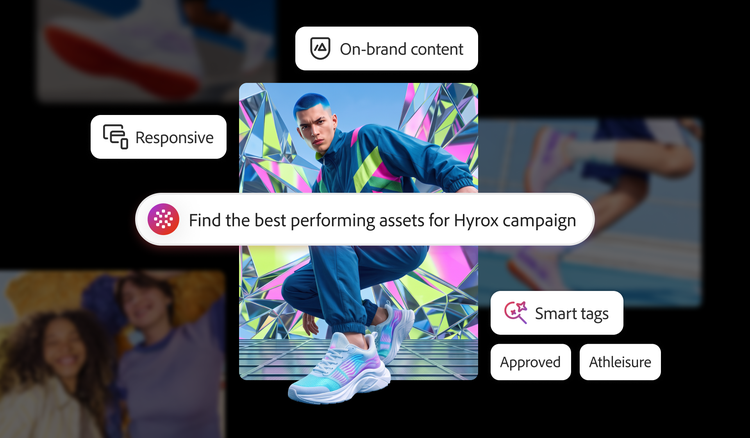
6 capabilities redefining enterprise DAM systems.
As AI transforms how content is created, discovered, and delivered, enterprise DAM systems have a bigger job to do. Read on to explore the six capabilities to look for in a platform built for what comes next.
Every experience your brand delivers, from a campaign, through an in-store screen, or on your website, is built from the assets in your digital asset management (DAM) system. These experiences now answer to two audiences — people, who want a reason to trust your brand and AI, which wants structure it can parse, evaluate, and act on. AI has become a gatekeeper, sizing up your brand and deciding whether to steer a customer toward you or a competitor.
Serving both the audiences requires assets that are consistent, on-brand, and richly described. Manage them like files in a drawer and cap what your brand can do with them. Treat them as the strategic assets they are, and they become the rich, personalized experiences both your customers and AI are looking for. But that requires the system around them to pull double duty — making your brand legible to AI and relevant to the people AI sends your way. Storage alone was never going to cover both, but it is still what most enterprises run — more than half of organizations (53%) say their content supply chain is still largely linear and resource-intensive.¹

1 in 4 customers now use AI-powered platforms as their primary source for searching, making purchase decisions, and finding recommendations, ahead of brand websites and online reviews.
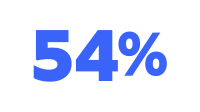
54% of organizations are preparing to optimize their content for AI-powered discovery, even as customers rely on these tools.¹
1. A unified content foundation.
For enterprises that need scale and governance across websites, campaigns, and digital experiences, the DAM system must serve as the one place where every team accesses approved assets — the authoritative home from which both creative and marketing teams work. Without it, everything downstream gets harder or breaks, from personalization, omnichannel delivery, and brand consistency to asset activation. Assets scattered across team drives, disconnected repositories, and inboxes mean duplicated work, off-brand files in circulation, and no reliable way to know what assets you actually have.
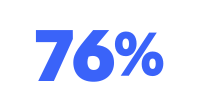
76% of organizations say generative AI has improved their content volume — raising the stakes for how that content is stored, governed, and reused.
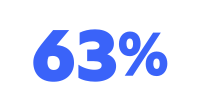
63% expect agentic AI to give employees more time for strategic and creative work.¹
What to look for:
- Centralized asset repository. A single, authoritative home for every asset type, including images, video, documents, audio, 3D models, and rich media.
- Cloud-native storage. Enterprise scalability without manual infrastructure upgrades or capacity planning.
- Version control. One current, approved version of every asset, with history, so teams never work from the wrong file.
- Bulk ingestion. High-volume import from cloud providers and existing systems, so consolidation doesn't mean months of manual migration.
In practice:
A global enterprise with dozens of brands and regions has assets spread across local drives, agency handoffs, and a patchwork of a legacy DAM system. Teams recreate work that already exists because no one can find it, and outdated logos and unlicensed images slip into live campaigns. Consolidating these assets into a single governed repository in Adobe Experience Manager Assets gives every team one place to find, trust, and reuse approved assets — reducing duplicated production and keeping off-brand files out of circulation.
How Adobe delivers:
Experience Manager Assets acts as a unified content foundation, connecting asset management to creation, delivery, personalization, and analytics in one governed workflow rather than managing files inside an isolated store — with cloud-native scale, version control, and bulk ingestion of existing libraries built in.

2. AI-powered discovery and automated metadata tagging.
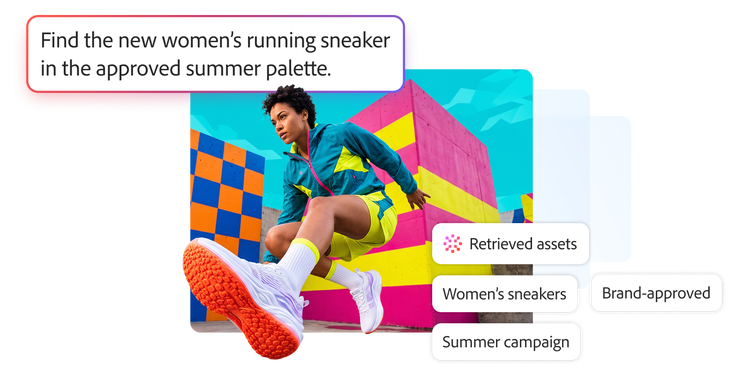
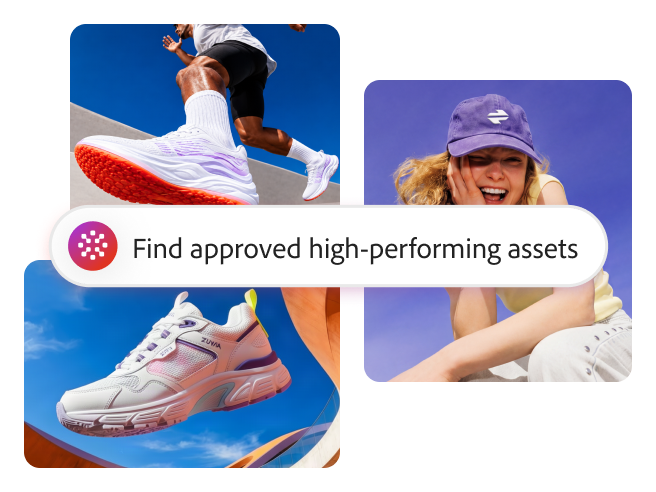
A repository is only useful if people can find what's in it. As libraries grow to millions of assets, keyword search and manual tagging break down. Teams can waste hours hunting for assets. A modern DAM system surfaces the right asset through plain-language queries across every repository and connected application, while automatically enriching assets with metadata to make them discoverable as soon as they're ingested. That same rich, accurate metadata is what makes assets legible to AI systems that are increasingly assembling and evaluating experiences.
What to look for:
- AI-powered tagging and metadata generation. Automatic metadata capture and content tagging on ingestion, so assets are described consistently without manual effort.
- Intent-aware search. A function that understands context and meaning, not just keywords.
- Taxonomy management. A taxonomy that can be trained to reflect your organization's specific structure and brand language.
- Visual search and AI-assisted categorization. Finding assets by what's in them and organizing them at scale.

Customer spotlight:
Ford Motor Company manages more than 22,000 creative assets — a number expected to triple.
To power its Ford From the Road digital newsroom, its global communications team relies on Adobe Experience Manager Assets as a centralized, searchable source of truth, allowing teams across regions to find and reuse visuals instead of duplicating work. This approach supports efficiency even as its library of more than 22,000 creative assets is projected to triple. AI-assisted capabilities, such as auto-tagging and smart crop, help the team localize and publish content on demand without adding to the workload of the central design team, helping the organization keep pace as content volume and formats grow.²
How Adobe delivers:
For teams, this is the gap between finding an asset and rebuilding it. Describe what you need in plain language and the approved version surfaces in seconds. What a generic DAM system can’t match is the reach, one where a search spans a distributed estate of connected repositories, not a single library. It also operates in the same environment where assets are created and enriched in Adobe Creative Cloud and Adobe Firefly, so finding, creating, and reusing assets aren’t spread across three separate systems.
3. Omnichannel delivery and activation.
Getting an asset to the right channel in the right format shouldn't require a designer to manually resize files for every screen. Customers move across web, mobile apps, email, in-store screens, connected devices, and AI-driven surfaces, and they expect the brand to look right everywhere. The DAM system should adapt and optimize assets automatically for any surface, bandwidth, or screen, while treating omnichannel delivery as a core capability, not a bolt-on.
What to look for:
- Creation once, delivery everywhere. Publish a single asset consistently across web, mobile apps, IoT devices, and emerging digital touchpoints via APIs and headless architectures.
- Dynamic rendition and auto-cropping. Automatic resizing and reformatting to fit each channel's specs.
- Omnichannel delivery as a core pillar. Built into the platform, not added through separate tools.

Customer spotlight:
TSB reduced branded asset creation from weeks to minutes.
TSB, the first UK bank to build on Adobe Experience Platform, set out to extend the personal service customers get in branches to every digital channel — in person, by phone, and through its mobile app. With Adobe, including Experience Manager Assets in its content supply chain, the bank reduced the time required to create branded assets from seven weeks to seven minutes, giving teams a version-controlled hub of approved content that can be activated consistently across channels while connecting more customers to relevant experiences.³
How Adobe delivers:
For a design team, this is the end of keeping a dozen cuts of the same asset in sync. With dynamic media, assets are automatically transformed and delivered in the right size, crop, and file format for each surface when they are requested, so a single change propagates everywhere the asset is used instead of triggering a round of manual reformatting.

4. Performance insights and content intelligence.
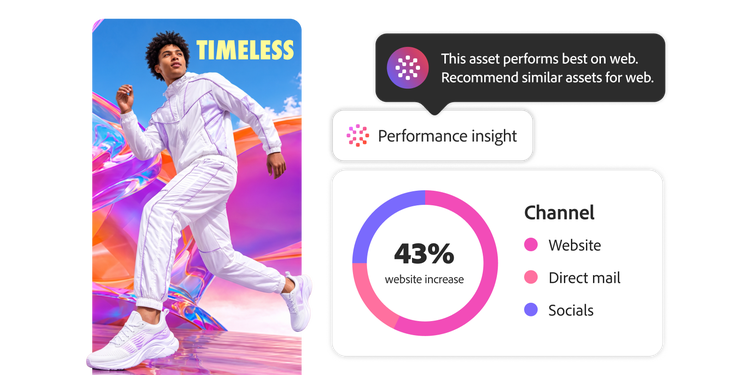
You can't optimize what you can't measure — and many organizations still can't. Only 44% have a measurement framework for generative AI, and just 31% have one for agentic AI, while 52% say they struggle to demonstrate measurable returns on their AI investments.¹ Enterprise teams need to know which assets are actually being used, by whom, and whether those assets are driving results — not just how many files sit in the library. A DAM system that only reports numbers leaves teams guessing. In contrast, a system that uses agentic analysis to surface which assets drive impact, which are underused, and which assets are worth creating next or retiring helps close the loop between what’s produced and what performs.
What to look for:
- Agentic intelligence on usage. Insights that highlight the content driving impact, not just raw dashboards.
- Asset usage reporting. Visibility into how assets are used across channels and teams.
- Performance tied to outcomes. Asset performance connected to downstream campaign and channel results.
- Insights that inform production. Data that shapes what you create next, so investment goes to what works.
How Adobe delivers:
Adobe Experience Manager Assets connects to the analytics and experience layers, allowing teams to tie an asset to what happened next, identify which pieces moved the campaign, determine which sat unused and decide which assets to retire. As a result, the team can invest in what’s proven to work instead of reprinting what doesn’t.
5. A connected ecosystem.
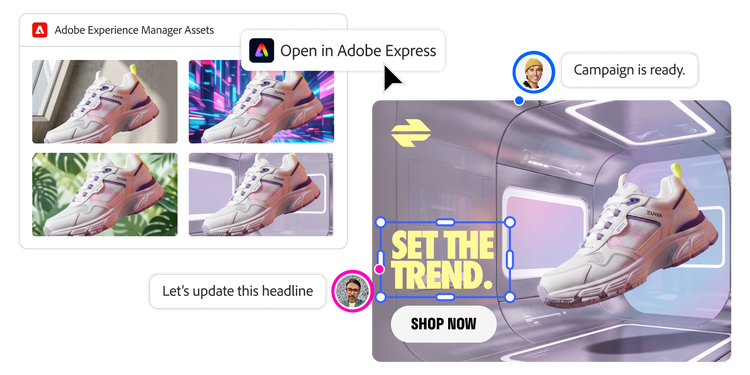
A DAM system can't sit off to the side. It has to be at the center of the content supply chain, with native connections to creation tools, your CMS, commerce, campaign activation, and analytics. Point connectors that bolt systems together are fragile and result in a loss of control at every handoff. The connections have to be native, not patched together and, increasingly, the DAM system has to extend to AI agents from other systems. About half of organizations now say that seamless agent-to-agent interoperability is a crucial factor when choosing a vendor.¹ When the DAM system is wired into every stage of the workflow, assets flow from creation to review to activation without export/import gaps, and governance is maintained across tools.
What to look for:
- Open, extensible platform. Support for both native and third-party integrations, with governance maintained across a diverse martech ecosystem.
- Creative workflow integrations. Connections into every stage of creation and production to accelerate asset discovery, reuse, and time to market.
- API-first architecture. Content delivered to any framework, channel, or application.
- A validated partner ecosystem. Pre-built, tested integrations that reduce time to market.

Customer spotlight:
Vanguard built an end-to-end content workflow and saved US$2.2 million.
Facing content sprawl across its lines of business, investment firm Vanguard connected Adobe Experience Manager Assets with Adobe Workfront and Adobe Creative Cloud to create an end-to-end content creation workflow. The integrated approach improved content velocity, increased website development efficiency by 6x to 10x through the use of reusable components, and, by cutting redundant work, saved roughly US$2.2 million on personalized content delivery within a single marketing team in the first two years.⁴
How Adobe delivers:
Native integrations across the Adobe ecosystem, including Adobe Creative Cloud, Adobe Firefly, Adobe Experience Platform, Adobe Content Analytics, and Adobe Journey Optimizer, ensure that an asset moves from creation to review to activation in one governed flow, with no re-uploading or loss of control between tools.
6. Brand governance, security, and enterprise-grade control.
The more access you open up and the more you automate, the more governance matters — not less. Expanding access to a DAM system accelerates content velocity, but it also raises the risk of expired, off-brand, or non-compliant assets reaching customers. At enterprise scale, governance can't be left to a manual audit performed occasionally, the DAM system has to continuously watch for rights expirations, brand violations, and duplicates without waiting for a human to catch them. Furthermore, it has to meet the security and compliance standards of a regulated, global business. Responsible-AI investment still lags where autonomy is greatest: only 37% of organizations have invested in guidelines for the responsible use of agentic AI, compared with 65% for generative AI,¹ which makes built-in guardrails even more important as AI automates more of the work.
What to look for:
- Agentic monitoring. Continuous scanning for expired, duplicate, or non-compliant assets, flagging or removing them before they create risk of brand damage or asset leakage.
- Content credentials. Industry-standard tamper-evident metadata that records how an asset was made, so its origin travels with it wherever it is shared or published.
- Role-based access and granular permissions. Precise control over who can do what across large, distributed teams.
- Asset lifecycle management. Approval workflows, scheduled publishing, and archiving built in.
- Enterprise security and scale. The uptime, compliance, and audit controls that a regulated global business runs on, so growth never outpaces control.
How Adobe delivers:
The differentiator here is provenance. Where most tools log a creator's name and whether AI was involved, Adobe content credentials provide an auditable trail of every person and AI agent that touched an asset, along with what each one did — capture or generation, every edit, and the tool used. This trail travels with the asset even after it leaves your systems. As content provenance rules tighten around AI, that's the difference between claiming authenticity and proving it. In addition, agentic brand governance flags expired or off-brand assets before they go live, while role-based access control and cloud-native security keep operations compliant as they scale.
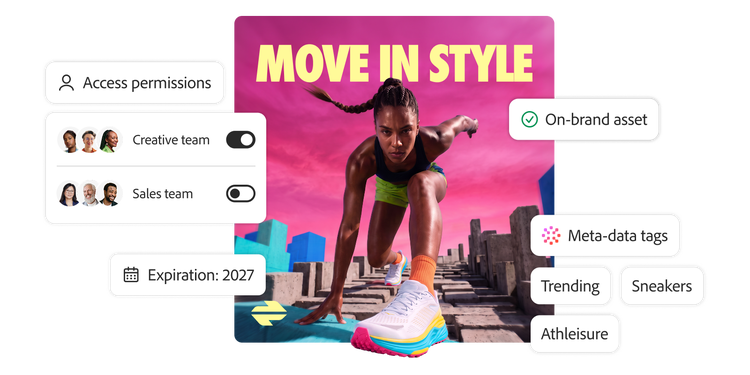
The DAM system your content operation runs on.
Adobe Experience Manager Assets is built to do all six at once, allowing asset management to stop being a drag on your teams and start compounding into better experiences for everyone your brand reaches, people and AI alike.
For your teams, it means less friction and more time on the work that matters. The hours lost to hunting for the right file, recreating what already exists, and reformatting assets for every channel are recovered, and the nagging question of whether an asset is approved, current, and on brand no longer requires a manual check because the system handles it in the background. People move from ideation to activation faster, make sharper calls about what to create next, and stay in control of everything that goes out.
For your audiences, it means a brand that feels coherent everywhere they meet it, delivering the same quality on a product page, in an app, or on an in-store screen. And as questions about what's real and what's AI-generated grow louder, content credentials give people a transparent, verifiable record of how each asset was made. For the AI systems increasingly deciding what to surface and recommend, it means content they can readily find, interpret, and trust, so your brand shows up effectively in the moment that now comes before a customer ever reaches you.
The brands that treat DAM as a strategic content foundation, not a storage closet, are the ones ready to move at the speed both audiences now expect.
Learn more about how Adobe Experience Manager Assets can help your enterprise turn assets into rich customer experiences built for people and AI discovery, with agentic execution and human control built in.
Sources
- Adobe 2026 AI and Digital Trends report.
- “Ford drives engagement through storytelling with Adobe”, Adobe customer story for Ford.
- “TSB makes banking experiences more personal with Adobe”, Adobe customer story for TSB.
- “Vanguard engages investors with Adobe Experience Cloud”, Adobe customer story for Vanguard.
https://business.adobe.com/fragments/resources/cards/thank-you-collections/experience-manager-assets