Streamlined offer letters and contracts.
Generate and personalize offer letters, employment contracts, and contract amendments.


JUMP TO SECTION
Adobe Acrobat Studio: A connected solution for HR teams.
Use case 1: Create consistent onboarding and training content.
Use case 2: Make HR guidance easier to understand and use.
Use case 3: Give employees a place for answers.
Beyond onboarding, supporting HR teams every day.
Adobe Acrobat Studio helps HR teams create consistent, engaging onboarding, training, and policy experiences while giving employees a trusted place to find answers on their own — without jumping between disconnected tools.
Human resources (HR) shapes how people experience your company — from a new hire's first week to the way a veteran employee accesses the policies that apply to them. Doing that well across a growing, changing organization means keeping onboarding packets, training guides, benefits summaries, and policy documents accurate, current, consistent, and easy to use. But as HR content is adapted by different managers, teams, and regions and updated over time, multiple versions can end up in circulation, making it harder to know what’s current and keep materials aligned. The impact shows up in the employee experience: new hires can miss important steps, employees may receive inconsistent guidance, and HR ends up correcting confusion instead of supporting the workforce.
It's a quiet productivity tax — time spent finding the right information, reconciling versions, rebuilding materials, and answering questions the content already addresses. HR teams need one connected workflow, so the information they gather and validate becomes the content employees receive — without losing context, consistency, or trust along the way.
Acrobat Studio brings together trusted PDF capabilities, AI-powered document intelligence, secure collaboration, and professional content creation. HR teams gather relevant materials in PDF Spaces in Adobe Acrobat Studio and draw on Adobe Acrobat AI Assistant, Adobe Express, and Knowledge Base in Adobe Acrobat Studio to make that content consistent, engaging, and easy to find. Together, these capabilities help HR move from source materials to clear, employee-ready content and guidance — faster and with more confidence.
Here's how those capabilities work together across the HR workflow:
The payoff is measurable. In a Total Economic Impact™ study, Forrester modelled a composite organization from interviews with Acrobat Studio customers and a 316-person survey across industries. The study found:
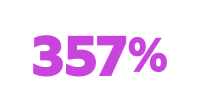
ROI over three years.¹
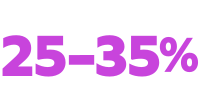
increase in efficiencies from reviewing, finding information, and summarizing documents.¹

months for payback.¹
Onboarding and training materials often vary by manager or region, and they’re scattered across content libraries and repositories — mismatched formats, old versions, and guidance that doesn’t line up — so not every new hire gets the same start.
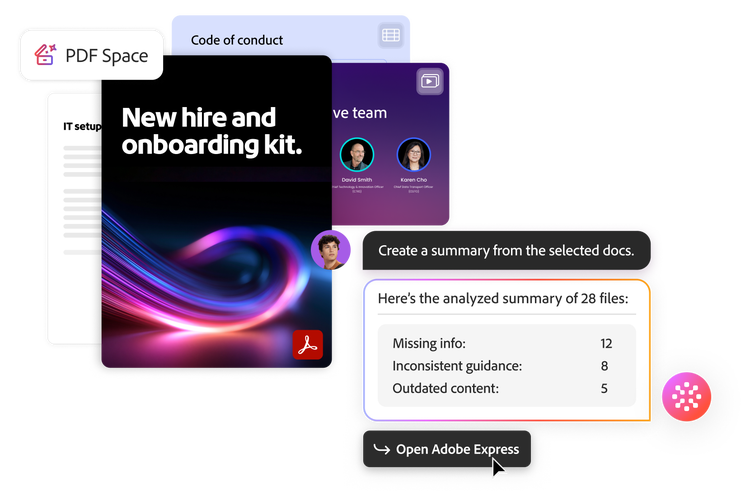
PDF Spaces lets HR teams bring existing onboarding guides, training decks, and policy summaries in circulation — even materials created by different managers and teams — into one secure place. This could mean pulling together new-hire onboarding checklists and IT setup guides, benefits enrollment and PTO policies, code-of-conduct and compliance training, role-specific ramp plans, and manager training decks — the kind of materials that accumulate in different versions across an organization.
Acrobat AI Assistant can then help HR review and compare those materials — and because it works across multiple documents and formats, a single review can span the onboarding checklists, policy documents, and training decks HR already has. HR can compare content across those files to identify inconsistencies and quickly see what’s missing or out of date, with citations linked back to the source for verification.
With those gaps identified, HR can use PDF creation and editing functionality along with Adobe Express templates to create one standardized set of onboarding and training materials that’s complete, polished, and on-brand — replacing the patchwork of versions already in use.
One consistent, on-brand set of onboarding and training materials, built faster. By establishing approved templates and content standards once, HR can help every manager deliver consistent experiences across teams and locations. Forrester found teams reviewed documents and pulled out what mattered 35% faster and review cycles were 80% shorter.¹ This kind of manual work is a common drain — 66% of respondents named it as a productivity problem, while 58% pointed to slow reviews and approvals.¹
Streamlined HR materials are only valuable if employees are easily able to consume them. Dense guides and policy documentation often go unread, not because the information is wrong, but because it doesn't fit the way employees take in information during the workday.
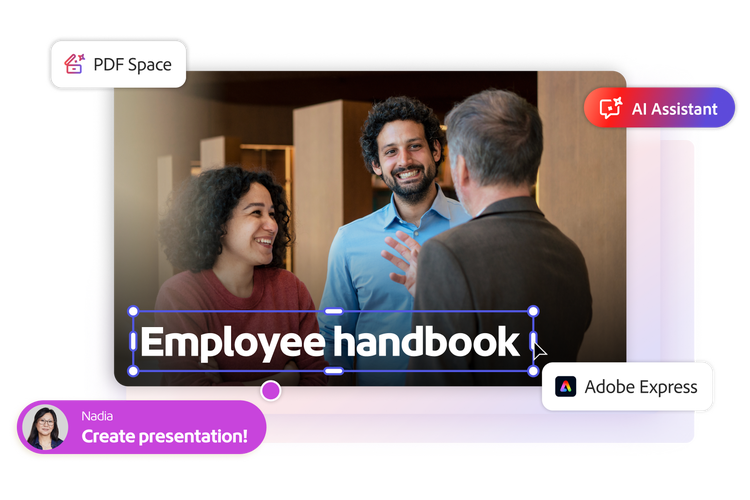
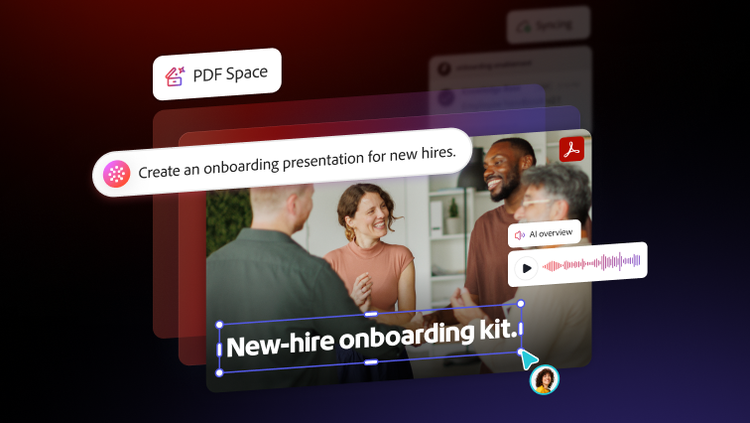
With trusted source materials brought together in PDF Spaces, HR can turn required annual training, learning and development programs, and other employee education into more accessible, engaging experiences. Adobe Express adds the visuals, branding, and structure that make designed content clear and easy to follow. Acrobat Studio helps HR transform existing training materials and policy documents into presentations and structured audio summaries employees can consume in their desired format. With Acrobat AI Assistant, employees can also interact directly with the underlying materials — asking questions, getting summaries and key takeaways, and verifying answers with citations linked back to the source. The result is the same consistent information HR established in the first place, delivered in ways employees are more likely to use — rather than left sitting in files that go unopened.
The same trusted information, delivered in formats employees actually use. Forrester found that content was produced 30% faster with PDF Spaces and Adobe Express,1 helping teams turn existing information into polished content more efficiently.
Even strong materials lose their value if no one can find them. New hires and employees spend time hunting through email chains, shared drives, and intranet pages for answers that already exist somewhere.
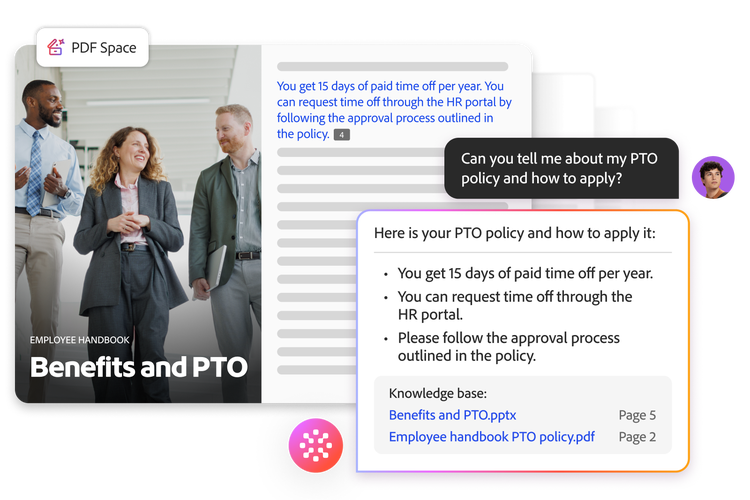
The onboarding materials, policies, and training resources are already organized in Acrobat Studio, so HR can open them up for self-service. Employees can search the content, ask questions to Acrobat AI Assistant, and get answers with source-linked citations they can use to check the underlying information — rather than turning to HR for every routine query.
How HR sets that up depends on the scope of the content:
PDF Spaces –
for a focused set of documents, such as onboarding documents for an individual or a team. HR shares a space, and it comes with its own AI assistant scoped to those documents, so the individual or team can ask questions and get answers drawn only from that curated set.
Knowledge Base –
for large, curated collections that span the wider body of HR content. Employees get cited answers drawn from the full collection, delivered where they already work — Slack, Microsoft Teams, and web channels — without leaving their workflow to hunt down the right file.
Employees get trustworthy answers on their own, and HR spends less time re-answering the same routine questions.
Streamlined offer letters and contracts.
Generate and personalize offer letters, employment contracts, and contract amendments.

Support for performance and compensation cycles.
Produce performance, promotion, and compensation letters consistently across managers and teams.

Simplified compliance acknowledgments.
Distribute updated policies with version control and track who has reviewed them.

Standardized manager communications.
Equip managers with on-brand templates, so every team delivers the same employee experience.
A connected HR workflow only works if trust carries through every step. Acrobat Studio builds that trust into the documents, AI experiences, and deployment controls HR teams rely on. HR teams handle some of the most sensitive information in the company — personal data, compensation details, and confidential policies.
Security in Adobe Acrobat Studio isn’t an add-on, the platform inherits Adobe’s established security, governance, and compliance foundation. Its AI-powered insights are transparent and verifiable, with clear attribution to source documents. Data is not used to train models — it remains private to the organization and the individual user. PDF Spaces operates as a trusted environment, with password protection, encryption, and single sign-on, which help safeguard employee information. For IT and HR leaders evaluating enterprise solutions, Adobe Acrobat Studio reduces tool sprawl by unifying PDF tools, AI-powered analysis, and content creation in one platform, managed through the Adobe Admin Console with centralized deployment, user provisioning, and granular controls.
The value isn’t in any one step — it’s that the steps stay connected. HR establishes trusted information once, shapes it into experiences employees actually engage with, and makes that same source-grounded guidance available wherever employees need it. Onboarding and training stop being a stack of scattered, one-off documents and become a program that holds together as the company grows around it. HR spends less time chasing versions and re-answering routine questions, employees get clearer material and trustworthy answers they can find on their own. One trusted foundation. One connected workflow. A more consistent employee experience from first day to every day.
Explore how Adobe Acrobat Studio can help your HR team turn trusted documents into clear, consistent employee experiences.
Source